HP Deskjet D5560 Driver Mac

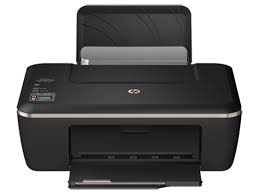
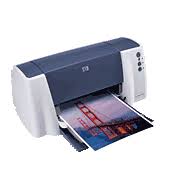
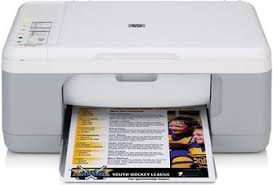
HP Deskjet D5560 Printer

HP DeskJet and PhotoSmart Full Feature Software and Drivers – Mac OS X v10.6

Details

This download includes the HP print driver, HP Utility and if applicable for your device, HP Scan software.

Release Details

Version: 10.3
File name: HP_Installer_Inkjet_Full_Group03_10.3.dmg
Release date: Sep 21, 2009

Operating System

Mac OS X 10.6

Download

File Size: 128.31Mb

HP Deskjet D4260 Driver Download

Download HP Deskjet D4260 Printer and Scan Doctor for Windows

HP Deskjet D1400/D2400/D4200 Printer series Software

Diagnostic Tool-Fixes Installation and Driver Issues.

Download HP Print and Scan Doctor for Windows

The HP Print and Scan Doctor was designed by HP to provide users with troubleshooting and problem solving features needed to resolve many common problems experienced with HP print and scan products connected to Windows-based computers. Simply run the tool and follow the on-screen instructions.

Relase Details

File name: HPPSdr.exe
Released: Sep 3, 2021
Version 5.6.2.008
Compatibility: Microsoft Windows 10 (32-bit)(64-bit), Microsoft Windows 8 (32-bit)(64-bit), Microsoft Windows 8.1 (32-bit)(64-bit), Microsoft Windows 7 (32-bit)(64-bit)

Download

File Size : 11.3 Mb

HP DeskJet GT 5810 Driver

HP DeskJet GT 5810 All-in-One Printer Driver for Windows 11/10/8/7/Vista/Xp

Download HP DeskJet GT5810 All-in-One Print and Scan Driver and Accessories

HP DeskJet GT 5810 All-in-One Printer
HP DeskJet GT 5810 (L9U63A) Printer

HP DeskJet GT 5810 Product Description and Reviews

On this page, we reviewed the HP DeskJet GT 5810 printer for you. We added the latest drivers. We touched upon the driver installation steps. I hope we can be useful.

HP DeskJet GT 5810 printer is a multifunctional tank model. Also an inkjet printer. Moreover, you can print, photocopy and scan. You can print 8 pages in black and 5 pages in color per minute. Moreover, the first page out speed is only 13 seconds. The monthly print volume recommended by HP is between 400 and 800. At the same time, this printer can print 1200 x 1200 dpi black and 4800 x 1200 optimal dpi color print.

Additionally, the HP DeskJet GT 5810 printer has a 7-segment and Iconic LCD display. Moreover, it has a 360 Mhz processor.

As for its disadvantages: There is no automatic paper sensor. Moreover, there is no wireless support. It has a USB 2.0 connection. There is also no ePrint capability. It can do double-sided printing manually. The input tray has a capacity of 60 sheets and the output tray has a capacity of 25 sheets. It can scan at most 1200 dpi.

As a result, it is a useful printer with high energy efficiency (10 watts) weighing 4.64 kg. If you have not taken out extra insurance, there is a 2-year limited hardware warranty.

Description HP DeskJet GT 5810 Driver

The full solution software includes everything you need to install and use your HP printer. This collection of software includes the complete set of drivers, installer and optional software.

Fix and enhancements: Updated end user license agreement and data collection statement

Release details

Released: Dec 2, 2021
File name: Full_Webpack-36.2.117-DJ5810_Full_Webpack.exe
Version : 36.2.117

Operating Systems:

Microsoft Windows 11, Microsoft Windows 10 (32-bit), Microsoft Windows 8 (32-bit), Microsoft Windows 8 (64-bit), Microsoft Windows 8.1 (32-bit), Microsoft Windows 8.1 (64-bit), Microsoft Windows 10 (64-bit), Microsoft Windows Vista (32-bit), Microsoft Windows Vista (64-bit), Microsoft Windows 7 (32-bit), Microsoft Windows 7 (64-bit)
Microsoft Windows XP (32-bit)

Download

File name: 71,69Mb

Installation instructions for HP DeskJet 5810 Driver

Firstly, do not connect the USB cable until prompted by the installer. After that, If you are connecting to a network, make sure the network cable is connected before running the installer. Moreover, close any software programs running on your computer. After that, turn on the printer and click on the Download button on this page. Than, click the downloaded file. In this way, the files will be extracted and the installation process will automatically start. Than, follow the on-screen instructions to proceed with and complete the installation. Additionally, to install at a later date, select Save on step 4 and select a location on your hard disk. similarly, when ready to install, locate and double-click the file. This will automatically extract and start the installation process. Finally, follow the on-screen instructions to proceed with the installation.