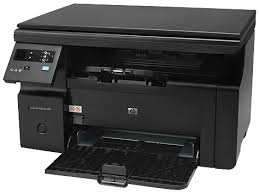
HP LaserJet Pro M1132 Multifunction Printer Firmware Download
Download HP LaserJet Firmware Update Utility (Nov 3, 2020)
HP LaserJet Pro M1132 Multifunction Printer
Description
his firmware update utility is for the HP LaserJet M1130 series printer only. The firmware version can be found on the Self Test / Configuration page. The configuration page can be printed by pressing the go button.
Release details
Version: 20201012 File Name: HP_M1212_M1213_M1219_M1217_M1218_FW_Update_20201012.exe Release date: Nov 3, 2020
Compatibility
Microsoft Windows 10 (32-bit) Microsoft Windows 10 (64-bit) Microsoft Windows 7 (32-bit) Microsoft Windows 7 (64-bit) Microsoft Windows 8 (32-bit) Microsoft Windows 8 (64-bit) Microsoft Windows 8.1 (32-bit) Microsoft Windows 8.1 (64-bit) Microsoft Windows Vista (32-bit) Microsoft Windows Vista (64-bit) Microsoft Windows XP (32-bit) Microsoft Windows XP x64
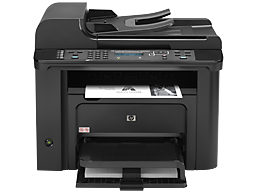
HP LaserJet Pro M1536dnf Multifunction Printer Driver for Windows 10-8-7-Vista-Xp 64bit/32bit
Download HP LaserJet M1536 Basic Print and Scan Driver
HP LaserJet Pro M1536dnf Printer Review
HP LaserJet Pro M1536dnf is a multifunction printer. Moreover, this printer has printing, photocopying and fax features. It also has one black cartridge. You cannot print in color with this printer. In my opinion, the lack of color output on this printer means that this printer is produced for office use. Because we definitely need color printouts in the home environment. Color printing is especially needed in homes with children.
You can print an average of 25 pages per minute. This number depends on your system features and whether your printer drivers are up to date. It also depends on the density of the page you want to print. It also prints the first page in 8.5 seconds. The recommended monthly print count is 500 to 2000 pages. This makes this printer useful in small offices. You can often see this printer in schools, insurance companies and accounting offices.
Description
This basic print and scan package contains printing driver, scan drivers to support both USB and network connections. If you want the full feature software solution, it is available as a separate download named “HP LaserJet Pro M1536dnf mfp Driver Download“.
Release details
Released: Mar 9, 2021 File name: hp_M1530_MFP_Basic_Solution_15189.exe Version : 15.0.15189.928
Operating Systems:
Microsoft Windows 10 (32-bit), Microsoft Windows 10 (64-bit), Microsoft Windows 7 (32-bit), Microsoft Windows 7 (64-bit), Microsoft Windows 8 (32-bit), Microsoft Windows 8 (64-bit), Microsoft Windows 8.1 (32-bit), Microsoft Windows 8.1 (64-bit), Microsoft Windows Vista (32-bit), Microsoft Windows XP (32-bit)
Firstly, do not connect the USB cable until prompted by the installer. After that, If you are connecting to a network, make sure the network cable is connected before running the installer. Moreover, close any software programs running on your computer. After that, turn on the printer and click on the Download button on this page. Than, click the downloaded file. In this way, the files will be extracted and the installation process will automatically start. Than, follow the on-screen instructions to proceed with and complete the installation. Additionally, to install at a later date, select Save on step 4 and select a location on your hard disk. similarly, when ready to install, locate and double-click the file. This will automatically extract and start the installation process. Finally, follow the on-screen instructions to proceed with the installation.
Fix and enhancements: Fixed the Security Vulnerability.
The HP Print and Scan Doctor was designed by HP to provide users with troubleshooting and problem solving features needed to resolve many common problems experienced with HP print and scan products connected to Windows-based computers. Simply run the tool and follow the on-screen instructions.
HP Print and Scan Doctor does not require an installation procedure to use it.
To use the HP Print and Scan Doctor, simply download and run the file.
Click the Download button and save the file to your computer.
Navigate to the location where you saved the file on your computer and double-click the file name HPPSdr.exe to open and run the tool.
Follow the onscreen instructions to use the HP Print and Scan Doctor.
Note:A shortcut to the HP Print and Scan Doctor utility is created on the desktop the first time you run the HPPSdr.exe file. This handy shortcut can be used to easily access the HP Print and Scan Doctor utility for help you may need in the future on troubleshooting and troubleshooting.
HP LaserJet Pro M1536dnf Key Features
You can print at 600 x 600 dpi resolution with the HP LaserJet Pro M1536dnf. It also has a two-line LCD display. Moreover, its 500Mhz processor will make your work easier. There is also one high-speed USB 2.0 port.
It also has a 10/100 Ethernet port. You can print from other computers on the network. It is not recommended to print more than 8000 pages per month. This may reduce the lifespan of your printer.
We can list the compatible operating systems as follows: Windows 11/10/8/7/Vista/Xp – Mac Os X v10.5.8, Linpus Linux, Red Hat Enterprise, SuSE, Ubuntu, Debian and Solaris are some of them. We will examine Linux drivers and their installation as another topic later.
As for the negative aspects of the HP LaserJet Pro M1536dnf printer; Unfortunately, this printer, which has 128Mb memory, does not have any memory expansion. Also there is no Internal storage. There is a power consumption of 445watts during printing.
As for the positive aspects: There is automatic double-sided printing. The input tray supports 250 sheets of A4. Additionally, the output tray has a capacity of 100 pages. Moreover, it can scan 15 pages per minute. It has fax memory of up to 400 pages. It has a sound level of 51dB(A).
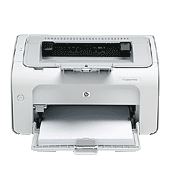
HP LaserJet P1005 Printer Software Driver Download for Windows 11/10/8/8.1/7/Vista/Xp
HP LaserJet P1005/P1006/P1500 Printer Series Full Feature Software and Driver
Description
This full software solution is the same solution as the in-box CD that came with your printer. This is not a software upgrade. If a prior version software is currently installed, it must be uninstalled before installing this version.
Release details
Released: 2014-09-17 File name: hp_LJ_P1005_P1505_Full_Solution_ROW.exe Version : 8.0
Compatibility: Microsoft Windows Vista, Microsoft Windows 7 (32-bit), Microsoft Windows XP x64, Microsoft Windows Vista (64-bit), Microsoft Windows 7 (64-bit), Microsoft Windows XP 64-Bit Edition, Microsoft Windows XP
Fixed the issue where the print job would hang in the spooler after power-cycling a P1005 when an OOP error occurs.
Fixed the issue where hardware installation failed on some DIY PCs in Win7.
Fixed the issue where the paper out dialog was missing the step to instruct the user to press the Go button after a PC reboot.
Changing the printer name will not break the error popup window.
Fixed the issue where P1006 couldn’t thoroughly delete the sharing printer driver.
The Wasp and Shop For Supplies links in the Install Cartridge popup will function properly.
Changing the printer name will not break the Explorer links on the Services tab.
[Wasp] ELL: Contents on the “Print on Both Sides Instructions” screen will display correctly.
HP LaserJet P1000-P1500 Hostbased Plug and Play Basic Driver
Released: Oct 15, 2013 File name: ljP1000_P1500-HB-pnp-win32-en.exe Version : 20130415
Compatibility: Microsoft Windows 10, Microsoft Windows Vista, Microsoft Windows 7 (32-bit), Microsoft Windows 8 (32-bit), Microsoft Windows 8.1 (32-bit), Microsoft Windows XP Download File Size : 3.38Mb
Compatibility: Microsoft Windows 10, Microsoft Windows XP x64, Microsoft Windows Vista (64-bit), Microsoft Windows 7 (64-bit), Microsoft Windows 8 (64-bit), Microsoft Windows 8.1 (64-bit), Microsoft Windows XP 64-Bit Download File Size : 3.84Mb