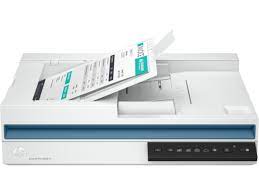
HP ScanJet Pro 3600 f1 Scanner Driver for Windows 11/10/8/7
Download HP ScanJet Pro 3600 f1 Scanner Full Feature Software and Driver (Recommended)
Description
HP is undoubtedly one of the largest printer and scanner producing companies. A new update has been released for the universal driver produced for HP scanner devices. Also some improvements and fixes were made. This driver full web suite provides various scanning functions. Moreover, it supports OCR capabilities and Cloud targets.
Fixes and improvements:
HP ScanJet Pro 3600 f1 Scanner supports PDF Compression. It also supports Secure Searchable PDF creation. With this update comes support for Multibyte characters and WideChars support for FilePaths. Plus Scan to PC improvements. In addition, Arabic and Hebrew language support for Searchable PDF are some of the innovations that come with this version.
HP ScanJet Pro 3600 f1 Scan – Full Feature Software and Driver
Fix and enhancements:
Scan to computer improvements have been made in this version. However, some features may vary depending on your browser model. Additionally, the language of the Data Collection Agreement Screens has been updated.
Version: 63.4.6169
File name: Full_Webpack-63.4.6169-SJ0001_Full_Webpack.exe
Relased: Aug 29, 2024
Operating Systems
Microsoft Windows 11, Microsoft Windows 10 (32-bit), Microsoft Windows 10 (64-bit), Microsoft Windows 8.1 (32-bit), Microsoft Windows 8.1 (64-bit), Microsoft Windows Server 2022
File Size: 411.21 MB
Finally, let’s make a few reminders about the installation. First, download the installation file to your computer. It will generally download to the general downloads folder. Then open the file you downloaded. The installation wizard will guide you. When the installation is finished, you can delete the file you downloaded. Or you can save it to reinstall it in case you experience problems again. If you encounter a problem, do not hesitate to contact us.