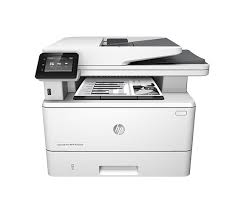
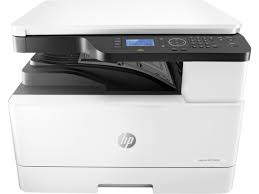
Download Driver HP OfficeJet Pro 7740 Wide Format All-in-One Printer Driver for Macintosh
HP OfficeJet Pro 7740 Wide Format All-in-One Printer Series
HP OfficeJet Pro 7740 Printer
Details for HP OfficeJet 7740
HP Easy Start is the new way to set up your HP printer and prepare your Mac for printing. HP Easy Start will locate and install the latest software for your printer and then guide you through printer setup.
Fix & Enhancements: Live User Interface Flow, During Installation of Mac SoftwareBuild for HP Smart Tank 500 series, HP Smart Tank Plus 570 series,HP Smart Tank 530 series Printer Devices is Fixed
Operating Systems:
Mac OS X 10.10, Mac OS X 10.11, Mac OS X 10.12, Mac OS X 10.9, macOS 10.13, macOS 10.14, macOS 10.15, macOS 11, macOS 12, macOS 13
HP Color LaserJet Pro M253 Printer Driver for Windows 11-10-8-7 (64Bit-32Bit)
Download HP Color LaserJet Pro M 253-M254 Printer Series Software Driver
HP Color LaserJet Pro M254dn Printer Full Software Solution
HP LaserJet Pro M253
Details Hp M253 Driver
The full solution software includes everything you need to install your HP printer. This collection of software includes the complete set of drivers, installer software, & other administrative tools found on the printer is software CD.
Relase Details
ersion: 44.11.2787 Name: Full_Webpack-44.11.2787-LJM253-M254_UW_Full_Webpack.exe Released: Oct 19, 2022
Operating Systems
Microsoft Windows 11, Microsoft Windows 10 (32bit), Microsoft Windows 10 (64bit), Microsoft Windows 8.1 (32bit), Microsoft Windows 8.1 (64bit), Microsoft Windows 8 (32bit), Microsoft Windows 8 (64bit), Microsoft Windows 7 (32bit), Microsoft Windows 7 (64bit)
Note: Do not connect the USB cable until prompted by the installer. If you are connecting to a network, make sure the network cable is connected before running the installer
Close any software programs running on your computer.
Turn on the printer.
Click on the Download button on this page.
Click the downloaded file. The files will be extracted and the installation process will automatically start.
Follow the on-screen instructions to proceed with and complete the installation.
To install at a later date, select Save on step 4 and select a location on your hard disk. When ready to install, locate and double-click the file. This will automatically extract and start the installation process. Follow the on-screen instructions to proceed with the installation.
Microsoft Windows 11, Windows 8 (32bit), Windows 8 (64bit), Windows 8.1 (32bit), Windows 8.1 (64bit), Windows 10 (32bit), Windows 10 (64bit), Windows 7 (32bit), Windows 7 (64bit)