Diagnostic Tool-Fixes Installation and Driver Issues.
HP Print and Scan Doctor for Windows
Details
The HP Print and Scan Doctor was designed by HP to provide users with troubleshooting and problem solving features needed to resolve many common problems experienced with HP print and scan products connected to Windows-based computers. Simply run the tool and follow the on-screen instructions.
Relase Details
File name: HPPSdr.exe Released: Sep 3, 2021 Version 5.6.2.008 Compatibility: Microsoft Windows 10 (32-bit)(64-bit), Microsoft Windows 8 (32-bit)(64-bit), Microsoft Windows 8.1 (32-bit)(64-bit), Microsoft Windows 7 (32-bit)(64-bit)
HP ePrint Software for Network and Wireless Connected Printers
HP ePrint Software makes it easy to print from a desktop or laptop PC to any HP ePrinter. You can easily print your digital content wirelessly to supported HP printers on a local wireless network (Wi-Fi), HP printer enabled Wireless or WiFi Direct, or over the wired LAN. Additionally, you can print to your HP ePrint-enabled printer via the cloud at home, the office, or on-the-go, whenever the printer is connected to the Internet. You can even print to thousands of HP ePrint Public Print Locations worldwide.
File name: HPEPrintAppSetupx64.exe Released: Sep 18, 2017 Version : 5.5.118.22560 Compatibility: Microsoft Windows 10 (64-bit), Microsoft Windows 8 (64-bit), Microsoft Windows 8.1 (64-bit), Microsoft Windows 7 (64-bit)
Description:
The HP Printer Install Wizard for Windows was created to help Windows 7, Windows 8, and Windows 8.1 users download and install the latest and most appropriate HP software solution for their HP Printer.
Simply run the tool and follow the on-screen instructions.
NOTE: The HP Printer Install Wizard for Windows does not support Windows RT for ARM-based tablets or computers. Installation of additional printing software is not required. HP recommends that users utilize the print capabilities already included in Windows RT.
Fix/Enhancement :
This updated version of the HP Printer Install Wizard for Windows adds the following enhancements:
Support for Windows 8.1
Additional diagnostic and auto-fix capabilities
Support for additional HP printers
Release details:
Released: 2013-09-30
File name: hppiw.exe
Version : 3.1
Compatibility: Microsoft Windows 7 (32-bit) Microsoft Windows 7 (64-bit), Microsoft Windows 8 (32-bit), Microsoft Windows8 Professional (64-bit), Microsoft Windows 8.1 (32-bit), Microsoft Windows 8.1 (64-bit)
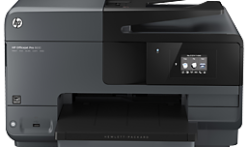
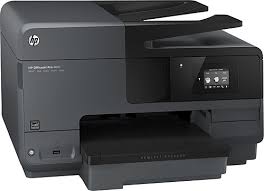
Download HP Officejet Pro 8610 e-All-in-One Printer Driver for Windows 11/10/8/7/Vista/Xp
HP Officejet Pro 8610 e-All-in-One Printer series / HP OfficeJet 8600 Series Printer Full Feature Software and Drivers
HP Officejet Pro 8610 Printer
You can download your printer drivers from our website without any worries, because the driver files are downloaded directly from HP’s official site. We only provide direct links, allowing you to quickly and easily access the installation files without wasting time. If you experience any issues during the installation, feel free to share them with us so we can help you. In fact, don’t hesitate to contact us even for the downloading process. Keeping your printer drivers up to date will positively improve your printer’s performance. That’s why we continually work to ensure that the drivers are always up to date.
Description HP Officejet Pro 8610 Driver
If you prefer having all features ready right from the start, the full solution software is definitely the way to go. In my experience, it makes the setup feel much smoother and more complete. The full solution software includes everything you need to install and fully use your HP printer without missing any functionality.
This package comes with the complete set of drivers, the guided installer, and various optional software tools that can help you get the most out of your device. It’s especially helpful if you want all the advanced features available and don’t want to download anything separately. Overall, it provides a convenient, all-in-one setup experience.
Release details
Fix and enhancements: Repackaged without Optical Character Recognition (OCR) Functionality
Release details
Released: May 24, 2022 File name : Full_Webpack-116_1-Full_Webpack.exe Version: 32.4.116_1
Compatibility: Microsoft Windows 10 (32-bit), Microsoft Windows 10 (64-bit), Microsoft Windows 11, Microsoft Windows 7 (32-bit), Microsoft Windows 7 (64-bit), Microsoft Windows 8 (32-bit), Microsoft Windows 8 (64-bit), Microsoft Windows 8.1 (32-bit), Microsoft Windows 8.1 (64-bit), Microsoft Windows Vista (32-bit), Microsoft Windows Vista (64-bit), Microsoft Windows XP (32-bit)
HP OfficeJet Pro 8610 e-All-in-One Printer Series / HP OfficeJet 8600 Series Printer Basic Driver
Version: 32.4.116 Release date: Dec 6, 2021 File name: Basic_Webpack_x64-116-Basic_Webpack_x64.exe
Microsoft Windows 10 (64-bit)
Microsoft Windows 11
Microsoft Windows 7 (64-bit)
Microsoft Windows 8 (64-bit)
Microsoft Windows 8.1 (64-bit)
Microsoft Windows Vista (64-bit)
Sometimes you simply don’t need all the extra tools—just a straightforward driver that gets your printer working. That’s exactly where the Basic Feature software solution comes in. This driver-only package is designed for customers who want a quick, simple setup for their HP printer. I’ve personally preferred this option in situations where I just needed to get a printer up and running without any additional software.
On the other hand, if you want to take full advantage of all the features your device offers, it’s good to know that the full-feature software package is available as a separate download. It’s listed as ‘HP Officejet Pro 8610 e-All-in-One Printer series Full Software Solution’ and includes the complete set of tools and enhancements. So, depending on your needs, you can easily choose between a lightweight driver or the full, feature-rich experience.
HP Universal Fax Driver for Windows with XP and Vista Support
The HP Universal Fax Driver is a solution installed on a client PC with XP and Vista Support. Note : This method is not supported for Windows Server PC. Refer HP Universal Fax Driver for Windows – Driver Only package for Server PC.