
Looking for the HP OfficeJet Pro 7730 driver? This page lists HP’s official software for the whole HP OfficeJet Pro 7730 Wide Format All-in-One Printer series. For Windows 11; Windows 10, 8.1, 8, 7 (32-bit and 64-bit), the package most people need is the HP OfficeJet Pro 7730 Wide Format All-in-One Print and Scan Driver and Accessories. For a Mac, HP lists Install HP Easy Start.
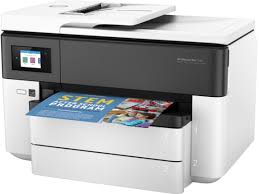
Recommended downloads
Files download directly from HP’s official servers. hpdrivers.net does not host or modify them.
Which Windows package should you choose?
HP publishes 3 kinds of Windows package for the OfficeJet Pro 7730 Wide Format All-in-One:
- HP Universal Print Driver (v8.2.89, Sep 11, 2026): HP’s shared driver for many models, also listed for this series.
- Full software solution (v44.11.2778, Sep 02, 2022, 159.5 MB): driver plus HP’s setup wizard and tools.
- Firmware update (v003.2615B, Jun 04, 2026): updates the printer itself, not your PC.
All downloads for the OfficeJet Pro 7730 Wide Format All-in-One
Windows
| Package | Windows | Version | Released | Size | |
|---|---|---|---|---|---|
HP OfficeJet Pro 7730 Wide Format All-in-One Print and Scan Driver and AccessoriesFile detailsFile:Full_Webpack-44.11.2778-OJ7730_Full_Webpack.exe | 11 10, 8.1, 8, 7 (32-bit and 64-bit) | 44.11.2778 | Sep 02, 2022 | 159.5 MB | Download |
HP OfficeJet Pro 7720/7730 Wide Format All-in-OneFile detailsFile:OJP7730_2615B.exe | 11 10, 8.1, 8, 7, Vista (32-bit and 64-bit) | 003.2615B | Jun 04, 2026 | 77.1 MB | Download |
macOS
| Package | macOS | Version | Released | Size | |
|---|---|---|---|---|---|
HP OfficeJet Pro 7720/7730 Wide Format All-in-OneFile detailsFile:OJP7730_2615B.dmg | 26, 15, 14, 13, 12, 11, 10.13, 10.12, Mac OS X 10.11, Mac OS X 10.10 | 003.2615B | Jun 04, 2026 | 80.5 MB | Download |
Other HP software listed for this series
| Software | Systems | Version | |
|---|---|---|---|
| HP Universal Scan – Full Feature Software and Driver | Windows 11 Windows 10, 8.1, 7 (32-bit and 64-bit) | 63.8.6459 | Download |
| HP Universal Scan – Basic Feature Software and Driver | Windows 11 Windows 10, 8.1, 7 (32-bit and 64-bit) | 63.8.6459 | Download |
| HP Universal Scan – Basic Feature Software and Driver (ARM 64) | Windows 11 | 63.8.6459 | Download |
| HP Universal Scan – Full Feature Software and Driver (ARM 64) | Windows 11 | 63.8.6459 | Download |
| HP Easy Start Printer Setup Software (Internet connection required for driver installation) | Windows 11 Windows 10, 7 (32-bit and 64-bit) | 17.6.15 | Download |
| ReadIRIS Advanced OCR | Windows 11 Windows 10 (32-bit and 64-bit) | 17.4.211 | Download |
| ReadIRIS Advanced PDF | Windows 11 Windows 10 (64-bit) | 27.0.577.2 | Download |
| HP Scan OCR Add-on Software | Windows 11 Windows 10, 8.1, 7 (32-bit and 64-bit) | 1.0.1020 | Download |
| Install HP app to complete setup and support | Windows 11 Windows 10 (64-bit) | – | Download |
| Install HP Smart app to complete setup and support | Windows 10 (32-bit) | – | Download |
| HP Easy Start Printer Setup Software | Windows 8.1, 8 (32-bit and 64-bit) | 17.6.15 | Download |
| Install HP Easy Start | macOS 26, 15, 14 | 2.16.7.260722 | Download |
| Install HP app to complete setup and support | macOS 26, 15, 14, 13, 12, 11 | – | Download |
HP Universal Print Driver
HP lists its Universal Print Driver for this series on Windows 11; Windows 10, 8.1, 7 (32-bit and 64-bit). Get it from our HP Universal Print Driver page.
Linux
HP lists Linux support for this series through its HPLIP project, outside the regular download list: HP’s Linux printing page (HPLIP).
Installing the OfficeJet Pro 7730 Wide Format All-in-One driver
For step-by-step instructions, see our guide to installing an HP printer driver.
Firmware update 003.2615B
The newest firmware HP lists for the OfficeJet Pro 7730 Wide Format All-in-One is version 003.2615B, released Jun 04, 2026. HP’s notes for it: Security fixes and bug enhancements.
- Keep the printer and the computer switched on until the update has finished.
Specifications that matter for setup
| Connections | 1 USB 2.0 with compatibility with USB 3.0 devices; 1 Ethernet; 1 Wireless 802.11b/g/n; 2 RJ-11 modem ports |
|---|---|
| Wi-Fi | Yes, built-in WiFi 802.11 b/g/n |
| Mobile printing | Chrome OS; HP app; Google Cloud Print™; Wi-Fi® Direct Printing; Mopria™ certified |
| Print languages | HP PCL3 GUI |
| Recommended monthly volume | 250 to 1,500 |
| Two-sided printing | Automatic (A4/Letter) |
Paper handling and hardware details
Values below are HP’s published figures for the OfficeJet Pro 7730 Wide Format All-in-One; they help you check that this page matches your printer before you download anything.
| Paper input tray | 250-sheet input tray, 250-sheet plain paper tray |
|---|---|
| Output tray | 75-sheet output tray |
| Media types | Plain Paper, HP Photo Papers, HP Matte Brochure or Professional Paper, HP Matte Presentation Paper, HP Glossy Brochure or Professional Paper, Other Matte Inkjet Papers, Other Glossy Inkjet Papers |
| Print quality (black) | Black: Up to 1200 x 1200 rendered dpi Color: Up to 4800 by 1200 optimized dpi on HP Advance Photo Paper 1200 by 1200 dpi input |
| Print quality (color) | Up to 4800 by 1200 optimized dpi on HP Advance Photo Paper 1200 by 1200 dpi input |
| Control panel | 2.65" LCD (color) with IR touchscreen function |
| Warranty | One-year limited hardware warranty, 24-hour, 7 days a week Web support |
Advertisement