HP Deskjet 3056A e-All-in-One Printer Driver for Windows 11/10/8/7/Vista/Xp
Download HP Deskjet 3050A e-All-in-One Printer series – J611 Full Feature Software and Driver
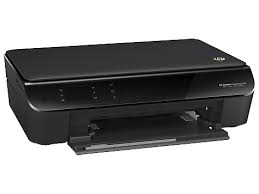
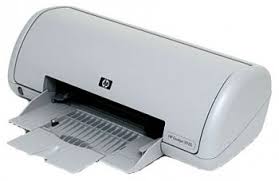
HP Deskjet 3056A e-All-in-One Printer www.hpdrivers.net
Description
The full solution software includes everything you need to install and use your HP printer. This collection of software includes the complete set of drivers, installer and optional software.
Fix and enhancements: Updated end user license agreement and data collection statement
Release details
Released: Dec 7, 2021 File name: Full_Webpack-1307-DJ3050A_J611_Full_Webpack.exe Version : 28.1.1307
Operation Systems:
Microsoft Windows 11, Microsoft Windows 10 (32-bit)(64-bit), Microsoft Windows Vista(32-bit)(64-bit), Microsoft Windows 7 (32-bit)(64-bit), Microsoft Windows 8 (32-bit) (64-bit), Microsoft Windows 8.1 (32-bit) (64-bit), Microsoft Windows XP
HP Deskjet & Officejet Full Feature Software for Windows 7 32bit/64bit
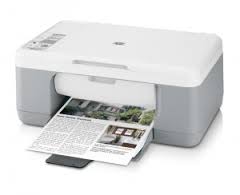
HP Deskjet F375 All-in-One Printer www.hpdrivers.net
Diagnostic Tool-Fixes Installation and Driver Issues.
HP Print and Scan Doctor for Windows
Details
The HP Print and Scan Doctor was designed by HP to provide users with troubleshooting and problem solving features needed to resolve many common problems experienced with HP print and scan products connected to Windows-based computers. Simply run the tool and follow the on-screen instructions.
Relase Details
File name: HPPSdr.exe Released: Sep 3, 2021 Version 5.6.2.008 Compatibility: Microsoft Windows 10 (32-bit)(64-bit), Microsoft Windows 8 (32-bit)(64-bit), Microsoft Windows 8.1 (32-bit)(64-bit), Microsoft Windows 7 (32-bit)(64-bit)
Download HP Deskjet F4180 All-in-One Printer Driver
HP Deskjet F2100/F4100 All-in-One Printer series HP Print Software Patch When Upgrading Vista to Windows 7
HP Deskjet F4180 www.hpdrivers.net
HP Deskjet F4180 is a multifunction printer. Recommended monthly page volume is 100 to 500 pages. If you need more printing, you may need to purchase one of HP’s newer models. Additionally, the F4180 printer does not support wireless networks. Therefore it cannot be used with mobile devices. Compatible operating systems are stated as Windows 11 and Windows 7. However, there is no Windows 11 driver on the official site. You can try with Windows 7 driver. We would be happy if you let us know if it works. Energy consumption is a little high. It consumes between 80 watts and 20 watts of energy when printing.
Description
This download includes the HP Deskjet Software Suite “enhanced imaging features and product functionality” & Driver.
Release details
Released: Dec 6, 2009 File name: dot4patch_reboot.exe Version : 1.0 Original Software Driver
Compatibility: Microsoft Windows 7 (32-bit), Microsoft Windows 7 (64-bit)
HP Deskjet F4180 Diagnostic Tool-Fixes Installation and Driver Issues.
Download HP Printer and Scanner Doctor for Windows
The HP Print and Scan Doctor was designed by HP to provide users with troubleshooting and problem solving features needed to resolve many common problems experienced with HP print and scan products connected to Windows-based computers. Moreover, Simply run the tool and follow the on-screen instructions.
Fix and enhancements: Added Support For New Products. Moreover, PSA Queue Creation Defect. Hardware error status is not updating properly.
File name: HPPSdr.exe Released: Mar 5, 2024 Version 5.7.4.009
Operating systems: Microsoft Windows 11, Microsoft Windows 10 (32-bit)(64-bit), Microsoft Windows 8 (32-bit)(64-bit), Microsoft Windows 8.1 (32-bit)(64-bit), Microsoft Windows 7 (32-bit)(64-bit)
It is important to keep your printer drivers up to date. This prevents some conflicts and errors. Additionally, updates can add new features to your printer. You can request the drivers you cannot find from us.