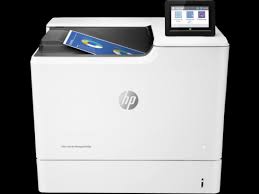
Download HP Color LaserJet Managed E65060dn Software Driver for Windows 11/10/8/8.1/7/Vista/Xp
HP Color LaserJet Managed E65050/E65060 Printer Full Software Solution
HP Color LaserJet Managed E65060dn Printer
Description :
The full solution software includes everything you need to install your HP printer. This collection of software includes the complete set of drivers, installer software, and other administrative tools found on the printer’s software CD.
Fix and enhancements: Updated end user license agreement and data collection statement
Release details
Version: 43.5.2519
Relase Date : Nov 24, 2021
Operating Systems:
Microsoft Windows 11, Microsoft Windows 10 (32-bit), Microsoft Windows 10 (64-bit), Microsoft Windows 7 (32-bit), Microsoft Windows 7 (64-bit), Microsoft Windows 8 (32-bit), Microsoft Windows 8 (64-bit), Microsoft Windows 8.1 (32-bit), Microsoft Windows 8.1 (64-bit), Microsoft Windows Vista (32-bit), Microsoft Windows XP (32-bit)
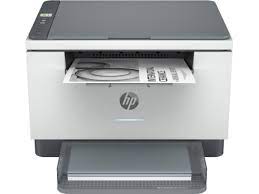
HP LaserJet MFP M232sdw Printer Software Driver Download for Windows 11/10/8/8.1/7 64bit-32bit Printer Driver Archive. Quick and Easy Installation. Also Free.
Download HP LaserJet MFP M232sdw Printer EasyStart Software–Offline Use Only. HP Easy Start Printer Setup Software.
HP LaserJet MFP M232sdw EasyStart Software Driver – Offline Use Only
It is a compact software designed so that you can install it without your computer being connected to the internet. Moreover, as we mentioned below, it is a common program that you can use for many models. You also don’t need to download a driver. For installation, run the file you downloaded and follow the instructions. After the installation is completed, you can delete the file you downloaded. But you may need it later. If you need to reinstall the Windows operating system, you may need to install it again with this installation file in order to use your printer.
If there is something you do not understand or you get stuck during the installation, you can contact us. We’d be happy to help you.
HP LaserJet MFP M232dw/dwc/sdw-M233dw/sdw-M234dw/sdw-M235dw/sdw-M236dw/sdw-dw/M237dw/sdw-dw/ EasyStart Software – Offline Use Only
The full solution software includes everything you need to install and use your HP printer. Moreover, this collection of software includes the complete set of drivers, installer software, and other administrative tools.
Fix and enhancements: Updated some basic information in installation screen. Improved user experience.
Microsoft Windows 11, Windows 8 (32bit), Windows 8 (64bit), Windows 8.1 (32bit), Windows 8.1 (64bit), Windows 10 (32bit), Windows 10 (64bit), Windows 7 (32bit), Windows 7 (64bit)
HP LaserJet MFP M232 sdw Easy Start Printer Setup Software (Internet connection required for driver installation)
HP Easy Start provides guided setup and drivers for your HP printer. Furthermore, installation Software and Driver-Includes print, scan, latest features, and solutions.
Fix and enhancements: Improved user experience. Moreover, performance Optimizations. Additionally, added support for newest printer models.
Operating Systems : Microsoft Windows 11 All Editions, Microsoft Windows 10 (32-bit), Microsoft Windows 10 (64-bit)
Installation Software and Driver-Includes print, scan, latest features, and solutions.
Version : 16.7.5 Release date: Jul 18, 2024 File Name : HPEasyStart_16_7_5.exe
Download HP Color LaserJet Managed E65050dn Software Driver for Windows 11/10/8/8.1/7/Vista/Xp
HP Color LaserJet Managed E65050/E65060 Printer Full Software Solution
HP Color LaserJet Managed E65050dn Printer
Description :
The full solution software includes everything you need to install your HP printer. This collection of software includes the complete set of drivers, installer software, and other administrative tools found on the printer’s software CD.
Fix and enhancements: Updated end user license agreement and data collection statement
Release details
Version: 43.5.2519
Relase Date : Nov 24, 2021
Operating Systems:
Microsoft Windows 11, Microsoft Windows 10 (32-bit), Microsoft Windows 10 (64-bit), Microsoft Windows 7 (32-bit), Microsoft Windows 7 (64-bit), Microsoft Windows 8 (32-bit), Microsoft Windows 8 (64-bit), Microsoft Windows 8.1 (32-bit), Microsoft Windows 8.1 (64-bit), Microsoft Windows Vista (32-bit), Microsoft Windows XP (32-bit)