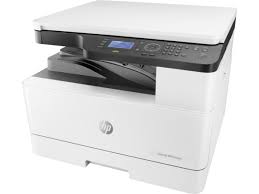
Driver Download HP LaserJet MFP M436 Printer Series for Windows 10/8/7/Vista/Xp
Functions; Print, Copy, Scan. A3 printing, and copying at up to 23 ppm. Capture both sides of the page with ease, using an optional 100-sheet reversing automatic document feeder. Easily set up, print, and share printing resources with built-in Ethernet networking.
HP LaserJet MFP M436 Print, Copy, Scan
Platen: Scan 600 x 600, Printing 600 x 600; Document feeder: Scan 600 x 600, Printing 600 x 600
Power: AC 220 – 240V: 50/60Hz; Normal Operation 550 W; Ready 80 W; Max/Peak 1.1 kWh; Sleep/Power Off 1 W/0.2 W; TEC 0.998 kWh
HP LaserJet MFP M436 Printer Series Full Solution Software and Driver
The full solution software includes everything you need to install your HP printer.
Microsoft Windows 11, Microsoft Windows 10 (32-bit), Microsoft Windows 10 (64-bit), Microsoft Windows 7 (32-bit), Microsoft Windows 7 (64-bit), Microsoft Windows 8 (32-bit), Microsoft Windows 8 (64-bit), Microsoft Windows 8.1 (32-bit), Microsoft Windows 8.1 (64-bit), Microsoft Windows Vista (32-bit), Microsoft Windows Vista (64-bit), Microsoft Windows XP (32-bit), Microsoft Windows XP x64
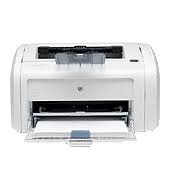
HP LaserJet 1018 Printer Driver for Microsoft Windows 10 (32Bit/64Bit)
How to install HP Laserjet 1018 printer software on Windows 10
HP Laserjet 1018 (CB419A#ABA) Printers
Up to 12 ppm Letter Print Speed with 100-sheet Output Bin
150-Sheet Input Tray and Single-Sheet Priority Input Slot
1200 dpi Effective Output Quality 600 by 600 dpi with HP REt And FastRes 1200
234 MHz Processor With 2MB RAM Internal Memory Included
Convenient Hi-Speed USB 2.0 Connectivity and Genuine HP LaserJet Print Cartridge
Automatically adjust for optimized print quality with HP’s Smart printing technology.
HP LaserJet 1018 – Installing and Using the Windows Built-in Print Software
This document is for HP printers and Windows computers.
Windows contains built-in print drivers for many types of printers. These drivers support basic printer functionality for most print jobs.
Details
Installing an HP Printer with the Windows Print Driver Install your HP printer without any software using the drivers built into the Windows operating system. The Windows drivers provide basic functionality for your printer.
How to install HP laserjet 1018 printer driver on windows 10
Here, you can access HP LaserJet 1018 printer’s original software support page from Hpsupport. Unfortunately, HP does not release drivers for some older printers for new operating systems. Many printer companies do this.
HOW TO REPLACE CARTRIDGE
These steps will help you in installing compatible HP LaserJet 1018 toner cartridges:
Your HP LaserJet 1018 will start up after you press the Power button.
Before removing the empty cartridge, open the toner cartridge access door and wait for the carriage to become stationary and silent.
The new toner cartridge should be gently rocked from side to side several times after being opened.
Before installing the cartridge, remove all of the protective tape.
Once it locks into place, align the new cartridge with the printer’s internal tracks.
Driver Download for Microsoft Windows 8.1/8/7/Vista XP (32 Bit/64 Bit) for HP LaserJet Pro M701 Series Printer. Latest Drivers. Quick And Easy Installation.
The full solution software includes everything you need to install your HP LaserJet Pro printer. This collection of software includes the complete set of drivers, installer software.
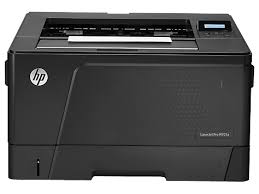
HP LaserJet Pro M701 Printers
HP LaserJet Pro M701 Printer Series Full Software and Drivers
The full solution software includes everything you need to install your HP printer. This collection of software includes the complete set of drivers, installer software, and other administrative tools found on the printer’s software CD.
Relase Details
Version: 10.0.15300.247
Relase Date: Mar 19, 2021
File name: LJPro-M701-Full-Solution-15300.exe
Operating Systems
Microsoft Windows 8.1 (32-bit), Microsoft Windows 8.1 (64-bit), Microsoft Windows 8 (32-bit), Microsoft Windows 8 (64-bit), Microsoft Windows 7 (32-bit), Microsoft Windows 7 (64-bit), Microsoft Windows Vista (32-bit), Microsoft Windows Vista (64-bit), Microsoft Windows XP (32-bit)
This is the most current PCL6 driver of the HP Universal Print Driver (UPD) for Windows 32 bit and 64 bit systems.
The HP Universal Print Driver is a single driver that provides access to a variety of HP printing options. This driver supports many HP printer models. You do not need to install separate drivers for all of them. However, you may not be able to use all the features of your printer. If there is a driver produced for your printer, it would be better to install it. However, HP company only releases universal drivers for some of its models.
Release details
Version: v7.3.0.25919
Relase Date : Nov 18, 2024
Operating Systems: Microsoft Windows 10 (32-bit), Microsoft Windows 7 (32-bit), Microsoft Windows 8 (32-bit), Microsoft Windows 8.1 (32-bit), Microsoft Windows Server 2012, Microsoft Windows Server 2016, Microsoft Windows Server 2019 File name: upd-pcl6-x32-7.3.0.25919.zip
Operating Systems: Microsoft Windows 11, Microsoft Windows 10 (64-bit), Microsoft Windows 7 (64-bit), Microsoft Windows 8 (64-bit), Microsoft Windows 8.1 (64-bit), Microsoft Windows Server 2012, Microsoft Windows Server 2016, Microsoft Windows Server 2019 File name: upd-ps-x64-7.3.0.25919.zip
Before you start installing the driver for your printer, you need to download the driver suitable for your operating system above to your computer. Additionally, when the driver installation is completed, you can delete the file you downloaded if you wish. Moreover, all the drivers published on our site are taken from HP’s original website. All are completely safe. Our goal is to help you find the driver you are looking for more easily and quickly. However, if you want to see more detailed drivers for your printer, you can visit HP’s original site. You can find a shortcut to the original site at the top right of our site. Also, if you need drivers for different operating systems or different printers, you can share this with us. We’d be happy to help you.