HP LaserJet Pro P1606dn Driver Windows 10

HP LaserJet Pro P1606dn Printer Driver for Wimdoes 10 /64bit/32bit

Download HP LaserJet Pro P1100, P1560, P1600 Series Full Feature Software and Driver
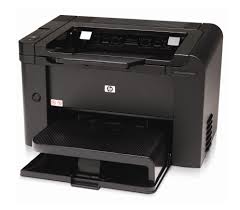
Hpdrivers.net- LaserJet Pro P1606dn Printer win10
HP LaserJet Pro P1606dn Printer

Description

This full software solution is the same solution as the in-box CD that came with your printer.

Release details

Released: Jul 29, 2021

Version: 50157037_1

File name: hp_LJP1100_P1560_P1600_Full_Solution-v20180815-50157037_1.exe

Operating systems:

Microsoft Windows 10 (32-bit)(64-bit), Microsoft Windows Vista(32-bit)(64-bit), Microsoft Windows 7 (32-bit)(64-bit), Microsoft Windows XP (x86) (x64), Microsoft Windows Server 2003, Microsoft Windows Server 2008 W32, Microsoft Windows Server 2008 x64, Microsoft Windows 8 (32-bit)(64-bit), Microsoft Windows 8.1 (32-bit)(64-bit)

Download

File Size : 157.44Mb

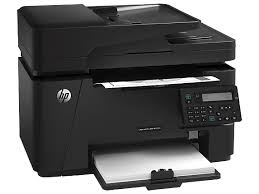
HP LaserJet Pro MFP M127fn Driver Mac

HP LaserJet Pro MFP M127fn Software Driver for Macintosh

Install HP LaserJet Pro MFP M127fn Easy Start

Hpdrivers.net- LaserJet Pro MFP M127fn mac
HP LaserJet Pro MFP M127fn

Details

HP Easy Start is the new way to set up your HP printer and prepare your Mac for printing. HP Easy Start will locate and install the latest software for your printer and then guide you through printer setup.

Release details

Operating Systems:

Mac OS X 10.10, Mac OS X 10.11, Mac OS X 10.12, Mac OS X 10.9, macOS 10.13, macOS 10.14, macOS 10.15, macOS 12, macOS 13

File name: HP_Easy_Start.app.zip

Released: Oct 28, 2014

Download

File Size : 10.92 Mb

Fix and enhancements: Update some basic information in installation screen.


HP LaserJet Pro MFP M125/M126/M127/M128 Series Software

Details

This download package contains the full software solution for Mac OS X including all necessary software and drivers.

The full software solution is localized for these languages: Danish, German, English, Spanish, Finnish, French, Italian, Korean, Dutch, Norwegian, Portuguese, Russian, Swedish, Chinese-Simplified, Chinese-Traditional, Japanese. For other languages, the software will appear in English or the language order specified in System Preferences.

Release details

Operating Systems: Mac OS X v10.10, 10.9, 10.8, 10.7, 10.6

File name: LaserJet-Pro-MFP-M125_M128-series_v12.34.0.dmg

Released: Oct 28, 2014

down4

File Size : 139.92 Mb

HP LaserJet M1005 Mfp Firmware Update

HP LaserJet M1005 Multifunction Printer Firmware Download

HP LaserJet Series Firmware Update Utility

Description

This utility is for use on Microsoft Windows 32 and 64 bit operating systems.

The utility can be used with a USB connection. Be sure to use the firmware update utility that is specific to your printer model.

This update is recommended for the HP LaserJet M1005 Multifunction Printer Series that have a firmware version older than the one posted

This utility updates the printer firmware version to the latest version.

The firmware version can be found on the Self-Test/Configuration Page which can be printed from the printer’s Reports menu.

Version: 20141010

File Size : 23 Jan 2015

Operating Systems:
Microsoft Windows 7
Microsoft Windows XP
Microsoft Windows Vista
Microsoft Windows 8
Microsoft Windows 10

File name: HPM1005_Series_FW_Upgrade_20141010.exe

down4

File Size : 1.0 Mb

The HP LaserJet M1005 Mfp can print a4-size pages at approximately 14 pages per minute. Approximately 15 pages of letter sized pages. It offers clarity of approximately 600dpi. Additionally, you can print approximately 2000 pages with the standard original black cartridge. Moreover, the M1005 printer has 32Mb of memory.

The priority input tray of the HP LaserJet M1005 printer holds 10 sheets. Tray 1 has a maximum capacity of 150 sheets. The output tray also holds 100 sheets. You can scan at 1200dpi resolution. You can connect it to your computer via the 2.0 high-speed USB port. What makes this printer different from others is its EconoMode setting. With this feature, it consumes less toner.

If you want to get a quality print, be sure to use high quality papers produced for laser printers. Do not use paper with staples attached. I do not recommend using papers produced for inkjet printers.

You can use OCR software to import the scanned text into your preferred word processing program for editing.