
HP LaserJet Pro M1216nfh Printer Driver

HP LaserJet Pro M1216nfh Multifunction Printer Driver for Windows 10-8-7-Vista-Xp 64bit/32bit

Download HP LaserJet Full Feature Software and Driver.
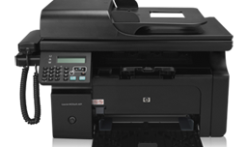
Hpdrivers.net-LaserJet Pro M1216nfh Multifunction Printer97
HP LaserJet Pro M1216nfh Mf Printer

Description

M1216nfh Multifunction Printer Full Feature Software and Driver. Hp laserjet m1216nfh mfp scanner software.

Release details

Fix/Enhancement
1. In compliance with European ErP regulation, go to www.hp.com/go/LJERP for details.
2. Support Windows 8 and Windows 10.
3. Wireless installation improvement with auto-credential feature

Released: Jan 17, 2020
File name: HP_M1130_M1210_MFP_Full_Solution-v20180815-10158769.exe
Version : 20180815

Compatibility:
Microsoft Windows 10 (32-bit), Microsoft Windows 10 (64-bit), Microsoft Windows 8.1 (32-bit), Microsoft Windows 8.1 (64-bit), Microsoft Windows 8 (32-bit), Microsoft Windows 8 (64-bit), Microsoft Windows 7 (32-bit), Microsoft Windows 7 (64-bit), Microsoft Windows Vista (32-bit), Microsoft Windows Vista (64-bit), Microsoft Windows XP (32-bit), Microsoft Windows XP (64-bit)

Download

File Size : 240.81Mb


HP Color LaserJet Pro MFP M281fdn Driver

Version: 44.5.2693
Release date: Jul 1, 2019
File name: LJM278-M281_UWWL_4_1_Full_WebPack_44.5.2693.exe
Download
File Size : 239.71 MB
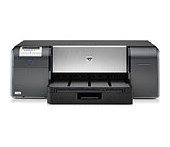
HP Photosmart Pro B9180 Driver

HP Photosmart Pro B9180 Photo Printer

Windows 7 Critical Update to enhance reliability of network connection

HP Photosmart Pro B9180 Photo Printer www.hpdrivers.net

Windows 7 Critical Update to enhance reliability of network connection

This update corrects an issue which causes network-connected printers to disappear from the system

Relase Details

File name: CPE_SLP_NETWORKMSI_hpcom_000_006.exe
Released: May 9, 2011
Version 1.0
Compatibility: Microsoft Windows 10 (32-bit)(64-bit), Microsoft Windows 8 (32-bit)(64-bit), Microsoft Windows 8.1 (32-bit)(64-bit), Microsoft Windows 7 (32-bit)(64-bit)

Download

File Size : 12.3 Mb

1. Click the Download button.
2. When the File Download window displays, click Run.
3. Follow the on-screen instructions to complete the installation process.

Note: Alternately, you can click Save at step 2. Once the file is saved to a folder in the computer, navigate to that folder and double click on the saved file to run it. Follow on-screen instructions to complete the installation.