
Advertisement
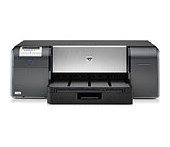
HP Photosmart Pro B9180 Photo Printer
Windows 7 Critical Update to enhance reliability of network connection
Windows 7 Critical Update to enhance reliability of network connection
This update corrects an issue which causes network-connected printers to disappear from the system
Relase Details
File name: CPE_SLP_NETWORKMSI_hpcom_000_006.exe
Released: May 9, 2011
Version 1.0
Compatibility: Microsoft Windows 10 (32-bit)(64-bit), Microsoft Windows 8 (32-bit)(64-bit), Microsoft Windows 8.1 (32-bit)(64-bit), Microsoft Windows 7 (32-bit)(64-bit)
File Size : 12.3 Mb
1. Click the Download button.
2. When the File Download window displays, click Run.
3. Follow the on-screen instructions to complete the installation process.
Note: Alternately, you can click Save at step 2. Once the file is saved to a folder in the computer, navigate to that folder and double click on the saved file to run it. Follow on-screen instructions to complete the installation.
Advertisement
Hello,
Unable to install b9180 Win7 driver:
PS_BSIZE_CDA_B9100_Net_Full_Win_WW_130_140
First the dowload aborted five times..
WhenI finally succeeded, the installation program
does not show any ‘install’ button.
There is only a single ‘Quit’ button.
No way to run the setup.
Please help.
This computer is intended for my second B9180
————————
I have another laptop with Win8 and my first B9180 printer connected. Is it possible to connect the two B9180 printers to the same computer without any trouble.
Thanks