
HP Print and Scan Doctor, the small Windows tool many people used to fix printing and scanning problems, has been discontinued. HP announced this on its support community blog in June 2025. It points users to the Diagnose & Fix feature in the HP app instead. This page used to offer a download of the old tool. We removed it, because HP no longer maintains that software and we cannot vouch for copies of it.
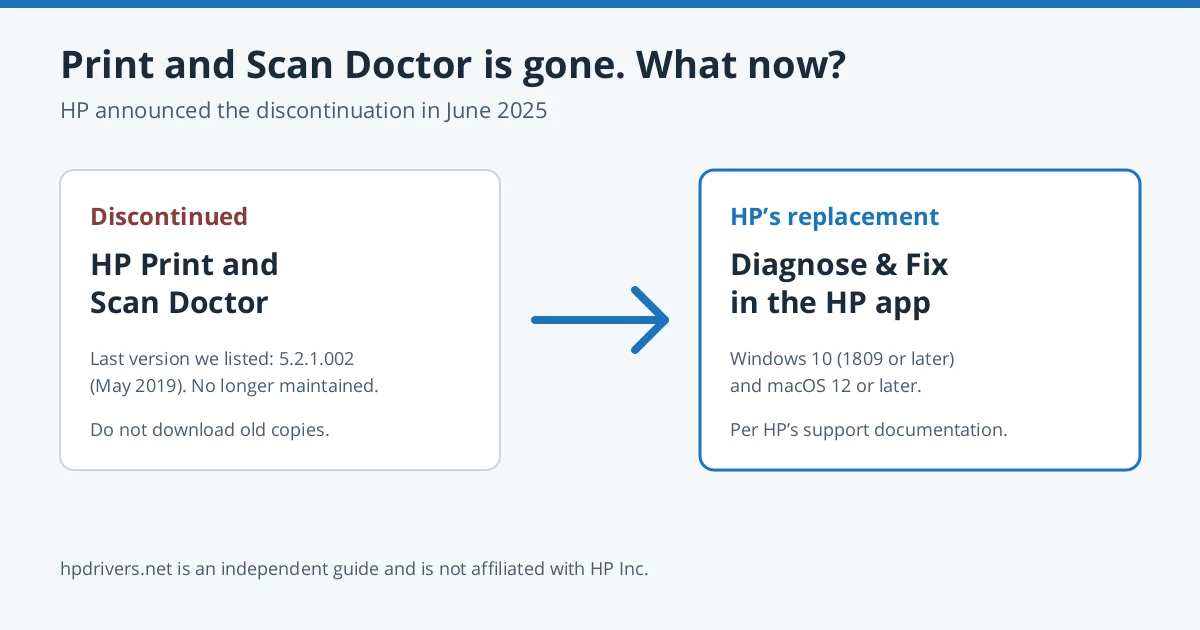
The short version
- HP Print and Scan Doctor is discontinued. HP gave no reason in its announcement.
- HP’s replacement is Diagnose & Fix inside the HP app, for Windows and macOS.
- Do not download “HPPSdr.exe” from third-party sites. You cannot verify what those copies contain, and the tool is no longer updated.
- HP’s own instructions: Use Diagnose & Fix in the HP app to repair common printing issues.
What HP has said about HP Print and Scan Doctor
HP’s community blog post, published in June 2025, says HP Print & Scan Doctor (PSDR) is discontinued. According to HP, its functions live on in other HP tools. The post does not explain why the tool was retired, and we will not guess. HP has separately published security bulletins about older Print and Scan Doctor versions (for example HPSBHF03875). HP has not said the two are connected.
How to use Diagnose & Fix instead
These are the steps HP documents for Windows and macOS:
- Install the HP app from your device’s app store (or follow the setup at HP’s
123.hp.com) and add your printer. - Open the app, select your printer, and choose Diagnose & Fix. In some versions it sits under the printer’s settings or a Diagnostics section. If you see a different label, look for the wrench-style Diagnose & Fix icon.
- Click Start and keep the app open until the analysis finishes.
- Follow the instructions on the results screen.
HP says the tool needs Windows 10 version 1809 or later, or macOS 12.0 or later. It works only with HP printers that the app supports. Menu names changed when HP moved from the older HP Smart app to the HP app. The screens on your computer may not match the list exactly.
What Diagnose & Fix checks
According to HP’s documentation, Diagnose & Fix can:
- clear print jobs stuck in the queue and resume paused jobs;
- check whether the printer shows as offline and try to reconnect it;
- resolve print spooler errors;
- on Windows only, install available driver updates and correct port mismatches.
HP describes it as a tool for common printing problems. If your printer prints but will not scan, look at the scan software. If the problem started after a Windows update, check the printer driver. Our guides on installing an HP printer driver and on HP printer drivers for Windows 11 cover that.
If the tool does not fix it
- Restart the printer and the computer, then run Diagnose & Fix again.
- Remove the printer in the HP app (or in Windows under Printers & scanners) and add it again.
- For a job that will not leave the queue, HP also has a page on fixing a print job stuck in the queue.
- If the HP app does not support your printer, install the driver for your exact model from HP. Then use Windows’ built-in printer troubleshooter.
I still have HPPSdr.exe. Should I run it?
We recommend against it. The last version we listed on this page was 5.2.1.002 from May 2019, and HP no longer supports the tool. If you still have the file, you can delete it. If Print and Scan Doctor appears in your list of installed apps, uninstall it there.
Frequently asked questions
Is HP Print and Scan Doctor still available from HP?
No. HP announced in June 2025 that it is discontinued and recommends Diagnose & Fix in the HP app. We do not offer a download of it.
Why did this page stop offering a download?
It linked to a 2019 release that HP no longer maintains. Pointing visitors to an unsupported tool would not be helpful or safe.
Is Diagnose & Fix an exact replacement?
HP presents it as the replacement. HP’s documentation lists checks for the queue, offline status, spooler and, on Windows, drivers and ports. These cover many everyday printing problems. HP does not say it matches every function of the old tool.
Does Diagnose & Fix work on a Mac?
Yes. HP documents it for macOS 12.0 and later, although the driver-update and port checks are listed for Windows only.
I have been unable to download Print & Scan Doctor, v. 4.6. Each time I try, I get a dialog box that the download failed.
Larry,
I too have the same problem. I am running V4.3 on Win 7. I am informed there is an update when I go to download it is interrupted and fails.
HP?
Michael
I have an older system running Win XP Home SP3. I can download HPPSDr.exe (the installer for HP Print and Scan Doctor), but when I run it, after it completes Extracting, it immediately crashes. So I can’t even install the Print and Scan Doctor, let alone run it. It also crashes when I attempt to install it through HP’s Automatic Updates.
Just bought printer in Spring. Worked fine until now. Cannot download HP Print and Scan Doctor. Comes up with a screen that asks did I want the HP site? NO! Just give me the software so I can diagnose the printer problem!!! Cannot print or copy!!!
My Hp printer is locked up. Will not print from computer When I click on it it says it is “deleting” but nothing is happening.
Did you ever get help for this? I have the same problem.
Where is the print & scan doctor for Mac OS X?
The system asks for a password for my printer when I try to print from my iPad, where can I retrieve my password? I have even changed my password, but it keeps telling me it is not the right one! What can I do?
I recently accepted an upgrade on my I-pad and have lost my printing capability. I have an HP ENVY 4501 printer and need help getting my printer to work.
Amazing Thanks Man
What do I need to do to convert a hardwired printer to wireless?
Whenever I try to run the Print and Scan Doctor, I get a message that an instance of this application is already running. Is it possible that a copy is running that I cannot see? How do I locate it to stop or finish it? I am running a Dell Inspiron 15 with WIN 10 and trying to print to my HP Officejet Pro 8630.
I had to restart several times, each time being told “another copy is already running” before I could proceed. Then I was told that it wasn’t compatible with Windows 64-bit. When I clicked on the button to download an update it came up with a full progress bar that said 0 minutes left to download 0 bytes, and hung. I gave up. I don’t understand why HP printers can’t just talk to the built in printer device manager in Windows.
I am using Linux Mint 18 and hp LaserJet Pro MFP M125nw (black).
Want to SCAN color also; expecting the result in colorDigits.
Great Repair tool for HP printers
i am trying to download the scan and print dr. when i click “accept” to the material i am supposed to read and agree to, that is the end of the road. i see the writers above this “leave a reply” box not only have problems too, but also note that it seems like there quite a few of them. i hope you can work on that, because i would like to have the hppsdr.exe file to be able to solve my own problems with it.
my hp printer and scanner doctor is hung up during installation. I can’t get it off to reload it what can I do?
Minha HP 3630, multifuncional, só imprime pelo celular, pelo computador não imprime só scanea. o que eu faço?????????????????
Hi,
Thanks for sharing this valuable information about HP print and scan computer.
Thanks for giving good information about HP Print and Scan Doctor Download for Windows. I am using HP printer. I did not know the download and Install process. I found that information using your post.
OKAY
how fix scanner in use problem?
i have Hp laser MFP 138fnw in trying to scanning some documents scanner fully loaded the pages but in computer slowly loading not even in computer with printer…..
please for God sake, i have been unable to use my new printer since but it always says not recognized what can i do
HP printer error 0x610000F6 on HP Photosmart printers is also known as a carriage jam error If a paper jam occurs due to bits of paper in the printer or for various reasons, the printer stops working and files are not printed. “0X60000F6” or “Trolley jam” is shown on the printer display. This HP printer error 0x610000f6 is mainly caused by standard overseas items or cartridge jams. To resolve HP printer error 0X610000F6, follow the answers on your HP printer.