Independent download guide for HP printer and scanner drivers
hpdrivers.net is an independent website and is not affiliated with, endorsed by, or sponsored by HP Inc. Download links point to HP's official servers (ftp.hp.com). Learn more
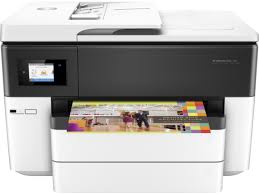
Download Driver HP OfficeJet Pro 7720 Wide Format All-in-One Printer Driver for Macintosh
HP OfficeJet Pro 7740 Wide Format All-in-One Printer Series – Install HP Easy Start
HP OfficeJet Pro 7720 Printer
Install HP Easy Start
Details for HP OfficeJet Pro 7720 Driver
HP Easy Start is the new way to set up your HP printer and prepare your Mac for printing. HP Easy Start will locate and install the latest software for your printer and then guide you through printer setup.
Fix & Enhancements: Update some basic information in installation screen
Operating Systems:
Mac OS X 10.10, Mac OS X 10.11, Mac OS X 10.12, Mac OS X 10.9, macOS 10.13, macOS 10.14, macOS 10.15, macOS 11, macOS 12, macOS 13
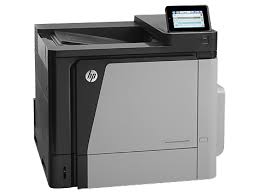
HP LaserJet Enterprise 600 Color M651xh Driver Download for Windows 10/8/7/Vista/Xp
Download HP Color LaserJet Enterprise M651 xh Printer Series Full Software and Drivers
HP Color LaserJet M 651 xh Printer
Details HP LaserJet M651xh Driver
The full solution software includes everything you need to install your HP printer. This collection of software includes the complete set of drivers, installer software, and other administrative tools found on the printer is software CD.
Microsoft Windows 10 (32-bit), Microsoft Windows 10 (64-bit), Microsoft Windows 8.1 (32-bit), Microsoft Windows 8.1 (64-bit), Microsoft Windows 8 (32-bit), Microsoft Windows 8 (64-bit), Microsoft Windows 7 (32-bit), Microsoft Windows 7 (64-bit), Microsoft Windows Vista (32-bit), Microsoft Windows Vista (64-bit), Microsoft Windows XP (32-bit)
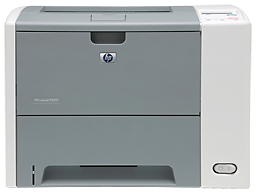
HP LaserJet P3005d Printer Download Software Driver Windows 11/10/8/7
Download HP Universal Print Driver for Windows PCL6 (32-bit)(64-bit)
HP LaserJet P3005d Printer
Setup & install for HP LaserJet P3005dn
Description HP LaserJet P 3005 D
This is the most current PCL6 driver of the HP Universal Print Driver (UPD) for Windows 32 bit and 64 bit systems.
The HP Universal Print Driver is a single driver that provides access to a variety of HP printing options. This driver supports many HP printer models. You do not need to install separate drivers for all of them. However, you may not be able to use all the features of your printer. If there is a driver produced for your printer, it would be better to install it. However, HP company only releases universal drivers for some of its models.
Release details
Version: v7.3.0.25919
Relase Date : Nov 18, 2024
Operating Systems: Microsoft Windows 10 (32-bit), Microsoft Windows 7 (32-bit), Microsoft Windows 8 (32-bit), Microsoft Windows 8.1 (32-bit), Microsoft Windows Server 2012, Microsoft Windows Server 2016, Microsoft Windows Server 2019 File name: upd-pcl6-x32-7.3.0.25919.zip
Operating Systems: Microsoft Windows 11, Microsoft Windows 10 (64-bit), Microsoft Windows 7 (64-bit), Microsoft Windows 8 (64-bit), Microsoft Windows 8.1 (64-bit), Microsoft Windows Server 2012, Microsoft Windows Server 2016, Microsoft Windows Server 2019 File name: upd-ps-x64-7.3.0.25919.zip
Released: Jan 17, 2020 File name: HP_M1130_M1210_MFP_Full_Solution-v20180815-10158769.exe Version : 20180815 Download File Size : 212.72Mb
Before you start installing the driver for your printer, you need to download the driver suitable for your operating system above to your computer. Additionally, when the driver installation is completed, you can delete the file you downloaded if you wish. Moreover, all the drivers published on our site are taken from HP’s original website. All are completely safe. Our goal is to help you find the driver you are looking for more easily and quickly. However, if you want to see more detailed drivers for your printer, you can visit HP’s original site. You can find a shortcut to the original site at the top right of our site. Also, if you need drivers for different operating systems or different printers, you can share this with us. We’d be happy to help you.