hpdrivers.net is an independent website and is not affiliated with, endorsed by, or sponsored by HP Inc. Download links point to HP's official servers (ftp.hp.com). Learn more

HP Smart Tank 7600e Driver Download

HP Smart Tank 7600e Series Driver Download for Windows  11/10/7 (32-Bit)(64-Bit)

You can easily download and install the HP Smart Tank 7600 E driver. The latest software for your printer is here. Download, installation, troubleshooting and support.

Download Smart Tank 7600E Printer Software and Driver Downloads

HP Easy Start Printer Setup Software – Offline Use Only
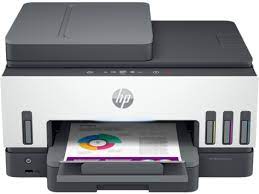
HP Smart Tank 7600E Series Printer
HP Smart Tank 7600e Series Printer

Details HP Smart Tank 7600e Driver

Everything you need to setup and use your HP printer is included in the comprehensive solution software. The full complement of drivers, installer software, and other administrative tools are all included in this software package.

Fix and enhancements: Repackaged without Optical Character Recognition (OCR) Functionality.

Relase Details

Version: 55.3.5043
Release date: Jul 12, 2024
File name: HPEasyStart-16.2.4-ST7600_55_3_5043_Webpack.exe

Operating Systems

Microsoft Windows 11 All Editions (64-bit), Microsoft Windows 10 (32-bit), Microsoft Windows 10 (64-bit), Microsoft Windows 7 (32-bit), Microsoft Windows 7 (64-bit)

Download

File Size: 350.82MB

Installation instructions

First of all, if your printer cable is connected to your computer, you should first unplug it. Because this will cause an error during the installation. Also, when you run the installation file, it will ask you to plug this cable in when the time comes. Also, if you are connecting to a network, make sure that the network cable is connected before running the installer program. Now it is time for the installation process. First, you should close all the programs running on your computer. Then run your printer. Also, download the driver compatible with the operating system on this page to your computer. Also, run the downloaded file. It will extract the files and the installation will start automatically. Moreover, just follow the instructions on the screen to complete the installation.


HP Smart Tank Plus 559 Wireless Aio Printer Driver

Version: 48.4.4588
Release date: Apr 22, 2021
File name: HPEasyStart-12.8.9-ST550_48_4_4588_1_Full_Webpack.exe

Download

File Size: 282.49MB

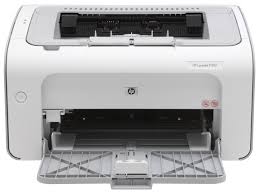
HP LaserJet Pro P1104w Driver Download

HP LaserJet Pro P1104 w Printer Driver Download for Windows 10/8/8.1/7/Vista/Xp

Download HP LaserJet Pro P1100, P1560, P1600 Series Full Feature Software and Driver

Hpdrivers.net- LaserJet Pro P1102 win10 driver
HP LaserJet P 1104W Printer Driver

Description

This full software solution is the same solution as the in-box CD that came with your printer.

Release details

Released: Jul 29, 2021

Version: 50157037_1

File name: hp_LJP1100_P1560_P1600_Full_Solution-v20180815-50157037_1.exe

Operating systems:

Microsoft Windows 10 (32-bit)(64-bit), Microsoft Windows Vista(32-bit)(64-bit), Microsoft Windows 7 (32-bit)(64-bit), Microsoft Windows XP (x86) (x64), Microsoft Windows Server 2003, Microsoft Windows Server 2008 W32, Microsoft Windows Server 2008 x64, Microsoft Windows 8 (32-bit)(64-bit), Microsoft Windows 8.1 (32-bit)(64-bit)

Download

File Size : 157.44Mb

Fix and enhancements

1. Fixes the installation issue on some Win10 OS builds.
2. Updated driver install package.

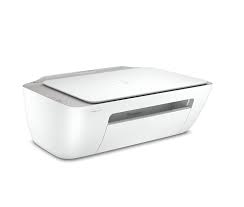
HP DeskJet 2320 Printer Driver for Mac

HP DeskJet 2320 All-in-One Printer Driver for Macintosh OS X

Download HP DeskJet 2300 All-in-One Print Install HP Easy Start

Hp Printer HP DeskJet 2320 Printer

The HP DeskJet 2333 all-in-one inkjet color printer has a high speed USB 2.0 connection. You can print 120 pages (Black and White), 100 pages (Color). A4; B5; A6; DL supports envelope page size. It has a resolution of 1200 x 1200 rendered dpi.

Fix and enhancements: Update some basic information in installation screen.

HP DeskJet 2320 Driver For Mac

HP Easy Start is the new way to set up your HP printer and prepare your Mac for printing. HP Easy Start will locate and install the latest software for your printer and then guide you through printer setup.

Operating Systems:

Mac OS X 10.10, Mac OS X 10.11, Mac OS X 10.12, Mac OS X 10.9, macOS 10.13, macOS 10.14, macOS 10.15, macOS 11, macOS 12, macOS 13

File name: HP_Easy_Start.app.zip

Released: Feb 22, 2023

Version : 2.13.3.221209

Download

File Size : 10.92Mb