HP DeskJet GT 5811 All-in-one Ink Tank Printers Driver for Windows 11/10/8/7/Vista/Xp
Download HP DeskJet GT 5810 All-in-One Print and Scan Driver and Accessories
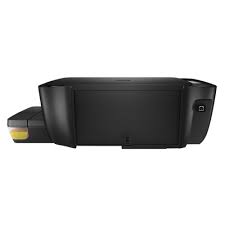
HP DeskJet GT5811 Product Description and Reviews
On this page, we reviewed the HP DeskJet GT 5811 printer for you. We added the latest drivers. We touched upon the driver installation steps. I hope we can be useful.
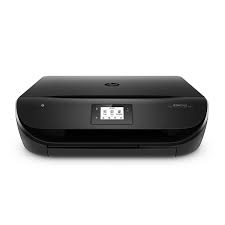
HP DeskJet GT 5811 printer is a multifunctional tank model. Also an inkjet printer. Moreover, you can print, photocopy and scan. You can print 8 pages in black and 5 pages in color per minute. Moreover, the first page out speed is only 13 seconds. The monthly print volume recommended by HP is between 400 and 800. At the same time, this printer can print 1200 x 1200 dpi black and 4800 x 1200 optimal dpi color print.
Additionally, the HP DeskJet GT 5811 printer has a 7-segment and Iconic LCD display. Moreover, it has a 360 Mhz processor.
As for its disadvantages: There is no automatic paper sensor. Moreover, there is no wireless support. It has a USB 2.0 connection. There is also no ePrint capability. It can do double-sided printing manually. The input tray has a capacity of 60 sheets and the output tray has a capacity of 25 sheets. It can scan at most 1200 dpi.
As a result, it is a useful printer with high energy efficiency (10 watts) weighing 4.64 kg. If you have not taken out extra insurance, there is a 2-year limited hardware warranty.
Details HP DeskJet GT 5811 Driver
The full solution software includes everything you need to install and use your HP printer. This collection of software includes the complete set of drivers, installer and optional software.
Fix and enhancements: Updated end user license agreement and data collection statement
Release details
Released: Dec 2, 2021
File name: Full_Webpack-36.2.117-DJ5810_Full_Webpack.exe
Version : 36.2.117
Operating Systems:
Microsoft Windows 11, Microsoft Windows 10 (32-bit), Microsoft Windows 8 (32-bit), Microsoft Windows 8 (64-bit), Microsoft Windows 8.1 (32-bit), Microsoft Windows 8.1 (64-bit), Microsoft Windows 10 (64-bit), Microsoft Windows Vista (32-bit), Microsoft Windows Vista (64-bit), Microsoft Windows 7 (32-bit), Microsoft Windows 7 (64-bit)
Microsoft Windows XP (32-bit)
File name: 71,69Mb
Installation instructions for HP DeskJet 5812 Driver
Firstly, do not connect the USB cable until prompted by the installer. After that, If you are connecting to a network, make sure the network cable is connected before running the installer. Moreover, close any software programs running on your computer. After that, turn on the printer and click on the Download button on this page. Than, click the downloaded file. In this way, the files will be extracted and the installation process will automatically start. Than, follow the on-screen instructions to proceed with and complete the installation. Additionally, to install at a later date, select Save on step 4 and select a location on your hard disk. similarly, when ready to install, locate and double-click the file. This will automatically extract and start the installation process. Finally, follow the on-screen instructions to proceed with the installation.