Microsoft Windows 10 (32-bit)
Microsoft Windows 8.1 (32-bit)
Microsoft Windows 8 (32-bit)
Microsoft Windows 7 (32-bit)
Microsoft Windows Vista (32-bit)
Microsoft Windows XP (32-bit)
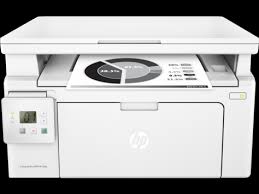
HP LaserJet Pro MFP M132fp Driver for Windows 11-10-8-7 (Update : May 18, 2022)
Download HP LaserJet Pro MFP M130fn/M132fn/M132fp and Ultra MFP M134fn Full Feature Software and Drivers
HP LaserJet Pro MFP M132fp Printer
Details
The full solution software includes everything you need to install your HP printer. This collection of software includes the complete set of drivers, installer software and other administrative tools found on the printer’s software CD.
Fix and enhancements: Repackaged without Optical Character Recognition (OCR) Functionality.
Operating Systems: Microsoft Windows 11, Microsoft Windows 10 (32-bit), Microsoft Windows 10 (64-bit), Microsoft Windows 8 (32-bit), Microsoft Windows 8 (64-bit), Microsoft Windows 8.1 (32-bit), Microsoft Windows 8.1 (64-bit), Microsoft Windows 7 (32-bit), Microsoft Windows 7 (64-bit)
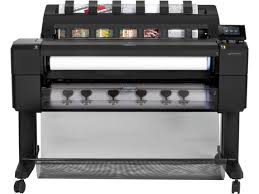
HP DesignJet T2500 Multifunction Printer Series Driver for Windows 11, 10, Windows 7, Windows 8 and MacOs
Download HP DesignJet and PageWide XL Windows Printer Driver installer
HP DesignJet T2500
Details (HP DesignJet T2500)
Description: This is the best way to install the driver. Moreover, automatically selects the most suitable driver type based on your printer model and OS.
Fixes: This update includes some improvements and fixes. Some improvements have been made to dimensional tolerances, for example, to apply rotation. You can also add alignment and folding styles for the HP DesignJet XL 3800.
Operating systems: Microsoft Windows 10 (64-bit)Microsoft Windows 11Microsoft Windows Server 2012 – 2022
Version : 4.0.2403.50 Relase Date : Aug 21, 2024 File Name : HP_DesignJet_PageWideXL_driver_Installer.exe
Firstly, do not connect the USB cable until prompted by the installer. After that, If you are connecting to a network, make sure the network cable is connected before running the installer. Moreover, close any software programs running on your computer. After that, turn on the printer and click on the Download button on this page. Than, click the downloaded file. In this way, the files will be extracted and the installation process will automatically start. Than, follow the on-screen instructions to proceed with and complete the installation. Additionally, to install at a later date, select Save on step 4 and select a location on your hard disk. similarly, when ready to install, locate and double-click the file. This will automatically extract and start the installation process. Finally, follow the on-screen instructions to proceed with the installation.
HP DesignJet and PageWide XL PCL3 Driver for Windows
Description: This package contains the INF and necessary driver files for a manual installation using the Windows “Add printer wizard”.
Operating systems: Microsoft Windows 10 (64-bit), Microsoft Windows 11, Microsoft Windows 8 (64-bit), Microsoft Windows 8.1 (64-bit), Microsoft Windows Server 2022
Version : 61.2313.0.100 Relase Date : Jan 29, 2024 File Name : win-x86-pcl3-drv.exe
Enjoy real-print preview, driverless and multi-page/multi-file PDF printing, and optimize media usage with features like automatic nesting. Moreover, simplify project printing with HP Click, the easy-to-use job submittal tool.
Operating systems: Microsoft Windows 10 (64-bit), Microsoft Windows 11
Fix and enhancements: Fix – Close app while printing causes a crash. Moreover, general stability improvements.
Version : 3.7.89 Relase Date : Jun 18, 2024 File Name : HPClick-64bit-Setup-3.7.89.exe
Fixes and enhancements included in version 53: All the components and packages are signed with the latest certificates. Moreover, profiling media with the DJ Utility
Installation instructions
Follow the steps below to install the software:
Download the file and double-click on it to extract its contents. Afterward, double-click on “Mac OS X HP Designjet Installer”.
There are the latest versions of HP printer drivers on our site. We also make constant updates. Moreover, you can contact us for the drivers you cannot find. Furthermore, if there are drivers you cannot find, we will find them for you.