hpdrivers.net is an independent website and is not affiliated with, endorsed by, or sponsored by HP Inc. Download links point to HP's official servers (ftp.hp.com). Learn more

HP LaserJet 200 Color MFP m275s Driver Download for Windows

HP LaserJet 200 Color MFP m275s Driver for Windows 10/7/8/8.1/Vista/Xp
Download HP LaserJet Pro M275 Series Full Solution Software and Driver

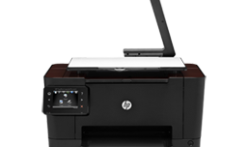
HP TopShot LaserJet Pro M275nw MFP www.hpdrivers.net

HP TopShot LaserJet Pro M275 MFP Software Driver Download

Description HP LaserJet MFP m275s Driver

This full software solution provides print and scan functionality. This software solution is the same version as the in-box Ver. 2 CD for the HP LaserJet Pro 200 Color MFP M275 product.

Release details

Released: Mar 19, 2021
Version : 6.0.12037.1205
File name : LJ-Pro-color-MFP-M275-full_solution-12037.exe

Compatibility:

  • Microsoft Windows 10 (32-bit)
  • Microsoft Windows 10 (64-bit)
  • Microsoft Windows Vista (32-bit) (64-bit)
  • Microsoft Windows 7 (32-bit) (64-bit)
  • Microsoft Windows 8 (32-bit)
  • Microsoft Windows 8 (64-bit)
  • Microsoft Windows Server 2012
  • Microsoft Windows 8.1 (32-bit)
  • Microsoft Windows 8.1 (64-bit)
  • Microsoft Windows XP

Download

File Size :139.64Mb

Fix/Enhancement: Updated driver install package

Installation instructions

This section will help you in the download of the software to your computer and start you on the install process. Below are easy-to-follow instructions for downloading and installing printer drivers. (Note: Do not connect the USB cable until prompted.)

Approximately 150 MB of free hard disk space is required to use this download.
1. Close any software programs running on your computer.
2. Click on “Download” button and save the file to your hard disk.
3. Double click on the downloaded file. This will extract all the driver files into a directory on your hard drive. The default directory these files are extracted to have a similar name to the printer model.
4. Follow the on-screen instructions to proceed with the installation.

HP LaserJet Managed E60155 Drivers

Last checked against HP’s download list: November 4, 2026 · Checked by H&G

Looking for the HP LaserJet Managed E60155 driver? This page lists HP’s official software for the whole HP LaserJet Managed E60155 series. For Windows 11; Windows 10, 8.1, 8, 7 (32-bit and 64-bit), the package most people need is the HP LaserJet Managed E60155/E60165/E60175 series Full Software Solution. For a Mac, HP lists Install HP Easy Start.

Recommended downloads

Windows 11; Windows 10, 8.1, 8, 7 (32-bit and 64-bit): HP LaserJet Managed E60155/E60165/E60175 series Full Software SolutionVersion 49.10.4644 · Released Nov 11, 2021 · 76.7 MB · HP rating: Recommended
Download
macOS 26, 15, 14: Install HP Easy StartVersion 2.16.7.260722 · Released Aug 14, 2026 · 6.3 MB
Download

Files download directly from HP’s official servers. hpdrivers.net does not host or modify them.

Which Windows package should you choose?

HP publishes 4 kinds of Windows package for the LaserJet Managed E60155:

  • Firmware update (v2510156_069212, Aug 29, 2026): updates the printer itself, not your PC.
  • Driver files (no installer) (v49.10.4644, Nov 11, 2021): bare driver files for Windows’ Add Printer wizard.
  • Full software solution (v49.10.4644, Nov 11, 2021, 76.7 MB): driver plus HP’s setup wizard and tools.
  • HP Universal Print Driver (v8.2.0.26778, Sep 26, 2026): HP’s shared driver for many models, also listed for this series.

All downloads for the LaserJet Managed E60155

Windows

PackageWindowsVersionReleasedSize
FutureSmart Bundle Version 5.10.0.7 – HP LaserJet Managed E60155/65/75 Series Printer FIRMWARE
File detailsFile: E60155_65_75_fs5.10.0.7_fw_2510156_069212.zip
11
10, 8.1, 8, 7, Vista (32-bit and 64-bit)
XP (32-bit)
2510156_069212Aug 29, 2026104.0 MBDownload
FutureSmart Bundle Version 4.12.0.1 – HP LaserJet Managed E60155/65/75 Series Printer FIRMWARE
File detailsFile: E60155_65_75_fs4.12.0.1_fw_2411226_066578.zip
11
10, 8.1, 8, 7, Vista (32-bit and 64-bit)
XP (32-bit)
2411226_066578Feb 02, 2023100.3 MBDownload
HP LaserJet Managed E60155/E60165/E60175 series PCL-6 V4 Printer Driver (no installer))
File detailsFile: V4_DriveronlyWebpack-49.10.4644-LJE60155-E60175_V4_DriveronlyWebpack.exe
11
10, 8.1 (32-bit and 64-bit)
49.10.4644Nov 11, 202110.3 MBDownload
HP LaserJet Managed E60155/E60165/E60175 series PCL 6 V3 Printer Driver (no installer)
File detailsFile: V3_DriveronlyWebpack-49.10.4644-LJE60155-E60175_V3_DriveronlyWebpack.exe
11
10, 8.1, 8, 7 (32-bit and 64-bit)
49.10.4644Nov 11, 202114.4 MBDownload
HP LaserJet Managed E60155/E60165/E60175 series Full Software Solution
File detailsFile: Full_Webpack-49.10.4644-LJE60155-E60175_Full_Webpack.exe
11
10, 8.1, 8, 7 (32-bit and 64-bit)
49.10.4644Nov 11, 202176.7 MBDownload

macOS

PackagemacOSVersionReleasedSize
FutureSmart Bundle Version 5.10.0.7 – HP LaserJet Managed E60155/65/75 Series Printer FIRMWARE
File detailsFile: E60155_65_75_fs5.10.0.7_fw_2510156_069212.zip
26, 15, 14, 13, 12, 11, 10.13, 10.12, Mac OS X 10.11, Mac OS X 10.102510156_069212Aug 29, 2026104.0 MBDownload
FutureSmart Bundle Version 4.12.0.1 – HP LaserJet Managed E60155/65/75 Series Printer FIRMWARE
File detailsFile: E60155_65_75_fs4.12.0.1_fw_2411226_066578.zip
26, 15, 14, 13, 12, 11, 10.13, 10.12, Mac OS X 10.11, Mac OS X 10.102411226_066578Feb 02, 2023100.3 MBDownload

Other HP software listed for this series

SoftwareSystemsVersion
HP Easy Start Printer Setup Software (Internet connection required for driver installation)Windows 11
Windows 10, 7 (32-bit and 64-bit)
17.6.15Download
HP Easy Start Printer Setup SoftwareWindows 8.1, 8 (32-bit and 64-bit)17.6.15Download
HP Easy AdminmacOS 26, 15, 14, 13, 11, 10.13, 10.12, Mac OS X 10.11, Mac OS X 10.102.16.0.251010Download
Install HP Easy StartmacOS 26, 15, 142.16.7.260722Download

HP Universal Print Driver

HP lists its Universal Print Driver for this series on Windows 11; Windows 10, 8.1, 8, 7 (32-bit and 64-bit). Get it from our HP Universal Print Driver page.

Linux

HP lists Linux support for this series through its HPLIP project, outside the regular download list: HP’s Linux printing page (HPLIP).

Installing the LaserJet Managed E60155 driver

The driver files without an installer are added through Windows’ Add Printer wizard (Have Disk). For step-by-step instructions, see our guide to installing an HP printer driver.

Firmware update 2411226_066578

The newest firmware HP lists for the LaserJet Managed E60155 is version 2411226_066578, released Feb 02, 2023.

  • Keep the printer and the computer switched on until the update has finished.

Specifications that matter for setup

Connections1 Hi-Speed Device USB 2.0; 2 Hi-Speed USB 2.0 Host; 1 Gigabit Ethernet; 1 Hardware Integration Pocket
Wi-FiOptional, enabled with purchase of a wireless hardware accessory. Single band Wireless Station and Wi-Fi Direct functionality available with HP Jetdirect 3000w NFC/Wireless Accessory J8030A
Mobile printingHP ePrint; Apple AirPrint™; Google Cloud Print™; Mopria™ Certified
Print languagesHP PCL 6, HP PCL 5, HP PostScript level 3 emulation, native PDF printing (v 1.7), Apple AirPrint™
Print speed (black)Normal: Up to 55 ppm
Recommended monthly volume5000 to 30,000
Two-sided printingAutomatic (standard)

Toner supplies HP lists for the LaserJet Managed E60155

HP’s specifications name these replacement supplies for the LaserJet Managed E60155:

  • HP Black Managed LaserJet Toner (50

What comes in the box

HP lists these items with the LaserJet Managed E60155:

  • HP Color LaserJet Printer
  • HP Original LaserJet Toner Cartridge (toner cartridge installed)
  • Documentation (Hardware Install Guide)
  • Power cord
  • Fixed-Size Cassette Guides

Paper handling and hardware details

Values below are HP’s published figures for the LaserJet Managed E60155; they help you check that this page matches your printer before you download anything.

Paper input tray100-sheet multipurpose feeder, 550-sheet input feeder
Output tray500 sheet output bin
Optional traysOptional 550-sheet paper feeder, optional 75 sheet envelope feeder, optional high-capacity 2100 sheet paper feeder and stand, Optional pedestal
Paper sizesTray 1: letter, legal, executive, statement, 3 x 5 in, 4 x 6 in, 5 x 7 in, 5 x 8 in, 8.5 x 13 in, envelopes (No. 9, No. 10, Monarch); Tray 2: letter, legal
Media typesPaper (plain, light, bond, recycled, heavy, extra heavy, cardstock, pre-printed, pre-punched, colored, rough, heavy rough), mono transparency, labels, letterhead, envelope, heavy envelope
Paper weightTray 1: 16 to 53 lb; Tray 2: 16 to 32 lb; Automatic Duplexer: 16 to 32 lb
Print quality (black)Black: Up to 1200 x 1200 dpi
Control panel4.3-in (10.92 cm) Color Graphics Display (CGD) with touchscreen; rotating (adjustable angle) display; Home button
Processor1.2 GHz
Size (W x D x H)17 x 18.3 x 15 in
Weight47.51 lb
USB cableNo, please purchase (USB) cable separately
WarrantyOne-year, next-business day, onsite warranty

Common setup problems

  • You’d rather not install software on a Mac. HP’s specifications list AirPrint support, so macOS can usually add the printer from System Settings without extra software.

HP OfficeJet Pro 9130b Driver Download for Windows

Download HP OfficeJet Pro 9130b All-in-One Series Printer Driver for Windows 11/10/7/Server 2022 (32bit-64bit)

HP OfficeJet Pro 9130 b Driver Installation Software – Includes Print, Scan, Fax Drivers (Recommended)

Download HP OfficeJet Pro 9130b All-in-One Series Printer

HP OfficeJet Pro 9130b Driver Installation Software – Includes Print, Scan, Fax drivers

The full solution software includes everything you need to install and use your HP printer. This collection of software includes the complete set of drivers, installer software, and other administrative tools. Win 7 (SP1) is the minimum requirement for HP Easy Start

Fix and enhancements: Removal of HP Smart Tile from DXP

Version: 58.2.1917
File Name: HPEasyStart-16.3.1-OJP9130b_58_2_1917_Webpack.exe
Post date: Nov 13, 2023

Compatibility Systems:

Microsoft Windows 11, Microsoft Windows 10 (32bit), Microsoft Windows 10 (64bit), Microsoft Windows Server 2022

Download

File Size : 526.42Mb

HP Smart Universal Printing Driver for Windows V3 (32-bit)

This is the most current version of the V3 HP Smart Universal Printing Driver (SUPD) for Windows 32 bit systems.

Operating Systems: Microsoft Windows 10 (32-bit), Microsoft Windows 11, Microsoft Windows 7 (32-bit), Microsoft Windows Server 2022

Version: v4.01.2.2972
Relase Date : May 7, 2024
File name: SUPD-V3-x86-4.01.2.2972.exe

Download

File Size : 32.41Mb

HP Smart Universal Printing Driver for Windows V3 (64-bit)

This is the most current version of the V3 HP Smart Universal Printing Driver (SUPD) for Windows 64 bit systems.

Operating Systems: Microsoft Windows 10 (64-bit), Microsoft Windows 11, Microsoft Windows 7 (64-bit), Microsoft Windows Server 2019

Version: v4.01.2.2972
Relase Date : May 7, 2024
File name: SUPD-V3-x64-4.01.2.2972.exe

Download

File Size : 36.23Mb

HP Universal Scan – Full Feature Software and Driver

HP is undoubtedly one of the largest printer and scanner producing companies. A new update has been released to the universal driver produced for HP scanner devices. Also some improvements and fixes have been made. This driver full web suite provides various scanning functions. However, it does not include OCR capabilities and Cloud targets.

HP OfficeJet Pro 9130b Scan – Full Feature Software and Driver

Fix and enhancements:

Scan to computer improvements have been made in this version. However, some features may vary depending on your browser model. Additionally, the language of the Data Collection Agreement Screens has been updated.

Version: 63.4.6169

File name: Full_Webpack-63.4.6169-SJ0001_Full_Webpack.exe

Relased: Aug 29, 2024

Operating Systems

Microsoft Windows 11, Microsoft Windows 10 (32-bit), Microsoft Windows 10 (64-bit), Microsoft Windows 8.1 (32-bit), Microsoft Windows 8.1 (64-bit), Microsoft Windows Server 2022

Download

File Size: 411.21 MB

Finally, let’s make a few reminders about the installation. First, download the installation file to your computer. It will generally download to the general downloads folder. Then open the file you downloaded. The installation wizard will guide you. When the installation is finished, you can delete the file you downloaded. Or you can save it to reinstall it in case you experience problems again. If you encounter a problem, do not hesitate to contact us.

HP OfficeJet Pro 9019 Fax Driver for Windows

Version: 2.0.193.7861
Release date: Mar 17, 2021
Name: HPUFD_Driver_2_0_193_1.exe
Compatibility Systems: Windows 8 (32-bit) Windows 8 (64-bit) Windows 8.1 (32-bit) Windows 8.1 (64-bit)
Download
Size: 14.7 MB