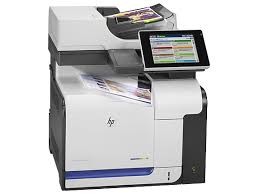
HP LaserJet Enterprise 500 color MFP M575 Driver for Windows 10/8/7/Vista/Xp 64bit-32bit (Update: Mar 14, 2021)
Download HP LaserJet color flow MFP M575c, M575cm Printer Full Software and Drivers
HP LaserJet M575 Printer
Details
The full solution software includes everything you need to install your HP printer. This collection of software includes the complete set of drivers, installer software, & other administrative tools found on the printer’s software CD.
Relase Details
Version: 5.0.12221.198 Released: Mar 14, 2021 File Name: LJ-Ent-color-flow-MFP-M575-Full-Solution-12221.exe
Operating Systems
Microsoft Windows 10 (32 bit), Microsoft Windows 10 (64 bit), Microsoft Windows 8.1 (32 bit), Microsoft Windows 8.1 (64 bit), Microsoft Windows 8 (32 bit), Microsoft Windows 8 (64 bit), Microsoft Windows 7 (32 bit), Microsoft Windows 7 (64 bit), Microsoft Windows Vista (32 bit), Microsoft Windows Vista (64 bit), Microsoft Windows XP (32 bit)
HP PageWide Pro 477dw Multifunction Printer Series Driver for Windows 11/10/8/8.1/7
Download HP PageWide Pro 477dw Multifunction Printer series PCL6 Full Software Solution
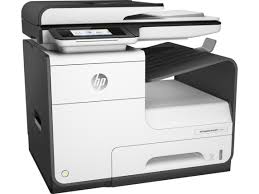
HP PageWide Pro 477dw Printer
HP PageWide Pro 477dw Driver Download for Windows and macOS
Download the HP PageWide Pro 477dw driver for Windows or set up the printer on macOS. Choose the full software package if you need printing, scanning, copy tools, and TWAIN support. Choose the basic driver if you only need printing.
Quick download: Windows full software and driver
Recommended for most users: This package installs the HP PageWide Pro 477dw printer driver, scanner driver, setup utility, and full printer software.
Experienced users only; do not use as a printer driver
HP PageWide Pro 477dw MFP
Firmware warning: Firmware is not required to print or scan. Update firmware only when you have a specific reason, the printer has stable power, and you understand the update process. Do not switch off the printer or disconnect it while firmware is being updated.
Which download should you choose?
Full Software and Driver: Choose this option for a new installation, scanning, TWAIN applications, printer setup, or full printer functionality.
Basic Driver 64-bit: Choose this option if you have 64-bit Windows and only need standard printing.
Basic Driver 32-bit: Choose this option only if you use 32-bit Windows and only need standard printing.
Firmware: This is an optional printer update, not a Windows or macOS driver.
How to check whether Windows is 32-bit or 64-bit
Press Windows + I to open Settings.
Open System, then select About.
Find System type.
Download the 64-bit driver if it says “64-bit operating system.”
Download the 32-bit driver only if it says “32-bit operating system.”
How to install the HP PageWide Pro 477dw driver
Download the full software package or the correct basic driver above.
Open the downloaded EXE file after the download finishes.
Allow Windows to run the installer if User Account Control appears.
Select USB, Wi-Fi, or Ethernet when the setup wizard asks for the connection type.
For USB installation, connect the USB cable only when the installer asks you to do so.
Complete the on-screen instructions and print a test page.
macOS setup for HP PageWide Pro 477dw
For macOS, connect the HP PageWide Pro 477dw to the same Wi-Fi or Ethernet network as your Mac. Open System Settings > Printers & Scanners, select Add Printer, and choose the printer when it appears. If it is not detected, use HP Easy Start or check the official HP support page for the software available for your macOS version.
Make sure the printer and computer are on the same Wi-Fi network.
Use a direct USB connection temporarily if Wi-Fi discovery fails.
For Ethernet, check that the cable is connected and the printer has a network IP address.
Remove old HP PageWide Pro 477dw printer entries before reinstalling the driver.
Scanning does not work
Install the Full Software and Driver package, not the Basic Driver.
Restart the printer and computer after installation.
Check that the HP scanner appears in the Windows Scan app or your scanning program.
Make sure security software is not blocking local network communication.
Printer is offline or print jobs are stuck
Open the print queue and remove pending print jobs.
Restart the printer and computer.
Set HP PageWide Pro 477dw as the default printer.
Check that “Use Printer Offline” is not enabled in the print queue menu.
About the HP PageWide Pro 477dw
The HP PageWide Pro 477dw is a multifunction business printer with print, copy, scan, and fax capabilities. It supports USB, Wi-Fi, and Ethernet connections. The full Windows software package is recommended for users who need scanner features and complete device setup.
Frequently asked questions
What is the best driver for HP PageWide Pro 477dw?
The Full Software and Driver package is the best choice for most users because it includes the printer driver, scanner support, setup software, and additional utilities.
Does the full package include a scanner driver?
Yes. The Full Software and Driver package includes scanning software and TWAIN support for compatible Windows applications.
Which driver should I use for Windows 11?
Start with the Full Software and Driver package. If you only need printing, use the 64-bit Basic Driver on most Windows 11 computers.
Do I need firmware to install the printer?
No. Firmware is optional and is not needed for normal printer or scanner installation. Install a printer driver first.
HPDrivers.net is an independent website and is not affiliated with, sponsored by, or endorsed by HP Inc. HP and PageWide are trademarks of their respective owners.
HP LaserJet Enterprise 500 color MFP M575c Driver for Windows 10/8/7/Vista/Xp 64bit/32bit (Update : Mar 14, 2021)
HP LaserJet color flow MFP M575c, M575cm Printer Full Software and Drivers
HP LaserJet M575c Printer
Details
The full solution software includes everything you need to install your printer. This collection of software includes the complete set of drivers, installer software, and other administrative tools found on the printer’s software cd.
Relase Details
Version: 5.0.12221.198 Released: Mar 14, 2021 File Name: LJ-Ent-color-flow-MFP-M575-Full-Solution-12221.exe
Operating Systems
Microsoft Windows 10 (32 bit), Microsoft Windows 10 (64 bit), Microsoft Windows 8.1 (32 bit), Microsoft Windows 8.1 (64 bit), Microsoft Windows 8 (32 bit), Microsoft Windows 8 (64 bit), Microsoft Windows 7 (32 bit), Microsoft Windows 7 (64 bit), Microsoft Windows Vista (32 bit), Microsoft Windows Vista (64 bit), Microsoft Windows XP (32 bit)