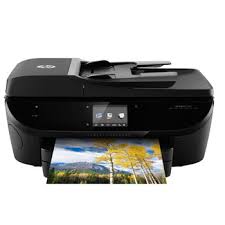
HP ENVY 7644 e-All-in-One Printer Driver for Windows 11/10/8/7 (Update : Nov 24, 2021)
HP ENVY 7640 e-All-in-One Printer series Full Feature Software and Drivers Download
HP ENVY 7644
Description
The full solution software includes everything you need to install and use your HP printer. This collection of software includes the complete set of drivers, installer and optional software.
Fix and enhancements:
Fix provided for print failures seen on Windows 10 Redstone 5.
Release details
Released: Nov 24, 2021 File name: Full_Webpack-40.15.1230-EN7640_Full_Webpack.exe Version : 40.15.1230
Operating Systems: Microsoft Windows 11, Microsoft Windows 10 (32-bit) (64-bit), Microsoft Windows Vista (64-bit) (32-bit), Microsoft Windows 7 (32-bit) (64-bit), Microsoft Windows 8 (32-bit) (64-bit), Microsoft Windows 8.1 (32-bit) (64-bit)
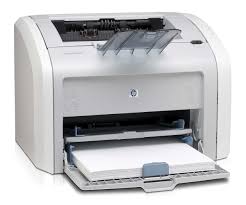
HP LaserJet 1020 Plus Printer Driver for Windows 10-8-7-Vista-Xp 64Bit/32Bit
Download HP LaserJet Full Feature Software and Driver
HP LaserJet 1020 Plus Printer
Description
This full software solution is the same solution as the in-box CD that came with your printer. This is not a software upgrade. If a prior version software is currently installed, it must be uninstalled before installing this version.
Microsoft Windows Vista, Microsoft Windows 7 (32-bit), Microsoft Windows 7 (64-bit), Microsoft Windows Vista (64-bit), Microsoft Windows 8 (32-bit), Microsoft Windows 8 (64-bit), Microsoft Windows 8.1 (32-bit), Microsoft Windows 8.1 (64-bit), Microsoft Windows XP, Microsoft Windows 10 (32-bit), Microsoft Windows 10 (64-bit)
File Size: 80.23Mb
A ‘Paper jam’ Message Displays for HP LaserJet 1018, 1018s, 1020, and 1020 Plus Printers Issue
If the ‘Paper Jam’ Message is Displayed on HP LaserJet 1018, 1018s, 1020 and 1020 Plus Printers, the attention light is blinking and the ready light is probably off. Don’t panic and check the input tray. You may have overfilled it. Some users add paper to the input tray without removing the remaining paper.
This is a big mistake. Because when you insert new papers, you push the old ones forward. This causes paper jams. When you add paper, you need to remove the remaining papers in the tray, tap them lightly on a flat surface, align all the papers in your hand, and then place them in the input tray.
This will greatly prevent paper jams. Also, never add or remove paper while printing. Also, be sure to use paper of the size and type recommended by HP. Do not allow excessive paper to accumulate in the output tray either. Do not open the cartridge cover while printing. Also, do not use excessively moist paper. Paper may stick together and cause a jam.
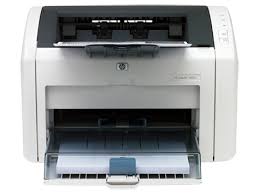
HP LaserJet 1022 Printer Driver for Microsoft Windows 10 32bit/64bit
HP LaserJet 1020 Series Software and Driver Download (Updated: Jan 6, 2016)
Description
This full software solution is the same solution as the in-box CD that came with your printer. This is not a software upgrade. If a prior version software is currently installed, it must be uninstalled before installing this version.
Release details
Released: Jan 6, 2016 File name: hp_LJ1020_Full_Solution-v2012_918_1_57980.exe Version : v1601
Operating Systems:
Microsoft Windows 10 (32-bit) Microsoft Windows 10 (64-bit)
File Size: 80Mb
HP LaserJet 1020 and 1022 Printer series Hostbased Plug and Play Basic Driver
Release details
Released: Jan 9, 2013 File name: lj1018_1020_1022-HB-pnp-win32-en.exe Version : v1601
Operating Systems:
Microsoft Windows 7 (32-bit), Microsoft Windows 8 (32-bit), Microsoft Windows 8.1 (32-bit), Microsoft Windows Server 2003, Microsoft Windows Vista (32-bit), Microsoft Windows XP (32-bit)
Microsoft Windows 7 (64-bit), Microsoft Windows 8 (64-bit), Microsoft Windows 8.1 (64-bit), Microsoft Windows Server 2003, Microsoft Windows Vista (64-bit), Microsoft Windows XP (64-bit)