hpdrivers.net is an independent website and is not affiliated with, endorsed by, or sponsored by HP Inc. Download links point to HP's official servers (ftp.hp.com). Learn more

HP DeskJet 4200e Driver Download

HP DeskJet 4200e All-in-One Printer Driver for Windows 11-10 (32bit-64bit)

Download HP DeskJet 4200 Series EasyStart Printer Setup Software – Offline Use Only
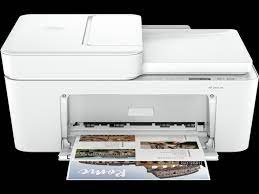
HP DeskJet 4200e  All-in-One Printer Driver for Windows Hpdrivers.net

HP Thermal Inkjet

Print quality black (best) : Black: Up to 1200X 1200 rendered dpi (when Printing from a computer) Color: Up to 4800 x 1200 optimized dpi color (when printing from a computer on selected HP photo papers and 1200 input dpi)

Wireless capability : Yes, built-in Wi-Fi 802.11b/g/n, 2.4 GHz single-band only

HP DeskJet 4200e Easy Start Printer Setup Software Driver – Offline Use Only

The full solution software includes everything you need to install and use your HP printer. This collection of software includes the complete set of drivers, installer software, and other administrative tools. Win 7 (SP1) is the minimum requirement for HP Easy Start

Operating Systems : Microsoft Windows 11, Microsoft Windows 10 (32-bit), Microsoft Windows 10 (64-bit)

Version: 57.2.1683
Release date: Jun 14, 2023
File name: HPEasyStart-15.8.1-DJ4200_57_2_1683_3_Webpack.exe

Download

File Size: 323.51 MB


HP Easy Start Printer Setup Software (Internet connection required for driver installation)

HP Easy Start provides guided setup and drivers for your HP printer. Furthermore, installation Software and Driver-Includes print, scan, latest features, and solutions.

Fix and enhancements: Improved user experience. Moreover, performance Optimizations. Additionally, added support for newest printer models.

Operating Systems : Microsoft Windows 11 All Editions, Microsoft Windows 10 (32-bit), Microsoft Windows 10 (64-bit)

Installation Software and Driver-Includes print, scan, latest features, and solutions.

Version : 16.7.5
Release date: Jul 18, 2024
File Name : HPEasyStart_16_7_5.exe

Download

File Size : 17.21Mb


Hp Deskjet F4492 Driver for Windows

Released: Jan 27, 2016
Name: DJ_AIO_05_F4400_NonNet_Full_Win_WW_140_404-4.exe
Version : 14.8.0
Compatibility Systems: Windows 10 32-Bit, Windows 10 64-Bit, Windows 8.1 32-Bit, Windows 8.1 64-Bit, Windows 8 32-Bit

Download

Size : 136.77Mb

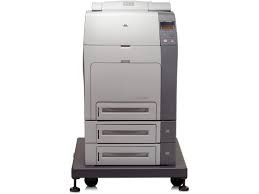
HP Color LaserJet 4700dn Printer Driver Download

HP Color LaserJet 4700dn Printer Driver for Windows 11/10/8/7

Download HP Universal Print Driver for Windows PCL6 (32-bit) & (64-bit)

HP Color LaserJet 4700dn Printer

Description HP Color LaserJet 4700dn Software Driver

The HP Universal Print Driver is a single driver that provides access to a variety of HP printing options. This driver supports many HP printer models. You do not need to install separate drivers for all of them. However, you may not be able to use all the features of your printer. If there is a driver produced for your printer, it would be better to install it. However, HP company only releases universal drivers for some of its models.

This is the most current PCL6 driver of the HP Universal Print Driver (UPD) for Windows 32/64 bit systems.

Release details

Version: v7.3.0.25919

Relase Date : Nov 18, 2024

Operating Systems:
Microsoft Windows 10 (32-bit), Microsoft Windows 7 (32-bit), Microsoft Windows 8 (32-bit), Microsoft Windows 8.1 (32-bit), Microsoft Windows Server 2012, Microsoft Windows Server 2016, Microsoft Windows Server 2019
File name: upd-pcl6-x32-7.3.0.25919.zip

Download

File Size : 18.51 MB

Operating Systems:
Microsoft Windows 11, Microsoft Windows 10 (64-bit), Microsoft Windows 7 (64-bit), Microsoft Windows 8 (64-bit), Microsoft Windows 8.1 (64-bit), Microsoft Windows Server 2012, Microsoft Windows Server 2016, Microsoft Windows Server 2019
File name: upd-ps-x64-7.3.0.25919.zip

Download

File Size : 22.13Mb


HP LaserJet Pro M1219nf Driver

Released: Jan 17, 2020
File name: HP_M1130_M1210_MFP_Full_Solution-v20180815-10158769.exe
Version : 20180815
Download
File Size : 212.71Mb

Before you start installing the driver for your printer, you need to download the driver suitable for your operating system above to your computer. Additionally, when the driver installation is completed, you can delete the file you downloaded if you wish. Moreover, all the drivers published on our site are taken from HP’s original website. All are completely safe. Our goal is to help you find the driver you are looking for more easily and quickly. However, if you want to see more detailed drivers for your printer, you can visit HP’s original site. You can find a shortcut to the original site at the top right of our site. Also, if you need drivers for different operating systems or different printers, you can share this with us. We’d be happy to help you.

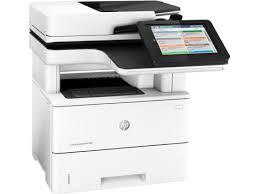
HP LaserJet MFP M528z Driver Download

HP LaserJet Enterprise MFP M528z Driver for Windows 11-10-8-7

Download HP LaserJet Enterprise MFP M528 Series Full Software Solution

Hp MFP M527z Printer

Description HP LaserJet Enterprise MFP M528z Driver

The full solution software includes everything you need to install your HP printer. This collection of software includes the complete set of drivers, installer software, and other administrative tools found on the printer’s software CD.

Fix and enhancements: Updated end user license agreement and data collection statement.

Relase Details

Version: 49.10.4644
File name: Full_Webpack-49.10.4644-LJM528_Full_Webpack.exe
Released: Nov 12, 2021

Operating Systems

Microsoft Windows 11, Microsoft Windows 10 (32-bit), Microsoft Windows 10 (64-bit), Microsoft Windows 8 (32-bit), Microsoft Windows 8 (64-bit), Microsoft Windows 8.1 (32-bit), Microsoft Windows 8.1 (64-bit)

Download

File Size: 76.92 MB

Installation instructions

Note: Do not connect the USB cable until prompted by the installer. If you are connecting to a network, make sure the network cable is connected before running the installer

  • Close any software programs running on your computer.
  • Turn on the printer.
  • Click on the Download button on this page.
  • Click the downloaded file. The files will be extracted and the installation process will automatically start.
  • Follow the on-screen instructions to proceed with and complete the installation.

To install at a later date, select Save on step 4 and select a location on your hard disk. When ready to install, locate and double-click the file. This will automatically extract and start the installation process. Follow the on-screen instructions to proceed with the installation.