
Looking for the HP Deskjet D4368 driver? This page lists HP’s official software for the whole HP Deskjet D4300 Printer series: the Deskjet D4360, Deskjet D4363 and Deskjet D4368. HP lists some packages for specific models in the series, so check that the package title includes your model.
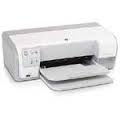
What HP still lists for this series
HP's current download list for the Deskjet D4300 no longer includes a full software and driver package. The items HP still lists for this series are in the table below.
The newest Windows version named in that list is Windows 8.1, and the newest Mac version is Mac OS X 10.9.
Files download directly from HP’s official servers. hpdrivers.net does not host or modify them.
Models covered by this page
All 3 models share one download list at HP:
HP Deskjet D4360 HP Deskjet D4363 HP Deskjet D4368
All downloads for the Deskjet D4300
Other HP software listed for this series
Installing the Deskjet D4300 driver
For step-by-step instructions, see our guide to installing an HP printer driver.
Windows driver for the Deskjet D4300 from Microsoft Update Catalog
Microsoft distributes HP’s driver for the Deskjet D4300 through Windows Update, and the same packages can be downloaded by hand from the Microsoft Update Catalog. The files below come straight from Microsoft’s download servers. They are driver packages only, not HP’s full software installer.
Installing a .cab driver: download the file, open it and extract its contents to a new folder. Connect the printer, open Device Manager, right-click the printer (it may appear under Other devices or Print queues), chooseUpdate driver, then Browse my computer for drivers and point it to that folder.
Source: Microsoft Update Catalog (catalog.update.microsoft.com).
Installing the HP Deskjet D4368 on Linux (HPLIP)
On Linux the Deskjet D4368 is handled by HPLIP, HP’s own open-source imaging and printing package, not by the Windows or macOS downloads above. The details below come from the HPLIP model database entry for this printer.
- First HPLIP release with support: 2.8.6 (any newer HPLIP also works).
- Print technology in the HPLIP database: colour inkjet.
- Connections HPLIP can use: USB.
- Binary plug-in: not needed; the open-source driver is enough.
- USB ID:
03f0:1f04(shown bylsusbwhen the printer is connected). - Supply numbers listed by HPLIP: HP 816 (numbers vary by sales region).
- Same HPLIP entry also covers: Deskjet D4360 Printer, Deskjet D4363 Printer.
Install the hplip package from your distribution, then run hp-setup -i and follow the prompts. hp-check reports anything missing, and hp-toolbox shows ink levels and maintenance tools where the model supports them.
Blinking light patterns on the Deskjet D4360, D4363 and D4368
HP’s light guide for the D4300 series is a set of tables, one for each pattern of the Power, Resume, ink cartridge status and USB indicator lights. The patterns it covers include a blinking Power light on its own, Power on with Resume blinking, Power and Resume blinking together, one or both cartridge lights steady or blinking, and several combinations of the USB Connection and Alert lights.
Match the pattern first, then work through that table’s fixes in order, because several causes can produce the same lights and the common ones are listed first. HP also notes that colours and layout of the panel vary slightly between the three models.
Based on HP support document c01436055 (“Blinking Lights on the HP Deskjet D4360, D4363, and D4368 Printers”).
Out of paper or a jam on the Deskjet D4360, D4363 and D4368
When the Power light is on and Resume blinks, load paper and press Resume. If the computer reports a jam instead, take loose paper out first but leave the jammed sheet. Turn the printer off, unplug it, press the handle on the rear door to the right and pull the door off, then ease the paper out of the rollers.
While the door is off, wipe the rollers with a lint-free cloth lightly dampened with distilled or bottled water, turning them with your fingers, and let them dry before pushing the door back until it snaps in.
Based on HP support document c01436055 (“Blinking Lights on the HP Deskjet D4360, D4363, and D4368 Printers”).