
The HP LaserJet MFP M235sdw driver download for Windows 11, Windows 10, 8.1, 8, 7 (32-bit and 64-bit) is the HP LaserJet MFP M232dw/dwc/sdw-M233dw/sdw-M234dw/sdw-M235dw/sdw-M236dw/sdw-dw/M237dw/sdw-dw/ EasyStart Software – Offline Use Only, and for a Mac HP lists Install HP app to complete setup and support. This page lists HP’s official software for the HP LaserJet MFP M235sdw.
Recommended LaserJet MFP M235sdw driver downloads
Files download directly from HP’s official servers. hpdrivers.net does not host or modify them.
Which Windows package does the LaserJet MFP M235sdw driver need?
HP publishes 2 kinds of Windows package for the LaserJet MFP M232-M237:
- Firmware update (v20260617, Aug 21, 2026): updates the printer itself, not your PC.
- Full software solution (v52.3.4930, Dec 07, 2023, 297.7 MB): driver plus HP’s setup wizard and tools.
LaserJet MFP M235sdw driver: all packages
LaserJet MFP M235sdw driver for Windows
File details
File:M234d_M235sdw_FW_Update-20260617.exeFile details
File:HPEasyStart-16.2.4-LJM232-M237_UWWL_52_3_4930_Webpack.exeMac firmware utility for the LaserJet MFP M235sdw
File details
File:M234d_M235sdw_FW_Update-20260617.dmgScanning and OCR software
Setup tools and other software
Which systems the LaserJet MFP M235sdw driver supports
HP’s download list for the LaserJet MFP M235sdw names Windows 11; Windows 10, 8.1, 8, 7 (32-bit and 64-bit); macOS 26, 15, 14, 13, 12, 11, 10.13, 10.12, Mac OS X 10.11, Mac OS X 10.10. On a Mac the setup runs through the HP app.
Installing the LaserJet MFP M235sdw driver
When the download from the table above finishes, follow these steps.
- First, download the setup package from the Recommended downloads box.
- Then, join the printer to the network first; plug in USB only if the installer asks for it.
- Next, choose the M235sdw in the installer’s printer list.
- Then run the M234d/M235sdw firmware utility from the table if HP offers a newer version.
For step-by-step instructions, see our guide to installing an HP printer driver.
Firmware update 20260617 for the LaserJet MFP M235sdw
The newest firmware HP lists for the LaserJet MFP M232-M237 is version 20260617, released Aug 21, 2026. HP’s notes for it: Security updates; General improvements and bug fixes; Includes all previous fixes and enhancements.
- Check your current firmware version first on the printer’s Configuration Page, and update only if it is older.
Specifications that matter for setup
Toner supplies HP lists for the LaserJet MFP M232-M237
HP’s specifications name these replacement supplies for the LaserJet MFP M232-M237:
- HP 134A Black LaserJet Toner Cartridge, W1340A (about 1,100 pages)
- HP 134X Black LaserJet Toner Cartridge, W1340X (about 2,400 pages)
- HP 135A Black LaserJet Toner Cartridge, W1350A (about 1,100 pages)
- HP 135X Black LaserJet Toner Cartridge, W1350X (about 2,400 pages)
- HP 136A Black LaserJet Toner Cartridge, W1360A (about 1,150 pages)
- HP 136X Black LaserJet Toner Cartridge, W1360X (about 2,600 pages)
- HP 137A Black LaserJet Toner Cartridge, W1370A (about 1,150 pages)
- HP 137X Black LaserJet Toner Cartridge, W1370X (about 2,600 pages)
Paper handling and hardware details
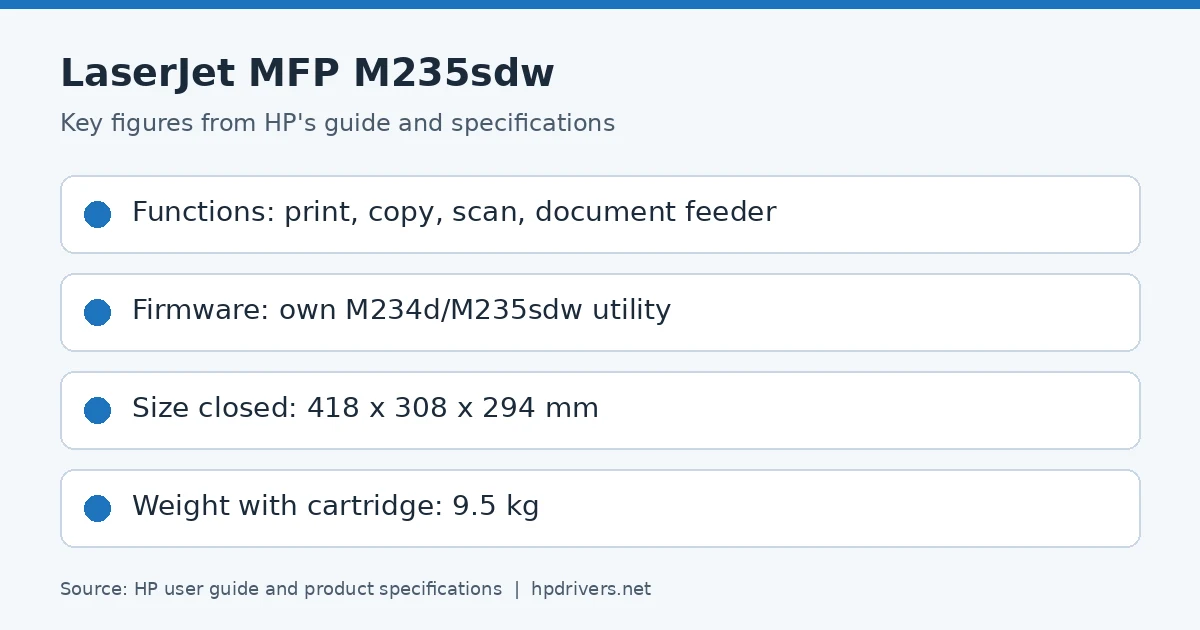
Values below are HP’s published figures for the LaserJet MFP M232-M237; they help you check that this page matches your printer before you download anything.
Firmware for the M235sdw
Among the sdw models, however, only the M235sdw needs a different firmware file. HP’s download list for it shows the utility it shares with the M234d, for Windows and macOS.
In addition, when the printer is on Wi-Fi or on an Ethernet network with Internet access, it checks for updates by itself and installs them. Because HP turns that check on by default, you usually do not have to start it.
Light bar colours on the M235sdw
The wireless models, however, use a light bar instead of the separate lights of the d models.
- White: idle, sleeping or working. Solid white means idle and not on a wireless network; blinking white means a job is printing; white only in the middle means sleep mode.
- Amber: something needs attention. For example, solid amber usually means the cartridge door or the rear door is not closed properly.
- Blue: the wireless connection status.
- Green: starting up, processing or updating.
- Purple: wireless setup mode.
Reports the M235sdw can print
- Information report: press the Information button. It sums up the printer details and current status.
- Configuration report: hold the Information button for 3 seconds until all buttons light, then press Continue. It shows the usage and event logs, copy and energy settings and network status.
- Wireless test report: hold Information for 3 seconds, then press Information and Continue together. It shows the wireless status, signal strength and the networks found.
- Web Services information sheet: in the Embedded Web Server, open HP Web Services, then Web Services Settings, and print it.
- Alignment page: in the Embedded Web Server, open System, then Service, and follow the alignment steps.
Restoring factory settings on the M235sdw
If you turned features off or changed settings and want the originals back, first open the Embedded Web Server. Next, click Service on the System tab and then the Restore Defaults button. After that, the printer restarts by itself.
What the M235sdw does at very low toner
You can choose how the printer reacts when the cartridge reaches the very low stage. In the Embedded Web Server, open the System tab and Supply Settings. Under the very low setting for the black cartridge, choose Stop to stop printing until you replace it. Otherwise, choose Continue to get a warning and keep printing.
The setting also stays when you install a new cartridge. HP’s Premium Protection Warranty for a cartridge ends at the very low stage.
Jams in the M235sdw output bin and rear duplexer
When paper jams at the exit, the attention light blinks or the light bar turns solid amber, and the display shows Er/06. In that case, pull out all paper you can see in the output bin with both hands so it does not tear.
Er/42 points to the rear duplexer instead. Open the rear access door, then pull any visible paper out slowly, and finally close the door again.
HP’s policy on non-HP cartridges
In short, HP advises against non-HP cartridges, new or remanufactured. However, using them does not change the printer warranty or a support contract. On the other hand, if a fault or damage is caused by a non-HP or refilled cartridge, HP charges its standard time and material rates for that repair.
Similar models
This page covers the M235sdw only. The M237sdw and the M232sdw and M236sdw have their own pages.