
Advertisement
HP LaserJet Pro MFP M428dw Driver for Windows 11-10-8-7 & 32bit 64bit
Download HP LaserJet Pro M428/M429dw Printer Full Software Solution Printer Full Software Solution
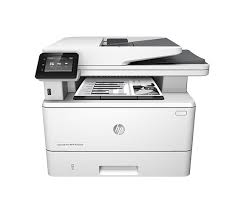
HP LaserJet Pro MFP M428dw Driver Download
Download the official HP LaserJet Pro MFP M428dw drivers for Windows 11, Windows 10, Windows 8.1, Windows 8 and Windows 7. The Windows download links below point directly to files hosted on HP’s official FTP server.
HP M428dw Driver Downloads
For most users, download the Full Feature Software and Driver. It includes the software needed for printing and scanning.
| Driver | Windows | Type | Size | Download |
|---|---|---|---|---|
| Full Feature Software and Driver | 11, 10, 8.1, 8, 7 | 32-bit / 64-bit | 257.28 MB | Download |
| PCL 6 V4 Driver | 11, 10, 8.1 | 32-bit / 64-bit | 12.04 MB | Download |
| PCL 6 V3 Driver | 11, 10, 8.1, 8, 7 | 32-bit / 64-bit | 16.38 MB | Download |
| Basic Driver | 11, 10, 8.1, 8, 7 | 64-bit | 71.89 MB | Download |
| Basic Driver | 11, 10, 8.1, 8, 7 | 32-bit | 61.25 MB | Download |
All five Windows packages above are M428-M429 family files published in HP’s official FTP directory. Do not use the similarly named M428f-M429f packages; those are for the fax-equipped M428f/M429f models.
Which Driver Should I Download?
| Operating system | Recommended download |
|---|---|
| Windows 11 64-bit | Full Feature Driver |
| Windows 10 64-bit | Full Feature Driver |
| Windows 10 32-bit | Full Feature Driver |
| Windows 8.1 | PCL 6 V4 Driver |
| Windows 8 | PCL 6 V3 Driver |
| Windows 7 64-bit | PCL 6 V3 Driver |
| Windows 7 32-bit | PCL 6 V3 Driver |
HP’s documentation states that the full software installer uses the appropriate PCL 6 V3 or V4 driver according to the Windows version. The M428dw supports Windows 7, 8, 8.1 and 10 in both 32-bit and 64-bit configurations. HP’s current driver page also lists Windows 11 for the M428dw.
HP M428dw Full Feature Driver
The Full Feature Software and Driver is the recommended package when you need the complete M428dw installation, including printing and scanning functions.
| Version | 48.6.4638 |
| File size | 257.28 MB |
| Windows | 11, 10, 8.1, 8, 7 |
| Architecture | 32-bit / 64-bit |
Download HP M428dw Full Feature Driver
PCL 6 V4 and V3 Drivers
Use the driver-only packages when you do not need the complete HP software installation. HP provides a PCL 6 V4 package for Windows 11, 10 and 8.1, and a PCL 6 V3 package for Windows 11, 10, 8.1, 8 and 7.
Download PCL 6 V4 Driver – 12.04 MB
Download PCL 6 V3 Driver – 16.38 MB
HP M428dw Basic Driver
The Basic Driver is useful when you need a smaller driver package instead of the complete HP software. Choose the x64 package for 64-bit Windows and the x86 package for 32-bit Windows.
Download Basic Driver 64-bit – 71.89 MB
Download Basic Driver 32-bit – 61.25 MB
HP M428dw macOS Driver
For Mac computers, HP provides HP Easy Start as the official setup method for the M428dw. It installs the software and printer driver required for your Mac.
Open HP Easy Start for Mac:
https://123.hp.com/LaserJet
HP M428dw Linux Driver
For Linux, HP provides printer drivers and installation instructions through its official Linux Printing support page. The Windows EXE packages listed above are not Linux drivers.
Open HP Linux Printing Support:
https://www.hp.com/go/linuxprinting
HP M428dw Driver Installation
- Download the driver that matches your Windows version.
- Run the downloaded EXE file.
- Follow the HP installation wizard.
- Choose USB, Ethernet or wireless connection when prompted.
- Print a test page after installation.
HP M428dw Scanner Not Working
If the printer works but scanning does not, reinstall the Full Feature Software and Driver rather than only the PCL print driver. HP Support Community reports several M428dw scanning problems related to the scan function or its configuration. In some cases, scanning features need to be enabled in the printer’s Embedded Web Server.
HP M428dw Automatic Duplex Printing Not Working
If automatic two-sided printing is missing, check the printer properties and make sure an HP driver is installed rather than a Microsoft class or IPP driver. In Windows, open Printer Properties → Device Settings and verify that the duplex unit is installed. HP Support Community users have reported this issue with the M428dw.
HP M428dw Specifications
| Model | HP LaserJet Pro MFP M428dw |
| Product numbers | W1A28A / W1A31A |
| Functions | Print, Copy, Scan, Email |
| Print speed | Up to 38 ppm |
| Print resolution | Up to 1200 × 1200 dpi |
| Connectivity | USB 2.0, Ethernet and Wi-Fi |
| ADF | 50 sheets |
Frequently Asked Questions
What is the recommended driver for HP M428dw?
For a normal Windows installation, use the Full Feature Software and Driver. It is the most complete package for the printer’s printing and scanning functions.
Does HP M428dw work with Windows 11?
Yes. HP’s current M428dw driver page lists Windows 11 as a supported operating system.
Which driver should I use for Windows 7?
Use the Full Feature package for a complete installation or the PCL 6 V3 package for a driver-only installation. HP identifies PCL 6 V3 as the model-specific driver for Windows 7.
Are these drivers hosted by HP?
Yes. The Windows download buttons link directly to HP’s official FTP server. The files are not re-hosted on hpdrivers.net.
Official HP Support
If you need manuals, firmware information, product documentation or HP’s complete support tools, use the official HP M428dw support page.
Visit Official HP M428dw Support
Advertisement
salom, men bundan foydalanayotganim uchun xursandman