
Advertisement
HP Photosmart Wireless B110b Driver Download
Use the HP Photosmart Wireless B110b driver guidance below to set up this printer with Windows.
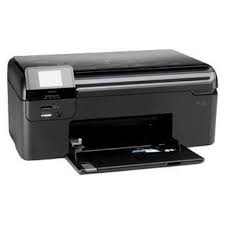
HP Photosmart Wireless e-All-in-One Printer – B110b Software
For Windows 10, HP identifies the Windows built-in printer driver instead of a separate full driver package for this model. Therefore, no unrelated or legacy download is presented as a current full driver.
Driver information
- Printer model
- HP Photosmart Wireless B110b
- Windows method
- Windows built-in printer driver
- Official source
- HP Windows compatibility guidance
HP Photosmart Wireless B110b driver for Windows
Windows built-in printer driver
HP’s compatibility guidance lists this model with the Windows in-OS driver. Connect the printer, open Settings → Bluetooth & devices → Printers & scanners, and choose Add device. Windows can then install the available driver through Windows Update.
HP Photosmart Wireless B110b installation help
If Windows does not detect the printer immediately, confirm the USB or network connection and run Windows Update before adding the printer again. The HP Photosmart Wireless B110b driver supplied through Windows may provide basic printing functions; features from older HP software are not guaranteed on a current system.
Installing and using the Windows built-in print driver
Sources and review notes
The driver method and model listing were checked in HP’s official Windows compatibility document on October 28, 2026. This page does not claim that HP offers a separate Windows 11 full driver package for this model.
Advertisement