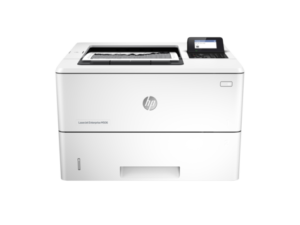
Looking for the HP ScanJet Enterprise Flow 5000 s5 driver? This page lists HP’s official software for the whole HP ScanJet Enterprise Flow 5000 s5. For Windows 11 and Windows 10 (64-bit), the package most people need is the HP Scan Premium – Full Feature Software and Driver. For a Mac, HP lists Install HP Easy Start.
Recommended downloads
Files download directly from HP’s official servers. hpdrivers.net does not host or modify them.
Which Windows package should you choose?
HP publishes 4 kinds of Windows package for the ScanJet Enterprise Flow 5000 s5:
- Driver-only installer (v1.0.12507.2002, Sep 30, 2025): scan driver only, for PCs that can’t or shouldn’t take the full package.
- Full software solution (v63.8.6459, Jul 06, 2026, 436.2 MB): driver plus HP’s setup wizard and tools.
- HP Scan Premium – Basic Software and Driver (v63.8.6459, Jul 02, 2026): scanning from the computer.
- Firmware update (v0.63, May 08, 2025): updates the scanner itself, not your PC.
All downloads for the ScanJet Enterprise Flow 5000 s5
Windows
| Package | Windows | Version | Released | Size | |
|---|---|---|---|---|---|
HP ScanJet Enterprise Flow 5000 s5 Firmware
File detailsFile: |
11, 10 | 0.63 | May 08, 2025 | 15.1 MB | Download |
HP ScanJet Enterprise Flow 5000 s5 Firmware
File detailsFile: |
7 | 0.57(0724y23) | Aug 13, 2024 | 14.1 MB | Download |
Other HP software listed for this series
| Software | Systems | Version | |
|---|---|---|---|
| Universal ISIS Driver and Utilities system software | Windows 11, Windows 10, Windows 7 | 1.0.12507.2002 | Download |
| HP Scan Premium – Full Feature Software and Driver | Windows 11, Windows 10, Windows 7 | 63.8.6459 | Download |
| HP Universal Scan – Full Feature Software and Driver (ARM 64) | Windows 11 | 63.8.6459 | Download |
| HP Scan Premium – Basic Software and Driver | Windows 11, Windows 10, Windows 7 | 63.8.6459 | Download |
| HP Universal Scan – Basic Feature Software and Driver (ARM 64) | Windows 11 | 63.8.6459 | Download |
| ReadIRIS Advanced OCR | Windows 11, Windows 10 | 17.4.211 | Download |
| ReadIRIS Advanced PDF | Windows 11, Windows 10 | 27.0.577.2 | Download |
| HP Scan OCR Add-on Software | Windows 11, Windows 10, Windows 7 | 1.0.1020 | Download |
| Install HP Easy Start | macOS 26, macOS 15 | 2.16.7.260722 | Download |
Linux
HP lists Linux support for this series outside the regular download list: HP’s Linux support page.
Installing the ScanJet Enterprise Flow 5000 s5 driver
For step-by-step instructions, see our guide to installing an HP scanner driver.
Firmware update 0.63
The newest firmware HP lists for the ScanJet Enterprise Flow 5000 s5 is version 0.63, released May 08, 2025.
- Keep the scanner and the computer switched on until the update has finished.
Specifications that matter for setup
| Connections | USB 3.0 |
|---|---|
| Scanner | Sheetfed |
| Scan resolution | Up to 600 dpi |
| Document feeder | Standard, 80 sheets |
| Scan file formats | BMP; Excel (XLS); JPEG; PDF; PDF/A; PNG; Searchable PDF; TIFF; TXT; Word (DOC) |
| Ways to scan | Two scan modes (simplex/duplex) with convenient 2×16 character LCD on front-panel for HP scan in Win OS, HP Easy Scan/ICA in Mac OS and third parties applications via TWAIN, ISIS and WIA |
HP ScanJet Enterprise Flow 5000 s4 Sheet-feed Scanner downloads
HP lists the ScanJet Enterprise Flow 5000 s4 Sheet-feed Scanner as its own series (ScanJet Enterprise Flow 5000 s4 Sheet-feed Scanner). It shares 2 of its 10 packages with the ScanJet Enterprise Flow 5000 s5. HP lists these only for this series:
| HP ScanJet Flow 5000 s4 Full Feature Software and Driver version 41.6.2421 · Sep 26, 2022 |
Download .exe (276.5 MB) |
| HP ScanJet Flow 5000 s4 Basic Driver version 41.6.2421 · Sep 27, 2022 |
Download .exe (59.5 MB) |
| HP ScanJet Enterprise Flow 5000 S4 Firmware version 3.53 · Aug 27, 2019 |
Download .exe (25.2 MB) |
| HP Scanjet Enterprise Flow 5000 s4 Sheet-feed Scanner ISIS Driver and Utilities version 1.0.11610 · Sep 24, 2016 |
Download .zip (20.6 MB) |
| Scan to Onedrive Plug-in Software version 1.0.16 · Oct 28, 2020 |
Download .exe (0.6 MB) |
| Scan to Evernote Plug-in Software version 1.0.16 · Jan 20, 2017 |
Download .exe (1.5 MB) |
| Scan to Sugarsync Plug-in Software version 1.0.16 · Oct 28, 2020 |
Download .exe (0.6 MB) |
| Scan to Dropbox Plug-in Software version 1.0.16 · Oct 28, 2020 |
Download .exe (0.6 MB) |
HP ScanJet Enterprise Flow 5000 s3 Sheet-feed Scanner downloads
HP lists the ScanJet Enterprise Flow 5000 s3 Sheet-feed Scanner as its own series (ScanJet Enterprise Flow 5000 s3 Sheet-feed Scanner). It shares 0 of its 4 packages with the ScanJet Enterprise Flow 5000 s5. HP lists these only for this series:
| ISIS/TWAIN Drivers and Utilities version 1.0.3 · Jun 25, 2015 |
Download .exe (52.3 MB) |
| HP Scanjet Basic Feature Driver version 8.0 · Jun 25, 2015 |
Download .exe (1.7 MB) |
| HP Scanjet Enterprise Flow 5000 s3 Sheet-feed Scanner TWAIN Driver and Utilities version 1.1.0 · Jun 25, 2015 |
Download .exe (23.6 MB) |
| HP Scanjet Enterprise Flow 5000 s3 Sheet-feed Scanner Smart Document Scan Software version 3.7.1 · Jun 25, 2015 |
Download .exe (160.8 MB) |
HP ScanJet Enterprise Flow 5000 s2 Sheet-feed Scanner downloads
HP lists the ScanJet Enterprise Flow 5000 s2 Sheet-feed Scanner as its own series (ScanJet Enterprise Flow 5000 s2 Sheet-feed Scanner). It shares 0 of its 4 packages with the ScanJet Enterprise Flow 5000 s5. HP lists these only for this series:
| HP Smart Document Scan Software (Requires: TWAIN Driver and Utilities) version 3.7.1 · Sep 15, 2020 |
Download .exe (147.6 MB) |
| HP Scanjet Basic Feature Driver version 1.0 · Sep 01, 2013 |
Download .exe (1.6 MB) |
| ISIS Driver and Utilities version 1.0.2 · Jun 02, 2014 |
Download .exe (52.7 MB) |
| TWAIN Driver and Utilities version 1.8 · Jun 02, 2014 |
Download .exe (26.9 MB) |