HP Smart Tank 525 All-in-One Printer Driver for Windows 11/10/8.1/8/7 (32-Bit)(64-Bit)
Download HP Smart Tank 520-540 EasyStart Printer Setup Software – Offline Use Only
Specifications and Reviews
We reviewed the HP Smart Tank 525 printer for you. We pulled out the pros and cons. At the same time, we have added the most up-to-date drivers so that you can install them on your computer. Moreover, we have explained the installation steps for you to easily install.
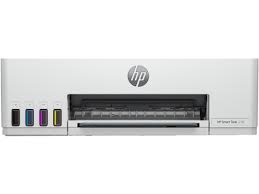
The HP Smart Tank 525 printer is generally produced in Brazil and China. You can print, copy and scan with this printer. You can print up to 12 pages per minute. HP’s recommended monthly page print volume is between 400 and 800 pages. Additionally, the HP Smart Tank 525 is a thermal inkjet printer. Black pages have a print quality of 1200 x 1200 dpi. On color pages, you can print up to 4800 x 1200 optimized dpi. Moreover, it has a 27 Segment + 1.0 inch icon LCD screen.
Smart Tank 525 consists of 4 cartridges. These cartridges have connections to refillable tanks. You can check the ink level in these tanks from the front panel. It is very important that the ink in this chamber never runs out. Otherwise, there may be blockages in the print head. Additionally, if you do not print for a long time, you may encounter the same problem.
Plus features of the HP Smart Tank 525 printer: Since it is a smart tank, the printing cost is quite low. Having it all together is a great advantage. Suitable for home use. It also has a 980Mhz processor.
As for the minuses; It doesn’t have wireless feature. That’s why you can’t use it with mobile devices. Also, there is no automatic paper sensor. Moreover, it does not support automatic double-sided printing.
Details Hp Smart Tank 525 Printer Driver Download
The full solution software includes everything you need to install and use your HP printer. This collection of software includes the complete set of drivers, installer software, and other administrative tools.
Fix and enhancements: Updated some basic information in installation screen.
Version: 57.2.1673
Release date: Jun 7, 2023
File name: HPEasyStart-15.8.1-ST520_540_57_2_1673_1_Webpack.exe
Operating Systems:
Microsoft Windows 11, Microsoft Windows 10 (32-bit), Microsoft Windows 7 (32-bit), Microsoft Windows 10 (64-bit), Microsoft Windows 7 (64-bit),
Download
File Size: 331,31MB
Installation instructions
Firstly, do not connect the USB cable until prompted by the installer. After that, If you are connecting to a network, make sure the network cable is connected before running the installer. Moreover, close any software programs running on your computer. After that, turn on the printer and click on the Download button on this page. Than, click the downloaded file. In this way, the files will be extracted and the installation process will automatically start. Than, follow the on-screen instructions to proceed with and complete the installation. Additionally, to install at a later date, select Save on step 4 and select a location on your hard disk. similarly, when ready to install, locate and double-click the file. This will automatically extract and start the installation process. Finally, follow the on-screen instructions to proceed with the installation.
HP Easy Start Printer Setup Software (Internet connection required for driver installation)
HP Easy Start provides guided setup and drivers for your HP printer. Furthermore, installation Software and Driver-Includes print, scan, latest features, and solutions.
Fix and enhancements: Improved user experience. Moreover, performance Optimizations. Additionally, added support for newest printer models.
Operating Systems : Microsoft Windows 11 All Editions, Microsoft Windows 10 (32-bit), Microsoft Windows 10 (64-bit)
Installation Software and Driver-Includes print, scan, latest features, and solutions.
Version : 16.7.5
Release date: Jul 18, 2024
File Name : HPEasyStart_16_7_5.exe
Download
File Size : 17.21Mb
In conclusion, the HP Smart Tank 525 is a suitable printer for home and small office use. If your monthly printing volume is over 1000 pages, you may need to purchase a higher model printer. You can also contact us if you have problems with the installation.