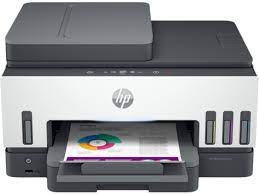
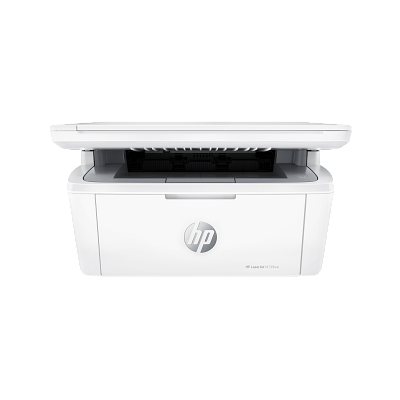
HP M140w driver software and downloads for
HP LaserJet MFP M140w Printer
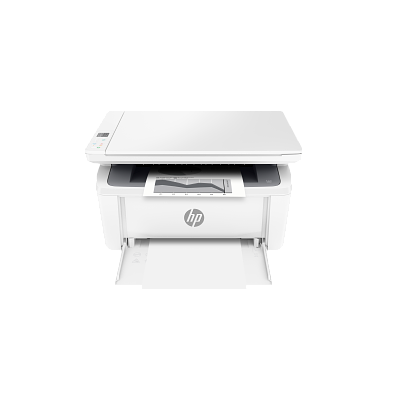
Count on professional-quality laser printing and seamless setup.
Specifications
- Product number
- 7MD72F
- Functions
- Print, copy, scan
- Print speed (black, A4 normal)
- Up to 20 ppm
- Recommended monthly volume
- 100–1,000 pages
- Paper input
- 150 sheets
HP M140w driver download for Windows
Recommended HP M140w driver software
See full detailsWindows 11; Windows 10, 8.1 (32/64-bit); Windows Server 2022, 2025, 2019, 2016, 2012, 2012 R2
- Type:
- Driver-Universal Scan Driver
- Version:
- 63.8.6459
- Operating systems:
- Windows 11; Windows 10, 8.1 (32/64-bit); Windows Server 2022, 2025, 2019, 2016, 2012, 2012 R2
- Release date:
- Jul 5, 2026
- File name:
- Full_Webpack-63.8.6459-SJ0001_Full_Webpack.exe
(436.2 MB)
Package notes
Full webpack provides various scan functionalities. Supports OCR capabilities and Cloud Destinations.
- 1. Scan speed optimized for faster performance
- 2. IRIS Downloader Support for Supported Devices
- 3. Note: Feature availability varies depending on the device type. Some functionalities might not be accessible on certain devices. To access the latest features and updates, ensure you have installed the most recent firmware and the latest version of the HP Scan.
Alternative packages
See full detailsWindows 11; Windows 10 (32/64-bit)
- Type:
- Installation Software and Driver-Includes print, scan, latest features, and solutions
- Version:
- 17.6.15
- Operating systems:
- Windows 11; Windows 10 (32/64-bit)
- Release date:
- Oct 13, 2026
- File name:
- HPEasyStart_17_6_15.exe
(26.5 MB)
Package notes
HP Easy Start provides guided setup and drivers for your HP printer.
- 1. Improved user experience.
- 2. Performance optimizations.
- 3. New product introduction.
HP M140w driver setup options
See full detailsWindows 11; Windows 10, 7 (32/64-bit)
- Type:
- Installation Software and Full/Basic Driver-Supports print and scan functionality only
- Version:
- 54.3.5248
- Operating systems:
- Windows 11; Windows 10, 7 (32/64-bit)
- Release date:
- Feb 7, 2023
- File name:
- HPEasyStart-13.6.5-LJM139-M142_UWL_54_3_5248_1_Webpack.exe
(186.1 MB)
Package notes
The full solution software includes everything you need to install and use your HP printer. This collection of software includes the complete set of drivers, installer software, and other administrative tools.
- 1. Updated some basic information in installation screen
Additional software
See full detailsWindows 11; Windows 11 on ARM (64-bit)
- Type:
- Driver-Universal Scan Driver
- Version:
- 63.8.6459
- Operating systems:
- Windows 11; Windows 11 on ARM (64-bit)
- Release date:
- Aug 5, 2026
- File name:
- Full_Webpack-63.8.6459_ARM64-SJ0001_Full_Webpack.exe
(437.0 MB)
Package notes
Full webpack provides various scan functionalities. Supports OCR capabilities and Cloud Destinations.
- 1. NPI enablement of Devices
- 2. IRIS Downloader Support for Supported Devices
- 3. Note : Feature availability varies depending on the device type. Some functionalities might not be accessible on certain devices. To access the latest features and updates, ensure you have installed the most recent firmware and the latest version of the HP Scan.
HP M140w driver compatibility packages
See full detailsWindows 11; Windows 10 (64-bit)
- Type:
- Installation Software and Driver
- Version:
- N/A
- Operating systems:
- Windows 11; Windows 10 (64-bit)
- Release date:
- Jun 17, 2026
- File name:
- 9N9PHDT62W94
Package notes
Install HP app to setup and use your Printer HP app will help you connect your printer, install driver, offer print, scan, fax, share files and Diagnose/Fix top issues. Click here to learn how to setup your Printer successfully (Recommended). Creating an HP Account and registering is mandatory for HP+/Instant-ink customers. It also helps in accessing assisted support options and more. NOTE: Disconnect from Virtual Private Network (VPN) connection before downloading. Creating an account on Microsoft Store to download HP app is optional.
More available software
See full detailsWindows 10 (32-bit)
- Type:
- Installation Software and Driver
- Version:
- N/A
- Operating systems:
- Windows 10 (32-bit)
- Release date:
- Dec 15, 2024
- File name:
- 9wzdncrfhwlh
Package notes
HP Smart will help you: Install printer software and drivers Create an HP account and register your printer Connect your printer to Wi-Fi, load paper, and install cartridges After installation, you can use the HP Smart software to print, scan and copy files, print remotely, sign up for instant ink* and more. NOTE: Disconnect from Virtual Private Network (VPN) connection before downloading. If you are asked to sign in to a Microsoft Store account, you can either sign in, create one or close the sign in screen and continue to install HP Smart. HP Smart is compatible with Windows 11 and Windows 10 version 1809 or higher. HP values that updated operating systems offer our users increased security and privacy protection. *Limitations might apply. May not be applicable to all country/regions.
HP M140w driver download options
See full detailsWindows 8.1, 8 (32/64-bit)
- Type:
- Installation Software and Full/Basic Driver-Supports print and scan functionality only
- Version:
- 17.6.15
- Operating systems:
- Windows 8.1, 8 (32/64-bit)
- Release date:
- Oct 14, 2026
- File name:
- HPEasyStart_17_6_15.exe
(26.5 MB)
Package notes
HP Easy Start provides guided setup and drivers for your HP printer.
- 1. Improved user experience.
- 2. Performance optimizations.
- 3. New product introduction.
Other available packages
See full detailsWindows 7 (32/64-bit)
- Type:
- Installation Software and Full/Basic Driver-Supports print and scan functionality only
- Version:
- 17.6.15
- Operating systems:
- Windows 7 (32/64-bit)
- Release date:
- Oct 13, 2026
- File name:
- HPEasyStart_17_6_15.exe
(26.5 MB)
Package notes
HP Easy Start provides guided setup and drivers for your HP printer. Win 7 Service Pack 1 (SP1) is the minimum requirement for HP Easy Start.
- 1. Improved user experience.
- 2. Performance optimizations.
- 3. New product introduction.
Recommended HP M140w driver software
See full detailsWindows 7 (32/64-bit); Windows Server 2008 R2, 2008
- Type:
- Driver-Universal Scan Driver
- Version:
- 51.7.5630
- Operating systems:
- Windows 7 (32/64-bit); Windows Server 2008 R2, 2008
- Release date:
- Apr 14, 2024
- File name:
- Full_Webpack-51.7.5630-SJ0001_Full_Webpack.exe
(410.8 MB)
Package notes
This full software solution provides various scan functionalities.
- 1. Enable HTTPs communication
- 2. Removed references to ReadIRIS and CardIRIS from HP Scan Assistant
Alternative packages
See full detailsWindows 11; Windows 10, 8.1 (64-bit); Windows Server 2022, 2025, 2019, 2016, 2012, 2012 R2
- Type:
- Driver-Universal Scan Driver
- Version:
- 63.8.6459
- Operating systems:
- Windows 11; Windows 10, 8.1 (64-bit); Windows Server 2022, 2025, 2019, 2016, 2012, 2012 R2
- Release date:
- Jul 5, 2026
- File name:
- Basic_Webpack_x64-63.8.6459-SJ0001_Basicx64_Webpack.exe
(113.9 MB)
Package notes
This is the minimum Scan Software solution which provides basic Scan functionality, WIA and Twain support.Does not include OCR capabilities and Cloud Destinations. Download Full webpack for OCR capabilities.
- 1. Scan speed optimized for faster performance
- 2. IRIS Downloader Support for Supported Devices
- 3. Note: Feature availability varies depending on the device type. Some functionalities might not be accessible on certain devices. To access the latest features and updates, ensure you have installed the most recent firmware and the latest version of the HP Scan.
HP M140w driver setup options
See full detailsWindows 11; Windows 11 on ARM (64-bit)
- Type:
- Driver-Universal Scan Driver
- Version:
- 63.8.6459
- Operating systems:
- Windows 11; Windows 11 on ARM (64-bit)
- Release date:
- Aug 5, 2026
- File name:
- Basic_Webpack_x64-63.8.6459_ARM64-SJ0001_Basicx64_Webpack.exe
(118.7 MB)
Package notes
This is the minimum Scan Software solution which provides basic Scan functionality, WIA and Twain support.Does not include OCR capabilities and Cloud Destinations. Download Full webpack for OCR capabilities.
- 1. NPI enablement of Devices
- 2. IRIS Downloader Support for Supported Devices
- 3. Note : Feature availability varies depending on the device type. Some functionalities might not be accessible on certain devices. To access the latest features and updates, ensure you have installed the most recent firmware and the latest version of the HP Scan.
Additional software
See full detailsWindows 10, 8.1 (32-bit)
- Type:
- Driver-Universal Scan Driver
- Version:
- 63.8.6459
- Operating systems:
- Windows 10, 8.1 (32-bit)
- Release date:
- Jul 5, 2026
- File name:
- Basic_Webpack_x86-63.8.6459-SJ0001_Basicx86_Webpack.exe
(86.1 MB)
Package notes
This is the minimum Scan Software solution which provides basic Scan functionality, WIA and Twain support.Does not include OCR capabilities and Cloud Destinations. Download Full webpack for OCR capabilities.
- 1. Scan speed optimized for faster performance
- 2. IRIS Downloader Support for Supported Devices
- 3. Note: Feature availability varies depending on the device type. Some functionalities might not be accessible on certain devices. To access the latest features and updates, ensure you have installed the most recent firmware and the latest version of the HP Scan.
HP M140w driver compatibility packages
See full detailsWindows 7 (32-bit); Windows Server 2008 R2, 2008
- Type:
- Driver-Universal Scan Driver
- Version:
- 51.7.5630
- Operating systems:
- Windows 7 (32-bit); Windows Server 2008 R2, 2008
- Release date:
- Apr 15, 2024
- File name:
- Basic_Webpack_x86-51.7.5630-SJ0001_Basicx86_Webpack.exe
(78.7 MB)
Package notes
This is the minimum Scan Software solution which provides basic Scan functionality, WIA and Twain support.
- 1. Removed references to ReadIRIS from HP Scan Assistant
More available software
See full detailsWindows 7 (64-bit); Windows Server 2008 R2, 2008
- Type:
- Driver-Universal Scan Driver
- Version:
- 51.7.5630
- Operating systems:
- Windows 7 (64-bit); Windows Server 2008 R2, 2008
- Release date:
- Apr 15, 2024
- File name:
- Basic_Webpack_x64-51.7.5630-SJ0001_Basicx64_Webpack.exe
(98.8 MB)
Package notes
This is the minimum Scan Software solution which provides basic Scan functionality, WIA and Twain support.
- 1. Enable HTTPs communication
- 2. Removed references to ReadIRIS and CardIRIS from HP Scan Assistant
Firmware and utilities
See full detailsWindows 11; Windows 10 (32/64-bit); Windows Server 2022, 2025, 2019
- Type:
- Software
- Version:
- 17.4.211
- Operating systems:
- Windows 11; Windows 10 (32/64-bit); Windows Server 2022, 2025, 2019
- Release date:
- Feb 17, 2026
- File name:
- Readiris17-17.4.211_HP-cd25n005.exe
(448.6 MB)
Package notes
Exclusively for HP customers: Accelerate your digitization journey with ReadIRIS Advanced OCR. Convert paper documents, scanned images, and PDFs into fully editable and searchable digital files, making information easier to store, share, and manage.
More firmware and utilities
See full detailsWindows 11; Windows 10 (64-bit); Windows Server 2022, 2025, 2019
- Type:
- Software
- Version:
- 27.0.577.2
- Operating systems:
- Windows 11; Windows 10 (64-bit); Windows Server 2022, 2025, 2019
- Release date:
- Oct 6, 2026
- File name:
- Readiris_PDF-27.0.577.2-HP.msi
(532.8 MB)
Package notes
HP customers enjoy exclusive access to ReadIRIS Advanced PDF – your complete solution for digital document workflows. Merge, split, annotate, and secure PDFs effortlessly, helping you streamline processes and embrace a paperless future.
More firmware and utilities
See full detailsWindows 11; Windows 10, 8.1 (32/64-bit)
- Type:
- Update
- Version:
- 1.0.1020
- Operating systems:
- Windows 11; Windows 10, 8.1 (32/64-bit)
- Release date:
- Jan 18, 2024
- File name:
- Win7plus-1.0.1020-HPOCR_Win7plus.exe
(224.9 MB)
Package notes
HP Scan OCR Add-on Software provides OCR and OCR related functionalities and is designed to be used as a plugin for HP Scan Software. This add-on is already available as part of the HP Scan Full Webpack.
More firmware and utilities
See full detailsWindows 7 (32/64-bit)
- Type:
- Update
- Version:
- 1.0.1019
- Operating systems:
- Windows 7 (32/64-bit)
- Release date:
- Jan 29, 2024
- File name:
- Win7plus-1.0.1019-HPOCR_Win7plus.exe
(224.9 MB)
Package notes
HP Scan OCR Add-on Software provides OCR and OCR related functionalities and is designed to be used as a plugin for HP Scan Software. This add-on is already available as part of the HP Scan Full Webpack.
Related series packages
See full detailsWindows 11; Windows 10, 7 (32/64-bit)
- Type:
- Installation Software and Full/Basic Driver-Supports print and scan functionality only
- Version:
- 54.3.5248
- Operating systems:
- Windows 11; Windows 10, 7 (32/64-bit)
- Release date:
- Feb 7, 2023
- File name:
- HPEasyStart-13.6.5-LJM139-M142_U_54_3_5248_1_Webpack.exe
(186.1 MB)
Package notes
The full solution software includes everything you need to install and use your HP printer. This collection of software includes the complete set of drivers, installer software, and other administrative tools.
- 1. Updated some basic information in installation screen
More related series packages
See full detailsWindows 11, 2000; Windows 10, 8.1, 8, 7 (32/64-bit); Windows Server 2012, 2012 R2, 2008 R2, 2008, 2003
- Type:
- Printer Firmware-Keeps your printer updated with latest fixes
- Version:
- 20260530
- Operating systems:
- Windows 11, 2000; Windows 10, 8.1, 8, 7 (32/64-bit); Windows Server 2012, 2012 R2, 2008 R2, 2008, 2003
- Release date:
- Jul 22, 2026
- File name:
- M139-M142_Series_FW_Update-20260530.exe
(6.2 MB)
Package notes
NOTE: This firmware utility does not support HP LaserJet MFP M139w Printer . Please make sure to download the Firmware Update Utility specific to your Printer model. This utility is for use on Microsoft Windows 32 and 64 bit operating systems. The utility can be used with a USB connection or network connection. Be sure to use the firmware utility that is specific to your printer model. This utility is recommended for the HP Laserjet M139-M142 Printer series. This utility updates the printer firmware version to the latest version. The firmware version can be found on the Self Test/Configuration Page which can be printed from the printer's Reports menu. Reminder: Dynamic security enabled printer. This Firmware includes dynamic security measures, which are used to block cartridges using a non-HP chip or modified or non-HP electronic circuitry. The printer is intended to work only with new or reused cartridges that have a new or reused HP chip or circuitry. Periodic firmware updates will maintain the effectiveness of the dynamic security measures and block cartridges that previously worked. More at: www.hp.com/learn/ds.
- 1. USB Support for PSA Driver.
- 2. Security updates.
- 3. General improvements and bug fixes.
- 4. Includes all previous fixes and enhancements.
More related series packages
See full detailsWindows 11, 2000; Windows 10, 8.1, 8, 7 (32/64-bit); Windows Server 2012, 2012 R2, 2008 R2, 2008, 2003
- Type:
- Printer Firmware-Keeps your printer updated with latest fixes
- Version:
- 20260617
- Operating systems:
- Windows 11, 2000; Windows 10, 8.1, 8, 7 (32/64-bit); Windows Server 2012, 2012 R2, 2008 R2, 2008, 2003
- Release date:
- Aug 20, 2026
- File name:
- M139w_FW_Update-20260617.exe
(6.2 MB)
Package notes
NOTE: This firmware utility does not support HP LaserJet MFP M139we Printer . Please make sure to download the Firmware Update Utility specific to your Printer model. This utility is for use on Microsoft Windows 32 and 64 bit operating systems. The utility can be used with a USB connection or network connection. Be sure to use the firmware utility that is specific to your printer model. This utility updates the printer firmware version to the latest version. The firmware version can be found on the Configuration Page which can be printed from the printer's Control. Reminder: Dynamic security enabled printer. This Firmware includes dynamic security measures, which are used to block cartridges using a non-HP chip or modified or non-HP electronic circuitry. The printer is intended to work only with new or reused cartridges that have a new or reused HP chip or circuitry. Periodic firmware updates will maintain the effectiveness of the dynamic security measures and block cartridges that previously worked. More at: www.hp.com/learn/ds.
- 1. Security updates.
- 2. General improvements and bug fixes.
- 3. Includes all previous fixes and enhancements.
HP M140w driver download for macOS
Recommended HP M140w driver software
See full detailsmacOS 11–15, 26
- Type:
- Installation Software and Driver-Includes print, scan, latest features, and solutions
- Version:
- N/A
- Operating systems:
- macOS 11–15, 26
- Release date:
- Aug 28, 2025
- File name:
- id1474276998
Package notes
HP app will help you: Install printer software and drivers Create an HP account and register your printer Connect your printer to Wi-Fi, load paper, and install cartridges After installation, you can use the HP app software to print, scan and copy files, print remotely, sign up for instant ink* and more. NOTE: Disconnect from Virtual Private Network (VPN) connection before downloading. *Limitations might apply. May not be applicable to all country/regions.
Related series packages
See full detailsmacOS 10.12–10.15, 11–15, 26; OS X 10.5–10.11
- Type:
- Printer Firmware-Keeps your printer updated with latest fixes
- Version:
- 20260617
- Operating systems:
- macOS 10.12–10.15, 11–15, 26; OS X 10.5–10.11
- Release date:
- Aug 20, 2026
- File name:
- M139w_FW_Update-20260617.dmg
(11.7 MB)
Package notes
NOTE: This firmware utility does not support HP LaserJet MFP M139we Printer . Please make sure to download the Firmware Update Utility specific to your Printer model. This utility is for use on Mac OS X operating systems. The utility can be used with a USB connection or network connection. Be sure to use the firmware utility that is specific to your printer model. This utility updates the printer firmware version to the latest version. The firmware version can be found on the Configuration Page which can be printed from the printer's Control Panel. Reminder: Dynamic security enabled printer. This Firmware includes dynamic security measures, which are used to block cartridges using a non-HP chip or modified or non-HP electronic circuitry. The printer is intended to work only with new or reused cartridges that have a new or reused HP chip or circuitry. Periodic firmware updates will maintain the effectiveness of the dynamic security measures and block cartridges that previously worked. More at: www.hp.com/learn/ds.
- 1. Security updates.
- 2. General improvements and bug fixes.
- 3. Includes all previous fixes and enhancements.
More related series packages
See full detailsmacOS 10.12–10.15, 11–15; OS X 10.5–10.11
- Type:
- Printer Firmware-Keeps your printer updated with latest fixes
- Version:
- 20260530
- Operating systems:
- macOS 10.12–10.15, 11–15; OS X 10.5–10.11
- Release date:
- Jul 22, 2026
- File name:
- M139-M142_Series_FW_Update-20260530.dmg
(11.7 MB)
Package notes
NOTE: This firmware utility does not support HP LaserJet MFP M139w Printer . This utility is for use on Mac OS X Operating systems. The utility can be used with a USB connection or network connection. Be sure to use the firmware update utility that is specific to your printer model. Reminder: Dynamic security enabled printer. This Firmware includes dynamic security measures, which are used to block cartridges using a non-HP chip or modified or non-HP electronic circuitry. The printer is intended to work only with new or reused cartridges that have a new or reused HP chip or circuitry. Periodic firmware updates will maintain the effectiveness of the dynamic security measures and block cartridges that previously worked. More at: www.hp.com/learn/ds.
- 1. USB Support for PSA Driver.
- 2. Security updates.
- 3. General improvements and bug fixes.
- 4. Includes all previous fixes and enhancements.
HP M140w driver Installation & Support
HP M140w driver installation resources:
Help for HP M140w driver
Installation instructions for HP M140w driver
Common setup problems for HP M140w driver
Official resources for HP M140w driver
Package versions for HP M140w driver are listed in the download sections above.
For HP M140w driver, use the matching operating-system section before downloading.