
hpdrivers.net is an independent website and is not affiliated with, endorsed by, or sponsored by HP Inc. Download links point to HP's official servers (ftp.hp.com). Learn more

HP DesignJet Z6200 Photo Production Printer Driver Download

HP DesignJet Z6200 Photo Production Printer Driver for Windows 11/10/8/8.1/7

Download HP DesignJet and PageWide XL Windows Printer Driver installer.
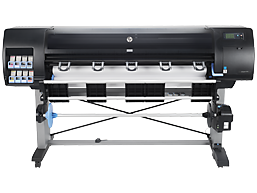
HP DesignJet Z6200 Photo Production Printer Driver for Windows
HP Designjet Z6200 Printer

Description HP DesignJet Z6200 Production Driver

Description: This is the best way to install the driver. Moreover, automatically selects the most suitable driver type based on your printer model and OS.

Fixes: This update includes some improvements and fixes. Some improvements have been made to dimensional tolerances, for example, to apply rotation. You can also add alignment and folding styles for the HP DesignJet XL 3800.

Operating systems: Microsoft Windows 10 (64-bit)Microsoft Windows 11Microsoft Windows Server 2012 – 2022

Version : 4.0.2403.50
Relase Date : Aug 21, 2024
File Name : HP_DesignJet_PageWideXL_driver_Installer.exe

Download

File Size : 15.32Mb

Installation instructions for Hp Z6200

Firstly, do not connect the USB cable until prompted by the installer. After that, If you are connecting to a network, make sure the network cable is connected before running the installer. Moreover, close any software programs running on your computer. After that, turn on the printer and click on the Download button on this page. Than, click the downloaded file. In this way, the files will be extracted and the installation process will automatically start. Than, follow the on-screen instructions to proceed with and complete the installation. Additionally, to install at a later date, select Save on step 4 and select a location on your hard disk. similarly, when ready to install, locate and double-click the file. This will automatically extract and start the installation process. Finally, follow the on-screen instructions to proceed with the installation.

HP DesignJet and PageWide XL PCL3 Driver for Windows

Description: This package contains the INF and necessary driver files for a manual installation using the Windows “Add printer wizard”.

Operating systems:

  • Microsoft Windows 10 (32-bit)
  • Microsoft Windows 8 (32-bit)
  • Microsoft Windows 8.1 (32-bit)

Version : 61.2313.0.100
Relase Date : Jan 29, 2024
File Name : win-x86-pcl3-drv.exe

Download

File Size : 8.74Mb

HP Click Silent Version (Recommended)

Enjoy real-print preview, driverless and multi-page/multi-file PDF printing, and optimize media usage with features like automatic nesting. Moreover, simplify project printing with HP Click, the easy-to-use job submittal tool.

Operating systems: Microsoft Windows 10 (64-bit), Microsoft Windows 11

Fix and enhancements: Fix – Close app while printing causes a crash. Moreover, general stability improvements.

Version : 3.7.89
Relase Date : Jun 18, 2024
File Name : HPClick-64bit-Setup-3.7.89.exe

Download

File Size : 359.52Mb

HP SmartTank Z6200 Driver Download for Macintosh

This software will install the PostScript driver that will allow you to print to your HP Designjet printer from your Mac computer.

Operating systems: macOS 13

Version : 55
Relase Date : May 10, 2023
File Name : Universal-PostScript.dmg

Download

File Size : 97.55Mb

Fix and enhancements:

Fixes and enhancements included in version 53: All the components and packages are signed with the latest certificates. Moreover, profiling media with the DJ Utility

Installation instructions

Follow the steps below to install the software:

Download the file and double-click on it to extract its contents. Afterward, double-click on “Mac OS X HP Designjet Installer”.

There are the latest versions of HP printer drivers on our site. We also make constant updates. Moreover, you can contact us for the drivers you cannot find. Furthermore, if there are drivers you cannot find, we will find them for you.

HP DeskJet Ink Advantage Ultra 4800 Drivers

Last checked against HP’s download list: October 30, 2026 · Checked by H&G

Looking for the HP DeskJet Ink Advantage Ultra 4800 driver? This page lists HP’s official software for the whole HP DeskJet Ink Advantage Ultra 4800 series: the DeskJet Ink Advantage Ultra 4825, DeskJet Ink Advantage Ultra 4826, DeskJet Ink Advantage Ultra 4828, DeskJet Ink Advantage Ultra 4829 and DeskJet Ink Advantage Ultra 4877. HP lists some packages for specific models in the series, so check that the package title includes your model. For Windows 7 (64-bit), the package most people need is the HP Easy Start Printer Setup Software (Internet connection required for driver installation). For Windows 11, HP lists the HP Easy Start Printer Setup Software (Internet connection required for driver installation).

Recommended downloads

Windows 7 (64-bit): HP Easy Start Printer Setup Software (Internet connection required for driver installation)Version 17.6.15 · Released Oct 14, 2026 · 26.5 MB · HP rating: Recommended

Download

Windows 11, Windows 10 (64-bit): HP Easy Start Printer Setup Software (Internet connection required for driver installation)Version 17.6.15 · Released Oct 14, 2026 · 26.5 MB

Download

Files download directly from HP’s official servers. hpdrivers.net does not host or modify them.


Models covered by this page

All 5 models share one download list at HP:

  • HP DeskJet Ink Advantage Ultra 4825
  • HP DeskJet Ink Advantage Ultra 4826
  • HP DeskJet Ink Advantage Ultra 4828
  • HP DeskJet Ink Advantage Ultra 4829
  • HP DeskJet Ink Advantage Ultra 4877

All downloads for the DeskJet Ink Advantage Ultra 4800

Windows

Package Windows Version Released Size
HP DeskJet Ink Advantage Ultra 4800 Printer series Firmware Update

File details

File: DJ4800_2349A.exe

11, 10, 7 2349A Mar 05, 2024 3.6 MB Download

Other HP software listed for this series

Software Systems Version
HP Easy Start Printer Setup Software (Internet connection required for driver installation) Windows 11, Windows 10, Windows 7 17.6.15 Download
HP Easy Start Printer Setup Software – Offline Use Only Windows 11, Windows 10, Windows 7 55.4.5072 Download

Linux

HP lists Linux support for this series through its HPLIP project, outside the regular download list: HP’s Linux printing page (HPLIP).

Installing the DeskJet Ink Advantage Ultra 4800 driver

HP Easy Start needs an internet connection; it downloads the right software for your exact model during setup. For step-by-step instructions, see our guide to installing an HP printer driver.

Firmware update 2349A

The newest firmware HP lists for the DeskJet Ink Advantage Ultra 4800 is version 2349A, released Mar 05, 2024. HP’s notes for it: Fix and enhancements: Improved wireless setup and use experience Enhanced certificate security General enhancement and bug fixes.

  • Keep the printer and the computer switched on until the update has finished.

Specifications that matter for setup

Connections 1 Hi-Speed USB 2.0
Wi-Fi Yes, built-in Wi-Fi 802.11a/b/g/n
Mobile printing Apple AirPrint; Mopria Print Service; Chrome OS; HP app
Print languages HP PCL 3 GUI; HP PCLm (HP Apps/UPD); URF (AirPrint)
Functions Print, copy, scan, wireless
Recommended monthly volume 50 to 100
Two-sided printing Manual (driver support provided)
Scanner Flatbed
Scan resolution Up to 1200 dpi
Scan file formats JPEG, TIFF, PDF, BMP, PNG
Ways to scan Front-panel scan

HP DesignJet Z6600 Production Driver Download

HP DesignJet Z6600 Production Printer Driver for Windows 11/10/8/8.1/7

Download HP DesignJet and PageWide XL Windows Printer Driver installer.

HP DesignJet Z6600 Production Printer Driver for Windows
HP Designjet Z6600 Printer

Description HP DesignJet Z6600 Production Driver

Description: This is the best way to install the driver. Moreover, automatically selects the most suitable driver type based on your printer model and OS.

Fixes: This update includes some improvements and fixes. Some improvements have been made to dimensional tolerances, for example, to apply rotation. You can also add alignment and folding styles for the HP DesignJet XL 3800.

Operating systems: Microsoft Windows 10 (64-bit)Microsoft Windows 11Microsoft Windows Server 2012 – 2022

Version : 4.0.2403.50
Relase Date : Aug 21, 2024
File Name : HP_DesignJet_PageWideXL_driver_Installer.exe

Download

File Size : 15.32Mb

Installation instructions for Hp Z6200

Firstly, do not connect the USB cable until prompted by the installer. After that, If you are connecting to a network, make sure the network cable is connected before running the installer. Moreover, close any software programs running on your computer. After that, turn on the printer and click on the Download button on this page. Than, click the downloaded file. In this way, the files will be extracted and the installation process will automatically start. Than, follow the on-screen instructions to proceed with and complete the installation. Additionally, to install at a later date, select Save on step 4 and select a location on your hard disk. similarly, when ready to install, locate and double-click the file. This will automatically extract and start the installation process. Finally, follow the on-screen instructions to proceed with the installation.

HP DesignJet and PageWide XL PCL3 Driver for Windows

Description: This package contains the INF and necessary driver files for a manual installation using the Windows “Add printer wizard”.

Operating systems:

  • Microsoft Windows 10 (32-bit)
  • Microsoft Windows 8 (32-bit)
  • Microsoft Windows 8.1 (32-bit)

Version : 61.2313.0.100
Relase Date : Jan 29, 2024
File Name : win-x86-pcl3-drv.exe

Download

File Size : 8.74Mb

HP Click Silent Version (Recommended)

Enjoy real-print preview, driverless and multi-page/multi-file PDF printing, and optimize media usage with features like automatic nesting. Moreover, simplify project printing with HP Click, the easy-to-use job submittal tool.

Operating systems: Microsoft Windows 10 (64-bit), Microsoft Windows 11

Fix and enhancements: Fix – Close app while printing causes a crash. Moreover, general stability improvements.

Version : 3.7.89
Relase Date : Jun 18, 2024
File Name : HPClick-64bit-Setup-3.7.89.exe

Download

File Size : 359.52Mb

HP SmartTank Z6600 Driver Download for Macintosh

This software will install the PostScript driver that will allow you to print to your HP Designjet printer from your Mac computer.

Operating systems: macOS 13

Version : 55
Relase Date : May 10, 2023
File Name : Universal-PostScript.dmg

Download

File Size : 97.55Mb

Fix and enhancements:

Fixes and enhancements included in version 53: All the components and packages are signed with the latest certificates. Moreover, profiling media with the DJ Utility

Installation instructions

Follow the steps below to install the software:

Download the file and double-click on it to extract its contents. Afterward, double-click on “Mac OS X HP Designjet Installer”.

There are the latest versions of HP printer drivers on our site. We also make constant updates. Moreover, you can contact us for the drivers you cannot find. Furthermore, if there are drivers you cannot find, we will find them for you.