hpdrivers.net is an independent website and is not affiliated with, endorsed by, or sponsored by HP Inc. Download links point to HP's official servers (ftp.hp.com). Learn more

HP ENVY 4506 Printer Driver Download

Download HP ENVY 4506 e-All-in-One Printer Driver for Microsoft Windows 11,10,8.1,8,7 64bit-32bit and MAC

Hp ENVY 4500 e-All-in-One Print and Scan Driver & Accessories

HP ENVY 4506 e-All-in-One Printer Driver  www.hpdrivers.net
Hp ENVY-4506
www.hpdrivers.net

Product Number: D3P95A

Compatible Ink Cartridges 301 (CR340E, N9J72AE) for HP ENVY 4506

Download Driver HP ENVY 4506 for Windows

The full solution software includes everything you need to install and use your HP printer. This collection of software includes the complete set of drivers, installer and optional software.

Release details

Post Date: 6 Dec,21
Name: Full_Webpack-116-Full_Webpack.exe
Ver: 32.4.116
Operating Systems: Vista (32-bit) (64-bit), Win7 (32-bit)(64-bit), Windows 8 (32-bit)(64-bit), Windows 8.1 (32-bit) (64-bit), Windows XP (32-bit) (64-bit), Windows 10 (32-bit) (64-bit)

Download

Size : 108.44Mb

HP ENVY 4505 for MAC

Compatibility: Mac OS X 10.6 , Mac OS X 10.7, Mac OS X 10.8, Mac OS X 10.9
Released: 2014-03-31
File name: HP-ENVY-4500-series_v12.34.0.dmg
Version : 12.34

Download

File Size :125.1Mb

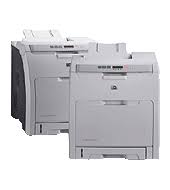
HP Color LaserJet 2700n Printer Driver Download

Find HP 2700n driver downloads, package details and supported operating systems for

HP Color LaserJet 2700n Printer

HP Color LaserJet 2700n Printer printer

HP Color LaserJet 2700n Printer Driver for Windows 11/10/8/7

Specifications

Product number
1839847
Duplex printing
Manual (driver support provided)
Recommended monthly page volume
1000 to 3000 HP recommends that the number of printed pages per month be within the stated range for optimum device performance, based on factors including supplies replacement intervals and device life over an extended warranty period.
Paper handling input, standard
100-sheet multipurpose tray, 250-sheet input tray
Print quality black (best)
Black: Up to 600 x 600 dpi Color: Up to 600 x 600 dpi
Duty cycle (monthly, letter)
Up to 50,000 pages Duty cycle is defined as the maximum number of pages per month of imaged output. This value provides a comparison of product robustness in relation to other HP LaserJet or HP Color LaserJet devices, and enables appropriate deployment of printers and MFPs to satisfy the demands of connected individuals or groups.

HP 2700n driver download for Windows

DescriptionVersionRelease dateFile sizeDownload

Recommended software

HP Universal Print Driver for Windows PCL6 (ARM64-bit)
v8.2.0.26778
Sep 25, 2026
20.1 MB
See full detailsWindows 11
Type:
Driver-Universal Print Driver
Version:
v8.2.0.26778
Operating systems:
Windows 11
Release date:
Sep 25, 2026
File name:
upd-pcl6-win11-ARM64-8.2.0.26778.zip
(20.1 MB)

Package notes

Description:

This is the most current PCL6 driver of the HP Universal Print Driver (UPD) for Windows ARM64 bit systems.

Alternative packages

HP Universal Print Driver for Windows PCL6 (64-bit)
V8.2.0.26819
Sep 25, 2026
20.2 MB
See full detailsWindows 11
Type:
Driver-Universal Print Driver
Version:
V8.2.0.26819
Operating systems:
Windows 11
Release date:
Sep 25, 2026
File name:
upd-pcl6-win11-x64-8.2.0.26819.zip
(20.2 MB)

Package notes

Description:

This is the most current PCL6 driver of the HP Universal Print Driver (UPD) for Windows 64 bit systems. It is intended for Windows 11 and Windows Server 2025.

Setup options

HP Universal Print Driver for Windows PS (64-bit)
V8.2.0.26819
Sep 25, 2026
21.4 MB
See full detailsWindows 11
Type:
Driver-Universal Print Driver
Version:
V8.2.0.26819
Operating systems:
Windows 11
Release date:
Sep 25, 2026
File name:
upd-ps-win11-x64-8.2.0.26819.zip
(21.4 MB)

Package notes

Description:

This is the most current PostScript® emulation driver of the HP Universal Print Driver (UPD) for Windows 64 bit systems. It is intended for Windows 11 and Windows Server 2025.

Additional software

HP Universal Print Driver for Windows PostScript (64-bit)
v8.2.0.26778
Sep 25, 2026
21.5 MB
See full detailsWindows 10, 7 (64-bit)
Type:
Driver-Universal Print Driver
Version:
v8.2.0.26778
Operating systems:
Windows 10, 7 (64-bit)
Release date:
Sep 25, 2026
File name:
upd-ps-win10-x64-8.2.0.26778.zip
(21.5 MB)

Package notes

Description:

This is the most current PostScript® emulation driver of the HP Universal Print Driver (UPD) for Windows 64 bit systems; Level 2 and 3 emulation.

Compatibility packages

HP Universal Print Driver for Windows PCL6 (64-bit)
v8.2.0.26778
Sep 25, 2026
20.3 MB
See full detailsWindows 10, 7 (64-bit)
Type:
Driver-Universal Print Driver
Version:
v8.2.0.26778
Operating systems:
Windows 10, 7 (64-bit)
Release date:
Sep 25, 2026
File name:
upd-pcl6-win10-x64-8.2.0.26778.zip
(20.3 MB)

Package notes

Description:

This is the most current PCL6 driver of the HP Universal Print Driver (UPD) for Windows 64 bit systems.

Firmware and utilities

HP Print Administrator Resource Kit
v1.9.2
Nov 17, 2024
18.7 MB
See full detailsWindows 11; Windows 10, 7 (64-bit)
Type:
Utility-Universal Print Driver
Version:
v1.9.2
Operating systems:
Windows 11; Windows 10, 7 (64-bit)
Release date:
Nov 17, 2024
File name:
HP-PARK-v1.9.2.zip
(18.7 MB)

Package notes

Description:

The HP Print Administrator Resource Kit (PARK) is a collection of tools, scripts and documentation to help print administrators install, deploy, configure and manage the HP Universal Print Driver. The PARK contains both supported and unsupported software tools, scripts and documentation.

HP 2700n installation and support

Use these resources after choosing the package that matches your operating system.

Driver assistance

Installation instructions

Common setup problems

Official resources

Package versions are listed in the download sections above. Check the operating-system list before downloading.

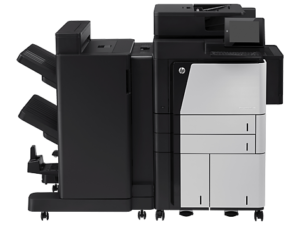
HP LaserJet Enterprise flow MFP M830z Driver Download

HP LaserJet Enterprise flow MFP M830z (CF367A) Printer Driver for Windows 10-8-7 64bit/32bit

Download HP LaserJet Enterprise flow M830 Multifunction Printer Series V3 Full Software and Drivers / Universal Print Driver

HP LaserJet Enterprise flow MFP M830z Printer

Connectivity, standard: 2 Hi-Speed USB 2.0 Host; 1 Hi-Speed USB 2.0 Device; 1 Gigabit Ethernet 10/100/1000T network; 1 Foreign Interface; 1 Hardware Integration Pocket; 2 Internal USB Host

Mobile printing capability: HP ePrint; Apple AirPrint; Mopria-certified; Mobile Apps; Wireless Direct printing

Details

The full solution software includes everything you need to install your HP printer. This collection of software includes the complete set of drivers, installer software, and other administrative tools found on the printer’s software CD.

Relase Details

Version: 23.0.22045.715
Release date: 23.0.22045.715
File name: LJ_Enterprise-MFP-M830-V3_full-solution-22045.exe

Operating Systems

Microsoft Windows 10 (64-bit), Microsoft Windows 10 (32-bit), Microsoft Windows 8.1 (32-bit), Microsoft Windows 8.1 (64-bit), Microsoft Windows 8 (32-bit), Microsoft Windows 8 (64-bit), Microsoft Windows 7 (32-bit), Microsoft Windows 7 (64-bit)

Download

File Size: 139.31Mb

HP LaserJet Enterprise flow MFP M830z Universal Print Driver for Windows PCL6 Driver

The HP Universal Print Driver is a single driver that provides access to a variety of HP printing options. This driver supports many HP printer models. You do not need to install separate drivers for all of them. However, you may not be able to use all the features of your printer. If there is a driver produced for your printer, it would be better to install it. However, HP company only releases universal drivers for some of its models.

This is the most current PCL6 driver of the HP Universal Print Driver (UPD) for Windows 32/64 bit systems.

Release details

Version: v7.3.0.25919

Relase Date : Nov 18, 2024

Operating Systems:
Microsoft Windows 10 (32-bit), Microsoft Windows 7 (32-bit), Microsoft Windows 8 (32-bit), Microsoft Windows 8.1 (32-bit), Microsoft Windows Server 2012, Microsoft Windows Server 2016, Microsoft Windows Server 2019
File name: upd-pcl6-x32-7.3.0.25919.zip

Download

File Size : 18.51 MB

Operating Systems:
Microsoft Windows 11, Microsoft Windows 10 (64-bit), Microsoft Windows 7 (64-bit), Microsoft Windows 8 (64-bit), Microsoft Windows 8.1 (64-bit), Microsoft Windows Server 2012, Microsoft Windows Server 2016, Microsoft Windows Server 2019
File name: upd-ps-x64-7.3.0.25919.zip

Download

File Size : 22.13Mb

Before you start installing the driver for your printer, you need to download the driver suitable for your operating system above to your computer. Additionally, when the driver installation is completed, you can delete the file you downloaded if you wish. Moreover, all the drivers published on our site are taken from HP’s original website. All are completely safe. Our goal is to help you find the driver you are looking for more easily and quickly. However, if you want to see more detailed drivers for your printer, you can visit HP’s original site. You can find a shortcut to the original site at the top right of our site. Also, if you need drivers for different operating systems or different printers, you can share this with us. We’d be happy to help you.