hpdrivers.net is an independent website and is not affiliated with, endorsed by, or sponsored by HP Inc. Download links point to HP's official servers (ftp.hp.com). Learn more

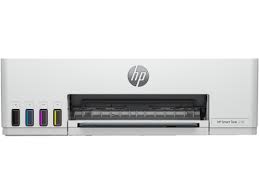
HP Smart Tank 215 Printer Driver Download

HP Smart Tank 215 Printer Series Driver for Windows  11/10/8.1/8/7 (32-Bit)(64-Bit)

Download HP Smart Tank 210-220 EasyStart Printer Setup Software – Offline Use Only
HP Smart Tank 215 Printer series Driver for Windows

Details Hp Smart Tank 215 Driver

The full solution software includes everything you need to install and use your HP printer. This collection of software includes the complete set of drivers, installer software, and other administrative tools.

Fix and enhancements: Updated some basic information in installation screen.

Version: 57.1.1626
Release date: Jun 8, 2023
File name: HPEasyStart-15.8.1-ST210-220_57_1_1626_1_Webpack.exe

Operating Systems:

Microsoft Windows 11, Microsoft Windows 10 (32-bit), Microsoft Windows 7 (32-bit), Microsoft Windows 10 (64-bit), Microsoft Windows 7 (64-bit),

Download

File Size: 339,43MB

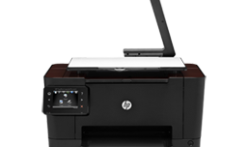
HP TopShot LaserJet Pro M275nw Driver Download

HP TopShot LaserJet Pro M275nw MFP Driver for Windows 10/7/8/8.1/Vista/Xp
Download HP LaserJet Pro Series Full Solution Software and Driver

HP TopShot LaserJet Pro M275nw MFP www.hpdrivers.net
HP TopShot LaserJet Pro M275NW MFP
www.hpdrivers.net

Description HP LaserJet Pro M275nw Driver

This full software solution provides print and scan functionality. This software solution is the same version as the in-box Ver. 2 CD for the HP LaserJet Pro 200 Color MFP M275 product.

Release details

Released: 2012-02-15
Version : 2.0

Compatibility:

  • Microsoft Windows Vista (32-bit) (64-bit)
  • Microsoft Windows 7 (32-bit) (64-bit)
  • Microsoft Windows 8 (32-bit)
  • Microsoft Windows 8 (64-bit)
  • Microsoft Windows Server 2012
  • Microsoft Windows 8.1 (32-bit)
  • Microsoft Windows 8.1 (64-bit)
  • Microsoft Windows XP

Download

File Size :139.64Mb

Fix/Enhancement: Updated driver install package

Installation instructions

This section will help you in the download of the software to your computer and start you on the install process. Below are easy-to-follow instructions for downloading and installing printer drivers. (Note: Do not connect the USB cable until prompted.)

Approximately 150 MB of free hard disk space is required to use this download.
1. Close any software programs running on your computer.
2. Click on “Download” button and save the file to your hard disk.
3. Double click on the downloaded file. This will extract all the driver files into a directory on your hard drive. The default directory these files are extracted to have a similar name to the printer model.
4. Follow the on-screen instructions to proceed with the installation.

HP Smart Tank 540 Driver Download

HP Smart Tank 540 Aio Printer Series Driver for Windows  11/10/8.1/8/7 (32-Bit)(64-Bit)

Download HP Smart Tank 520-540 EasyStart Printer Setup Software – Offline Use Only

HP Smart Tank 540 Printer series Driver for Windows

Details Hp Smart Tank 540 Driver

The full solution software includes everything you need to install and use your HP printer. This collection of software includes the complete set of drivers, installer software, and other administrative tools.

Fix and enhancements: Updated some basic information in installation screen.

Version: 57.2.1673

Release date: Jun 7, 2023

File name: HPEasyStart-15.8.1-ST520_540_57_2_1673_1_Webpack.exe

Operating Systems:

Microsoft Windows 11, Microsoft Windows 10 (32-bit), Microsoft Windows 7 (32-bit), Microsoft Windows 10 (64-bit), Microsoft Windows 7 (64-bit),

Download

File Size: 331,32MB