hpdrivers.net is an independent website and is not affiliated with, endorsed by, or sponsored by HP Inc. Download links point to HP's official servers (ftp.hp.com). Learn more

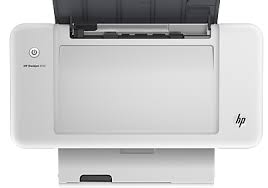
HP DeskJet Ink Advantage 1200 Printer Series Driver Download

HP DeskJet Ink Advantage 1200 Printer Driver for Windows 11/10/8/8.1/7 64bit and 32bit

Download HP DeskJet 1275 and 12016 Print and Scan Driver and Accessories
HP DeskJet Ink Advantage 1200 Printer Driver
HP DeskJet 1200 Series Printer

Description for HP DeskJet 1200 Driver

The full solution software includes everything you need to install and use your HP printer. This collection of software includes the complete set of drivers, installer software, and other administrative tools found on the printer’s software CD.

Fix and enhancements: Updated end user license agreement and data collection statement

Release Details

Version: 51.3.4843
Release date: Nov 15, 2021
File name: Full_Webpack-51.3.4843-DJ1200_Full_Webpack.exe

Operating Systems:

Microsoft Windows 11, Microsoft Windows 7 (32-bit), Microsoft Windows 7 (64-bit), Microsoft Windows 8 (32-bit), Microsoft Windows 8 (64-bit), Microsoft Windows 8.1 (32-bit), Microsoft Windows 8.1 (64-bit), Microsoft Windows 10 (32-bit), Microsoft Windows 10 (64-bit)

Download

File Size : 78.71Mb

HP Smart Tank 520 Drivers (Smart Tank 520 All-in-One Series)

Last checked against HP’s download list: November 1, 2026 · Checked by H&G

Looking for the HP Smart Tank 520 driver? This page lists HP’s official software for the whole HP Smart Tank 520 All-in-One series. HP lists some packages for specific models in the series, so check that the package title includes your model. For Windows 7 (64-bit), the package most people need is the HP Easy Start Printer Setup Software (Internet connection required for driver installation). For Windows 11, HP lists the HP Easy Start Printer Setup Software (Internet connection required for driver installation).

Recommended downloads

Windows 7 (64-bit): HP Easy Start Printer Setup Software (Internet connection required for driver installation)Version 17.6.15 · Released Oct 14, 2026 · 26.5 MB · HP rating: Recommended

Download

Windows 11, Windows 10 (64-bit): HP Easy Start Printer Setup Software (Internet connection required for driver installation)Version 17.6.15 · Released Oct 14, 2026 · 26.5 MB

Download

Files download directly from HP’s official servers. hpdrivers.net does not host or modify them.


All downloads for the Smart Tank 520 All-in-One

Windows

Package Windows Version Released Size
HP Smart Tank 520-540 Series Printer Firmware Update

File details

File: HP_ST520_ST540_2630C.exe

11, 10 001.2630C Aug 17, 2026 10.0 MB Download
HP Smart Tank 520-540 EasyStart Printer Setup Software with PSA – Offline Use Only

File details

File: HPEasyStart-17.6.9-ST520_540_57_2_1673_ARM64_Webpack.exe

11 17.6.9 Oct 09, 2026 456.3 MB Download
HP Smart Tank 520-540 EasyStart Printer Setup Software with PSA – Offline Use Only

File details

File: HPEasyStart-17.6.9-ST520_540_57_2_1673_Webpack.exe

11 17.6.9 Oct 09, 2026 449.8 MB Download
HP Smart Tank 520-540 EasyStart Printer Setup Software – Offline Use Only

File details

File: HPEasyStart-17.6.9-ST520_540_57_2_1673_1_Webpack.exe

10, 7 57.2.1673 Oct 07, 2026 381.2 MB Download

macOS

Package macOS Version Released Size
HP Smart Tank 520-540 Series Printer Firmware Update

File details

File: HP_ST520_ST540_2630C.dmg

26, 15, 13 001.2630C Aug 17, 2026 13.1 MB Download

Other HP software listed for this series

Software Systems Version
HP Universal Scan – Full Feature Software and Driver Windows 11, Windows 10, Windows 7 63.8.6459 Download
HP Universal Scan – Basic Feature Software and Driver Windows 11, Windows 10, Windows 7 63.8.6459 Download
HP Universal Scan – Basic Feature Software and Driver (ARM 64) Windows 11 63.8.6459 Download
HP Universal Scan – Full Feature Software and Driver (ARM 64) Windows 11 63.8.6459 Download
HP Easy Start Printer Setup Software (Internet connection required for driver installation) Windows 11, Windows 10, Windows 7 17.6.15 Download

Installing the Smart Tank 520 All-in-One driver

HP Easy Start needs an internet connection; it downloads the right software for your exact model during setup. For step-by-step instructions, see our guide to installing an HP printer driver.

Firmware update 001.2630C

The newest firmware HP lists for the Smart Tank 520 All-in-One is version 001.2630C, released Aug 17, 2026. HP’s notes for it: Wi-Fi connectivity fixes Security fix.

  • Keep the printer and the computer switched on until the update has finished.

Specifications that matter for setup

Connections 1 Hi-Speed USB 2.0 (device)
Wi-Fi Not built in
Print languages HP PCL 3 GUI; HP PCLm (HP Apps/UPD)
Functions Print, copy, scan
Print speed (black) Normal: ISO speeds measured using ISO/IEC 24734
Recommended monthly volume 400 to 800
Two-sided printing Manual (driver support provided)
Scanner Flatbed
Scan resolution Up to 1200 dpi
Scan file formats JPG; PDF; PNG; TIFF; HEIF
Ways to scan Copy; HP Software

Common setup problems

  • No Wi-Fi option during setup. HP’s specifications list no built-in Wi-Fi for the Smart Tank 520 All-in-One. Use an Ethernet cable or USB.

HP DeskJet Ink Advantage 1016 Printer Driver Download

HP DeskJet Ink Advantage 1016 Printer Driver for Windows 11/10/8/7/Vista/Xp

Download HP Deskjet 1010 Printer series Full Feature Software and Drivers

HP DeskJet Ink Advantage 1016 Printer Driver

Description for HP DeskJet 1016 Driver

The full solution software includes everything you need to install and use your HP printer. This collection of software includes the complete set of drivers, installer and optional software.

Fix/Enhancement :
Updated end user license agreement and data collection statement

Release details

Released: Dec 6, 2021

File name: Full_Webpack-118-DJ1010_Full_Webpack.exe

Version : 32.4.118

Compatibility:

Microsoft Windows 11, Microsoft Windows 10 (32-bit)(64-bit), Microsoft Windows Vista (32-bit)(64-bit), Microsoft Windows 7 (32-bit)(64-bit), Microsoft Windows 8 (32-bit)(64-bit), Microsoft Windows 8.1 (32-bit)(64-bit), Microsoft Windows XP 32/64-Bit Edition

Download

File Size : 88.32Mb