
Find HP Deskjet 1512 All-in-One driver downloads, package details and supported operating systems for
HP Deskjet 1512 All-in-One Printer
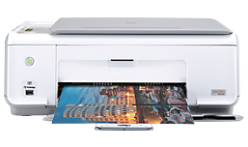
Black: Up to 4 cpm Color: Up to 2 cpm Speed specifications have been updated to reflect current industry testing methods.
Specifications
- Product number
- 5385180
- Recommended monthly page volume
- 50 to 200
- Paper handling input, standard
- 60-sheet input tray
- Print quality black (best)
- Black: Up to 600 x 600 rendered dpi Color: Up to 4800 x 1200 optimized dpi color (when printing from a computer on selected HP photo papers and 1200 input dpi)
- Functions
- Print, copy, scan
- Duty cycle (monthly, letter)
- Up to 1000 pages
- Connectivity, standard
- 1 Hi-Speed USB 2.0
HP Deskjet 1512 All-in-One driver download for Windows
Recommended software
See full detailsWindows 11; Windows 10, 7 (64-bit)
- Type:
- Driver-Product Installation Software
- Version:
- 32.4.118
- Operating systems:
- Windows 11; Windows 10, 7 (64-bit)
- Release date:
- Dec 5, 2021
- File name:
- Full_Webpack-118-DJ1510_Full_Webpack.exe
(92.6 MB)
Package notes
The full solution software includes everything you need to install and use your HP printer. This collection of software includes the complete set of drivers, installer and optional software.
Alternative packages
See full detailsWindows 11; Windows 10, 7 (64-bit)
- Type:
- Driver-Product Installation Software
- Version:
- 32.4.118
- Operating systems:
- Windows 11; Windows 10, 7 (64-bit)
- Release date:
- Dec 7, 2021
- File name:
- Basic_Webpack_x64-118-DJ1510_Basicx64_Webpack.exe
(30.2 MB)
Package notes
This basic feature software solution is a driver-only software solution intended for customers who only want a basic driver to use with their HP printer. If you want the full feature software solution, it is available as a separate download named "HP Deskjet 1510 e-All-in-One Printer series Full Software Solution".
HP Deskjet 1512 All-in-One driver download for macOS
Recommended software
See full detailsmacOS 15, 26
- Type:
- Driver
- Version:
- 2.16.7.260722
- Operating systems:
- macOS 15, 26
- Release date:
- Aug 13, 2026
- File name:
- HP_Easy_Start.app.zip
(6.3 MB)
Package notes
HP Easy Start is the new way to set up your HP printer and prepare your Mac for printing. HP Easy Start will locate and install the latest software for your printer and then guide you through printer setup.
HP Deskjet 1512 All-in-One Linux Support
Recommended software
See full detailsLinux
- Type:
- Driver-Product Installation Software
- Version:
- N/A
- Operating systems:
- Linux
- Release date:
- Nov 7, 2016
- File name:
- HP support instructions
(N/A)
Package notes
For Linux downloads, HP recommends another website. If you need to download Linux drivers, you will be directed to a website that is outside HP Customer Support.
HP Deskjet 1512 All-in-One installation and support
Use these resources after choosing the package that matches your operating system.
Driver assistance
Installation instructions
Common setup problems
Official resources
Package versions are listed in the download sections above. Check the operating-system list before downloading.
Advertisement
Is this printer compatible as brought right from store for Windows,8
NO IT’S WINDOW 7.
how do I scan with this printer
How do I scan with this printer?
Help me
bonjour, je n’ai pas de lecteur de cd donc comment puis-je faire pour installer le driver en ligne
Merci de votre éventuelle réponse
My items jammed and not printing why
Does Windows 10 allow me to scan from a HP Deskjet 1512 all-in-one printer/scanner back to my computer?
installation of dj1510_188.exe is not install properly plz advice and send link for proper driver and other basic requirement for the oprating system for window 7