Independent download guide for HP printer and scanner drivers
hpdrivers.net is an independent website and is not affiliated with, endorsed by, or sponsored by HP Inc. Download links point to HP's official servers (ftp.hp.com). Read the full disclaimer
Last checked against HP’s download list: October 30, 2026 · Checked by H&G
Looking for the HP LaserJet Pro MFP M426dw driver? This page lists HP’s official software for the whole HP LaserJet Pro MFP M426-M427 series: the LaserJet Pro MFP M426m, LaserJet Pro MFP M426dw and LaserJet Pro MFP M427dw. HP lists some packages for specific models in the series, so check that the package title includes your model. For Windows 10 (64-bit), the package most people need is the HP LaserJet Pro MFP M426-M427 Printer Series PCL 6 v3 Full Solution. For a Mac, HP lists Install HP Easy Start.
HP LaserJet Pro MFP M426dw
Recommended downloads
Windows 10 (64-bit): HP LaserJet Pro MFP M426-M427 Printer Series PCL 6 v3 Full SolutionVersion 16.0.22049.102 · Released Mar 21, 2022 · 128.4 MB · HP rating: Recommended
The driver files without an installer are added through Windows’ Add Printer wizard (Have Disk). For step-by-step instructions, see our guide to installing an HP printer driver.
Firmware update 20220414
The newest firmware HP lists for the LaserJet Pro MFP M426-M427 is version 20220414, released May 24, 2022. HP’s notes for it: Network stack update; Supplies related fixes.
Check your current firmware version first on the printer’s Configuration Page, and update only if it is older.
Install the printer driver before running the update. HP’s utility needs it to reach the printer.
HP ePrint; Apple AirPrint™; Mopria™-certified; Wireless Direct Printing; Google Cloud Print 2.0; Mobile Apps
Print languages
HP PCL 5, HP PCL 6, HP postscript level 3 emulation, direct PDF (v 1.7) printing, URF, PCLM, PWG, Native Office
Functions
Print, Copy, Scan
Print speed (black)
Normal: Up to 40 ppm
Recommended monthly volume
750 to 4000
Two-sided printing
Automatic (standard)
Scanner
Flatbed, ADF
Scan resolution
Up to 1200 x 1200 dpi
Two-sided ADF scanning
No
Document feeder
Standard, 50 sheets
Ways to scan
For Scan software (included in the box) support: Windows [JPG, RAW(BMP), PDF, TIFF, PNG, RTF] and Mac [JPG, JPG-2000, TIFF, PNG, PDF, Searchable PDF, RTF, TXT]; Front-panel scan, copy, email
Copy speed
Black: Up to 40 cpm Color:
Common setup problems
An older driver is still installed. HP’s 2021 packages fixed a security vulnerability, so replace older versions with the current package.
You’d rather not install software on a Mac. HP’s specifications list AirPrint support, so macOS can usually add the printer from System Settings without extra software.
The HP LaserJet Pro MFP M130nw driver download for Windows 11, Windows 10, 8.1, 8, 7 (32-bit and 64-bit) is the HP LaserJet Pro MFP M130nw/M132nw/M132snw Full Feature Software and Drivers, and for a Mac HP lists the package titled “Install HP Easy Start”. This page lists HP’s official software for the HP LaserJet Pro MFP M130nw.
Last checked against HP’s download list: November 21, 2026 · Checked by H&G
HP LaserJet Pro MFP M130nw
Recommended LaserJet Pro M130nw driver downloads
Windows 11, Windows 10, 8.1, 8, 7 (32-bit and 64-bit): HP LaserJet Pro MFP M130nw/M132nw/M132snw Full Feature Software and DriversVersion 44.11.2779 · Released May 25, 2023 · 193.9 MB · HP rating: Recommended
HP lists Linux support for this series through its HPLIP project, outside the regular download list: HP’s Linux printing page (HPLIP).
Which systems the LaserJet Pro M130nw driver supports
HP’s download list for the LaserJet Pro M130nw names Windows 11; Windows 10, 8.1, 8, 7 (32-bit and 64-bit); macOS 26, 15, 14, 13, 12, 11, 10.13, 10.12, Mac OS X 10.11, Mac OS X 10.10; and Linux through HPLIP. On a Mac the setup runs through the HP app.
Installing the LaserJet Pro M130nw driver
To install it, follow these steps.
Download the full software package listed below.
Put the printer and the computer on the same Wi-Fi network.
Run the installer and follow the on-screen instructions.
Print a configuration page to confirm the network name (SSID).
Firmware update 20220414 for the LaserJet Pro M130nw
For the LaserJet Pro MFP M130nw, HP lists the HP LaserJet Pro MFP M130fn/fw/nw Pro MFP M132fn/fp/fw/nw/snw and Ultra MFP M134fn Firmware Update Utility, version 20220414, released Apr 28, 2022. HP’s notes for it: Network stack update.
Check your current firmware version first on the printer’s Configuration Page, and update only if it is older.
Install the printer driver before running the update. HP’s utility needs it to reach the printer.
Specifications that matter for setup
Print languages
PCLmS, URF, PWG
Print speed (black)
Normal: Up to 23 ppm
Recommended monthly volume
150 to 1500
Two-sided printing
Manual duplex
Copy speed
Black: Up to 23 cpm Color:
Toner supplies HP lists for the LaserJet Pro MFP M130
HP’s specifications name these replacement supplies for the LaserJet Pro MFP M130:
HP 17A Original Black LaserJet Toner Cartridge CF217A (about 1,600 pages)
HP 19A Original LaserJet Imaging Drum CF219A (about 12,000 pages)
Paper handling and hardware details
Values below are HP’s published figures for the LaserJet Pro MFP M130 series, which the LaserJet Pro MFP M130nw belongs to.
Paper input tray
150-sheet input tray
Output tray
100-sheet output tray
Optional trays
NA
Paper sizes
Letter; legal; executive; 8.5 x 13 in; envelopes
Media types
Paper (laser, plain, photo, rough, vellum), envelopes, labels, cardstock, postcards
Paper weight
16 to 43 lb
Print quality (black)
Black: Up to 600 x 600 dpi, HP FastRes 1200 (1200 dpi quality)
Processor
600 MHz
Power use
255 watts (active printing), 4.2 watts (ready),1.0 watts (sleep), 0.7 watts (Auto Off/Wake on USB, enabled at shipment)
Warranty
one year limited warranty
The 2-line control panel and its Wireless button
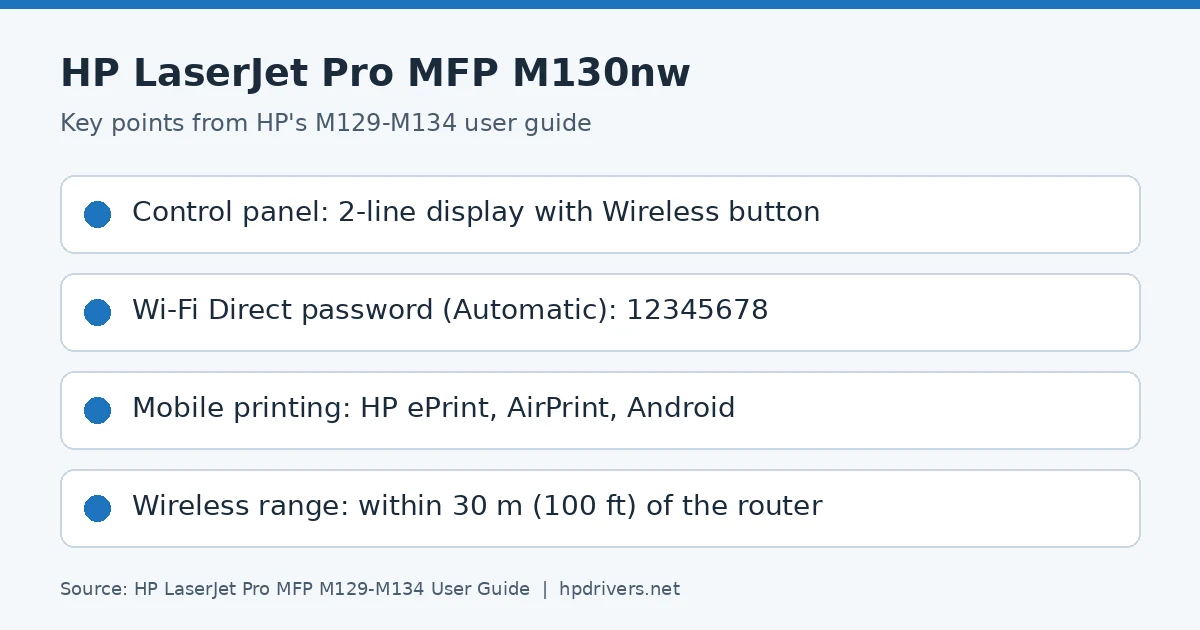
The M130nw has a 2-line display that shows menus and printer information. The left and right arrows move through the menus, while OK opens a menu or selects an item. OK also clears some errors and starts a job when the display says Press [OK] to continue.
Wireless button: opens the Wireless menu and the wireless status information.
Setup button: opens the Setup menu with the network, system and service settings.
Back arrow: leaves the menus or returns to the previous item without saving.
Cancel: stops a print job or closes the menus.
Copying also has its own buttons: Copy Menu, Number of Copies, Lighter/Darker and Start Copy. Two lights also sit beside the display. The Ready light stays on when the printer is ready, and it blinks while data arrives or a job is cancelled. The Attention light blinks when the printer needs you, for example when paper runs out. If it glows steadily, however, an error has occurred.
Changing the connection and finding the IP address
Perhaps you first set up the printer with a USB cable. However, you do not need to start over to move it to Wi-Fi. Instead, use the Device Setup & Software shortcut on the Windows desktop. HP describes it as the tool for changing how the printer connects, for example from USB to wireless.
Many network tasks begin with the printer’s IP address. To show it, press Setup, open Network Setup and select Show IP Address. Then type the address or host name into a web browser, and the HP Embedded Web Server (EWS) opens. If the browser warns that the site might not be safe, you can continue. HP says this does not harm the computer.
To give the printer a unique name, open the System tab in the EWS. Edit the Device Description field on the Device Information page and click Apply.
For a fixed address, go to Network Setup, IPv4 Config Method, Manual on the control panel. Enter the IP address, subnet mask and default gateway with the arrow keys and OK.
Note that HP does not support peer-to-peer networking, because it is a Windows function rather than a feature of the HP drivers.
Wi-Fi Direct: connecting, switching it on or off, renaming
Wi-Fi Direct lets a phone or tablet print without a router or an Internet connection. According to HP, it must first be enabled in the EWS.
Press Setup and open Network Setup, Wireless Menu, Wi-Fi Direct.
Pick a connection method. Automatic sets the password to 12345678, while Manual creates a random, secure password.
On the mobile device, open the Wi-Fi or Wi-Fi Direct menu and select the printer name.
Enter the password if asked, or press OK on the printer.
Open the document, choose Print and select the printer.
If the printer name does not appear, move closer, because you might be out of range. After printing, some devices need to rejoin the local network. To turn the feature on or off, open Network Setup, Wi-Fi Direct, On/Off.
HP lists Android 4.0 and later devices with the HP Print Service or Mopria plugin as Wi-Fi Direct capable. In addition, most Windows 8.1 computers with the HP print driver work. iPhone, iPad and Mac do not support Wi-Fi Direct, but they can still print to a printer that does. Where several identical printers stand together, give each one its own name. You can do this in the EWS under Networking, Wi-Fi Direct Setup, Wi-Fi Direct Name.
Printing by email with HP ePrint
HP ePrint prints a document that you email as an attachment to the printer’s own address. For this, the printer needs a network with Internet access. In addition, HP Web Services must be on and the printer registered with HP Connected.
Press Setup, open Network Setup and select Show IP Address.
Type the address into a web browser to open the EWS.
Click the HP Web Services tab and click Enable.
Keep the information page that prints, because it holds the printer code.
Create an HP ePrint account at hpconnected.com and finish the setup.
There is also the HP ePrint software for Windows and Mac computers. It finds ePrint-enabled printers registered to your HP Connected account, wherever they are. On Windows, select HP ePrint in the printer list and use Properties for the options. On a Mac, however, it sits under the PDF arrow in the print dialog. HP calls it a PDF workflow utility rather than a print driver. Keep in mind that the software does not support USB printing.
AirPrint and Android printing on the M130nw
Apple devices can print directly with AirPrint. HP lists iOS and Mac computers running OS X 10.7 Lion or newer. On an iPhone (3GS or later), iPad or iPod touch (third generation or later), it works from Mail, Photos, Safari, iBooks and selected third-party apps.
The printer and the Apple device must be on the same network (subnet).
With a USB connection, check the AirPrint version first. Versions 1.3 and earlier do not support USB.
Manual two-sided printing on a Mac needs the HP print driver and might be missing with AirPrint.
Android and Kindle devices use HP’s built-in print solution. It finds HP printers on the network or within Wi-Fi Direct range. As with AirPrint, the device must also share the printer’s subnet. If printing is missing, install the HP Print Service Plugin from Google Play. HP also advises keeping the printer firmware current so that every mobile and ePrint option works.
When the M130nw drops off the wireless network
HP’s wireless checklist starts with the basics. The network cable should be unplugged, and the printer, the router and the printer’s wireless radio must be on. Next, compare the network name (SSID) on a configuration page with your own network. If the SSID or the security details are wrong, run the wireless setup again.
Range: on most networks the printer must be within 30 m (100 ft) of the router.
Obstacles: large metal objects and walls or columns with metal or concrete block the signal.
Interference: devices such as motors, cordless phones, security cameras and some Bluetooth devices can disturb it, as can other wireless networks.
Encryption: on WPA networks, the printer and access point must use the same method (AES or TKIP).
Firewall: update it, allow the HP programs, or turn it off briefly while installing.
After moving the router or printer, check that both still use the computer’s network. Also, a VPN usually blocks other network connections at the same time. For a full report, press Setup and open Self Diagnostics, Run Wireless Test, and press OK. Cannot add more computers? Then make sure no more than 5 users share Wi-Fi Direct at once.
Last checked against HP’s download list: October 30, 2026 · Checked by H&G
Looking for the HP Color LaserJet Professional CP5225 driver? This page lists HP’s official software for the whole HP Color LaserJet Professional CP5225 Printer series: the Color LaserJet Professional CP5225, Color LaserJet Professional CP5225n and Color LaserJet Professional CP5225dn. HP lists some packages for specific models in the series, so check that the package title includes your model. For Windows 11, the package most people need is the HP Universal Print Driver for Windows PCL6 (64-bit). For a Mac, HP lists Install HP Easy Start.
HP Color LaserJet Professional CP5225
Recommended downloads
Windows 11: HP Universal Print Driver for Windows PCL6 (64-bit)Version 8.2.0.26819 · Released Sep 26, 2026 · 20.2 MB