Independent download guide for HP printer and scanner drivers
hpdrivers.net is an independent website and is not affiliated with, endorsed by, or sponsored by HP Inc. Download links point to HP's official servers (ftp.hp.com). Read the full disclaimer
Looking for the HP LaserJet Enterprise MFP M725 driver? This page lists HP’s official software for the whole HP LaserJet Enterprise MFP M725 series: the LaserJet Enterprise MFP M725dn, LaserJet Enterprise MFP M725f, LaserJet Enterprise MFP M725z and LaserJet Enterprise MFP M725z+. HP lists some packages for specific models in the series, so check that the package title includes your model. For Windows 10, 8.1, 8, 7 (32-bit and 64-bit), the package most people need is the HP LaserJet Enterprise 700 MFP M725 Series PCL6 Print Driver (no Installer). For Windows 11, HP lists the HP Universal Print Driver for Windows PCL6 (64-bit). For a Mac, HP lists Install HP Easy Start.
Last checked against HP’s download list: November 10, 2026 · Checked by H&G
HP LaserJet Enterprise MFP M725
Recommended downloads
Windows 10, 8.1, 8, 7 (32-bit and 64-bit): HP LaserJet Enterprise 700 MFP M725 Series PCL6 Print Driver (no Installer)Version 61.163.01.24392 · Released Apr 09, 2021 · 20.3 MB
HP lists its Universal Print Driver for this series on Windows 11; Windows 10, 8.1, 8, 7 (32-bit and 64-bit). Get it from our HP Universal Print Driver page.
Linux
HP lists a Linux driver for this series: FutureSmart Bundle Version 4.12.0.4 – HP LaserJet Enterprise M725 Printer FIRMWARE (Version 2411298_068157 · Released Mar 31, 2026 · 156.0 MB). Download from HP.
Installing the LaserJet Enterprise MFP M725 driver
The driver files without an installer are added through Windows’ Add Printer wizard (Have Disk). For step-by-step instructions, see our guide to installing an HP printer driver.
Firmware update 2411298_068157
The newest firmware HP lists for the LaserJet Enterprise MFP M725 is version 2411298_068157, released Mar 31, 2026.
Keep the printer and the computer switched on until the update has finished.
Specifications that matter for setup
Connections
2 Hi-Speed USB 2.0 Host; 1 Hi-Speed USB 2.0 Device; 1 Gigabit Ethernet 10/100/1000T network; 1 Foreign Interface; 1 Hardware Integration Pocket; 2 Internal USB Host
Wi-Fi
Optional, enabled with purchase of a hardware accessory
Mobile printing
HP ePrint; Apple AirPrint™; Mopria™-certified
Print languages
HP PCL 6, HP PCL 5, HP postscript level 3 emulation, PDF 1.4
Print speed (black)
Normal: Up to 40 ppm
Recommended monthly volume
5000 to 20,000
Two-sided printing
Automatic (standard)
Scanner
Flatbed, ADF
Scan resolution
Up to 600 dpi
Two-sided ADF scanning
Yes, reversing ADF
Document feeder
Standard, 100 sheets
Scan file formats
PDF, JPEG, TIFF, MTIFF, XPS, PDF/A
Ways to scan
Copy, scan to e-mail, scan to network folder, scan to USB, save to device memory, fax, Open Extensibility Platform (OXP) applications
Copy speed
Black: Up to 40 cpm Color: First Copy Out and Copy Speed measured using ISO/IEC 29183, excludes first set of test documents.
Toner supplies HP lists for the LaserJet Enterprise MFP M725
HP’s specifications name these replacement supplies for the LaserJet Enterprise MFP M725:
HP 14A Black LJ Toner Cartridge CF214A (10
000 pages)
HP 14X Black LJ Toner Cartridge CF214X (17
Paper handling and hardware details
Values below are HP’s published figures for the LaserJet Enterprise MFP M725; they help you check that this page matches your printer before you download anything.
An older driver is still installed. HP’s 2021 packages fixed a security vulnerability, so replace older versions with the current package.
You’d rather not install software on a Mac. HP’s specifications list AirPrint support, so macOS can usually add the printer from System Settings without extra software.
Last checked against HP’s download list: November 1, 2026 · Checked by H&G
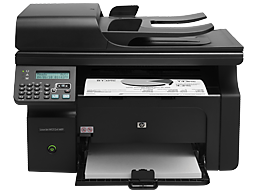
Looking for the HP LaserJet Pro M1212nf driver? This page lists HP’s official software for the whole HP LaserJet Pro M1212nf Multifunction Printer series. HP lists some packages for specific models in the series, so check that the package title includes your model. For Windows 11, Windows 10 (64-bit) and Windows 7 (64-bit), the package most people need is the HP LaserJet Full Feature Software and Driver.
HP LaserJet Pro M1212nf
Recommended downloads
Windows 11, Windows 10 (64-bit), Windows 7 (64-bit): HP LaserJet Full Feature Software and DriverVersion 20180815_1 · Released Jul 22, 2021 · 240.8 MB · HP rating: Recommended
The newest firmware HP lists for the LaserJet Pro M1212nf Multifunction is version 20201012, released Nov 03, 2020. HP’s notes for it: Fixed a vulnerability issue (CVE-2014-0224) in OpenSSL versions 1.0.1e; Update certificate to maintain a secure connection to HP Cloud.
Check your current firmware version first on the printer’s Configuration Page, and update only if it is older.
Specifications that matter for setup
Connections
Hi-Speed USB 2.0 port; 10/100Base-T Ethernet network port; RJ-11 Telephone port
Mobile printing
HP ePrint, Apple AirPrint™ May require a firmware upgrade to be HP ePrint or AirPrint™ compatible, download at http://www.hp.com/go/support
Print languages
Host-based
Functions
Print, copy, scan, fax
Print speed (black)
Normal: Up to 19 ppm
Recommended monthly volume
250 to 2000
Two-sided printing
Manual (driver support provided)
Scanner
Flatbed, ADF
Scan resolution
Up to 1200 dpi
Two-sided ADF scanning
No
Document feeder
Standard, 35 sheets
Scan file formats
JPEG, TIF (compressed and uncompressed), PDF, GIF, BMP
Ways to scan
Scanning via HP LaserJet scan application or TWAIN—or WIA-compliant application software
Last checked against HP’s download list: November 9, 2026 · Checked by H&G
Looking for the HP Color LaserJet Enterprise CP4025n driver? This page lists HP’s official software for the whole HP Color LaserJet Enterprise CP4025 Printer series: the Color LaserJet Enterprise CP4025n and Color LaserJet Enterprise CP4025dn. HP lists some packages for specific models in the series, so check that the package title includes your model. For Windows 10, 8.1, 8, 7, Vista (32-bit and 64-bit); Windows XP (32-bit), the package most people need is the HP Color LaserJet CP4525 Full Software and Drivers Solution for EMEA Region. For Windows 11, HP lists the HP Universal Print Driver for Windows PCL6 (64-bit).
HP Color LaserJet Enterprise CP4025n
Recommended downloads
Windows 10, 8.1, 8, 7, Vista (32-bit and 64-bit); Windows XP (32-bit): HP Color LaserJet CP4525 Full Software and Drivers Solution for EMEA RegionVersion 2.0 · Released Mar 19, 2021 · 133.4 MB · HP rating: Recommended
HP Color LaserJet Enterprise CP4025/CP4525 Printer series Firmware for All Operating Systems (Includes Code Signing)(Must Read README Before Installing)
Windows: 11 10, 8.1, 8, 7, Vista (32-bit and 64-bit) XP (32-bit)
HP Color LaserJet Enterprise CP4025/CP4525 Printer series Firmware for All Operating Systems (Includes Code Signing)(Must Read README Before Installing)
HP lists its Universal Print Driver for this series on Windows 11; Windows 10, 8.1, 8, 7 (32-bit and 64-bit). Get it from our HP Universal Print Driver page.
Linux
HP lists a Linux driver for this series: HP Color LaserJet CP4525 Pantone color palette files (Mac) (Version 1.0 · Released Feb 10, 2014 · 7.2 MB). Download from HP.
Installing the Color LaserJet Enterprise CP4025 driver
The driver files without an installer are added through Windows’ Add Printer wizard (Have Disk). For step-by-step instructions, see our guide to installing an HP printer driver.
Firmware update 07.250.2
The newest firmware HP lists for the Color LaserJet Enterprise CP4025 is version 07.250.2, released Jan 24, 2017.
Keep the printer and the computer switched on until the update has finished.
Specifications that matter for setup
Connections
1 Hi-Speed USB 2.0; 1 Gigabit Ethernet 10/100/1000T; 1 EIO
Wi-Fi
Optional, enabled with purchase of a hardware accessory
Mobile printing
Mobile Print Capability not supported
Print languages
HP PCL 6, HP PCL 5, HP postscript level 3 emulation, direct PDF printing v 1.4
Print speed (black)
Normal: Up to 35 ppm
Recommended monthly volume
2000 to 7500
Ink supplies HP lists for the Color LaserJet Enterprise CP4025
HP’s specifications name these replacement supplies for the Color LaserJet Enterprise CP4025:
HP LaserJet Black Print Cartridge (8500 pages)
HP LaserJet Cyan Print Cartridges (11
000 pages)
HP LaserJet Yellow Print Cartridge (11
000 pages)
HP Magenta Print Cartridge (11
000 pages) [2
3] Average continuous composite cyan/yellow/magenta cartridge
Paper handling and hardware details
Values below are HP’s published figures for the Color LaserJet Enterprise CP4025; they help you check that this page matches your printer before you download anything.
Output tray
500-sheet output bin
Optional trays
500-sheet paper feeder and cabinet, postcard media insert tray
Paper sizes
Multipurpose tray: letter, legal, 5 x 8 in, 8.5 x 13 in, statement, executive, postcard, 3 x 5 in, 4 x 6 in; envelopes (No. 9, No. 10, Monarch)
Media types
Paper (plain, light, bond, recycled, mid-weight, heavy, mid-weight glossy, heavy glossy, extra heavy, extra heavy glossy, cardstock, card glossy, preprinted, prepunched, colored, rough)
Paper weight
Multipurpose tray: 16 to 58 lb; 500-sheet input trays, automatic two-sided printing unit: 16 to 32 lb plain paper; 28 to 58 lb glossy paper
Print speed (color)
Normal: Up to 35 ppm Exact speed varies depending on the system configuration, software application, driver and document complexity
Print quality (black)
Black: Up to 1200 x 1200 dpi Color: Up to 1200 x 1200 dpi