
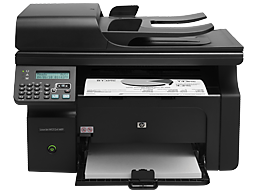
Looking for the HP LaserJet Pro M1212nf driver? This page lists HP’s official software for the whole HP LaserJet Pro M1212nf Multifunction Printer series. HP lists some packages for specific models in the series, so check that the package title includes your model. For Windows 11, Windows 10 (64-bit) and Windows 7 (64-bit), the package most people need is the HP LaserJet Full Feature Software and Driver.
Recommended downloads
Files download directly from HP’s official servers. hpdrivers.net does not host or modify them.
Which Windows package should you choose?
HP publishes 3 kinds of Windows package for the LaserJet Pro M1212nf Multifunction:
- Full software solution (v20180815_1, Jul 22, 2021, 240.8 MB): driver plus HP’s setup wizard and tools.
- Firmware update (v20201012, Nov 03, 2020): updates the printer itself, not your PC.
- Driver-only installer (v4.0, Dec 10, 2012): print driver only, for PCs that can’t or shouldn’t take the full package.
All downloads for the LaserJet Pro M1212nf Multifunction
Windows
File details
File: HP_M1212_M1213_M1219_M1217_M1218_FW_Update_20201012.exe
Other HP software listed for this series
Linux
HP lists Linux support for this series through its HPLIP project, outside the regular download list: HP’s Linux printing page (HPLIP).
Installing the LaserJet Pro M1212nf Multifunction driver
For step-by-step instructions, see our guide to installing an HP printer driver.
Firmware update 20201012
The newest firmware HP lists for the LaserJet Pro M1212nf Multifunction is version 20201012, released Nov 03, 2020. HP’s notes for it: Fixed a vulnerability issue (CVE-2014-0224) in OpenSSL versions 1.0.1e; Update certificate to maintain a secure connection to HP Cloud.
- Check your current firmware version first on the printer’s Configuration Page, and update only if it is older.
i have updated my MacBook to Catalina macOS and unfortunately my HP LaserJet M1217 Series doesn’t support. Please advise.
I too have this problem with no solution.
SAME PROBLEM
Também não é compatível com o novo MAC M1
Same problem! Does not work with new mac.
HP LaserJet Pro M1212nf Driver Mac
Where is the upgrade for the Mac OS Versions 12.4 and 12.5
Cmon…