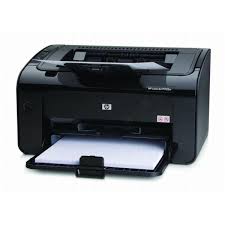
Looking for the HP LaserJet 1020 driver? This page lists HP’s official software for the whole HP LaserJet 1020 Printer series: the LaserJet 1020 Plus and LaserJet 1020. HP lists some packages for specific models in the series, so check that the package title includes your model. For Windows 11; Windows 10, 8.1, 8, 7, Vista (32-bit and 64-bit); Windows XP (32-bit), the package most people need is the HP LaserJet 1020 Plus Full Feature Software and Driver.
Recommended downloads
Files download directly from HP’s official servers. hpdrivers.net does not host or modify them.
Models covered by this page
All 2 models share one download list at HP:
HP LaserJet 1020 Plus HP LaserJet 1020
Which Windows package should you choose?
HP publishes 2 kinds of Windows package for the LaserJet 1020:
- Full software solution (v1601, Feb 09, 2016, 80.2 MB): driver plus HP’s setup wizard and tools.
- Driver-only installer (v20120918, Jan 09, 2013): print driver only, for PCs that can’t or shouldn’t take the full package.
All downloads for the LaserJet 1020
Windows
10, 8.1, 8, 7, Vista (32-bit and 64-bit)
XP (32-bit)
File details
File:hp_LJ1020_Full_Solution-v2012_918_1_57980.exeFile details
File:lj1018_1020_1022-HB-pnp-win32-en.exeFile details
File:lj1018_1020_1022-HB-pnp-win64-en.exeLinux
HP lists Linux support for this series through its HPLIP project, outside the regular download list: HP’s Linux printing page (HPLIP).
Installing the LaserJet 1020 driver
For step-by-step instructions, see our guide to installing an HP printer driver.
Specifications that matter for setup
Paper handling and hardware details
Values below are HP’s published figures for the LaserJet 1020; they help you check that this page matches your printer before you download anything.
Common setup problems
- No Wi-Fi option during setup. HP’s specifications list no built-in Wi-Fi for the LaserJet 1020. Connect it with a USB cable; HP lists no network port for it.