hpdrivers.net is an independent website and is not affiliated with, endorsed by, or sponsored by HP Inc. Download links point to HP's official servers (ftp.hp.com). Read the full disclaimer

HP LaserJet P1005 Drivers

Last checked against HP’s download list: November 1, 2026 · Checked by H&G

Looking for the HP LaserJet P1005 driver download? This page lists HP’s official software for the whole HP LaserJet P1005 Printer: the LaserJet P1005 and LaserJet P1005 Limited. HP lists some packages for specific models in the series, so check that the package title includes your model. For Windows 7 (64-bit), the package most people need is the HP LaserJet P1005/P1006/P1500 Printer Series Full Feature Software and Driver. For Windows 11, HP lists the HP LaserJet P1000-P1500 Hostbased Plug and Play Basic Driver.

HP LaserJet P1005 printer
HP LaserJet P1005

Recommended downloads

Windows 7 (64-bit): HP LaserJet P1005/P1006/P1500 Printer Series Full Feature Software and DriverVersion 8.0 · Released Sep 17, 2014 · 163.3 MB · HP rating: Recommended

Download

Windows 11, Windows 10 (64-bit), Windows 7 (64-bit): HP LaserJet P1000-P1500 Hostbased Plug and Play Basic DriverVersion 20130415 · Released May 24, 2013 · 3.9 MB

Download

Files download directly from HP’s official servers. hpdrivers.net does not host or modify them.


Models covered by this page

All 2 models share one download list at HP:

HP LaserJet P1005 HP LaserJet P1005 Limited

Which Windows package should you choose?

HP publishes 2 kinds of Windows package for the LaserJet P1005 Printer:

  • Driver-only installer (v20130415, May 24, 2013): print driver only, for PCs that can’t or shouldn’t take the full package.
  • Full software solution (v8.0, Sep 17, 2014, 163.3 MB): driver plus HP’s setup wizard and tools.

All downloads for the LaserJet P1005 Printer

Windows

Package / Windows
Version
Released
Size
HP LaserJet P1005/P1006/P1500 Printer Series Full Feature Software and Driver

Windows: 7
File details

File: hp_LJ_P1005_P1505_Full_Solution_ROW.exe

8.0
Sep 17, 2014
163.3 MB

Other HP software listed for this series

Software / Systems
Version
Size
HP LaserJet P1000-P1500 Hostbased Plug and Play Basic Driver
Systems: Windows 11, Windows 10, Windows 7
20130415
3.9 MB

Linux

HP lists Linux support for this series through its HPLIP project, outside the regular download list: HP’s Linux printing page (HPLIP).

Installing the LaserJet P1005 Printer driver

For step-by-step instructions, see our guide to installing an HP printer driver.

Specifications that matter for setup

Connections
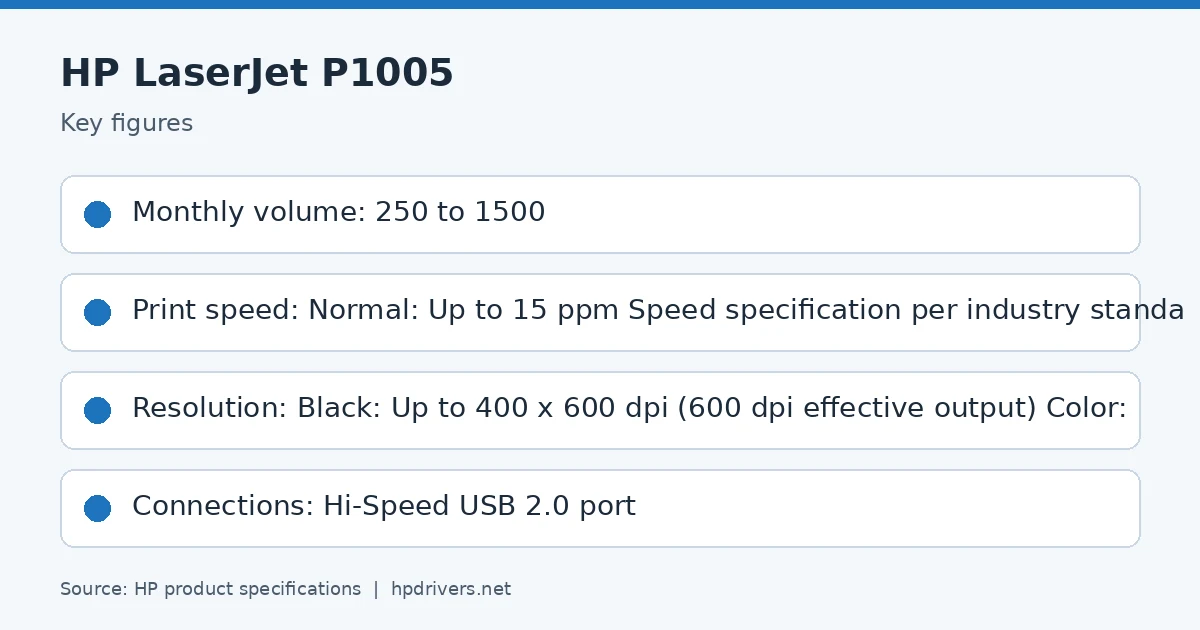
Hi-Speed USB 2.0 port
Wi-Fi
Not built in
Print languages
Host-based printing
Print speed (black)
Normal: Up to 15 ppm Speed specification per industry standard testing methods
Recommended monthly volume
250 to 1500
Two-sided printing
Manual (driver support provided)

Common setup problems

  • No Wi-Fi option during setup. HP’s specifications list no built-in Wi-Fi for the LaserJet P1005 Printer. Connect it with a USB cable; HP lists no network port for it.

HP LaserJet P2050d Mac Driver

HP LaserJet P2050d Series Mac OS X Full Software Solution Download

Hpdriversw.net-HP LaserJet P2050d

Driver and Firmware

Description : The download package contains the HP LaserJet P2050 Series Mac OS X Full Software Solution. This is the same version of software that is on the HP LaserJet P2050 Series CD.

HP LaserJet P2055, P2055d, P2055dn, P2055x
Model Numbers : CE456A, CE457A, CE459A, CE460A

Release details

Version: 9.5.0

Relase Date :1 Apr 2010

Operating System : Mac OS X

Macintosh OS X v 10.3.9
Macintosh OS X v 10.4.x PPC
Macintosh OS X v 10.4.x Intel
Macintosh OS X v 10.5.x PPC
Macintosh OS X v 10.5.x Intel

File name: HP_LaserJet_P2055.dmg
Download
File Size : 141 MB

HP LaserJet Firmware Update Utility

Version: 20141201
Relase Date : 22 Jan 2015
Operating System(s): Mac OS X , Mac OS X 10.5 , Mac OS X 10.6 , Mac OS X 10.7
File name: ljp2055_Firmware_Update_Utility_20141201.dmg
Download
File Size : 11Mb

HP LaserJet Pro M425dn Drivers (LaserJet Pro 400 MFP M425 Series)

Looking for the HP LaserJet Pro M425dn driver? This page lists HP’s official software for the whole HP LaserJet Pro 400 MFP M425: the LaserJet Pro 400 MFP M425dn and LaserJet Pro 400 MFP M425dw. HP lists some packages for specific models in the series, so check that the package title includes your model. For Windows 10, 8.1, 8, 7 (32-bit and 64-bit), the package most people need is the HP LaserJet Pro 400 MFP M425 Printer Series Full Software Solution. For a Mac, HP lists Install HP Easy Start.

Last checked against HP’s download list: November 10, 2026 · Checked by H&G
HP LaserJet Pro M425dn printer
HP LaserJet Pro M425dn

Recommended downloads

Windows 10, 8.1, 8, 7 (32-bit and 64-bit): HP LaserJet Pro 400 MFP M425 Printer Series Full Software SolutionVersion 15.0.15189.1460 · Released Mar 05, 2021 · 106.7 MB · HP rating: Recommended
Download
macOS 26, 15, 14: Install HP Easy StartVersion 2.16.7.260722 · Released Aug 14, 2026 · 6.3 MB
Download

Files download directly from HP’s official servers. hpdrivers.net does not host or modify them.

Models covered by this page

All 2 models share one download list at HP:

HP LaserJet Pro 400 MFP M425dn HP LaserJet Pro 400 MFP M425dw

Which Windows package should you choose?

HP publishes 4 kinds of Windows package for the LaserJet Pro 400 MFP M425:

  • Full software solution (v15.0.15189.1460, Mar 05, 2021, 106.7 MB): driver plus HP’s setup wizard and tools.
  • Driver-only installer (v15.0.15189.1460, Mar 05, 2021): print driver only, for PCs that can’t or shouldn’t take the full package.
  • Firmware update (v20210202, Feb 12, 2021): updates the printer itself, not your PC.
  • HP Universal Print Driver (v6.4.1.22169, Mar 28, 2017): HP’s shared driver for many models, also listed for this series.

All downloads for the LaserJet Pro 400 MFP M425

HP’s download list for this series includes Windows 10, 8.1, 8, 7 (32-bit and 64-bit) packages. It does not list separate Windows 11 packages.

Windows

Package / Windows
Version
Released
Size
HP LaserJet Pro 400 MFP M425 Printer Series Full Software Solution
Windows: 10, 8.1, 8, 7 (32-bit and 64-bit)
File detailsFile: LJPro-MFP-M425_full_solution_15189.exe
15.0.15189.1460
Mar 05, 2021
106.7 MB
HP LaserJet Pro 400 MFP M425 Printer Series PCL6 Driver with Installer
Windows: 10, 8.1, 8, 7 (32-bit and 64-bit)
File detailsFile: LJPro-MFP-M425_driver_installer_15189.exe
15.0.15189.1460
Mar 05, 2021
70.1 MB
HP LaserJet Pro 400 MFP M425 Printer Series PCL6 Driver Only
Windows: 10, 8.1, 8, 7 (32-bit and 64-bit)
File detailsFile: LJPro-MFP-M425_driver_only_15188_1.exe
61.117.02.11493
Apr 06, 2021
22.7 MB
HP LaserJet Pro Series Firmware Update Utility
Windows: 10, 8.1, 8, 7 (32-bit and 64-bit)
File detailsFile: HP_LaserJet_M425_MFP_Series_FW_Update_20210202.exe
20210202
Feb 12, 2021
14.0 MB
HP LaserJet Pro 400 MFP M425 Printer Series Scan Update Utility
Windows: 7 (32-bit and 64-bit)
File detailsFile: LJM425_Scan_Upgrade_11_1.exe
11.1.1.0
Jun 01, 2012
1.8 MB

macOS

Package / macOS
Version
Released
Size
HP LaserJet Pro Series Firmware Update Utility
macOS: 10.13, 10.12, 10.11, 10.10, 10.14, 10.9, 10.8, 10.7, 10.6, 10.5
File detailsFile: HP_LaserJet_M425_MFP_Series_FW_Update_20210202.dmg
20210202
Feb 12, 2021
22.4 MB
HP LaserJet Pro 400 MFP M425 Printer Series Full Feature Software and Drivers
macOS: 10.11, 10.10, 10.9
File detailsFile: HP-LaserJet-SW-OSX-Mavericks_v12.34.45.dmg
12.34
Oct 24, 2014
122.4 MB
HP LaserJet Pro 400 MFP M425 Printer Series Full Software Solution
macOS: 10.8, 10.7, 10.6
File detailsFile: LaserJet-400-MFP-M425-series_v12.23.0.dmg
12.23.0
Jan 22, 2014
187.3 MB
HP LaserJet Pro 400 MFP M425 Printer Series Full Software Solution
macOS: 10.5
File detailsFile: LaserJet-400-MFP-M425-series_v12.15.0.dmg
12.15.0
May 01, 2012
185.7 MB

Other HP software listed for this series

Software / Systems
Version
Size
HP ePrint Software for Network and Wireless Connected Printers
Systems: Windows 10, 8.1, 8, 7 (32-bit and 64-bit)
5.5.118.22560
26.3 MB
Fax issue with IE 11 fix utility
Systems: Windows 8.1, 8, 7 (32-bit and 64-bit)
1.0
10.2 MB
Readiris Pro v12 download tool
Systems: Windows 8.1, 8, 7 (32-bit and 64-bit)
12
1.7 MB
HP Easy Admin
Systems: macOS 26, 15, 14, 13, 11, 10.13, 10.12, 10.11, 10.10, 10.15, 10.14, 10.9
2.16.0.251010
4.9 MB
Install HP Easy Start
Systems: macOS 26, 15, 14
2.16.7.260722
6.3 MB
HP Software Update to address Automatic Document Feeder (ADF) scanning issues with HP LaserJet products on OS X El Capitan
Systems: 10.11
4.5.0.33
146.8 MB
HP ePrint Software for Network and Wireless Connected Printers
Systems: 10.10, 10.9, 10.8
2.5.0
6.7 MB

HP Universal Print Driver

HP lists its Universal Print Driver for this series on Windows 10, 8.1, 8, 7 (32-bit and 64-bit). Get it from our HP Universal Print Driver page.

Installing the LaserJet Pro 400 MFP M425 driver

For step-by-step instructions, see our guide to installing an HP printer driver.

Firmware update 20210202

The newest firmware HP lists for the LaserJet Pro 400 MFP M425 is version 20210202, released Feb 12, 2021. HP’s notes for it: Network component update; Fix issue with syslog not generated; Fix IPv4-IPv6 mapped addresses for WSD.

  • Check your current firmware version first on the printer’s Configuration Page, and update only if it is older.
  • Install the printer driver before running the update. HP’s utility needs it to reach the printer.

Specifications that matter for setup

Print languages
HP PCL 5, HP PCL 6, HP postscript level 3 emulation, direct PDF (v 1.7) printing
Functions
Print, copy, scan, fax, walk-up USB
Print speed (black)
Normal: Up to 35 ppm
Recommended monthly volume
750 to 3000
Two-sided printing
Automatic (standard)
Scanner
Flatbed, ADF
Scan resolution
Up to 1200 dpi (color and mono, flatbed); Up to 300 dpi (color and mono, ADF)
Two-sided ADF scanning
Yes, dual head scanner for two-sided document scanning in a single pass through ADF
Document feeder
Standard, 50 sheets
Scan file formats
PDF, searchable PDF, JPG, RTF, TXT, BMP, PNG, TIFF (scan to USB device and scan from the front panel to a network folder both only support JPG and PDF)
Ways to scan
Front control panel Scan, Copy or Fax buttons, From PC: Solution Center Lite (Windows Vista®, Windows® XP) or Device Stage (Windows® 7); TWAIN-compliant or WIA-compliant software
Copy speed
Black: Up to 35 ppm Color: From flatbed copy, exact speed varies depending on the system configuration and document complexity.

Toner supplies HP lists for the LaserJet Pro 400 MFP M425

HP’s specifications name these replacement supplies for the LaserJet Pro 400 MFP M425:

  • HP 80A Black LaserJet Toner Cartridge (~2700 pages), CF280A

Paper handling and hardware details

Values below are HP’s published figures for the LaserJet Pro 400 MFP M425; they help you check that this page matches your printer before you download anything.

Paper input tray
50-sheet multipurpose tray 1, 250-sheet input tray 2, automatic duplexer for two-sided printing
Output tray
150-sheet output bin
Optional trays
Optional third 500-sheet tray
Paper sizes
Letter, legal, executive, 8.5 x 13 in
Media types
Paper (plain, Green mode, light, heavy, bond, color, letterhead, preprinted, prepunched, recycled, rough); envelopes; labels; transparencies, cardstock
Paper weight
Tray 1: 16 to 43 lb (straight through paper path for special media); tray 2, optional 500-sheet tray 3: 16 to 32 lb
Print speed (color)
Measured using ISO/IEC 24734, excludes first set of test documents
Print quality (black)
Black: Up to 1200 x 1200 dpi
Control panel
3.5" (8.89 cm) touchscreen control panel, CGD (Color Graphic Display)
Memory
256 MB
Processor
800 MHz
Power use
600 watts (Printing), 420 watts (Copying), 10.5 watts (Ready), 9.5 watts (Sleep)
Size (W x D x H)
17.32 x 15.07 x 16.67 in
Weight
33.3 lb
Warranty
One-year unit exchange warranty

Common setup problems

  • An older driver is still installed. HP’s 2021 packages fixed a security vulnerability, so replace older versions with the current package.