Independent download guide for HP printer and scanner drivers
hpdrivers.net is an independent website and is not affiliated with, endorsed by, or sponsored by HP Inc. Download links point to HP's official servers (ftp.hp.com). Read the full disclaimer
Last checked against HP’s download list: October 30, 2026 · Checked by H&G
Looking for the HP LaserJet Pro M475dw driver? This page lists HP’s official software for the whole HP LaserJet Pro 400 color MFP M475: the LaserJet Pro 400 color MFP M475dw and LaserJet Pro 400 color MFP M475dn. HP lists some packages for specific models in the series, so check that the package title includes your model. For Windows 10 (64-bit) and Windows 7 (64-bit), the package most people need is the HP LaserJet Pro 300/400 color M375/M475 Series Full Software and Drivers. For Windows 11, HP lists the HP Universal Print Driver for Windows PCL6 (64-bit). For a Mac, HP lists Install HP Easy Start.
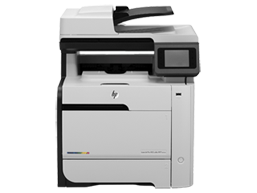
HP LaserJet Pro M475dw
Recommended downloads
Windows 10 (64-bit), Windows 7 (64-bit): HP LaserJet Pro 300/400 color M375/M475 Series Full Software and DriversVersion 15.0.16079.1402 · Released Mar 08, 2021 · 140.0 MB · HP rating: Recommended
HP lists its Universal Print Driver for this series on Windows 7, Windows 11 and Windows 10. Get it from our HP Universal Print Driver page.
Installing the LaserJet Pro 400 color MFP M475 driver
The driver files without an installer are added through Windows’ Add Printer wizard (Have Disk). For step-by-step instructions, see our guide to installing an HP printer driver.
Firmware update 20150126
The newest firmware HP lists for the LaserJet Pro 400 color MFP M475 is version 20150126, released Feb 26, 2015. HP’s notes for it: Fixed a potential vulnerability issue (CVE-2014-3566) also known as the POODLE SSL v3.0 vulnerability; Fixes an issue the printer may not print where fonts are greater than 72pt; Fixes an issue that could cause loss of network connectivity on wireless networks with multiple access points having the same SSID.
Check your current firmware version first on the printer’s Configuration Page, and update only if it is older.
Install the printer driver before running the update. HP’s utility needs it to reach the printer.
Specifications that matter for setup
Print languages
HP PCL 6, HP PCL 5c, HP postscript level 3 emulation
Functions
Print, copy, scan, fax
Print speed (black)
Normal: Up to 21 ppm
Recommended monthly volume
1000 to 2500
Two-sided printing
Automatic (standard)
Scanner
Flatbed, ADF
Scan resolution
Up to 300 dpi (color and mono, ADF); Up to 600 dpi (color, flatbed); Up to 1200 dpi (mono, flatbed)
Last checked against HP’s download list: October 30, 2026 · Checked by H&G
Looking for the HP LaserJet Pro MFP M521dw driver? This page lists HP’s official software for the whole HP LaserJet Pro MFP M521 series: the LaserJet Pro MFP M521dn and LaserJet Pro MFP M521dw. HP lists some packages for specific models in the series, so check that the package title includes your model. For Windows 10 (64-bit) and Windows 7 (64-bit), the package most people need is the HP LaserJet Pro MFP M521 Series Full Software and Drivers. For Windows 11, HP lists the HP Universal Print Driver for Windows PCL6 (64-bit). For a Mac, HP lists Install HP Easy Start.
HP LaserJet Pro MFP M521dw
Recommended downloads
Windows 10 (64-bit), Windows 7 (64-bit): HP LaserJet Pro MFP M521 Series Full Software and DriversVersion 15.0.15330.477 · Released Mar 04, 2021 · 151.8 MB · HP rating: Recommended
HP lists its Universal Print Driver for this series on Windows 7, Windows 11 and Windows 10. Get it from our HP Universal Print Driver page.
Installing the LaserJet Pro MFP M521 driver
The driver files without an installer are added through Windows’ Add Printer wizard (Have Disk). For step-by-step instructions, see our guide to installing an HP printer driver.
Firmware update 20220414
The newest firmware HP lists for the LaserJet Pro MFP M521 is version 20220414, released Jun 16, 2022. HP’s notes for it: Network stack update; Supplies related fixes.
Check your current firmware version first on the printer’s Configuration Page, and update only if it is older.
Install the printer driver before running the update. HP’s utility needs it to reach the printer.
Specifications that matter for setup
Print languages
HP PCL 6, HP PCL 5, HP postscript level 3 emulation, PCLm
Functions
Print, copy, scan, fax
Print speed (black)
Normal: Up to 42 ppm
Recommended monthly volume
2000 to 6000
Two-sided printing
Automatic (standard)
Scanner
Flatbed, ADF
Scan resolution
Up to 300, 600, 1200 dpi
Two-sided ADF scanning
Yes
Document feeder
Standard, 50 sheets
Ways to scan
From PC: Solution Center Lite (Windows Vista, Windows XP) or Device Stage (Windows 7, 8); TWAIN-compliant or WIA-compliant software
Copy speed
Black: Up to 42 ppm Color: First Copy Out and Copy Speed measured using ISO/IEC 29183, excludes first set of test documents.
Common setup problems
An older driver is still installed. HP’s 2021 packages fixed a security vulnerability, so replace older versions with the current package.
Looking for the HP LaserJet Pro M435nw driver? This page lists HP’s official software for the whole HP LaserJet Pro M435 Multifunction Printer series. HP lists some packages for specific models in the series, so check that the package title includes your model. For Windows 10, 8.1, 8, 7, Vista (32-bit and 64-bit); Windows XP (32-bit), the package most people need is the HP LaserJet Pro M435 Multifunction Printer Series Full Software and Drivers.
Last checked against HP’s download list: November 12, 2026 · Checked by H&G
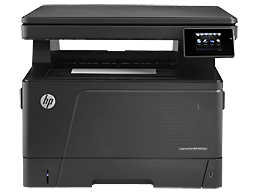
HP LaserJet Pro M435nw
Recommended downloads
Windows 10, 8.1, 8, 7, Vista (32-bit and 64-bit); Windows XP (32-bit): HP LaserJet Pro M435 Multifunction Printer Series Full Software and DriversVersion 8.0.17344.977 · Released Mar 04, 2021 · 107.0 MB · HP rating: Recommended
Files download directly from HP’s official servers. hpdrivers.net does not host or modify them.
Which Windows package should you choose?
HP publishes 5 kinds of Windows package for the LaserJet Pro M435 Multifunction:
Driver-only installer (v8.0.17344.977, Mar 04, 2021): print driver only, for PCs that can’t or shouldn’t take the full package.
Full software solution (v8.0.17344.977, Mar 04, 2021, 107.0 MB): driver plus HP’s setup wizard and tools.
Firmware update (v20220414, May 18, 2022): updates the printer itself, not your PC.
HP Universal Print Driver (v6.4.1.22169, Mar 28, 2017): HP’s shared driver for many models, also listed for this series.
Driver files (no installer) (v61.145.02.15674, Apr 05, 2021): bare driver files for Windows’ Add Printer wizard.
All downloads for the LaserJet Pro M435 Multifunction
HP’s download list for this series includes Windows 10, 8.1, 8, 7, Vista (32-bit and 64-bit); Windows XP (32-bit) packages. It does not list separate Windows 11 packages.
Windows
Package / Windows
Version
Released
Size
HP LaserJet Pro M435 Multifunction Printer Series PCL6 Print Driver
Windows: 10, 8.1, 8, 7, Vista (32-bit and 64-bit) XP (32-bit)
HP lists its Universal Print Driver for this series on Windows 10, 8.1, 8, 7, Vista (32-bit and 64-bit); Windows XP (32-bit). Get it from our HP Universal Print Driver page.
Linux
HP lists Linux support for this series through its HPLIP project, outside the regular download list: HP’s Linux printing page (HPLIP).
Installing the LaserJet Pro M435 Multifunction driver
The driver files without an installer are added through Windows’ Add Printer wizard (Have Disk). For step-by-step instructions, see our guide to installing an HP printer driver.
Firmware update 20220414
The newest firmware HP lists for the LaserJet Pro M435 Multifunction is version 20220414, released May 18, 2022. HP’s notes for it: Network stack update; Supplies related fixes.
Check your current firmware version first on the printer’s Configuration Page, and update only if it is older.
Install the printer driver before running the update. HP’s utility needs it to reach the printer.
Specifications that matter for setup
Connections
1 Hi-Speed USB 2.0 Device; 1 Hi-Speed USB 2.0 Host; 1 Fast Ethernet 10/100Base-TX; 1 Wireless 802.11b/g/n
Wi-Fi
Yes, built-in WiFi 802.11b/g/n
Mobile printing
HP ePrint; Apple AirPrint™; Mopria™-certified; Wireless Direct Printing; Mobile Apps May require a firmware upgrade to be compatible, download at hp.com/go/support
Print languages
HP PCL 6, HP PCL 5, HP postscript level 3 emulation, PCLm
Functions
Print, Copy, Scan
Recommended monthly volume
4000 to 8000
Two-sided printing
Manual (driver support provided)
Scanner
Flatbed
Scan resolution
Up to 1200 x 1200 dpi (monochrome/color, flatbed)
Two-sided ADF scanning
No
Scan file formats
PDF, JPEG, PNG
Ways to scan
Front-panel scan, copy buttons; HP Scan software; and user application via TWAIN
Ink supplies HP lists for the LaserJet Pro M435 Multifunction
HP’s specifications name these replacement supplies for the LaserJet Pro M435 Multifunction:
HP LaserJet Black Cartridge (12
000 pages
What comes in the box
HP lists these items with the LaserJet Pro M435 Multifunction:
HP LaserJet Pro M435nw
HP Black LaserJet Cartridge (~12000 pages)
Installation guide
Support flyer
Warranty Card
Power cord
USB cable
Paper handling and hardware details
Values below are HP’s published figures for the LaserJet Pro M435 Multifunction; they help you check that this page matches your printer before you download anything.
Paper input tray
100-sheet multipurpose tray, 250-sheet input tray
Output tray
250-sheet output bin
Optional trays
Optional 500-sheet input tray, optional Automatic duplexer for two-sided printing