Independent download guide for HP printer and scanner drivers
hpdrivers.net is an independent website and is not affiliated with, endorsed by, or sponsored by HP Inc. Download links point to HP's official servers (ftp.hp.com). Read the full disclaimer
Last checked against HP’s download list: November 5, 2026 · Checked by H&G
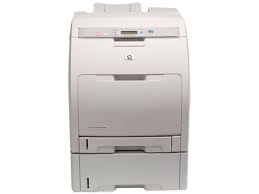
Looking for the HP Color LaserJet 3000dtn driver? This page lists HP’s official software for the whole HP Color LaserJet 3000 Printer series: the Color LaserJet 3000, Color LaserJet 3000n, Color LaserJet 3000dn and Color LaserJet 3000dtn. HP lists some packages for specific models in the series, so check that the package title includes your model. For Windows 10, 8.1, 8 (64-bit), the package most people need is the HP LaserJet USB (DOT4) communication driver for Windows 8 and Higher (64-bit). For Windows 11, HP lists the HP Universal Print Driver for Windows PCL6 (64-bit).
HP Color LaserJet 3000dtn
Recommended downloads
Windows 10, 8.1, 8 (64-bit): HP LaserJet USB (DOT4) communication driver for Windows 8 and Higher (64-bit)Version 7.0.0.29 · Released Apr 21, 2015 · 1.5 MB
HP lists its Universal Print Driver for this series on Windows 11; Windows 10, 8.1, 8, 7 (32-bit and 64-bit). Get it from our HP Universal Print Driver page.
Linux
HP lists a Linux driver for this series: HP Color LaserJet 3000 Printer Firmware (Includes Code Signing) – All Operating Systems – (Must Read README Before Installing) (Version 46.080.2 · Released Dec 18, 2014 · 19.7 MB). Download from HP.
The newest firmware HP lists for the Color LaserJet 3000 is version 1.1, released Nov 01, 2006.
Check your current firmware version first on the printer’s Configuration Page, and update only if it is older.
Specifications that matter for setup
Print languages
HP PCL 6, HP PCL 5c, HP PostScript Level 3 emulation, direct PDF printing v1.4 (with 128 MB or more memory)
Print speed (black)
Normal: Up to 30 ppm
Recommended monthly volume
1500 to 5000
Two-sided printing
Manual (driver support provided)
Paper handling and hardware details
Values below are HP’s published figures for the Color LaserJet 3000; they help you check that this page matches your printer before you download anything.
Output tray
250-sheet top output bin
Paper sizes
Letter, legal, 8.5 x 13 in, statement, executive, envelopes (No. 10, Monarch)
Last checked against HP’s download list: November 3, 2026 · Checked by H&G
Looking for the HP OfficeJet Pro 9110b driver? This page lists HP’s official software for the whole HP OfficeJet Pro 9110b Printer series: the OfficeJet Pro 9117b and OfficeJet Pro 9110b. HP lists some packages for specific models in the series, so check that the package title includes your model. For Windows 11 and Windows 10 (64-bit), the package most people need is the HP OfficeJet Pro 9110b Driver Installation Software – Includes Print drivers..
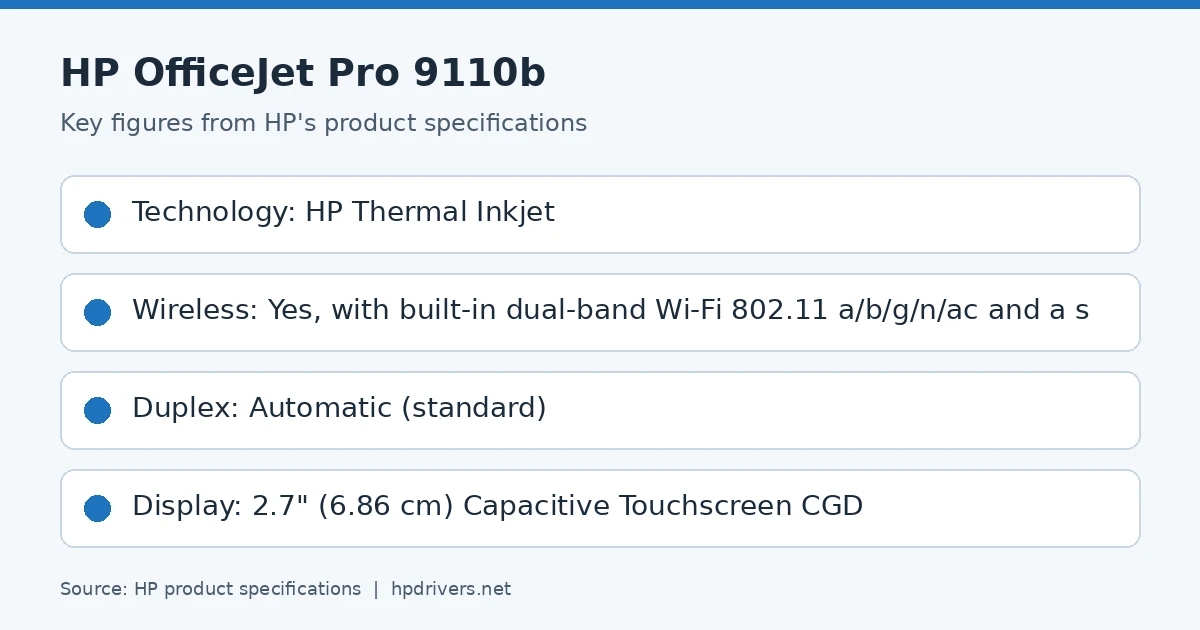
HP product specifications card
Recommended downloads
Windows 11, Windows 10 (64-bit): HP OfficeJet Pro 9110b Driver Installation Software – Includes Print drivers.Version 58.2.1917 · Released Nov 13, 2023 · 526.9 MB · HP rating: Recommended
The newest firmware HP lists for the OfficeJet Pro 9110b is version 6.23.5.36, released Jul 07, 2026. HP’s notes for it: Security fixes; General enhancements and bug fixes.
Keep the printer and the computer switched on until the update has finished.
Specifications that matter for setup
Connections
1 Ethernet; 1 Hi-Speed USB 2.0 (device); 1 Hi-Speed USB 2.0 (host); 1 Wi-Fi 802.11 a/b/g/n/ac (dual band)
Wi-Fi
Yes, with built-in dual-band Wi-Fi 802.11 a/b/g/n/ac and a self-heal solution
Mobile printing
Apple AirPrint™; Wi-Fi® Direct Printing; Mopria™ certified
Print languages
HP PCL6, PCL5, native PDF, HP Postscript
Print speed (black)
ISO Laser comparable, Professional Mode: Up to 22 ppm,General Office Mode: Up to 32 ppm
Recommended monthly volume
Up to 1500
Two-sided printing
Automatic (standard)
Ink supplies HP lists for the OfficeJet Pro 9110b
HP’s specifications name these replacement supplies for the OfficeJet Pro 9110b:
HP 936 Black Original Ink Cartridge (~1
250 pages) 4S6V2LN
HP 936 Cyan Original Ink Cartridge (~800 pages) 4S6U9LN
HP 936 Magenta Original Ink Cartridge (~800 pages) 4S6V0LN
HP 936 Yellow Original Ink Cartridge (~800 pages) 4S6V1LN
HP EvoMore planned to be available April 2024: HP 936e EvoMore Black Original Ink Cartridge (~2
500 pages) 4S6V6LN
HP 936e EvoMore Cyan Original Ink Cartridge (~1
What comes in the box
HP lists these items with the OfficeJet Pro 9110b:
NA: HP OfficeJet Pro 9110b Printer
HP 936 Setup Black Ink Cartridge
HP 936 Setup Cyan Ink Cartridge
HP 936 Setup Magenta Ink Cartridge
HP 936 Setup Yellow Ink Cartridge
Regulatory Flyer
Ink Caution Flyer
Power Cord
Setup Poster
EU/AP Developed Market: HP OfficeJet Pro 9110b Printer
Paper handling and hardware details
Values below are HP’s published figures for the OfficeJet Pro 9110b; they help you check that this page matches your printer before you download anything.
Paper input tray
250-sheet input tray
Output tray
60-sheet output tray
Paper sizes
Letter; Legal; Government Legal; Executive; Statement; 3 x 5 in; 4 x 6 in; 5 x 7 in; 13 x 18 cm; 8 x 10 in; 10 x 15 cm; L; Photo 2L; Envelope( #10, Monarch
Media types
Plain Paper, HP Photo Papers, HP Matte Brochure or Professional Paper, HP Matte Presentation Paper, HP Glossy Brochure or Professional Paper, Other Photo Inkjet Papers, Other Matte Inkjet Papers
Paper weight
16 to 28 lb (plain paper); 60 to 75 lb (photo); 20 to 24 lb (envelope); 90 to 110 lb (card)
Print speed (color)
ISO Laser comparable, Professional Mode: Up to 18 ppm,General Office Mode: Up to 32 ppm
Print quality (black)
Black: 1200 x 1200 rendered dpi Color: Up to 4800 x 1200 optimized dpi on HP Advance Photo Paper 1200 x 1200 dpi input
Print quality (color)
Up to 4800 x 1200 optimized dpi on HP Advance Photo Paper 1200 x 1200 dpi input
Control panel
2.7" (6.86 cm) Capacitive Touchscreen CGD
Processor
1.2GHz
Size (W x D x H)
17.28 x 13.48 x 7.7 in (Minimum Storage Mode)
Weight
~13.56 lb
USB cable
Yes, USB (AP – EM); No, please purchase USB separately (NA, EMEA, LAR, AP – DM(AU, NZ, SG, HK, TW)
Looking for an HP LaserJet Managed E60165 driver download? This page lists HP’s official software for the HP LaserJet Managed E60165dn. For Windows 11, Windows 10, 8.1, 8, 7 (32-bit and 64-bit), the package most people need is the HP LaserJet Managed E60155/E60165/E60175 series Full Software Solution. For a Mac, HP lists Install HP Easy Start.
Last checked against HP’s download list: November 17, 2026 · Checked by H&G
LaserJet Managed E60165
Recommended downloads
Windows 11, Windows 10, 8.1, 8, 7 (32-bit and 64-bit): HP LaserJet Managed E60155/E60165/E60175 series Full Software SolutionVersion 49.10.4644 · Released Nov 11, 2021 · 76.7 MB · HP rating: Recommended
Files download directly from HP’s official servers. hpdrivers.net does not host or modify them.
Which Windows package should you choose?
HP publishes 4 kinds of Windows package for the LaserJet Managed E60165:
Firmware update (v2510156_069212, Aug 29, 2026): updates the printer itself, not your PC.
Driver files (no installer) (v49.10.4644, Nov 11, 2021): bare driver files for Windows’ Add Printer wizard.
Full software solution (v49.10.4644, Nov 11, 2021, 76.7 MB): driver plus HP’s setup wizard and tools.
HP Universal Print Driver (v8.2.0.26778, Sep 26, 2026): HP’s shared driver for many models, also listed for this series.
All downloads for the LaserJet Managed E60165
Each LaserJet Managed E60165 driver download below links straight to the file on HP’s servers; HP’s own support page for this series lists the same files.
Windows
Package / Windows
Version
Released
Size
FutureSmart Bundle Version 5.10.0.7 – HP LaserJet Managed E60155/65/75 Series Printer FIRMWARE
HP lists its Universal Print Driver for this series on Windows 11, Windows 10, 8.1, 8, 7 (32-bit and 64-bit). Get it from our HP Universal Print Driver page.
Linux
HP lists Linux support for this series through its HPLIP project, outside the regular download list: HP’s Linux printing page (HPLIP).
Installing the LaserJet Managed E60165 driver
Once the LaserJet Managed E60165 driver download from the table above is complete, follow these steps.
Download the Full Software Solution (or the PCL 6 driver without installer if IT adds printers through Windows or a print server).
Connect the printer to the network and note its IP address from the control panel.
Run the package and choose the printer by its IP address or host name.
Update the firmware only after reading HP’s notes on this page, and keep the printer on until it restarts.
The driver files without an installer are added through Windows’ Add Printer wizard (Have Disk). For step-by-step instructions, see our guide to installing an HP printer driver.
Firmware update 2411226_066578
The newest firmware HP lists for the LaserJet Managed E60165 is version 2411226_066578, released Feb 02, 2023.
Keep the printer and the computer switched on until the update has finished.
Specifications that matter for setup
Connections
1 Hi-Speed Device USB 2.0; 2 Hi-Speed USB 2.0 Host; 1 Gigabit Ethernet; 1 Hardware Integration Pocket
Wi-Fi
Optional, enabled with purchase of a wireless hardware accessory. Single band Wireless Station and Wi-Fi Direct functionality available with HP Jetdirect 3000w NFC/Wireless Accessory J8030A
Mobile printing
HP ePrint; Apple AirPrint™; Google Cloud Print™; Mopria™ Certified
Print languages
HP PCL 6, HP PCL 5, HP PostScript level 3 emulation, native PDF printing (v 1.7), Apple AirPrint™
Recommended monthly volume
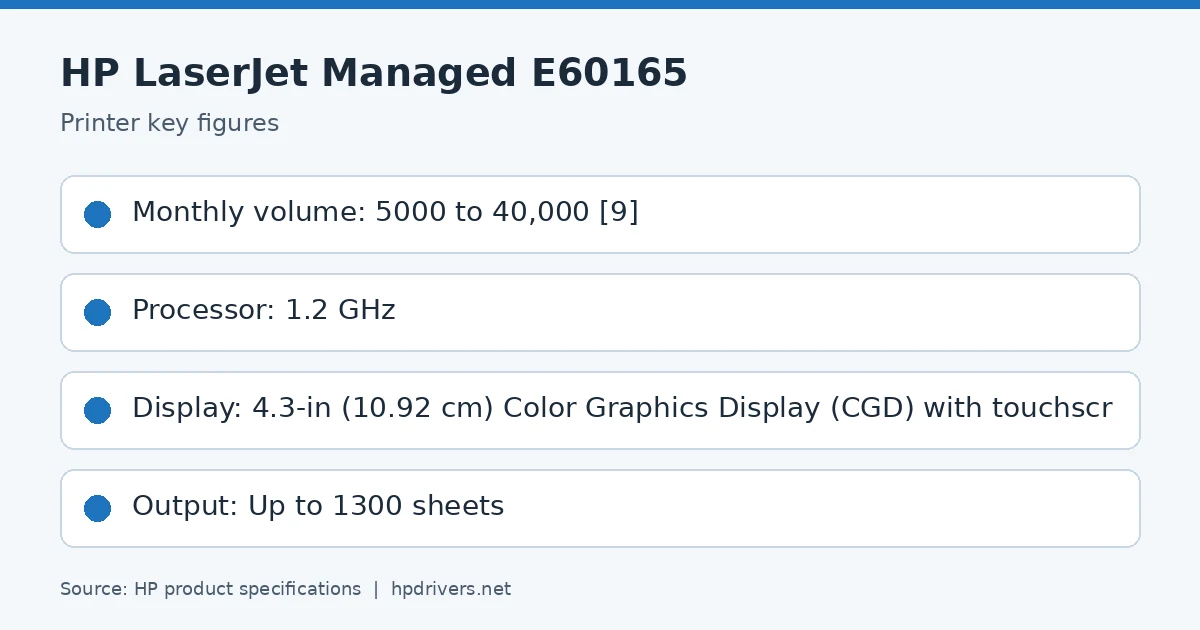
5000 to 40,000
Two-sided printing
Automatic (standard)
Toner supplies HP lists for the LaserJet Managed E60165
HP’s specifications name these replacement supplies for the LaserJet Managed E60165:
HP Black Managed LaserJet Toner (50
What comes in the box
HP lists these items with the LaserJet Managed E60165:
HP Color LaserJet Printer
HP Original LaserJet Toner Cartridge (toner cartridge installed)
Documentation (Hardware Install Guide)
Power cord
Fixed-Size Cassette Guides
Paper handling and hardware details
Values below are HP’s published figures for the LaserJet Managed E60165; they help you check that this page matches your printer before you download anything.
Optional 550-sheet paper feeder, optional 75 sheet envelope feeder, optional high-capacity 2100 sheet paper feeder and stand, Optional pedestal
Media types
Paper (plain, light, bond, recycled, heavy, extra heavy, cardstock, pre-printed, pre-punched, colored, rough, heavy rough), mono transparency, labels, letterhead, envelope, heavy envelope
Print quality (black)
Black: Up to 1200 x 1200 dpi
Control panel
4.3-in (10.92 cm) Color Graphics Display (CGD) with touchscreen; rotating (adjustable angle) display; Home button
Processor
1.2 GHz
USB cable
No, please purchase (USB) cable separately
Warranty
One-year, next-business day, onsite warranty
Common setup problems
You’d rather not install software on a Mac. HP’s specifications list AirPrint support, so macOS can usually add the printer from System Settings without extra software.
LaserJet Managed E60165: speed, volume and controller
The recommended monthly volume is 5000 to 40,000 pages.
Inside, it has a 1.2 GHz processor, the display: 4.3-in (10.92 cm) Color Graphics Display (CGD) with touchscreen.
Based on HP’s product specifications for this series.
Paper handling, connections and supplies of the LaserJet Managed E60165
Standard input is 100-sheet multipurpose feeder, 550-sheet input feeder; HP lists these input options: Optional 550-sheet paper feeder, optional 75 sheet envelope feeder, optional high-capacity 2100 sheet paper feeder and stand, Optional pedestal; output is 500 sheet output bin; the maximum output capacity is up to 1300 sheets.
Standard connections are 1 Hi-Speed Device USB 2.0; 2 Hi-Speed USB 2.0 Host; 1 Gigabit Ethernet; 1 Hardware Integration Pocket; optional accessories are HP Jetdirect 2900nw Print Server J8031A, HP Jetdirect 3000w NFC/Wireless Accessory J8030A, HP Jetdirect 3100w BLE/NFC/Wireless Accessory 3JN69A; wireless: optional, enabled with purchase of a wireless hardware accessory.
Supplies: HP Black Managed LaserJet Toner (50,000 yield) W9004MC.
Based on HP’s product specifications for this series.
E60165dn: the 65 ppm model
HP’s guide places the E60165dn in the middle of its three speeds: 61 pages per minute on A4 and 65 on Letter, against 52 and 55 for the E60155dn and 71 and 75 for the E60175dn. The three are product numbers 3GY09A, 3GY10A and 3GY12A in that order. The E60165 is rated for 5,000 to 40,000 pages a month and has a 4.3-inch color touchscreen that tilts to a comfortable angle.
Based on HP user guide HP LaserJet Managed E60155, E60165, E60175 User Guide (“2019 edition”).
Based on HP’s product specifications for this series.
Size and options of the E60165dn
Closed, the printer is 431 mm wide, 466 mm deep and 357 mm high and weighs 20.6 kg with toner; with the covers and duplexer open it reaches 1,040 mm deep and 433 mm high. Options in HP’s guide are a 1 x 550-sheet feeder (5.7 kg), a 2,100-sheet high-capacity feeder with stand and a 5-bin mailbox with stapler. Easy-access USB printing is included, so a file on a flash drive prints without a computer.
Based on HP user guide HP LaserJet Managed E60155, E60165, E60175 User Guide (“2019 edition”).
Similar models
This page is the LaserJet Managed E60165 driver download page for this model only. The LaserJet Managed E60155 and the E60175 have their own pages.