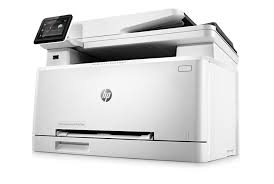
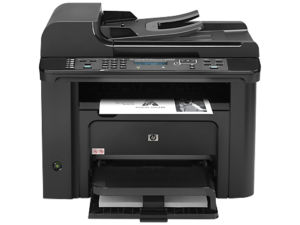
Looking for the HP LaserJet Pro CM1415 driver? This page lists HP’s official software for the whole HP LaserJet Pro CM1415 Color Multifunction Printer series: the LaserJet Pro CM1415fn Color Multifunction and LaserJet Pro CM1415fnw Color Multifunction. HP lists some packages for specific models in the series, so check that the package title includes your model. For Windows 10, 8.1, 8, 7, Vista (32-bit and 64-bit); Windows XP (32-bit), the package most people need is the HP LaserJet Pro CM1415 Color Multifunction Printer Full software and Drivers. For a Mac, HP lists Install HP Easy Start.

Recommended downloads
Files download directly from HP’s official servers. hpdrivers.net does not host or modify them.
Models covered by this page
All 2 models share one download list at HP:
HP LaserJet Pro CM1415fn Color Multifunction HP LaserJet Pro CM1415fnw Color Multifunction
Which Windows package should you choose?
HP publishes 5 kinds of Windows package for the LaserJet Pro CM1415 Color Multifunction:
- Driver-only installer (v15.0.16078.269, Mar 08, 2021): print driver only, for PCs that can’t or shouldn’t take the full package.
- Driver files (no installer) (v61.103.10.8726, Apr 08, 2021): bare driver files for Windows’ Add Printer wizard.
- Full software solution (v15.0.22049.101, Apr 11, 2022, 153.8 MB): driver plus HP’s setup wizard and tools.
- Firmware update (v20140616, Aug 06, 2014): updates the printer itself, not your PC.
- HP Universal Print Driver (v1.0.246, Apr 17, 2015): HP’s shared driver for many models, also listed for this series.
All downloads for the LaserJet Pro CM1415 Color Multifunction
HP’s download list for this series includes Windows 10, 8.1, 8, 7, Vista (32-bit and 64-bit); Windows XP (32-bit) packages. It does not list separate Windows 11 packages.
Windows
XP (32-bit)
File details
File:LJProCM1415_driver_installer_16078.exeXP (32-bit)
File details
File:LJProCM1415_driver_installer_16077_1.exeXP (32-bit)
File details
File:LJProCM1415_full_solution_22049.exeXP (32-bit)
File details
File:CM1410_MFP_Series_FW_Update-20140616.exemacOS
File details
File:HP-LaserJet-SW-OSX-Mavericks_v12.34.60.dmgFile details
File:CM1410_MFP_Series_FW_Update-20140616.dmgOther HP software listed for this series
Windows XP (32-bit)
HP Universal Print Driver
HP lists its Universal Print Driver for this series on Windows 8.1, 8, 7, Vista (32-bit and 64-bit); Windows XP (32-bit). Get it from our HP Universal Print Driver page.
Linux
HP lists Linux support for this series through its HPLIP project, outside the regular download list: HP’s Linux printing page (HPLIP).
Installing the LaserJet Pro CM1415 Color Multifunction driver
The driver files without an installer are added through Windows’ Add Printer wizard (Have Disk). For step-by-step instructions, see our guide to installing an HP printer driver.
Firmware update 20140616
The newest firmware HP lists for the LaserJet Pro CM1415 Color Multifunction is version 20140616, released Aug 06, 2014. HP’s notes for it: Improved network stability to avoid printer crash when handling certain types of WS-Discovery messages; Added DHCP option 60 which will show the Vendor Class Identifier as "Hewlett-Packard LaserJet"; Retrieval of Web Services information typically happens at boot up and may fail due to network/internet connection issues.
- Keep the printer and the computer switched on until the update has finished.
Specifications that matter for setup
Ink supplies HP lists for the LaserJet Pro CM1415 Color Multifunction
HP’s specifications name these replacement supplies for the LaserJet Pro CM1415 Color Multifunction:
- HP 128A Black LaserJet Print Cartridge (~2000 pages)
- HP 128A Cyan LaserJet Print Cartridge (~1300 pages)
- HP 128A Yellow LaserJet Print Cartridge (~1300 pages)
Paper handling and hardware details
Values below are HP’s published figures for the LaserJet Pro CM1415 Color Multifunction; they help you check that this page matches your printer before you download anything.
Common setup problems
- An older driver is still installed. HP’s 2021/2022 packages fixed a security vulnerability, so replace older versions with the current package.
- You’d rather not install software on a Mac. HP’s specifications list AirPrint support, so macOS can usually add the printer from System Settings without extra software.