hpdrivers.net is an independent website and is not affiliated with, endorsed by, or sponsored by HP Inc. Download links point to HP's official servers (ftp.hp.com). Read the full disclaimer

HP LaserJet Pro M104 Drivers

Last checked against HP’s download list: November 8, 2026 · Checked by H&G

Looking for the HP LaserJet Pro M104 driver? This page lists HP’s official software for the whole HP LaserJet Pro M104 Printer series: the LaserJet Pro M104a and LaserJet Pro M104w. HP lists some packages for specific models in the series, so check that the package title includes your model. For Windows 11; Windows 10, 8.1, 8, 7 (32-bit and 64-bit), the package most people need is the HP LaserJet Pro M102a/M104a Printer Full Feature Software and Drivers. For a Mac, HP lists Install HP Easy Start.
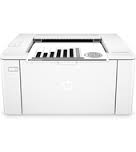
HP LaserJet Pro M104 printer
HP LaserJet Pro M104

Recommended downloads

Windows 11; Windows 10, 8.1, 8, 7 (32-bit and 64-bit): HP LaserJet Pro M102a/M104a Printer Full Feature Software and DriversVersion 44.11.2779 · Released Feb 24, 2023 · 119.7 MB · HP rating: Recommended
Download
macOS 26, 15, 14: Install HP Easy StartVersion 2.16.7.260722 · Released Aug 14, 2026 · 6.3 MB
Download

Files download directly from HP’s official servers. hpdrivers.net does not host or modify them.

Models covered by this page

All 2 models share one download list at HP:

HP LaserJet Pro M104a HP LaserJet Pro M104w

Which Windows package should you choose?

HP publishes 3 kinds of Windows package for the LaserJet Pro M104:

  • Full software solution (v44.11.2779, Feb 24, 2023, 119.7 MB): driver plus HP’s setup wizard and tools.
  • Driver-only installer (v44.11.2779, Feb 24, 2023): print driver only, for PCs that can’t or shouldn’t take the full package.
  • Firmware update (v20220414, Apr 29, 2022): updates the printer itself, not your PC.

All downloads for the LaserJet Pro M104

Windows

Package / Windows
Version
Released
Size
HP LaserJet Pro M102a/M104a Printer Full Feature Software and Drivers
Windows: 11
10, 8.1, 8, 7 (32-bit and 64-bit)
File detailsFile: Full_Webpack-44.11.2779-LJM101-M106_U_Full_Webpack.exe
44.11.2779
Feb 24, 2023
119.7 MB
HP LaserJet Pro M102w/M104w and Ultra M106w Printer Full Feature Software and Drivers
Windows: 11
10, 8.1, 8, 7 (32-bit and 64-bit)
File detailsFile: Full_Webpack-44.11.2779-LJM101-M106_UWL_Full_Webpack.exe
44.11.2779
Feb 24, 2023
119.7 MB
HP LaserJet Pro M102w/M104w and Ultra M106w Printer Basic Driver
Windows: 11
10, 8.1, 8, 7 (64-bit)
File detailsFile: Basic_Webpack_x64-44.11.2779-LJM101-M106_UWL_Basicx64_Webpack.exe
44.11.2779
Feb 24, 2023
45.4 MB
HP LaserJet Pro M102a/M104a Printer Basic Driver
Windows: 11
10, 8.1, 8, 7 (64-bit)
File detailsFile: Basic_Webpack_x64-44.11.2779-LJM101-M106_U_Basicx64_Webpack.exe
44.11.2779
Feb 24, 2023
45.4 MB
HP LaserJet Pro M102w/M104w and Ultra M106w Printer Basic Driver
Windows: 10, 8.1, 8, 7, Vista, XP (32-bit)
File detailsFile: Basic_Webpack_x86-44.11.2779-LJM101-M106_UWL_Basicx86_Webpack.exe
44.11.2779
Feb 24, 2023
41.9 MB
HP LaserJet Pro M102a/M104a Printer Basic Driver
Windows: 10, 8.1, 8, 7, Vista, XP (32-bit)
File detailsFile: Basic_Webpack_x86-44.11.2779-LJM101-M106_U_Basicx86_Webpack.exe
44.11.2779
Feb 24, 2023
41.9 MB
HP LaserJet Pro M102 M104 M106 Series Firmware Update Utility
Windows: 10, 8.1, 8, 7, Vista (32-bit and 64-bit)
XP (32-bit)
File detailsFile: HP_LaserJet_M102_M103_M104_M106fw_20220414.exe
20220414
Apr 29, 2022
10.0 MB

macOS

Package / macOS
Version
Released
Size
HP LaserJet Pro M102 M104 M106 series Firmware Update Utility
macOS: 12, 11, 10.13, 10.12, 10.11, 10.10, 10.15, 10.14, 10.9, 10.8, 10.7, 10.6, 10.5
File detailsFile: HP_LaserJet_M102_M103_M104_M106fw--20220414.dmg
20220414
May 20, 2022
14.1 MB
HP LaserJet Pro M104 Printer series Firmware Update Utility
macOS: 10.13, 10.12, 10.11, 10.10, 10.9, 10.8, 10.7, 10.6, 10.5
File detailsFile: HP_LaserJet_Pro_M104_Printer_Series_20180510.dmg
20180510
May 30, 2018
34.4 MB

Other HP software listed for this series

Software / Systems
Version
Size
HP Easy Start Printer Setup Software (Internet connection required for driver installation)
Systems: Windows 11
Windows 10, 7 (32-bit and 64-bit)
17.6.15
26.5 MB
Install HP app to complete setup and support
Systems: Windows 11
Windows 10 (64-bit)
–
–
HP ePrint Software for Network and Wireless Connected Printers
Systems: Windows 10, 8.1, 8, 7 (32-bit and 64-bit)
5.5.118.22560
26.3 MB
Install HP Smart app to complete setup and support
Systems: Windows 10 (32-bit)
–
–
Install HP Easy Start
Systems: macOS 26, 15, 14
2.16.7.260722
6.3 MB
Install HP app to complete setup and support
Systems: macOS 26, 15, 14, 13, 12, 11
–
–

Linux

HP lists Linux support for this series through its HPLIP project, outside the regular download list: HP’s Linux printing page (HPLIP).

Installing the LaserJet Pro M104 driver

For step-by-step instructions, see our guide to installing an HP printer driver.

Firmware update 20180510

The newest firmware HP lists for the LaserJet Pro M104 is version 20180510, released May 30, 2018.

  • Keep the printer and the computer switched on until the update has finished.

Specifications that matter for setup

Mobile printing
Apple AirPrint™
Print languages
For all C/L products: PCLmS, URF, PWG
Recommended monthly volume
150 to 1,500
Two-sided printing
Manual Duplex

Toner supplies HP lists for the LaserJet Pro M104

HP’s specifications name these replacement supplies for the LaserJet Pro M104:

  • HP 18A Original Black LaserJet Toner Cartridge CF218A(~1400)
  • HP 19A Original LaserJet Imaging Drum CF219A(~12000)

Paper handling and hardware details

Values below are HP’s published figures for the LaserJet Pro M104; they help you check that this page matches your printer before you download anything.

Output tray
100-sheet output tray
Media types
Paper (laser, plain, photo, rough, vellum), envelopes, labels, cardstock, postcards
Print quality (black)
Black: Up to 600 x 600 dpi, HP FastRes 1200 (1200 dpi quality)
Control panel
LED
Processor
600 MHz
Power use
380 watts (active printing), 1.7 watts (ready), 0.5 watts (sleep), 0.5 watts (Auto Off/Wake on USB, enabled at shipment)
Warranty
One-year limited warranty

Common setup problems

  • You’d rather not install software on a Mac. HP’s specifications list AirPrint support, so macOS can usually add the printer from System Settings without extra software.

What the blinking lights on the LaserJet Pro M104a and M104w mean

HP covers the LaserJet Pro M102a, M102w, M104a, M104w and the LaserJet Ultra M106w in one article about the lights on the control panel. The panel has a wireless button with its light, an attention light, a ready light and a resume/cancel button, and HP asks you to match the pattern you see before following any steps.

Wireless light blinks

  • A blinking wireless light means the printer is still setting up a connection, or cannot find a wireless signal or join the network. Once the light stays on steady, the printer is connected and troubleshooting can stop.
  • HP’s first step is to wait a few minutes, because the light also blinks while the printer is trying to reach the router or access point.
  • Causes HP lists: the network connection dropped or the signal is weak; the printer is asleep or in standby; the printer is too far from the router, or too close (HP recommends about 1.0 to 1.5 meters, 3 to 5 feet); a firewall or a VPN blocks the printer from reaching the computer and the network; a nearby device that emits radio signals, such as a microwave or cordless phone, interferes.

Attention light blinks

  • This means the printer is in an error state, and HP then splits the fix by the message on the screen: Front Door Open, Out of Paper, a paper jam, Toner Missing or Drum Missing, Toner Low or Imaging Drum Low, Toner Very Low or Imaging Drum Very Low, HP Protected Toner or Drum Installed, Incompatible Toner or Drum, Unauthorized Toner or Drum, Paper Size Mismatch, and Print on Both Sides Instructions.

Attention and ready lights both on, or both blinking

  • HP treats both lights on as a fatal error and both lights blinking as a hardware error. The fix is the same reset for both: turn the printer off with the power button (if it will not turn off, pull the power cord from the printer), unplug the cord from the power source, wait 60 seconds, plug the cord straight into a wall outlet and into the printer, then turn it on.
  • If the lights come back after the reset, HP sends you to its service step at the end of the article.

All lights off and no response

  • HP says this happens when the printer is turned off or there is a problem with the power supply, and points to its separate article for printers that do not turn on.

Source: HP Support, HP LaserJet Pro, Ultra M102-M106 printers – Blinking lights.

‘Door Open’ error on the LaserJet Pro M104

HP lists a general Door Open article for the M104 series. It applies when the control panel shows Door Open and printing stops. HP gives two tasks, in this order, and says to try the printer after each one.

Steps HP gives

  • Open the cartridge door and look over the door and the area around it for anything in the way. HP notes that scraps of paper, packing material and tape are the usual cause because they stop the door from closing fully.
  • Close the door so that it rests securely against the body of the printer, then check whether the message is gone.
  • If it stays, reset the printer with the same off, unplug, wait 60 seconds, plug into a wall outlet and turn on routine described above.
  • If the message still shows after both tasks, HP’s last step is service or replacement through HP Customer Support, with the warranty status checked on HP’s product warranty page. HP says repair fees might apply outside warranty.

Source: HP Support, HP Printers – ‘Door Open’ error Message.

Fixing ‘Install Black Cartridge’ on the M104

On a mono laser printer such as the M104a or M104w there is only one toner cartridge, so this message is about that cartridge. HP explains that it appears when a black toner cartridge is already in the printer but is not seated, is not genuine, or something prevents the printer from recognizing it.

Order HP uses

  • Use genuine HP toner. HP says it cannot guarantee the quality of non-HP or refilled cartridges, and that the steps in the article might not clear the error if you use them. HP points to its Anti Counterfeiting and Fraud Program page to check a cartridge.
  • Turn the printer off, unplug the cord, open the cartridge door and remove any cardboard, tape or paper debris. Then take out the cartridge and look in the cartridge area for more packing material or paper.
  • Check the cartridge itself for the orange tab and for the protective sealing tape, and pull the tape tab away from the cartridge and throw it away. HP warns that toner on clothing should be wiped off with a dry cloth and washed in cold water, because hot water sets it into the fabric.
  • Rock the cartridge gently from front to back to spread the toner, put it back, close the door, reconnect the cord and turn the printer on.
  • If the message stays, check other places in the printer for jammed paper, since debris there can also trigger the message.
  • Clean the cartridge contact (HP calls it the E-label) at the top left of the cartridge with a lint-free cloth, for example a coffee filter, then refit the cartridge.
  • Reset the printer as above. If nothing works, HP says the cartridge may be defective and should be replaced, and its final step, if the issue persists after everything above, is service or replacement through HP Customer Support.

Source: HP Support, Fix ‘Install Black Cartridge’ errors on HP LaserJet Printers.
HP LaserJet 3055 Drivers (LaserJet 3055 All-in-One Series)

Looking for the HP LaserJet 3055 driver? This page lists HP’s official software for the whole HP LaserJet 3055 All-in-One Printer. For Windows 10, 8.1, 8 (64-bit), the package most people need is the HP LaserJet USB (DOT4) communication driver for Windows 8 and Higher (64-bit). For Windows 11, HP lists the HP Universal Print Driver for Windows PCL6 (64-bit).

Last checked against HP’s download list: November 12, 2026 · Checked by H&G
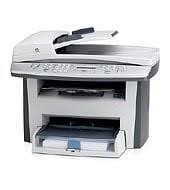
HP LaserJet 3055 printer
HP LaserJet 3055

Recommended downloads

Windows 10, 8.1, 8 (64-bit): HP LaserJet USB (DOT4) communication driver for Windows 8 and Higher (64-bit)Version 7.0.0.29 · Released Apr 21, 2015 · 1.5 MB
Download
Windows 11: HP Universal Print Driver for Windows PCL6 (64-bit)Version 8.2.0.26819 · Released Sep 26, 2026 · 20.2 MB
Download

Files download directly from HP’s official servers. hpdrivers.net does not host or modify them.

Which Windows package should you choose?

HP publishes 3 kinds of Windows package for the LaserJet 3055 All-in-One Printer:

  • HP Universal Print Driver (v8.2.0.26778, Sep 26, 2026): HP’s shared driver for many models, also listed for this series.
  • Firmware update (v20120924, Oct 08, 2012): updates the printer itself, not your PC.
  • HP LaserJet USB (DOT4) communication driver for Windows 8 and Higher (64-bit) (v7.0.0.29, Apr 21, 2015).

All downloads for the LaserJet 3055 All-in-One Printer

Windows

Package / Windows
Version
Released
Size
HP LaserJet 3052/3055 Printer Firmware Update Utility
Windows: 10, 7 (32-bit and 64-bit)
File detailsFile: 3052-55_FW_Update-20120924.exe
20120924
Oct 08, 2012
4.3 MB

macOS

Package / macOS
Version
Released
Size
HP LaserJet 3052/3055 Printer Firmware Update for Linux, Unix, and Mac
macOS: 10.7, 10.6, 10.5
File detailsFile: 3052-55fw_all_20120924.rfu
20120924
Oct 08, 2012
3.9 MB

Other HP software listed for this series

Software / Systems
Version
Size
HP LaserJet USB (DOT4) communication driver for Windows 8 and Higher (32-bit)
Systems: Windows 10, 8.1, 8 (32-bit)
7.0.0.29
1.1 MB
HP LaserJet USB (DOT4) communication driver for Windows 8 and Higher (64-bit)
Systems: Windows 10, 8.1, 8 (64-bit)
7.0.0.29
1.5 MB

HP Universal Print Driver

HP lists its Universal Print Driver for this series on Windows 11; Windows 10, 8.1, 8, 7 (32-bit and 64-bit). Get it from our HP Universal Print Driver page.

Linux

HP lists a Linux driver for this series: HP LaserJet 3052/3055 Printer Firmware Update for Linux, Unix, and Mac (Version 20120924 · Released Oct 08, 2012 · 3.9 MB). Download from HP.

Installing the LaserJet 3055 All-in-One Printer driver

For step-by-step instructions, see our guide to installing an HP printer driver.

Firmware update 20120924

The newest firmware HP lists for the LaserJet 3055 All-in-One Printer is version 20120924, released Oct 08, 2012. HP’s notes for it: Added the "RFU" item to the "Setup Menu" to control remote firmware updates.

  • Check your current firmware version first on the printer’s Configuration Page, and update only if it is older.
  • Install the printer driver before running the update. HP’s utility needs it to reach the printer.

Specifications that matter for setup

Connections
Built in 10/100 Base-T TCP/IP networking with 1 RJ-45 port, Hi-Speed USB 2.0 port, RJ-11 fax port, RJ-11 line-out telephone port
Print languages
HP PCL 6, HP PCL 5, HP postscript level 3 emulation
Functions
Print, copy, scan, fax
Print speed (black)
Normal: Up to 19 ppm
Recommended monthly volume
500 to 2000
Two-sided printing
Manual (driver support provided)
Scanner
Flatbed, ADF
Scan resolution
Up to 1200 dpi
Document feeder
Standard, 50 sheets
Scan file formats
JPEG, TIF, BMP, GIF, PDF, PNG
Ways to scan
Front control panel scan, copy or fax buttons, scanning via HP LaserJet Scan (Windows), HP Director (Macintosh) or TWAIN-compliant or WIA-compliant software

Paper handling and hardware details

Values below are HP’s published figures for the LaserJet 3055 All-in-One Printer; they help you check that this page matches your printer before you download anything.

Paper input tray
250-sheet input tray, 10-sheet priority slot, 50-sheet automatic document feeder
Output tray
100-sheet face-down output bin
Paper sizes
Media input tray and priority slot: letter, legal, envelopes (No. 5 1/2 Baronial through No. 11), index cards, postcards
Media types
Paper (plain, preprinted, prepunched, bond, color, glossy, letterhead, light, heavy, recycled, rough), envelopes, vellum, transparencies, labels, cardstock
Paper weight
Media input tray, priority slot, output bin: 16 to 43 lb; automatic document feeder (ADF): 16 to 24 lb
Print speed (color)
Exact speed varies depending on the system configuration, software program and document complexity
Print quality (black)
Black: Up to 1200 x 1200 dpi
Memory
64 MB
Processor
264 MHz
Power use
Values subject to change
Size (W x D x H)
19.6 x 14.9 x 16 in
Weight
27.4 lb
USB cable
No, please purchase USB cable separately
Warranty
One-year limited warranty

HP Color LaserJet Managed E85055dn Driver Download

HP Color LaserJet Managed E85055dn Printer Software Driver Download for Windows 11/10/8/8.1/7 and Macintosh

HP Color LaserJet Managed E85055dn series Full Software Solution, PCL-6 V4 Driver Moreover HP Easy Start Printer Setup Software

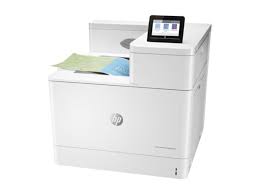
HP Color LaserJet Managed E85055dn Printer

Download HP Color LaserJet Managed E85055 Series Full Software Solution (Recommended)

The full solution software includes everything you need to install your HP printer. in addition to, this collection of software includes the complete set of drivers, installer software, and other administrative tools found on the printer’s software CD. But make sure it is compatible for your operating system

Fix and enhancements: Updated end user license agreement and data collection statement.

Version: 50.2.4593
Relase Date: Nov 22, 2021
File Name : Full_Webpack-50.2.4593-CLE85055_Full_Webpack.exe

Operating systems: Microsoft Windows 10 (32-bit), Microsoft Windows 10 (64-bit), Microsoft Windows 11, Microsoft Windows 7 (32-bit), Microsoft Windows 7 (64-bit), Microsoft Windows 8.1 (32-bit), Microsoft Windows 8.1 (64-bit)

Download

File Size : 77.5Mb

Installation instructions

Firstly, do not connect the USB cable until prompted by the installer. After that, If you are connecting to a network, make sure the network cable is connected before running the installer. Moreover, close any software programs running on your computer. After that, turn on the printer and click on the Download button on this page. Than, click the downloaded file. In this way, the files will be extracted and the installation process will automatically start. Than, follow the on-screen instructions to proceed with and complete the installation. Additionally, to install at a later date, select Save on step 4 and select a location on your hard disk. similarly, when ready to install, locate and double-click the file. This will automatically extract and start the installation process. Finally, follow the on-screen instructions to proceed with the installation.

HP Color LaserJet Managed E85055 Series PCL-6 V4 Printer Driver (no installer)

This solution provides only the PCL 6 driver without an installer. Additionally, to install the print driver use the Add Printer Wizard.

Version: 50.2.4593
Relase Date: Nov 22, 2021
File Name : V4_DriveronlyWebpack-50.2.4593-CLE85055_V4_DriveronlyWebpack.exe

Operating systems: Microsoft Windows 10 (32-bit), Microsoft Windows 10 (64-bit), Microsoft Windows 11, Microsoft Windows 8.1 (32-bit)Microsoft Windows 8.1 (64-bit), Microsoft Windows Server 2019

Download

File Size : 10.06MB

HP Easy Start Printer Setup Software (Internet connection required for driver installation)

HP Easy Start provides guided setup and drivers for your HP printer. Furthermore, installation Software and Driver-Includes print, scan, latest features, and solutions.

Fix and enhancements: Improved user experience. Moreover, performance Optimizations. Additionally, added support for newest printer models.

Operating Systems : Microsoft Windows 11 All Editions, Microsoft Windows 10 (32-bit), Microsoft Windows 10 (64-bit)

Installation Software and Driver-Includes print, scan, latest features, and solutions.

Version : 16.7.5
Release date: Jul 18, 2024
File Name : HPEasyStart_16_7_5.exe

Download

File Size : 17.21Mb

HP Color LaserJet Managed E85055dn Driver for Mac Os

HP Easy Admin is the tool that will help to download the available driver packages locally on system for selected device. However, please check whether it is compatible with your compatible operating system.

Version : 2.12.2.221209
Release date: Oct 31, 2023
File Name : HP_Easy_Admin.app.zip

Operating systems: Mac OS X 10.10, Mac OS X 10.11, Mac OS X 10.12, Mac OS X 10.9, macOS 10.13, macOS 10.14, macOS 10.15, macOS 11, macOS 13, macOS 14

Download

File Size : 3.71Mb

Linux driver for HP Color LaserJet Managed E85055dn has not been released. However, you can download firmware from this site.

For your printer to work smoothly, it is important that its drivers are up to date. For this reason, you should check your driver from time to time. You should also update your driver when any update is available.