hpdrivers.net is an independent website and is not affiliated with, endorsed by, or sponsored by HP Inc. Download links point to HP's official servers (ftp.hp.com). Read the full disclaimer

HP Color LaserJet Managed MFP E47528f Drivers

Last checked against HP’s download list: November 5, 2026 · Checked by H&G

Looking for the HP Color LaserJet Managed MFP E47528f driver? This page lists HP’s official software for the whole HP Color LaserJet Managed MFP E47528 series. For Windows 11; Windows 10, 8.1, 7 (32-bit and 64-bit), the package most people need is the HP Color LaserJet MFP E47528 Printer Full Software Solution.
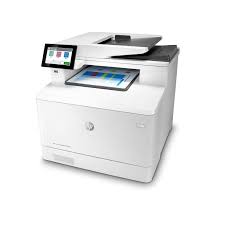
HP Color LaserJet Managed MFP E47528f printer
HP Color LaserJet Managed MFP E47528f

Recommended downloads

Windows 11; Windows 10, 8.1, 7 (32-bit and 64-bit): HP Color LaserJet MFP E47528 Printer Full Software SolutionVersion 52.2.5009 · Released Jul 09, 2024 · 78.2 MB · HP rating: Recommended
Download

Files download directly from HP’s official servers. hpdrivers.net does not host or modify them.

Which Windows package should you choose?

HP publishes 5 kinds of Windows package for the Color LaserJet Managed MFP E47528:

  • Driver files (no installer) (v52.2.5009, Jul 09, 2024): bare driver files for Windows’ Add Printer wizard.
  • Full software solution (v52.2.5009, Jul 09, 2024, 78.2 MB): driver plus HP’s setup wizard and tools.
  • HP Universal Print Driver (v8.2.89, Sep 11, 2026): HP’s shared driver for many models, also listed for this series.
  • Firmware update (v2510156_069171, Aug 28, 2026): updates the printer itself, not your PC.
  • HP Scan and Twain Package for USB (v52.1.5109, Sep 09, 2020): scanning from the computer.

All downloads for the Color LaserJet Managed MFP E47528

Windows

Package / Windows
Version
Released
Size
HP Color LaserJet MFP E47528 series PCL-6 V4 Printer Driver (no installer)
Windows: 11
10, 8.1, 7 (32-bit and 64-bit)
File detailsFile: V4_DriveronlyWebpack-52.2.5009-CLJE47528_V4_DriveronlyWebpack.exe
52.2.5009
Jul 09, 2024
11.6 MB
HP Color LaserJet MFP E47528 Printer Full Software Solution
Windows: 11
10, 8.1, 7 (32-bit and 64-bit)
File detailsFile: Full_Webpack-52.2.5009-CLJE47528_Full_Webpack.exe
52.2.5009
Jul 09, 2024
78.2 MB
HP Color LaserJet MFP E47528 series PCL 6 V3 Printer Driver (no installer)
Windows: 11
10, 8.1, 7 (32-bit and 64-bit)
File detailsFile: V3_DriveronlyWebpack-52.2.5009-CLJE47528_V3_DriveronlyWebpack.exe
52.2.5009
Jul 09, 2024
14.9 MB
FutureSmart Bundle Version 5.10.0.7 – HP Color LaserJet Enterprise E47528 Printer FIRMWARE
Windows: 11
10, 8.1, 8, 7, Vista (32-bit and 64-bit)
XP (32-bit)
File detailsFile: E47528_fs5.10.0.7_fw_2510156_069171.zip
2510156_069171
Aug 28, 2026
405.2 MB

Other HP software listed for this series

Software / Systems
Version
Size
HP Universal Scan – Full Feature Software and Driver (ARM 64)
Systems: Windows 11
63.8.6459
437.0 MB
HP Universal Scan – Full Feature Software and Driver
Systems: Windows 11
Windows 10, 8.1, 7 (32-bit and 64-bit)
63.8.6459
436.2 MB
HP Universal Scan – Basic Feature Software and Driver
Systems: Windows 11
Windows 10, 8.1, 7 (32-bit and 64-bit)
63.8.6459
113.9 MB
HP Universal Scan – Basic Feature Software and Driver (ARM 64)
Systems: Windows 11
63.8.6459
118.7 MB
HP Easy Start Printer Setup Software (Internet connection required for driver installation)
Systems: Windows 11
Windows 10, 7 (32-bit and 64-bit)
17.6.15
26.5 MB
HP Scan OCR Add-on Software
Systems: Windows 11
Windows 10, 8.1, 7 (32-bit and 64-bit)
1.0.1020
224.9 MB
HP Scan and Twain Package for USB
Systems: Windows 10, 8.1, 8, 7 (32-bit and 64-bit)
52.1.5109
16.0 MB
MFP Network Twain Scan Package
Systems: Windows 10, 8.1, 8, 7 (32-bit and 64-bit)
52.1.1193
22.0 MB
HP Easy Start Printer Setup Software
Systems: Windows 8.1, 8 (32-bit and 64-bit)
17.6.15
26.5 MB

HP Universal Print Driver

HP lists its Universal Print Driver for this series on Windows 11; Windows 10, 8.1, 8, 7 (32-bit and 64-bit). Get it from our HP Universal Print Driver page.

Linux

HP lists a Linux driver for this series: FutureSmart Bundle Version 5.10.0.7 – HP Color LaserJet Enterprise E47528 Printer FIRMWARE (Version 2510156_069171 · Released Aug 28, 2026 · 405.2 MB). Download from HP.

Installing the Color LaserJet Managed MFP E47528 driver

The driver files without an installer are added through Windows’ Add Printer wizard (Have Disk). For step-by-step instructions, see our guide to installing an HP printer driver.

Firmware update 2510156_069171

The newest firmware HP lists for the Color LaserJet Managed MFP E47528 is version 2510156_069171, released Aug 28, 2026.

  • Keep the printer and the computer switched on until the update has finished.

Specifications that matter for setup

Connections
2 Hi-Speed USB 2.0 Host; 1 Hi-Speed USB 2.0 Device; 1 Gigabit Ethernet 10/100/1000T network; 1 FAX
Wi-Fi
Optional, enabled with purchase of a wireless hardware accessory. Dual band Wireless Station and Wi-Fi Direct functionality available with HP Jetdirect 3100w BLE/NFC/Wireless Accessory 3JN69A
Mobile printing
HP ePrint; Apple AirPrint™; Mopria™ Certified; Wi-Fi® Direct Printing; NFC Touch-to-print (optional); PrinterOn Print
Print languages
HP PCL 6, HP PCL 5, HP PostScript level 3 emulation, native PDF printing (v 1.7), Apple AirPrint™
Functions
Print, copy, scan, fax
Print speed (black)
Normal: Up to 29 ppm
Recommended monthly volume
1,500 to 7,500
Two-sided printing
Automatic (default)
Scanner
Flatbed, ADF
Scan resolution
up to 600 dpi
Two-sided ADF scanning
Yes, single pass duplex scanning
Document feeder
Standard, 50 sheets
Copy speed
Black: Up to 28 cpm Color: Up to 28 cpm

Toner supplies HP lists for the Color LaserJet Managed MFP E47528

HP’s specifications name these replacement supplies for the Color LaserJet Managed MFP E47528:

  • HP Black Managed Original LaserJet Toner Cartridge (~8600 pages) W9090MC
  • HP Cyan Managed Original LaserJet Toner Cartridge (~6900 pages) W9091MC
  • HP Yellow Managed Original LaserJet Toner Cartridge (~6900 pages) W9092MC

What comes in the box

HP lists these items with the Color LaserJet Managed MFP E47528:

  • HP Color LaserJet Managed MFP E47528f printer
  • HP Black Original LaserJet Toner Cartridge (~2,400 pages)
  • HP Cyan, Magenta, Yellow Original LaserJet Toner Cartridges (~2,100 pages each)
  • Fixed-Size Paper Tray Guides
  • Getting started Guide

Paper handling and hardware details

Values below are HP’s published figures for the Color LaserJet Managed MFP E47528; they help you check that this page matches your printer before you download anything.

Paper input tray
50-sheet multipurpose tray, 250-sheet input tray
Output tray
150-sheet output bin
Optional trays
Optional 550-sheet tray; All trays include fixed-size paper tray guides
Paper sizes
Tray 1: letter, legal, oficio, executive, statement, 4 x 6, 3 x 5, 5 x 7, 5 x 8, postcard (JIS), double postcard (JIS), 8.5 x 13, envelope (commercial No. 9
Media types
Paper (bond, brochure, colored, glossy, letterhead, photo, plain, preprinted, prepunched, recycled, rough), postcards, labels, envelopes
Paper weight
Tray 1: 16 to 47 lb bond (up to 52 lb with HP Color laser glossy photo papers); Tray 2: 16 to 43 lb bond (up to 47 lb with postcards
Print quality (black)
Black: Up to 600 x 600 dpi Color: Up to 600 x 600 dpi
Control panel
4.3” diagonal Color TFT-LCD back-lit 480 RGB (H) x 272 (V)
Memory
2 GB
Processor
800 MHz
Internal storage
Not available
Power use
581 watts (active printing), 21.9 watts (ready), 1.0 watts (sleep), 0.08 watts (auto-off/manual-on)
Size (W x D x H)
16.4 x 18.6 x 15.7 in
Weight
51.2 lbs
USB cable
No, please purchase USB cable separately
Warranty
One-Year, On-site Repair 24-hour / 7 day a week phone support

Image-quality troubleshooting for the E47528 (color)

Unlike the black-and-white M430 family, the E47528 is a color MFP, and HP has a dedicated image-quality guide for it together with the M455, M480 and E45028.

How HP splits the problems

  • Print-quality (PQ) problems come from the print engine and appear on pages printed from the computer.
  • Copy-quality (CQ) problems come from the integrated scanner and appear on copies made from the document feeder or glass.
  • HP says to print the demonstration page first to see whether defects are visible, then follow the print-quality or copy-quality path.

Repeating defects

  • HP’s guide includes a ruler method: measure the distance between repeating marks and match it to a part.
  • Examples from its table: developer roller 22.6 mm, primary charging roller 23.6 mm, secondary transfer roller 50.0 mm, fuser rollers 57.0 mm, photosensitive drum 63.0 mm, and the intermediate transfer belt length 712.0 mm.
  • Check the paper type setting for the job, print the supplies status page, and print a cleaning page from the Maintenance menu before replacing parts.

Source: HP Support, HP Color LaserJet Enterprise M455, MFP M480, Managed E45028, Managed MFP E47528 – Image-quality troubleshooting.

Paper jam codes and the 46.23.50 error on the E47528

Jam codes HP documents for this model

  • 13.B2 (rear door), 13.B4 and 13.B5 (fuser input), 13.B9, 13.A3, 13.B2.D1, 13.B2.D2 and 13.D1/13.D3, plus 13.E1 in the output bin and 31.13 in the document feeder.
  • Each has its own article, listed in the troubleshooting links below, because the steps depend on the code.

46.23.50 / 98.02.02

  • The E47528 is on HP’s list for the 46.23.50 error on FutureSmart 5. Turning the printer off and on clears it, and HP’s fix is FutureSmart Bundle 5.5 or newer.
  • The 98.02.02 event-log entry afterwards is the expected disk-wipe record, not a new fault.

Source: HP Support, 46.23.50 or 98.02.02 error, and the jam-error titles on HP’s E47528 troubleshooting page.

HP manuals and guides for the Color LaserJet Managed MFP E47528

These PDF guides are listed on HP’s Setup and User Guides page for the series. The titles are HP’s own; open one to see which models it covers.

HP troubleshooting articles for the Color LaserJet Managed MFP E47528

HP’s troubleshooting page for this series lists these articles. Some titles name sister models that share the same hardware, so check the model list inside an article before following it.

Paper jams and feeding

Error messages and lights

Print quality

Setup, network and wireless

Cartridges and supplies

Scan, copy and fax

Cleaning and replacing parts

HP LaserJet Enterprise MFP M634dn Drivers

Last checked against HP’s download list: November 5, 2026 · Checked by H&G

Looking for the HP LaserJet Enterprise MFP M634dn driver? This page lists HP’s official software for the whole HP LaserJet Enterprise MFP M634 series: the LaserJet Enterprise MFP M634dn, LaserJet Enterprise Flow MFP M634h and LaserJet Enterprise MFP M634z. HP lists some packages for specific models in the series, so check that the package title includes your model. For Windows 11; Windows 10, 8.1, 8, 7 (32-bit and 64-bit), the package most people need is the HP LaserJet Enterprise MFP M634/M635/M636 series Full Software Solution.

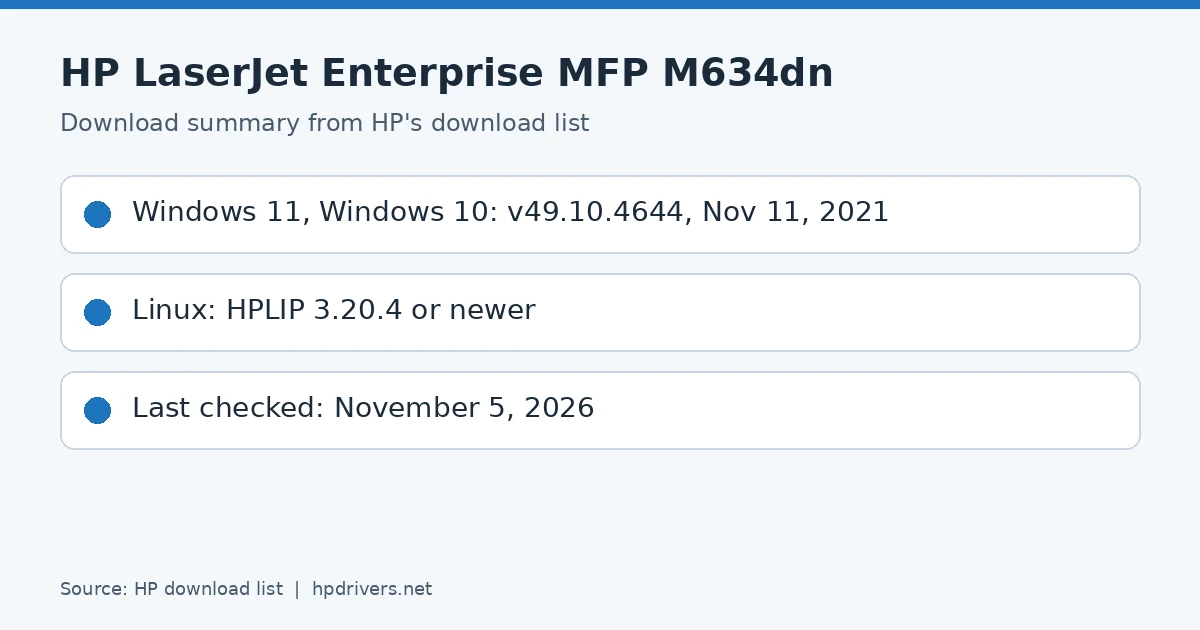
HP LaserJet Enterprise MFP M634dn driver download summary: HP package versions and release dates
HP LaserJet Enterprise MFP M634dn download summary

Recommended downloads

Windows 11; Windows 10, 8.1, 8, 7 (32-bit and 64-bit): HP LaserJet Enterprise MFP M634/M635/M636 series Full Software SolutionVersion 49.10.4644 · Released Nov 11, 2021 · 77.3 MB · HP rating: Recommended
Download

Files download directly from HP’s official servers. hpdrivers.net does not host or modify them.

Models covered by this page

All 3 models share one download list at HP:

HP LaserJet Enterprise MFP M634dn HP LaserJet Enterprise Flow MFP M634h HP LaserJet Enterprise MFP M634z

Which Windows package should you choose?

HP publishes 4 kinds of Windows package for the LaserJet Enterprise MFP M634:

  • Full software solution (v49.10.4644, Nov 11, 2021, 77.3 MB): driver plus HP’s setup wizard and tools.
  • Driver files (no installer) (v49.10.4644, Nov 11, 2021): bare driver files for Windows’ Add Printer wizard.
  • HP Universal Print Driver (v8.2.89, Sep 11, 2026): HP’s shared driver for many models, also listed for this series.
  • Firmware update (v2510156_069206, Aug 28, 2026): updates the printer itself, not your PC.

All downloads for the LaserJet Enterprise MFP M634

Windows

Package / Windows
Version
Released
Size
HP LaserJet Enterprise MFP M634/M635/M636 series Full Software Solution
Windows: 11
10, 8.1, 8, 7 (32-bit and 64-bit)
File detailsFile: Full_Webpack-49.10.4644-LJM634-M635-M636_Full_Webpack.exe
49.10.4644
Nov 11, 2021
77.3 MB
HP LaserJet Enterprise MFP M634/M635/M636 series PCL 6 V3 Printer Driver (no installer)
Windows: 11
10, 8.1, 8, 7 (32-bit and 64-bit)
File detailsFile: V3_DriveronlyWebpack-49.10.4644-LJM634-M635-M636_V3_DriveronlyWebpack.exe
49.10.4644
Nov 11, 2021
14.3 MB
HP LaserJet Enterprise MFP M634/M635/M636 series PCL-6 V4 Printer Driver (no installer)
Windows: 11
10, 8.1 (32-bit and 64-bit)
File detailsFile: V4_DriveronlyWebpack-49.10.4644-LJM634-M635-M636_V4_DriveronlyWebpack.exe
49.10.4644
Nov 11, 2021
10.3 MB
FutureSmart Bundle Version 5.10.0.7 – HP LaserJet Enterprise MFP M634/635/636 Series Printer FIRMWARE
Windows: 11
10, 8.1, 8, 7, Vista (32-bit and 64-bit)
XP (32-bit)
File detailsFile: ljM634_635_636_fs5.10.0.7_fw_2510156_069206.zip
2510156_069206
Aug 28, 2026
614.0 MB
FutureSmart Bundle Version 4.12.0.1 – HP LaserJet Enterprise MFP M634/635/636 Series Printer FIRMWARE
Windows: 11
10, 8.1, 8, 7, Vista (32-bit and 64-bit)
XP (32-bit)
File detailsFile: ljM634_635_636_fs4.12.0.1_fw_2411226_066608.zip
2411226_066608
Feb 02, 2023
469.8 MB

Other HP software listed for this series

Software / Systems
Version
Size
HP Universal Scan – Full Feature Software and Driver (ARM 64)
Systems: Windows 11
63.8.6459
437.0 MB
HP Universal Scan – Full Feature Software and Driver
Systems: Windows 11
Windows 10, 8.1, 7 (32-bit and 64-bit)
63.8.6459
436.2 MB
HP Universal Scan – Basic Feature Software and Driver
Systems: Windows 11
Windows 10, 8.1, 7 (32-bit and 64-bit)
63.8.6459
113.9 MB
HP Universal Scan – Basic Feature Software and Driver (ARM 64)
Systems: Windows 11
63.8.6459
118.7 MB
HP Easy Start Printer Setup Software (Internet connection required for driver installation)
Systems: Windows 11
Windows 10, 7 (32-bit and 64-bit)
17.6.15
26.5 MB
HP Scan OCR Add-on Software
Systems: Windows 11
Windows 10, 8.1, 7 (32-bit and 64-bit)
1.0.1020
224.9 MB
HP System Health Apps Registration Utility
Systems: Windows 10 (32-bit and 64-bit)
1.0.0.0
1.3 MB
HP Easy Start Printer Setup Software
Systems: Windows 8.1, 8 (32-bit and 64-bit)
17.6.15
26.5 MB

HP Universal Print Driver

HP lists its Universal Print Driver for this series on Windows 11; Windows 10, 8.1, 8, 7 (32-bit and 64-bit). Get it from our HP Universal Print Driver page.

Linux

HP lists a Linux driver for this series: FutureSmart Bundle Version 5.10.0.7 – HP LaserJet Enterprise MFP M634/635/636 Series Printer FIRMWARE (Version 2510156_069206 · Released Aug 28, 2026 · 614.0 MB). Download from HP.

Installing the LaserJet Enterprise MFP M634 driver

The driver files without an installer are added through Windows’ Add Printer wizard (Have Disk). For step-by-step instructions, see our guide to installing an HP printer driver.

Firmware update 2411226_066608

The newest firmware HP lists for the LaserJet Enterprise MFP M634 is version 2411226_066608, released Feb 02, 2023.

  • Keep the printer and the computer switched on until the update has finished.

Specifications that matter for setup

Connections
1 Hi-Speed Device USB 2.0; 2 Host USB (1 walk-up and 1 external accessible); 1 Gigabit Ethernet 10/100/1000T network; 1 Hardware Integration Pocket
Wi-Fi
Optional, enabled with purchase of a wireless hardware accessory. Single band Wireless Station and Wi-Fi Direct functionality available with HP Jetdirect 3000w NFC/Wireless Accessory J8030A
Print languages
HP PCL 6, HP PCL 5, HP postscript level 3 emulation, native PDF printing (v 1.7), Apple AirPrint™
Print speed (black)
Normal: Up to 55 ppm
Recommended monthly volume
5000 to 30,000
Two-sided printing
Automatic (standard)
Scanner
Flatbed, ADF
Scan resolution
up to 600 dpi
Two-sided ADF scanning
Yes, single pass duplexing ADF
Document feeder
Standard, 150 sheets
Scan file formats
Digital Send: PDF, Hi-Compression PDF, JPEG, TIFF, MTIFF, XPS, PDF/A; Scan to easy access USB: PDF, JPEG, TIFF, MTIFF, XPS, PDF/A;
Ways to scan
Front panel applications: Copy; E-mail; Save to Network Folder; Save to USB; Save to Device Memory; Save to SharePoint; Open Extensibility Platform (OXP) applications
Copy speed
Black: Up to 55 cpm

Toner supplies HP lists for the LaserJet Enterprise MFP M634

HP’s specifications name these replacement supplies for the LaserJet Enterprise MFP M634:

  • W1470A HP 147A Black Original LaserJet Toner Cartridge (~10
  • 500 pages); W1470X HP 147X High

Paper handling and hardware details

Values below are HP’s published figures for the LaserJet Enterprise MFP M634; they help you check that this page matches your printer before you download anything.

Paper input tray
100-sheet multipurpose feeder, 550-sheet input feeder, 150-sheet automatic document feeder
Output tray
500-sheet ouput feeder, two-sided printing
Optional trays
Optional 1 x 550-sheet paper feeder, 1 x 550-sheet feeder with cabinet, 2000-sheet feeder high capacity input with 1 x 550-sheet paper feeder
Paper sizes
100-sheet multipurpose Tray 1: Letter, Legal, Executive, Statement, Oficio (8.5 x 13), 3 x 5 in, 4 x 6 in, 5 x 7 in, 5 x 8 in, Envelopes: #9, #10, Monarch
Media types
Paper (plain, light, bond, recycled, heavy, extra heavy, cardstock, pre-printed, pre-punched, colored, rough, heavy rough), monochrome transparency, labels, letterhead, envelope, heavy envelope
Paper weight
Feeder 1: 16 to 53 lb bond (plain), 16 to 24 lb (envelopes); feeder 2: 16 to 32 lb bond (plain); Automatic Duplexer: 16 to 32 lb
Print quality (black)
Black: Up to 1200 x 1200 dpi
Control panel
8.0-in (20.3 cm) Color Graphics Display (CGD) with touchscreen; rotating (adjustable angle) display; illuminated Home button (for quick return to the Home menu)
Memory
1.5 GB (printer); 512 MB (scanner)
Processor
1.2 GHz
Power use
740 watts (printing/copying), 29.0 watts (ready), 3.3 watts (sleep), <0.1 watts (Auto Off/Manual On)
Size (W x D x H)
20.15 x 22 x 25.2 in
Weight
73.2 lb
Warranty
One-year warranty

M634dn: the 52 ppm model of the family

The M634dn is the slowest model in HP’s M634-M636 guide: 52 pages per minute on A4 and 55 on Letter. The M635 prints 61 and 65, and only the M636 reaches 71 and 75, so the same Full Software Solution serves all three speed classes.

The base paper path is a 100-sheet Tray 1 and a 550-sheet Tray 2; the 550-sheet feeder, the feeder with stand, the 1×550 plus 2,000-sheet combination and the 3×550 feeder are options, and the M634z is the version that includes the 3×550 feeder with stand.

Based on HP user guide pdf_4770159 (“HP LaserJet Enterprise MFP M634, M635, M636 – User Guide”).

Printing from a USB drive on the M634dn

The M634dn has easy-access USB printing for files on a USB flash drive, without a computer. Plug the drive into the port near the control panel (the port may be covered, so flip or pull out the cover), choose Print and then Print from USB Drive on the Home screen, pick the document, set the number of copies with the keypad and select Print. HP lists .pdf, .prn, .pcl, .ps and .cht files as supported.

Based on HP user guide pdf_4770159 (“HP LaserJet Enterprise MFP M634, M635, M636 – User Guide”).

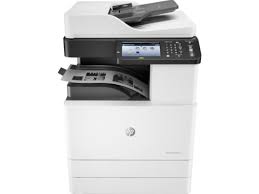
HP LaserJet MFP M72625dn Drivers (LaserJet MFP M72625-M72630 Series)

Looking for the HP LaserJet MFP M72625dn driver? This page lists HP’s official software for the whole HP LaserJet MFP M72625-M72630 series: the LaserJet MFP M72625dn printer and LaserJet MFP M72630dn printer. HP lists some packages for specific models in the series, so check that the package title includes your model. For Windows 11, Windows 10 (64-bit) and Windows 7 (64-bit), the package most people need is the HP LaserJet MFP M72625-M72630 Series Full Solution Software and Drivers.

Last checked against HP’s download list: November 3, 2026 · Checked by H&G
HP LaserJet MFP M72630dn printer
HP LaserJet MFP M72630dn (one model of this series)

Recommended downloads

Windows 11, Windows 10 (64-bit), Windows 7 (64-bit): HP LaserJet MFP M72625-M72630 Series Full Solution Software and DriversVersion 1.06 · Released Mar 29, 2023 · 118.0 MB
Download

Files download directly from HP’s official servers. hpdrivers.net does not host or modify them.

Models covered by this page

All 2 models share one download list at HP:

HP LaserJet MFP M72625dn printer HP LaserJet MFP M72630dn printer

Which Windows package should you choose?

HP publishes 4 kinds of Windows package for the LaserJet MFP M72625-M72630:

  • HP LaserJet MFP M72625-M72630 Series Print and Scan Driver (v1.06, Mar 29, 2023): scanning from the computer.
  • Driver files (no installer) (v1.06, Mar 29, 2023): bare driver files for Windows’ Add Printer wizard.
  • Full software solution (v1.06, Mar 29, 2023, 118.0 MB): driver plus HP’s setup wizard and tools.
  • Firmware update (v3.82.21.00, Apr 03, 2025): updates the printer itself, not your PC.

All downloads for the LaserJet MFP M72625-M72630

Windows

Package / Windows
Version
Released
Size
HP LaserJet MFP M72625-M72630 Series Print and Scan Driver
Windows: 11, 10, 7
File detailsFile: HP_LaserJet_MFP_M72625_M72630_Print_Scan_Drivers_1.06.exe
1.06
Mar 29, 2023
29.8 MB
HP LaserJet MFP M72625-M72630 Series PCL 6 Print Driver (No installer)
Windows: 11, 10, 7
File detailsFile: HP_LaserJet_MFP_M72625_M72630_Driver_V1.06.exe
1.06
Mar 29, 2023
11.0 MB
HP LaserJet MFP M72625-M72630 Series Full Solution Software and Drivers
Windows: 11, 10, 7
File detailsFile: HP_LaserJet_MFP_M72625_M72630_Full_Software_and_Drivers_1.06.exe
1.06
Mar 29, 2023
118.0 MB
HP LaserJet MFP M72625-M72630 series Firmware File
Windows: 11, 10, 7
File detailsFile: M726xx_MONO_ONEROM_V3.82.21.00.zip
3.82.21.00
Apr 03, 2025
130.0 MB

macOS

Package / macOS
Version
Released
Size
HP LaserJet MFP M72625-M72630 Series Print and Scan Driver
macOS: 13
File detailsFile: HP_Mac_Driver_V1.03.04.dmg
1.03.04
Feb 27, 2023
14.6 MB

Linux

HP lists Linux support for this series through its HPLIP project, outside the regular download list: HP’s Linux printing page (HPLIP).

Installing the LaserJet MFP M72625-M72630 driver

The driver files without an installer are added through Windows’ Add Printer wizard (Have Disk). For step-by-step instructions, see our guide to installing an HP printer driver.

Firmware update 3.82.21.00

The newest firmware HP lists for the LaserJet MFP M72625-M72630 is version 3.82.21.00, released Apr 03, 2025.

  • Keep the printer and the computer switched on until the update has finished.

Specifications that matter for setup

Connections
Hi-Speed USB 2.0; Host USB; built in Gigabit Ethernet 10/100/1000 Base-TX network port
Wi-Fi
Optional, enabled Via Wireless LAN/NFC kit; Yes, wireless direct, IEEE 802.11 b/g/n
Mobile printing
Apple AirPrint, Mopria-certified, Google Cloud Print, PrinterOn Cloud Print
Print languages
PCL6, Postscript 3, PDF (v1.7)
Functions
Print, Copy, Scan (fax and wireless optional)
Two-sided printing
Automatic (standard)
Scanner
Mirror Moving Type(MMT) Scanner with Color CCD
Scan resolution
Up to 600 x 600 dpi
Two-sided ADF scanning
Yes
Document feeder
Up to 100 sheets
Scan file formats
PDF, JPG, TIFF, XPS, Searchable PDF (with optional HDD), Compact PDF, PDF/A, PDF Encryption, Digital Signature in PDF
Ways to scan
Front panel applications: Copy; E-mail; Fax; Save to Network Folder; Save to USB; Save to Device Memory (with optional HDD); Save to PC Scan software: user application via TWAIN or WIA

Toner supplies HP lists for the LaserJet MFP M72625-M72630

HP’s specifications name these replacement supplies for the LaserJet MFP M72625-M72630:

  • HP Black Contract LaserJet Toner Cartridge 33
  • 000 ISO

Paper handling and hardware details

Values below are HP’s published figures for the LaserJet MFP M72625-M72630; they help you check that this page matches your printer before you download anything.

Paper input tray
1140 sheets: 100-sheet multi-purpose tray, 2 x 520-sheet input tray STD
Output tray
500 sheet face-down output bin
Optional trays
Optional 2 x 520 Dual Cassette Feeder
Media types
Paper (Plain, HP EcoEFICIENT, HP Matte 90g, Light 60-74g, Bond, Recycled, HP Matte 105g, HP Matte 120g, Mid-Weight 96-110g, Heavy 111-130g, HP Matte 150g, Extra Heavy 131-175g, HP Matte 200g
Print quality (black)
Black: Up to 1200 x 1200 dpi (with reduced speed)
Control panel
7 in color touchscreen panel (800 x 480 – WVGA)
Memory
1.5 GB
Processor
1 GHz (dual core)
Internal storage
Optional 320 GB (user available 300) hard disk drive
Power use
590 watts (printing), 590 watts (copying), 100 watts (ready mode), 1.5 watts (sleep)
USB cable
No, please purchase USB cable separately
Warranty
90 day parts only. Extended