Independent download guide for HP printer and scanner drivers
hpdrivers.net is an independent website and is not affiliated with, endorsed by, or sponsored by HP Inc. Download links point to HP's official servers (ftp.hp.com). Read the full disclaimer
Last checked against HP’s download list: November 13, 2026 · Checked by H&G
Looking for the HP LaserJet M4349 driver? This page lists HP’s official software for the whole HP LaserJet M4349 Multifunction Printer series. For Windows 10, 8.1, 8 (64-bit), the package most people need is the HP LaserJet USB (DOT4) communication driver for Windows 8 and Higher (64-bit). For Windows 11, HP lists the HP Universal Print Driver for Windows PCL6 (64-bit).
HP LaserJet M4349
Recommended downloads
Windows 10, 8.1, 8 (64-bit): HP LaserJet USB (DOT4) communication driver for Windows 8 and Higher (64-bit)Version 7.0.0.29 · Released Apr 21, 2015 · 1.5 MB
HP lists its Universal Print Driver for this series on Windows 11; Windows 10, 8.1, 8, 7 (32-bit and 64-bit). Get it from our HP Universal Print Driver page.
Installing the LaserJet M4349 Multifunction driver
The newest firmware HP lists for the LaserJet M4349 Multifunction is version 48.430.1, released Aug 31, 2017.
Keep the printer and the computer switched on until the update has finished.
Specifications that matter for setup
Connections
1 Hi-Speed USB 2.0; 1 Fast Ethernet; 1 EIO; 1 Foreign interface harness; 1 RJ-11 Fax; 1 Jetlink (for paper handling accessories)
Print languages
HP PCL6; HP PCL5e; HP postscript level 3 emulation; direct PDF printing (v 1.4)
Functions
Print, copy, scan
Print speed (black)
Normal: Up to 45 ppm
Recommended monthly volume
5000 to 15,000
Two-sided printing
Automatic (standard)
Scanner
Flatbed, ADF
Scan resolution
Up to 600 dpi
Two-sided ADF scanning
Yes
Document feeder
Standard, 50 sheets
Scan file formats
PDF, JPEG, TIFF, MTIFF
Ways to scan
Front-panel scan; copy; fax; e-mail; ADF
Copy speed
Black: Up to 45 cpm
Ink supplies HP lists for the LaserJet M4349 Multifunction
HP’s specifications name these replacement supplies for the LaserJet M4349 Multifunction:
HP LaserJet black print cartridge with Smart Printing Technology CE267C (18
000 pages)
Paper handling and hardware details
Values below are HP’s published figures for the LaserJet M4349 Multifunction; they help you check that this page matches your printer before you download anything.
On Linux the LaserJet M4349 is handled by HPLIP, HP’s own open-source imaging and printing package, not by the Windows or macOS downloads above. The details below come from the HPLIP model database entry for this printer.
First HPLIP release with support: 3.9.6 (any newer HPLIP also works).
Print technology in the HPLIP database: mono laser.
Connections HPLIP can use: USB, wired network (Ethernet).
Binary plug-in: not needed; the open-source driver is enough.
USB ID:03f0:9717 (shown by lsusb when the printer is connected).
Install the hplip package from your distribution, then run hp-setup -i (or: hp-setup -i <printer IP> for a network printer) and follow the prompts. hp-check reports anything missing, and hp-toolbox shows ink levels and maintenance tools where the model supports them.
Last checked against HP’s download list: November 10, 2026 · Checked by H&G
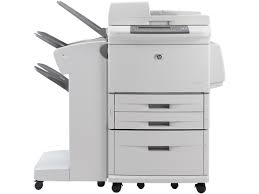
Looking for the HP LaserJet M5025 driver? This page lists HP’s official software for the whole HP LaserJet M5025 Multifunction Printer series. For Windows 10, 8.1, 8, 7 (64-bit), the package most people need is the HP PC Send Fax Driver. For Windows 11, HP lists the HP Universal Print Driver for Windows PCL6 (64-bit).
HP LaserJet M5025
Recommended downloads
Windows 10, 8.1, 8, 7 (64-bit): HP PC Send Fax DriverVersion 61.063.666.41 · Released Jun 10, 2013 · 10.1 MB
HP lists its Universal Print Driver for this series on Windows 11; Windows 10, 8.1, 8, 7 (32-bit and 64-bit). Get it from our HP Universal Print Driver page.
Linux
HP lists a Linux driver for this series: HP LaserJet M5025/35 Multifunction Printer Series README (Version 48.430.1 · Released Aug 31, 2017 · 1.1 MB). Download from HP.
Installing the LaserJet M5025 Multifunction driver
The newest firmware HP lists for the LaserJet M5025 Multifunction is version 48.430.1, released Aug 31, 2017.
Keep the printer and the computer switched on until the update has finished.
Specifications that matter for setup
Connections
1 Jetdirect Inside, 10/100Base-T port, 1 Foreign Interface Harness (FIH) port, 1 USB type A for adding accessories, 1 USB type B for printing, 1 open EIO slot
Wi-Fi
Optional, enabled with purchase of a hardware accessory
Print languages
HP postscript level 3 emulation, HP PCL 6, HP PCL 5, PDF 1.4
Normal: Up to 25 ppm Print speed may slow down on large jobs using letter/landscape and ledger-sized paper. The degree of speed reduction will depend upon paper weight and fuser mode
Recommended monthly volume
2500 to 15,000
Two-sided printing
Automatic (optional)
Scanner
Flatbed, ADF
Scan resolution
Up to 600 dpi
Document feeder
Standard, 50 sheets
Scan file formats
PDF, JPG, TIFF, MTIFF
Ways to scan
Front-panel scan, copy, fax, e-mail, ADF
Copy speed
Black: Up to 25 cpm Color: Copy speed specifications are based on long-edge feed (landscape) scanning through the ADF.
What comes in the box
HP lists these items with the LaserJet M5025 Multifunction:
Power cord
15,000 page toner cartridge
Control panel overlay
Getting Started Guide
Wall poster
Printer driver software CD
Paper handling and hardware details
Values below are HP’s published figures for the LaserJet M5025 Multifunction; they help you check that this page matches your printer before you download anything.
Tray 1: 16 to 53 lb; Tray 2: 16 to 32 lb; Tray 3: 16 to 32 lb
Print speed (color)
Print speed may slow down on large jobs using letter/landscape and ledger-sized paper. The degree of speed reduction will depend upon paper weight and fuser mod
Last checked against HP’s download list: November 4, 2026 · Checked by H&G
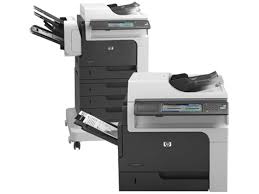
Looking for the HP LaserJet Enterprise M4555 driver? This page lists HP’s official software for the whole HP LaserJet Enterprise M4555 MFP series: the LaserJet Enterprise M4555 MFP, LaserJet Enterprise M4555f MFP, LaserJet Enterprise M4555fskm MFP and LaserJet Enterprise M4555h MFP. HP lists some packages for specific models in the series, so check that the package title includes your model. For Windows 10, 8.1, 8, 7, Vista (32-bit and 64-bit); Windows XP (32-bit), the package most people need is the HP LaserJet Enterprise M4555 MFP Printer Series Full Software Solution. For Windows 11, HP lists the HP Universal Print Driver for Windows PCL6 (64-bit). For a Mac, HP lists Install HP Easy Start.
HP LaserJet Enterprise M4555 MFP
Recommended downloads
Windows 10, 8.1, 8, 7, Vista (32-bit and 64-bit); Windows XP (32-bit): HP LaserJet Enterprise M4555 MFP Printer Series Full Software SolutionVersion 8.0.18058.11 · Released Mar 14, 2021 · 354.6 MB · HP rating: Recommended
HP lists its Universal Print Driver for this series on Windows 11; Windows 10, 8.1, 8, 7 (32-bit and 64-bit). Get it from our HP Universal Print Driver page.
Linux
HP lists Linux support for this series through its HPLIP project, outside the regular download list: HP’s Linux printing page (HPLIP).
Installing the LaserJet Enterprise M4555 MFP driver
The driver files without an installer are added through Windows’ Add Printer wizard (Have Disk). For step-by-step instructions, see our guide to installing an HP printer driver.
Firmware update 2309088_001471
The newest firmware HP lists for the LaserJet Enterprise M4555 MFP is version 2309088_001471, released Jan 31, 2023.
Keep the printer and the computer switched on until the update has finished.
Specifications that matter for setup
Connections
1 Hi-Speed USB 2.0 Host port; 1 Hi-Speed USB 2.0 Device port; 1 Gigabit Ethernet 10/100/1000T network port; 1 open EIO slot; 1 Foreign Interface port; 1 Hardware Integration Pocket
Wi-Fi
Optional, enabled with purchase of a hardware accessory
Mobile printing
HP ePrint, Mopria-certified May require a firmware upgrade to be HP ePrint compatible, download at http://www.hp.com/go/support
Print languages
HP PCL 6, HP PCL 5 (HP PCL 5 driver available from the Web only), HP Postscript level 3 emulation, native PDF printing (v 1.4)
Print speed (black)
Normal: Up to 55 ppm
Recommended monthly volume
5000 to 20,000
Two-sided printing
Automatic (standard)
Scanner
Flatbed, ADF
Scan resolution
Up to 600 dpi
Two-sided ADF scanning
Yes
Document feeder
Standard, 50 sheets
Scan file formats
PDF, JPEG, TIFF, MTIFF, XPS, PDF/A
Ways to scan
Front panel applications: Copy, Scan to E-mail, Save-to-Network Folder, Scan-to-USB, Save to Device Memory, Open Extensibility Platform (OXP) applications
Copy speed
Black: Up to 55 cpm Color: Up to 55 cpm
Toner supplies HP lists for the LaserJet Enterprise M4555 MFP
HP’s specifications name these replacement supplies for the LaserJet Enterprise M4555 MFP:
HP 90A Black LaserJet Toner Cartridge with Smart Printing (~10
000 pages) CE390A
HP 90X Black LaserJet Toner Cartridge with Smart Printing (~24
000 pages) CE390X
Paper handling and hardware details
Values below are HP’s published figures for the LaserJet Enterprise M4555 MFP; they help you check that this page matches your printer before you download anything.
Paper sizes
Tray 1: Letter, legal, 8.5 x 13 in, statement, executive, envelopes [No. 9, No. 10, Monarch (7 3/4)], 3 x 5 in, 4 x 6 in; Tray 2, 3, 4, 5: letter, legal