Independent download guide for HP printer and scanner drivers
hpdrivers.net is an independent website and is not affiliated with, endorsed by, or sponsored by HP Inc. Download links point to HP's official servers (ftp.hp.com). Read the full disclaimer
Last checked against HP’s download list: November 13, 2026 · Checked by H&G
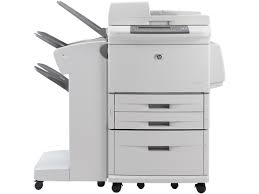
Looking for the HP LaserJet M9059 driver? This page lists HP’s official software for the whole HP LaserJet M9059 Multifunction Printer series. For Windows 10, 8.1, 8 (64-bit), the package most people need is the HP LaserJet USB (DOT4) communication driver for Windows 8 and Higher (64-bit). For Windows 11, HP lists the HP Universal Print Driver for Windows PCL6 (64-bit).
HP LaserJet M9059
Recommended downloads
Windows 10, 8.1, 8 (64-bit): HP LaserJet USB (DOT4) communication driver for Windows 8 and Higher (64-bit)Version 7.0.0.29 · Released Apr 21, 2015 · 1.5 MB
HP lists its Universal Print Driver for this series on Windows 11; Windows 10, 8.1, 8, 7 (32-bit and 64-bit). Get it from our HP Universal Print Driver page.
Installing the LaserJet M9059 Multifunction driver
1 Hi-Speed USB 2.0; 1 Host USB; 1 Gigabit Ethernet; 1 EIO; 1 Foreign Interface Harness; 1 Jetlink (for paper handling device); 1 Embedded hard disk
Wi-Fi
Optional, enabled with purchase of a hardware accessory
Print languages
HP PCL 6; HP PCL 5e; HP postscript level 3 emulation; direct PDF printing (v1.3) with at least 128 MB memory enabled; XHTML-Print v0.95; HP PJL (Printer Job Language)
Functions
Print, copy, scan, digital send, optional fax
Print speed (black)
Normal: Up to 50 ppm All printed pages originate from the default tray with a high-capacity input (HCI) Tray 4.
Recommended monthly volume
15,000 to 50,000
Two-sided printing
Automatic (standard)
Scanner
Flatbed, ADF
Scan resolution
Up to 600 dpi
Two-sided ADF scanning
Yes
Document feeder
Standard, 100 sheets
Scan file formats
PDF, JPEG, TIFF, MTIFF
Ways to scan
Front-panel scan; copy; fax (optional); e-mail
Copy speed
Black: Up to 50 cpm
Ink supplies HP lists for the LaserJet M9059 Multifunction
HP’s specifications name these replacement supplies for the LaserJet M9059 Multifunction:
HP LaserJet Smart print cartridge CE266C
What comes in the box
HP lists these items with the LaserJet M9059 Multifunction:
HP LaserJet M9059 Multifunction Printer
HP LaserJet Black print cartridge
HP DSS demonstration CD
control panel overlay
power cable
100-sheet multipurpose tray
two 500-sheet input trays, 2000-sheet input tray
choice of output paper handling device
automatic two-sided printing accessory
Paper handling and hardware details
Values below are HP’s published figures for the LaserJet M9059 Multifunction; they help you check that this page matches your printer before you download anything.
On Linux the LaserJet M9059 is handled by HPLIP, HP’s own open-source imaging and printing package, not by the Windows or macOS downloads above. The details below come from the HPLIP model database entry for this printer.
First HPLIP release with support: 3.9.6 (any newer HPLIP also works).
Print technology in the HPLIP database: mono laser.
Connections HPLIP can use: USB, wired network (Ethernet).
Binary plug-in: not needed; the open-source driver is enough.
USB ID:03f0:9617 (shown by lsusb when the printer is connected).
Install the hplip package from your distribution, then run hp-setup -i (or: hp-setup -i <printer IP> for a network printer) and follow the prompts. hp-check reports anything missing, and hp-toolbox shows ink levels and maintenance tools where the model supports them.
Last checked against HP’s download list: November 3, 2026 · Checked by H&G
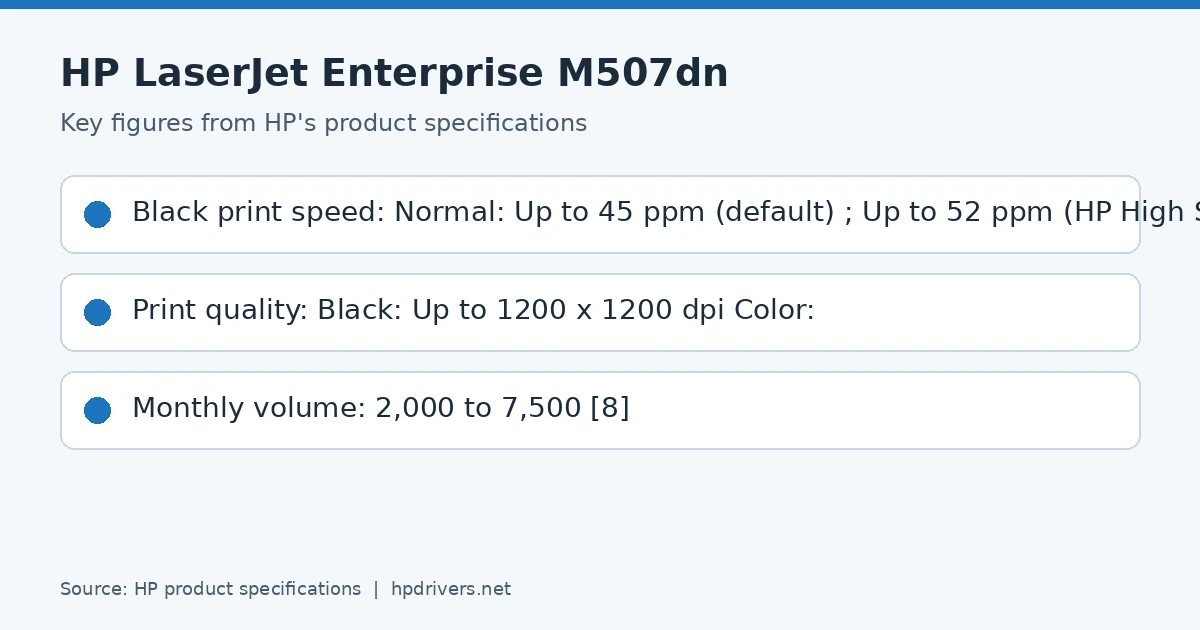
Looking for the HP LaserJet Enterprise M507dn driver? This page lists HP’s official software for the whole HP LaserJet Enterprise M507 series: the LaserJet Enterprise M507n, LaserJet Enterprise M507dn, LaserJet Enterprise M507x and LaserJet Enterprise M507dng. HP lists some packages for specific models in the series, so check that the package title includes your model. For Windows 11, Windows 10 (64-bit) and Windows 7 (64-bit), the package most people need is the HP LaserJet Enterprise M507 series Full Software Solution. For a Mac, HP lists Install HP Easy Start.
HP product specifications card
Recommended downloads
Windows 11, Windows 10 (64-bit), Windows 7 (64-bit): HP LaserJet Enterprise M507 series Full Software SolutionVersion 49.13.4901 · Released Mar 25, 2026 · 68.2 MB · HP rating: Recommended
HP lists its Universal Print Driver for this series on Windows 7, Windows 11 and Windows 10. Get it from our HP Universal Print Driver page.
Linux
HP lists Linux support for this series through its HPLIP project, outside the regular download list: HP’s Linux printing page (HPLIP).
Installing the LaserJet Enterprise M507 driver
The driver files without an installer are added through Windows’ Add Printer wizard (Have Disk). For step-by-step instructions, see our guide to installing an HP printer driver.
Firmware update 2411226_066571
The newest firmware HP lists for the LaserJet Enterprise M507 is version 2411226_066571, released Feb 02, 2023.
Keep the printer and the computer switched on until the update has finished.
Specifications that matter for setup
Wi-Fi
Optional, enabled with purchase of a wireless hardware accessory. Single band Wireless Station and Wi-Fi Direct functionality available with HP Jetdirect 3000w NFC/Wireless Accessory J8030A
Mobile printing
HP ePrint; Apple AirPrint™; Mopria™ Certified; NFC Touch-to-print (optional)
Print languages
HP PCL 6, HP PCL 5, HP PostScript level 3 emulation, native PDF printing (v 1.7), Apple AirPrint™
Print speed (black)
Normal: Up to 45 ppm (default) ; Up to 52 ppm (HP High Speed)
Recommended monthly volume
2,000 to 7,500
Toner supplies HP lists for the LaserJet Enterprise M507
HP’s specifications name these replacement supplies for the LaserJet Enterprise M507:
HP 89A Black Original LaserJet Toner Cartridge (~5
000 pages) CF289A
HP89X High
Paper handling and hardware details
Values below are HP’s published figures for the LaserJet Enterprise M507; they help you check that this page matches your printer before you download anything.
Output tray
250-sheet output bin
Paper sizes
Tray 1: letter, legal, executive, statement, 3 x 5 in, 4 x 6 in, 5 x 7 in, 5 x 8 in, 8.5 x 13 in, envelopes (No. 9, No. 10, Monarch); Tray 2: letter, legal
601 (Active Printing) 7.60 (Ready), 2.61 watts (Sleep), 0.06 watts (Auto-Off), 0.06 watts (Off), Auto Off/Wake on LAN 0.73 Watt
USB cable
No, please purchase USB cable separately; Yes, 1 USB (APJ region Only)
Warranty
One-year, next-business day, onsite warranty
Common setup problems
You’d rather not install software on a Mac. HP’s specifications list AirPrint support, so macOS can usually add the printer from System Settings without extra software.
Last checked against HP’s download list: November 10, 2026 · Checked by H&G
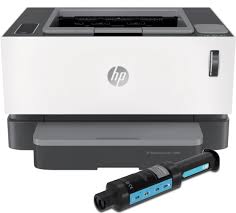
Looking for the HP Neverstop Laser 1001nw driver? This page lists HP’s official software for the whole HP Neverstop Laser 1000 Printer series. HP lists some packages for specific models in the series, so check that the package title includes your model. For Windows 11; Windows 10, 8.1, 8, 7 (32-bit and 64-bit), the package most people need is the HP Neverstop Laser 1001nw EasyStart Printer Setup Software – Offline Use Only. For a Mac, HP lists Install HP app to complete setup and support.
HP Neverstop Laser 1001nw
Recommended downloads
Windows 11; Windows 10, 8.1, 8, 7 (32-bit and 64-bit): HP Neverstop Laser 1001nw EasyStart Printer Setup Software – Offline Use OnlyVersion 49.10.4644 · Released Nov 25, 2021 · 156.1 MB
Files download directly from HP’s official servers. hpdrivers.net does not host or modify them.
Models covered by this page
HP’s download list for this series names these models. It covers the whole Neverstop Laser 1000 range, including model variants HP does not list by name:
The newest firmware HP lists for the Neverstop Laser 1000 is version 20230403, released Jun 22, 2023. HP’s notes for it: General bug fixes and improvements.
Keep the printer and the computer switched on until the update has finished.
Specifications that matter for setup
Mobile printing
Apple AirPrint -Mobile device must have AirPrint®. Google Cloud Print™ 2.0-
Print languages
PCLmS; URF; PWG
Print speed (black)
Normal: Up to 21 ppm
Recommended monthly volume
250-2500
Two-sided printing
Manual (driver support provided)
Toner supplies HP lists for the Neverstop Laser 1000
HP’s specifications name these replacement supplies for the Neverstop Laser 1000:
HP 103A Black Original Neverstop Laser Toner Reload Kit (Yield ~2500 pages)
HP 103AD Dual pack Black Original Neverstop Laser Toner Reload Kit(
What comes in the box
HP lists these items with the Neverstop Laser 1000:
HP Neverstop Laser M1000w Printer
Preinstalled
Reference guide
Setup guide
Regulatory flyer
Support flyer
EU declaration flyer (EU only)
Warranty guide
Power cord
USB cable
Paper handling and hardware details
Values below are HP’s published figures for the Neverstop Laser 1000; they help you check that this page matches your printer before you download anything.
Paper input tray
150-sheet input tray
Output tray
100-sheet output bin
Paper sizes
Letter; envelopes (No.10); custom
Media types
Plain paper, Heavy paper, Bond paper, Label, Light paper, Envelope
Paper weight
14 to 27 lb
Print quality (black)
Black: Up to 600 x 600 x 2 dpi
Control panel
LED
Processor
500 MHZ
Size (W x D x H)
14.98 x 14.63 x 8.31 in
Weight
15.28 lb
USB cable
Yes, 1 USB Cable (AP Only). Other regions: Please purchase USB cable separately
Warranty
One-year limited hardware warranty. For more info, please visit us at https://support.hp.com
Common setup problems
An older driver is still installed. HP’s 2021 packages fixed a security vulnerability, so replace older versions with the current package.
What the lights mean on the Neverstop Laser 1000 series
HP covers the Neverstop Laser 1000a, 1000w, 1000n, 1001nw and 1020n in one light guide. The control panel has Paper, Attention and Imaging Drum lights, a Cancel button, a Resume light, a Toner Reload indicator, a Toner Level indicator and, on wireless models, Wireless and Wi-Fi Direct buttons.
Light patterns and HP’s answers
Attention and Paper blink: out of paper or a paper pick error. Load paper or resolve the pick error.
Attention blinks alone: the top cover is open or not fully closed.
Attention blinks and Paper and Resume are on: a jam in the input tray or the wrong paper size setting. Clear the jam or correct the size, then press Resume.
Attention blinks and Paper is on: paper is jammed in the imaging drum area. Open the printer, take out the imaging drum, clear the jam and put the drum back.
Attention blinks and the Imaging Drum light is on: take out the drum without touching it (fingerprints cause print quality problems), make sure the sealing tape is removed, shake it at least five times and reinsert it. If the error returns, replace the imaging drum.
Toner Reload indicator blinks with the Imaging Drum light on: the printer is out of toner and needs a Toner Reload Kit. HP names the HP 103A and 103AD kits and says the printer uses the HP 104A imaging drum.
Attention and Imaging Drum both blink: the drum needs replacing.
Toner Reload indicator blinking quickly
HP lists four causes: a problem with the kit you inserted (try another), a drum that is full, has an unknown toner level or a busy printer (wait for the indicator to turn white), a drum that is near the end of its life and cannot be reloaded, or a previous kit that was not fully emptied (reinsert it and press the plunger until it clicks).
Reloading toner and fixing poor print quality on the Neverstop Laser 1000
HP’s print quality article for the 1000a, 1000w, 1000n, 1001nw and 1020n includes the toner reload routine.
Reload steps from HP
Check the Toner Level indicator. If it is full or shows +1 you do not need to reload; +2, or +2 with the warning icon, means toner is low or very low.
Shake the Toner Reload Kit for at least 10 seconds, slide the reload port cover open, remove the cap and ring, insert the kit and rotate it 180 degrees clockwise until it stops. If the Toner Reload indicator is not white, a kit cannot be added at that moment.
Push the plunger down until it clicks (pull it up and push again if it does not go all the way), rotate the kit back 180 degrees, lift it out and recycle it.
After reloading the Ready light blinks for 30 to 50 seconds; HP says to wait until it is solid before printing.
Other checks
Use paper made for LaserJet printers, not inkjet-only paper, and keep the paper guides against the stack because loose guides can cause smudging.