
hpdrivers.net is an independent website and is not affiliated with, endorsed by, or sponsored by HP Inc. Download links point to HP's official servers (ftp.hp.com). Read the full disclaimer

HP Color LaserJet Pro MFP M479dw, M479fdw, M479fdn and M479fnw Drivers

Looking for the HP Color LaserJet Pro MFP M479dw driver? This page lists HP’s official software for the HP Color LaserJet Pro MFP M479dw, Color LaserJet Pro MFP M479fdw, M479fdn and M479fnw, which HP lists with (almost) the same downloads. HP lists some packages for specific models in the series, so check that the package title includes your model. For Windows 11; Windows 10, 7 (64-bit), the package most people need is the HP Color LaserJet Pro MFP M479dw Printer Full Software Solution. For a Mac, HP lists Install HP Easy Start.
Last checked against HP’s download list: November 16, 2026 · Checked by H&G
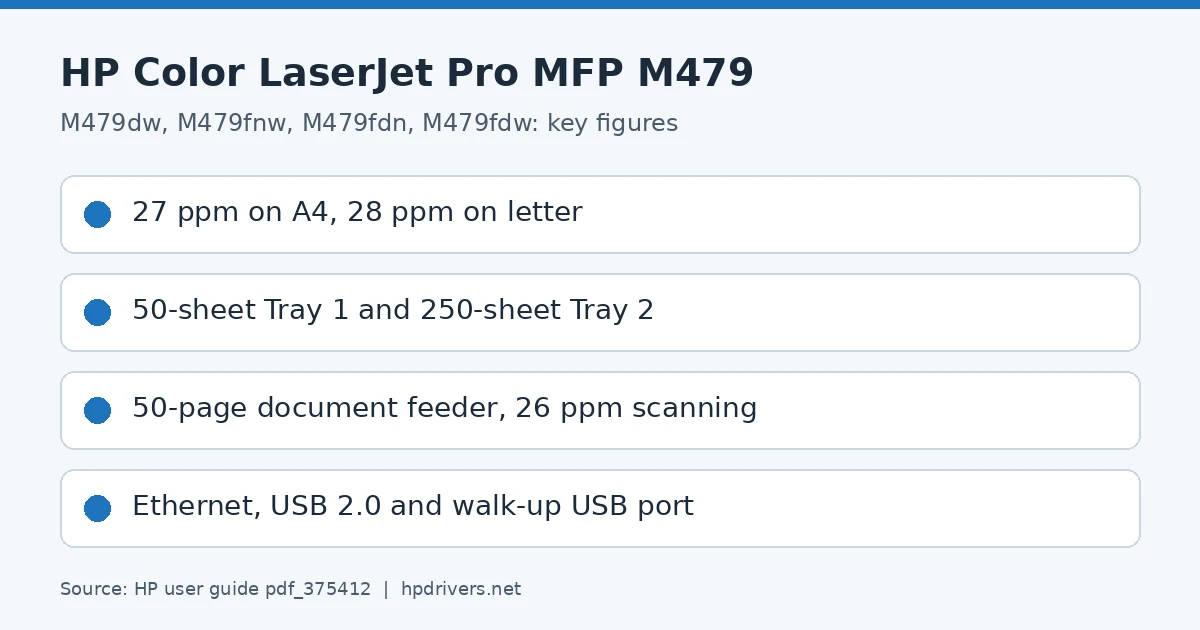
HP Color LaserJet Pro MFP M479 driver: key figures from HP's user guide
HP Color LaserJet Pro MFP M479

Recommended downloads

Windows 11; Windows 10, 7 (64-bit): HP Color LaserJet Pro MFP M479dw Printer Full Software SolutionVersion 48.6.4638_1 · Released Dec 14, 2022 · 169.5 MB
Download
macOS 26, 15: Install HP Easy StartVersion 2.16.7.260722 · Released Aug 14, 2026 · 6.3 MB
Download

Files download directly from HP’s official servers. hpdrivers.net does not host or modify them.

Models covered by this page

HP’s download list for this series names these models. It covers the whole Color LaserJet Pro MFP M478-M479 range, including model variants HP does not list by name:

HP Color LaserJet Pro MFP M479fnw HP Color LaserJet Pro MFP M479fdw HP Color LaserJet Pro MFP M479dw HP Color LaserJet Pro MFP M479fdn

Which Windows package should you choose?

HP publishes 5 kinds of Windows package for the Color LaserJet Pro MFP M478-M479:

  • HP Universal Print Driver (v8.2.89, Sep 11, 2026): HP’s shared driver for many models, also listed for this series.
  • Firmware update (v002_2626A, Sep 03, 2026): updates the printer itself, not your PC.
  • Driver files (no installer) (v48.6.4638, Feb 23, 2022): bare driver files for Windows’ Add Printer wizard.
  • Driver-only installer (v48.6.4638, Feb 23, 2022): print driver only, for PCs that can’t or shouldn’t take the full package.
  • Full software solution (v48.6.4638_1, Dec 14, 2022, 180.7 MB): driver plus HP’s setup wizard and tools.

All M479dw, M479fdw, M479fdn and M479fnw driver downloads

Windows

Package / Windows
Version
Released
Size
HP Color LaserJet Pro MFP M478-M479 Series Firmware Update Utility
Works with: all models on this page (M479dw, M479fdw, M479fdn, M479fnw)
Windows: 11
10, 7 (64-bit)
File detailsFile: HP_Color_LaserJet_Pro_M478_M479_series_FW_002_2626A.exe
002_2626A
Sep 03, 2026
94.8 MB
HP LaserJet Pro M479fdw/M479fnw/M479fdn PCL-6 V4 Printer Driver (no installer)
Works with: M479fdw, M479fdn, M479fnw only
Windows: 11
10 (64-bit)
File detailsFile: V4_DriveronlyWebpack-48.6.4638-CLJM478f-M479f_V4_DriveronlyWebpack.exe
48.6.4638
Feb 23, 2022
16.2 MB
HP Color LaserJet Pro MFP M479dw Printer Basic Software Solution
Works with: M479dw only
Windows: 11
10, 7 (64-bit)
File detailsFile: Basic_Webpack_x64-48.6.4638-CLJM479_Basicx64_Webpack.exe
48.6.4638
Feb 23, 2022
69.0 MB
HP Color LaserJet Pro MFP M479dw PCL-6 V4 Printer Driver (no installer)
Works with: M479dw only
Windows: 11
10 (64-bit)
File detailsFile: V4_DriveronlyWebpack-48.6.4638-CLJM479_V4_DriveronlyWebpack.exe
48.6.4638
Feb 23, 2022
12.1 MB
HP LaserJet Pro M479fdn Printer Full Software Solution
Works with: M479fdn only
Windows: 11
10, 7 (64-bit)
File detailsFile: Full_Webpack-48.6.4638_1-CLJM478f-M479f_UW_Full_Webpack.exe
48.6.4638_1
Dec 14, 2022
180.7 MB
HP LaserJet Pro M479fdn Printer Basic Software Solution
Works with: M479fdn only
Windows: 11
10, 7 (64-bit)
File detailsFile: Basic_Webpack_x64-48.6.4638-CLJM478f-M479f_UW_Basicx64_Webpack.exe
48.6.4638
Feb 23, 2022
75.6 MB
HP LaserJet Pro M479fdw/M479fnw Printer Full Software Solution
Works with: M479fdw, M479fnw only
Windows: 11
10, 7 (64-bit)
File detailsFile: Full_Webpack-48.6.4638_1-CLJM478f-M479f_UWWL_Full_Webpack.exe
48.6.4638_1
Dec 14, 2022
180.7 MB
HP LaserJet Pro M479fdw/M479fnw/M479fdn PCL 6 V3 Printer Driver (no installer)
Works with: M479fdw, M479fdn, M479fnw only
Windows: 11
10, 7 (64-bit)
File detailsFile: V3_DriveronlyWebpack-48.6.4638-CLJM478f-M479f_V3_DriveronlyWebpack.exe
48.6.4638
Feb 23, 2022
20.2 MB
HP Color LaserJet Pro MFP M479dw PCL 6 V3 Printer Driver (no installer)
Works with: M479dw only
Windows: 11
10, 7 (64-bit)
File detailsFile: V3_DriveronlyWebpack-48.6.4638-CLJM479_V3_DriveronlyWebpack.exe
48.6.4638
Feb 23, 2022
16.4 MB
HP Color LaserJet Pro MFP M479dw Printer Full Software Solution
Works with: M479dw only
Windows: 11
10, 7 (64-bit)
File detailsFile: Full_Webpack-48.6.4638_1-CLJM479_Full_Webpack.exe
48.6.4638_1
Dec 14, 2022
169.5 MB
HP LaserJet Pro M479fdw/M479fnw Printer Basic Software Solution
Works with: M479fdw, M479fnw only
Windows: 11
10, 7 (64-bit)
File detailsFile: Basic_Webpack_x64-48.6.4638-CLJM478f-M479f_UWWL_Basicx64_Webpack.exe
48.6.4638
Feb 23, 2022
75.6 MB

macOS

Package / macOS
Version
Released
Size
HP Color LaserJet Pro MFP M478-M479 Series Firmware Update Utility
Works with: all models on this page (M479dw, M479fdw, M479fdn, M479fnw)
macOS: 15, 13
File detailsFile: HP_Color_LaserJet_Pro_M478_M479_series_FW_002_2626A.dmg
002_2626A
Sep 03, 2026
97.2 MB

Other HP software listed for this series

Software / Systems
Version
Size
HP Universal Scan – Full Feature Software and Driver
Works with: all models on this page (M479dw, M479fdw, M479fdn, M479fnw)
Systems: Windows 11
Windows 10, 7 (64-bit)
63.8.6459
436.2 MB
HP Universal Scan – Basic Feature Software and Driver (ARM 64)
Works with: all models on this page (M479dw, M479fdw, M479fdn, M479fnw)
Systems: Windows 11
63.8.6459
118.7 MB
HP Universal Scan – Full Feature Software and Driver (ARM 64)
Works with: all models on this page (M479dw, M479fdw, M479fdn, M479fnw)
Systems: Windows 11
63.8.6459
437.0 MB
HP Universal Scan – Basic Feature Software and Driver
Works with: all models on this page (M479dw, M479fdw, M479fdn, M479fnw)
Systems: Windows 11
Windows 10, 7 (64-bit)
63.8.6459
113.9 MB
HP Easy Start Printer Setup Software (Internet connection required for driver installation)
Works with: all models on this page (M479dw, M479fdw, M479fdn, M479fnw)
Systems: Windows 11
Windows 10, 7 (64-bit)
17.6.15
26.5 MB
HP App
Works with: all models on this page (M479dw, M479fdw, M479fdn, M479fnw)
Systems: Windows 11
Windows 10 (64-bit)
–
–
ReadIRIS Advanced OCR
Works with: all models on this page (M479dw, M479fdw, M479fdn, M479fnw)
Systems: Windows 11
Windows 10 (64-bit)
17.4.211
448.6 MB
ReadIRIS Advanced PDF
Works with: all models on this page (M479dw, M479fdw, M479fdn, M479fnw)
Systems: Windows 11
Windows 10 (64-bit)
27.0.577.2
532.8 MB
HP Scan OCR Add-on Software
Works with: all models on this page (M479dw, M479fdw, M479fdn, M479fnw)
Systems: Windows 11
Windows 10, 7 (64-bit)
1.0.1020
224.9 MB
HP Roam App for Windows
Works with: all models on this page (M479dw, M479fdw, M479fdn, M479fnw)
Systems: Windows 10, 7 (64-bit)
1.2.83.79
23.6 MB
HP ePrint Software for Network and Wireless Connected Printers
Works with: all models on this page (M479dw, M479fdw, M479fdn, M479fnw)
Systems: Windows 10, 7 (64-bit)
5.5.118.22560
31.2 MB
HP Easy Admin
Works with: all models on this page (M479dw, M479fdw, M479fdn, M479fnw)
Systems: macOS 26, 15, 13
2.16.0.251010
4.9 MB
Install HP Easy Start
Works with: all models on this page (M479dw, M479fdw, M479fdn, M479fnw)
Systems: macOS 26, 15
2.16.7.260722
6.3 MB

HP Universal Print Driver

HP lists its Universal Print Driver for this series on Windows 11; Windows 10, 7 (64-bit). Get it from our HP Universal Print Driver page.

Linux

HP lists Linux support for this series through its HPLIP project, outside the regular download list: HP’s Linux printing page (HPLIP).

Installing the M479dw driver

Download the M479dw driver only from the HP link in the table above. HP’s own support page for the M479dw driver lists the same files.

The driver files without an installer are added through Windows’ Add Printer wizard (Have Disk). For step-by-step instructions, see our guide to installing an HP printer driver.

Firmware update 002_2626A

The newest firmware HP lists for the Color LaserJet Pro MFP M478-M479 is version 002_2626A, released Sep 03, 2026. HP’s notes for it: Fixed 2-sided option disappears from printer settings issue; Contains all previous fixes; Security updates.

  • Keep the printer and the computer switched on until the update has finished.

Specifications that matter for setup

Connections
Hi-Speed USB 2.0 port; built-in Gigabit Ethernet 10/100/1000 Base-Tx network port; Easy-access USB
Print languages
HP PCL 6, HP PCL 5e, HP postscript level 3 emulation, PDF, URF, Native Office, PWG Raster
Functions
Print scan copy and fax
Print speed (black)
Normal: Up to 28 ppm
Recommended monthly volume
750 to 4000
Scanner
Flatbed, ADF
Scan resolution
Up to 1200 x 1200 dpi
Document feeder
Standard, 50 sheets uncurled
Scan file formats
PDF; JPG; TIFF
Ways to scan
Front-panel scan, copy, email, or file buttons; HP Scan software; and user application via TWAIN or WIA
Copy speed
Black: Up to 28 cpm Color: Up to 28 cpm

Toner supplies HP lists for the Color LaserJet Pro MFP M478-M479

HP’s specifications name these replacement supplies for the Color LaserJet Pro MFP M478-M479:

  • AMS: For distribution and use in North America and Latin America only: HP 414A Black LaserJet Toner Cartridge (~2
  • 400 pages), W2020A
  • HP 414A Cyan LaserJet Toner Cartridge (~2
  • 100 pages), W2021A
  • HP 414A Yellow LaserJet Toner Cartridge (~2
  • 100 pages), W2022A
  • HP 414A Magenta LaserJet Toner Cartridge (~2
  • 100 pages), W2023A

Paper handling and hardware details

Values below are HP’s published figures for the Color LaserJet Pro MFP M478-M479; they help you check that this page matches your printer before you download anything.

Paper input tray
50-sheet multipurpose tray, 250-sheet input tray, 50-sheet Automatic Document Feeder (ADF)
Output tray
150-sheet output bin
Optional trays
Optional 550-sheet tray
Media types
Paper (bond, brochure, colored, glossy, letterhead, photo, plain, preprinted, prepunched, recycled, rough), postcards, labels, envelopes
Print speed (color)
Up to 28 ppm
Print quality (black)
Black: 600 x 600 dpi, Up to 38,400 x 600 enhanced dpi Color: 600 x 600 dpi, Up to 38,400 x 600 enhanced dpi
Control panel
4.3" intuitive touchscreen Color Graphic Display (CGD)
Memory
512 MB NAND Flash, 512 MB DRAM
Processor
1200 MHz
Power use
550 watts (Active Printing), 20 watts (Ready), 0.7 watts (Sleep), 0.7 watts (HP auto-off/auto-on), 0.06 watts (auto-off/manual on), 0.06 watts (Off)
Warranty
One-year, next-business day, onsite warranty

The four M479 models and their product numbers

HP’s user guide covers four models of the M479 series: the M479dw (product number W1A77A), the M479fnw (W1A78A), the M479fdn (W1A79A) and the M479fdw (W1A80A). All four print 27 pages per minute on A4 and 28 on letter, copy at 27 ppm and scan at up to 26 ppm, and all have a colour touchscreen control panel.

HP names some downloads for specific models, so check the label on the back of your printer before choosing a package.

Based on HP user guide pdf_375412 (“HP Color LaserJet Pro MFP M479 – User Guide”).

Trays, document feeder and connections of the M479

HP lists a 50-sheet Tray 1 and a 250-sheet Tray 2 on every model, with an optional 550-sheet accessory tray. The scanner has a 50-page document feeder; some models use a dual-head scanner that scans both sides in one pass, while the others copy and scan one side at a time.

Connections are 10/100/1000 Ethernet with IPv4 and IPv6, Hi-Speed USB 2.0 and a walk-up USB port for printing without a computer (HP asks for a 16 GB or larger USB drive for job storage and private printing). Scanning goes to email, a USB drive or a network folder.

Based on HP user guide pdf_375412 (“HP Color LaserJet Pro MFP M479 – User Guide”).
HP Color LaserJet Pro M283fdn Drivers (Color LaserJet Pro M282-M285 Series)

Last checked against HP’s download list: November 1, 2026 · Checked by H&G

Looking for the HP Color LaserJet Pro M283fdn driver? This page lists HP’s official software for the whole HP Color LaserJet Pro M282-M285 Multifunction Printer series. HP lists some packages for specific models in the series, so check that the package title includes your model. For Windows 11, Windows 10 (64-bit) and Windows 7 (64-bit), the package most people need is the HP Color LaserJet Pro MFP M283fdn Printer Full Software Solution.

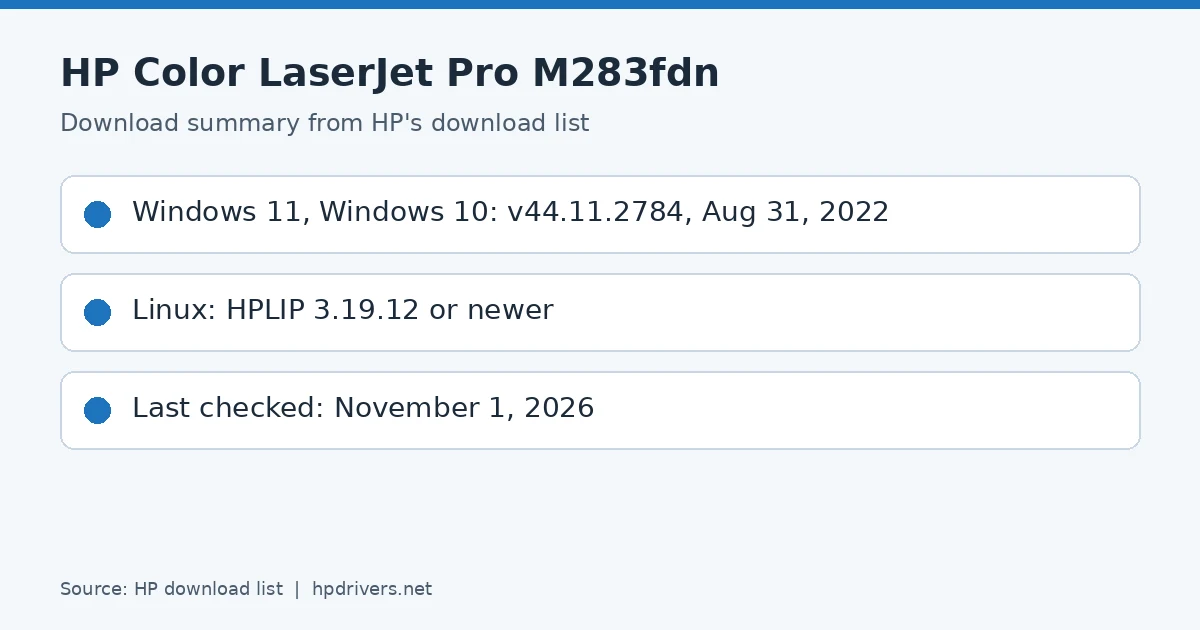
HP Color LaserJet Pro M283fdn driver download summary: HP package versions and release dates
HP Color LaserJet Pro M283fdn download summary

Recommended downloads

Windows 11, Windows 10 (64-bit), Windows 7 (64-bit): HP Color LaserJet Pro MFP M283fdn Printer Full Software SolutionVersion 44.11.2784 · Released Aug 31, 2022 · 207.7 MB

Download

Files download directly from HP’s official servers. hpdrivers.net does not host or modify them.


Which Windows package should you choose?

HP publishes 4 kinds of Windows package for the Color LaserJet Pro M282-M285 Multifunction:

  • Driver-only installer (v44.11.2784, Aug 31, 2022): print driver only, for PCs that can’t or shouldn’t take the full package.
  • Full software solution (v44.11.2784, Aug 31, 2022, 207.7 MB): driver plus HP’s setup wizard and tools.
  • HP Universal Print Driver (v8.2.89, Sep 11, 2026): HP’s shared driver for many models, also listed for this series.
  • Firmware update (v20260622, Aug 18, 2026): updates the printer itself, not your PC.

All downloads for the Color LaserJet Pro M282-M285 Multifunction

Windows

Package / Windows
Version
Released
Size
HP Color LaserJet Pro MFP M282nw Printer Basic Software Solution

Windows: 11, 10, 7
File details

File: Basic_Webpack_x64-44.11.2784-LJM282-M285_UWWL_3_1_Basicx64_Webpack.exe

44.11.2784
Aug 31, 2022
89.1 MB
HP Color LaserJet Pro MFP M282nw Printer Full Software Solution

Windows: 11, 10, 7
File details

File: Full_Webpack-44.11.2784-LJM282-M285_UWWL_3_1_Full_Webpack.exe

44.11.2784
Aug 31, 2022
207.7 MB
HP Color LaserJet Pro M282-M285 Multifunction Printer series Firmware Update Utility

Windows: 11, 10, 7
File details

File: HP_Color_LaserJet_Pro_MFP_M282_M285_Series-20260622.nativeofficefonts.exe

20260622
Aug 18, 2026
34.3 MB

macOS

Package / macOS
Version
Released
Size
HP Color LaserJet Pro M282-M285 Multifunction Printer series Firmware Update Utility.

macOS: 26, 15, 13
File details

File: HP_Color_LaserJet_Pro_MFP_M282_M285_Series-20260622.dmg

20260622
Aug 18, 2026
19.3 MB

Other HP software listed for this series

Software / Systems
Version
Size
HP Color LaserJet Pro MFP M283fdnPrinter Basic Software Solution
Systems: Windows 11, Windows 10, Windows 7
44.11.2784
89.1 MB
HP Color LaserJet Pro MFP M283cdw/M283fdw Printer Basic Software Solution
Systems: Windows 11, Windows 10, Windows 7
44.11.2784
89.1 MB
HP Color LaserJet Pro MFP M283cdw/M283fdw Printer Full Software Solution
Systems: Windows 11, Windows 10, Windows 7
44.11.2784
207.7 MB
HP Color LaserJet Pro MFP M283fdn Printer Full Software Solution
Systems: Windows 11, Windows 10, Windows 7
44.11.2784
207.7 MB
HP Universal Scan – Full Feature Software and Driver (ARM 64)
Systems: Windows 11
63.8.6459
437.0 MB
HP Universal Scan – Full Feature Software and Driver
Systems: Windows 11, Windows 10, Windows 7
63.8.6459
436.2 MB
HP Universal Scan – Basic Feature Software and Driver
Systems: Windows 11, Windows 10, Windows 7
63.8.6459
113.9 MB
HP Universal Scan – Basic Feature Software and Driver (ARM 64)
Systems: Windows 11
63.8.6459
118.7 MB
HP Easy Start Printer Setup Software (Internet connection required for driver installation)
Systems: Windows 11, Windows 10, Windows 7
17.6.15
26.5 MB
ReadIRIS Advanced OCR
Systems: Windows 11, Windows 10
17.4.211
448.6 MB
ReadIRIS Advanced PDF
Systems: Windows 11, Windows 10
27.0.577.2
532.8 MB
HP Scan OCR Add-on Software
Systems: Windows 11, Windows 10, Windows 7
1.0.1020
224.9 MB

HP Universal Print Driver

HP lists its Universal Print Driver for this series on Windows 7, Windows 11 and Windows 10. Get it from our HP Universal Print Driver page.

Linux

HP lists Linux support for this series through its HPLIP project, outside the regular download list: HP’s Linux printing page (HPLIP).

Installing the Color LaserJet Pro M282-M285 Multifunction driver

For step-by-step instructions, see our guide to installing an HP printer driver.

Firmware update 20260622

The newest firmware HP lists for the Color LaserJet Pro M282-M285 Multifunction is version 20260622, released Aug 18, 2026. HP’s notes for it: Security Updates; Contains all previous fixes and enhancements.

  • Install the printer driver before running the update. HP’s utility needs it to reach the printer.

Specifications that matter for setup

Print languages
HP PCL6; HP PCL5c; HP postscript level 3 emulation; PWG raster; PDF; PCLm; PCLm-S; NativeOffice; URF
Print speed (black)
Normal: Up to 22 ppm
Recommended monthly volume
150 to 2500
Scanner
Flatbed, ADF
Scan resolution
Up to 300 dpi (color and mono ADF); up to1200 dpi (Flatbed)
Two-sided ADF scanning
No
Document feeder
Standard, 50 sheets
Scan file formats
JPG, RAW (BMP), PNG, TIFF, PDF
Ways to scan
Front-panel scan, copy, e-mail, fax; HP Scan software; and user application via TWAIN or WIA
Copy speed
Black: Up to 22 cpm Color: Up to 22 cpm

HP LaserJet Managed MFP M527dnm Drivers

Looking for the HP LaserJet Managed MFP M527dnm driver? This page lists HP’s official software for the whole HP LaserJet Managed MFP M527 series: the LaserJet Managed MFP M527dnm and LaserJet Managed Flow MFP M527cm. HP lists some packages for specific models in the series, so check that the package title includes your model. For Windows 10, 8.1, 8 (32-bit and 64-bit), the package most people need is the HP LaserJet Managed MFP M527dnm Printers PCL-6 V4 Full Solution.

Last checked against HP’s download list: November 12, 2026 · Checked by H&G
HP LaserJet Managed MFP M527dnm printer
HP LaserJet Managed MFP M527dnm

Recommended downloads

Windows 10, 8.1, 8 (32-bit and 64-bit): HP LaserJet Managed MFP M527dnm Printers PCL-6 V4 Full SolutionVersion 16.0.16131.604 · Released Mar 09, 2021 · 114.1 MB · HP rating: Recommended
Download

Files download directly from HP’s official servers. hpdrivers.net does not host or modify them.

Models covered by this page

All 2 models share one download list at HP:

HP LaserJet Managed MFP M527dnm HP LaserJet Managed Flow MFP M527cm

Which Windows package should you choose?

HP publishes 5 kinds of Windows package for the LaserJet Managed MFP M527:

  • Firmware update (v2411226_066588, Feb 02, 2023): updates the printer itself, not your PC.
  • HP LaserJet Enterprise Flow MFP M527c/M527z/M527cm USB Twain Scan Package (v38.2.0.0, Dec 02, 2016): scanning from the computer.
  • Driver files (no installer) (v8.00.1326.3536, Apr 08, 2021): bare driver files for Windows’ Add Printer wizard.
  • Full software solution (v16.0.16131.567, Mar 09, 2021, 114.1 MB): driver plus HP’s setup wizard and tools.
  • Driver-only installer (v16.0.16131.604, Mar 09, 2021): print driver only, for PCs that can’t or shouldn’t take the full package.

All downloads for the LaserJet Managed MFP M527

Windows

Package / Windows
Version
Released
Size
FutureSmart Bundle Version 4.12.0.1 – HP LaserJet Enterprise M527 Series Printer FIRMWARE
Windows: 11
10, 8.1, 8, 7, Vista (32-bit and 64-bit)
XP (32-bit)
File detailsFile: ljM527_fs4.12.0.1_fw_2411226_066588.zip
2411226_066588
Feb 02, 2023
466.0 MB
FutureSmart Bundle Version 5.10.0.7 – HP LaserJet Enterprise M527 Series Printer FIRMWARE
Windows: 11
10, 8.1, 8, 7, Vista (32-bit and 64-bit)
XP (32-bit)
File detailsFile: ljM527_fs5.10.0.7_fw_2510156_069177.zip
2510156_069177
Aug 28, 2026
613.9 MB
FutureSmart Bundle Version 3.9.12 – HP LaserJet Enterprise M527 Series Printer FIRMWARE
Windows: 11
10, 8.1, 8, 7, Vista (32-bit and 64-bit)
XP (32-bit)
File detailsFile: ljM527_fs3.9.12_fw_2309088_001494.zip
2309088_001494
Jan 31, 2023
150.2 MB
HP LaserJet Enterprise Flow MFP M527c/M527z/M527cm USB Twain Scan Package
Windows: 10, 8.1, 8, 7 (32-bit and 64-bit)
File detailsFile: HP_LJ_Flow_MFP_M527_HPScanUSBTwain.exe
38.2.0.0
Dec 02, 2016
8.5 MB
HP LaserJet Enterprise MFP M527dn/M527f/M527dnm USB Twain Scan Package
Windows: 10, 8.1, 8, 7 (32-bit and 64-bit)
File detailsFile: HP_LJ_MFP_M527_HPScanUSBTwain.exe
38.2.0.0
Dec 02, 2016
8.5 MB
HP LaserJet Flow MFP M527z, M527c, M527cm v3 PCL 6 Print Driver (no installer)
Windows: 10, 8.1, 8 (32-bit and 64-bit)
7 (32-bit)
File detailsFile: HP_LJ_Flow_MFP_M527-PCL6_Print_Driver_no_Installer_16130_1.exe
8.00.1326.3536
Apr 08, 2021
12.2 MB
HP LaserJet Flow MFP M527z, M527c, M527cm PCL-6 V4 Print Driver (no installer)
Windows: 10, 8.1, 8 (32-bit and 64-bit)
File detailsFile: HP_LJ_Flow_MFP_M527_PCL-6_Win8_Plus_Print_Driver_no_Installer_16130_1.exe
8.00.1326.3536
Apr 08, 2021
9.6 MB
HP LaserJet Managed Flow MFP M527cm Printer PCL-6 V4 Full Software and Drivers
Windows: 10, 8.1, 8 (32-bit and 64-bit)
File detailsFile: HP_LJ_flow_MFP_M527-PCL-6_v4_Full_Solution_16131.exe
16.0.16131.567
Mar 09, 2021
114.1 MB
HP LaserJet Managed MFP M527dnm Printers PCL-6 V4 Full Solution
Windows: 10, 8.1, 8 (32-bit and 64-bit)
File detailsFile: HP_LJ_MFP_M527_PCL-6_v4_Full_Solution_16131.exe
16.0.16131.604
Mar 09, 2021
114.1 MB
HP LaserJet MFP M527dn, M527f, M527dnm Printers v3 PCL 6 Print Driver (no installer)
Windows: 10, 8.1, 8, 7 (32-bit and 64-bit)
File detailsFile: HP_LJ_MFP_M527-PCL6_Print_Driver_no_Installer_16130_1.exe
8.00.1326.3536
Apr 08, 2021
12.2 MB
HP LaserJet MFP M527dn, M527f, M527dnm Printers PCL-6 V4 Print Driver (no installer)
Windows: 10, 8.1, 8 (32-bit and 64-bit)
File detailsFile: HP_LJ_MFP_M527_PCL-6_Win8_Plus_Print_Driver_no_Installer_16130_1.exe
8.00.1326.3536
Apr 08, 2021
9.6 MB
HP LaserJet Managed MFP M527dnm Printers PCL 6 v3 Driver
Windows: 7 (32-bit and 64-bit)
File detailsFile: HP_LJ_MFP_M527-PCL_6_Basic_Solution_16131.exe
16.0.16131.604
Mar 09, 2021
111.6 MB
HP LaserJet Managed MFP M527dnm Printers Full Software and Drivers
Windows: 7 (32-bit and 64-bit)
File detailsFile: HP_LaserJet_MFP_M527-Full_Solution_16131.exe
16.0.16131.604
Mar 09, 2021
118.3 MB
HP LaserJet Managed Flow MFP M527cm Printer PCL 6 v3 Print Driver
Windows: 7 (32-bit and 64-bit)
File detailsFile: HP_LJ_Flow_MFP_M527-PCL_6_Basic_Solution_16131.exe
16.0.16131.567
Mar 09, 2021
111.6 MB
HP LaserJet Managed Flow MFP M527cm Printer Full Software and Drivers
Windows: 7 (32-bit and 64-bit)
File detailsFile: HP_LJ_Flow_MFP_M527-Full_Solution_16131.exe
16.0.16131.567
Mar 09, 2021
118.3 MB
HP LaserJet Managed MFP M527dnm Printers PCL.6 Printer Driver
Windows: Vista, XP (32-bit)
File detailsFile: HP_LJ_MFP_M527_PCL6_Legacy_Basic_Soln_16067.exe
16067.1048
Sep 29, 2016
110.4 MB
HP LaserJet Managed Flow MFP M527cm Printer PCL.6 Print Driver
Windows: Vista, XP (32-bit)
File detailsFile: HP_LJ_Flow_MFP_M527_PCL6_Legacy_Basic_Soln_16067.exe
16067.1048
Sep 23, 2016
110.4 MB
HP LaserJet Flow MFP M527z, M527c, M527cm PCL.6 Print Driver (no installer)
Windows: Vista, XP (32-bit)
File detailsFile: HP_LJ_Ent_Flow_MFP_M527_PCL6_Legacy_Print_Driver_no_Installer_16067.exe
3.01.01.18298
Sep 29, 2016
14.7 MB
HP LaserJet MFP M527dn, M527f, M527dnm Printers PCL.6 Print Driver (no installer)
Windows: Vista, XP (32-bit)
File detailsFile: HP_LJ_MFP_M527_PCL6_Legacy_Print_Driver_no_Installer_16067.exe
3.01.01.18298
Sep 30, 2016
14.7 MB

Other HP software listed for this series

Software / Systems
Version
Size
HP Universal Scan – Full Feature Software and Driver (ARM 64)
Systems: Windows 11
63.8.6459
437.0 MB
HP Universal Scan – Basic Feature Software and Driver (ARM 64)
Systems: Windows 11
63.8.6459
118.7 MB
HP Universal Scan – Full Feature Software and Driver
Systems: Windows 11
Windows 10, 8.1, 7 (32-bit and 64-bit)
63.8.6459
436.2 MB
HP Universal Scan – Basic Feature Software and Driver
Systems: Windows 11
Windows 10, 8.1, 7 (32-bit and 64-bit)
63.8.6459
113.9 MB
HP Scan OCR Add-on Software
Systems: Windows 11
Windows 10, 8.1, 7 (32-bit and 64-bit)
1.0.1020
224.9 MB
HP Roam App for Windows
Systems: Windows 10, 7 (32-bit and 64-bit)
1.2.83.79
23.6 MB

Linux

HP lists a Linux driver for this series: FutureSmart Bundle Version 4.12.0.1 – HP LaserJet Enterprise M527 Series Printer FIRMWARE (Version 2411226_066588 · Released Feb 02, 2023 · 466.0 MB). Download from HP.

Installing the LaserJet Managed MFP M527 driver

The driver files without an installer are added through Windows’ Add Printer wizard (Have Disk). For step-by-step instructions, see our guide to installing an HP printer driver.

Firmware update 2309088_001494

The newest firmware HP lists for the LaserJet Managed MFP M527 is version 2309088_001494, released Jan 31, 2023.

  • Keep the printer and the computer switched on until the update has finished.

Specifications that matter for setup

Print languages
HP PCL 6, HP PCL 5 (HP PCL 5 driver available from the Web only), HP postscript level 3 emulation, native PDF printing (v 1.7)
Print speed (black)
Normal: Up to 45 ppm
Recommended monthly volume
2000 to 15,000
Two-sided printing
Automatic (standard)
Scanner
Flatbed, ADF (two-sided, single-pass)
Scan resolution
Up to 600 dpi
Two-sided ADF scanning
Yes
Document feeder
Standard, 100 sheets
Ways to scan
Front panel applications: Copy, E-mail, Save to Network Folder, Save to USB, Save to Device Memory, Open Extensibility Platform (OXP) applications
Copy speed
Black: Up to 45 cpm Color:

Toner supplies HP lists for the LaserJet Managed MFP M527

HP’s specifications name these replacement supplies for the LaserJet Managed MFP M527:

  • HP CF287XC Black Contractual LaserJet Toner Cartridge (~20
  • 600 pages) [5

What comes in the box

HP lists these items with the LaserJet Managed MFP M527:

  • HP LaserJet M527 Printer
  • HP 87A Black Original LaserJet Toner (~ 9000 pages)
  • CDs containing software and electronic documentation
  • User Guide
  • Support Flyers
  • Warranty Cards
  • Required Erratas

Paper handling and hardware details

Values below are HP’s published figures for the LaserJet Managed MFP M527; they help you check that this page matches your printer before you download anything.

Paper input tray
1 x 550-sheet input tray; 1 x 100-sheet multipurpose tray; 3 x optional additional 550-sheet input trays
Output tray
250-sheet output bin
Optional trays
Optional 550-sheet tray (add up to 3 trays)
Paper sizes
Tray 1: Letter, legal, executive, 4 x 6, 5 x 8, 8.5 x 13, envelopes (No. 10, Monarch); Tray 2: letter, legal, executive, 8.5 x 13; Optional trays 3+: letter
Media types
Paper (bond, color, letterhead, plain, preprinted, prepunched, recycled, rough); envelopes; labels; cardstock; transparencies; user-defined
Paper weight
Tray 1: 16 to 53 lb; Tray 2+: 16 to 32 lb
Print quality (black)
Black: Up to 1200 x 1200 dpi
Control panel
8.0" (20.3 cm) touchscreen, SVGA LCD (color graphics), smooth gesture enabled touchscreen
Memory
1.25 GB (Printer), 500 MB (Scanner)
Processor
1.2 GHz
Power use
671 watts (Printing), 27.8 watts (Ready), 3.2 watts (Sleep), 0.71 watts (Auto-Off/Auto-On), LAN connection: 0.06 watts (Auto-Off)
Size (W x D x H)
18.98 x 19.52 x 19.55 in
USB cable
No, please purchase USB cable separately
Warranty
One-year, next-business day, onsite warranty

Common setup problems

  • An older driver is still installed. HP’s 2021 packages fixed a security vulnerability, so replace older versions with the current package.

Jam codes on the M527 and where HP says to look

HP’s jam articles for the LaserJet Enterprise MFP M527 also cover the Managed MFP M527dnm, M527c and M527z, because they share the paper path. The control panel shows the code and an animation of the area to open.

13.B2.Az, 13.B2.Dz and 13.B2.FF in the toner-cartridge area

  • Press the release button on the left side, open the front door and lift the toner cartridge out.
  • Raise the jam-access cover and draw the sheet out slowly so it does not tear, then put the cartridge back and close the door.

13.A2 to 13.A5 in Tray 2 and the 550-sheet trays

  • Pull the tray named in the code, take out the paper and throw away damaged sheets.
  • Check that the rear guide clicks into the notch for the paper size, reload a flat stack below the height marks and close the tray. HP then has you check the toner-cartridge area as above.

13.B2.A1, 13.B2.D1, 13.B4, 13.B8 and 13.B9 at the rear door and fuser

  • HP warns that the fuser is hot during use, so let it cool first. Open the rear door, remove the sheet and close the door.

13.D3 in the duplexer

  • Take out Tray 2 and pull the green tab inside the opening forward to drop the duplex pan. Clear the paper, close the pan and refit the tray.
  • Then check the rear door and the toner-cartridge area, since a duplex jam can leave a sheet in either place.

Source: HP Support, HP LaserJet Enterprise MFP M527 – 13.B2 jam error in toner-cartridge area. 13.A2-13.A5 jam error tray 2 to tray 5 13.B2, 13.B4, 13.B8, 13.B9 jam error in the rear door and fuser area and 13.D3 jam error in the duplexer.

Document feeder jams and the feeder roller kit

31.13.00 to 31.13.13

  • Lift the latch and open the feeder cover, remove the sheet, then lift the feeder input tray and check underneath it. Lower the tray and close the cover until the latch is fully shut.
  • HP’s advice to avoid repeats: set the guides against the stack without bending it, scan narrow originals on the glass, remove staples and clips, and expect heavy glossy originals to jam more often.

Replacing the ADF maintenance kit

  • Turn the printer off and unplug the power and data cables. Open the feeder cover, raise the blue lever and slide the pickup and feed roller assembly forward and out.
  • Open and remove the separation roller cover, take that roller assembly out the same way, fit the new parts without touching the roller surfaces, and reset the New Document Feeder Kit counter afterwards.

Source: HP Support, HP LaserJet Enterprise MFP M527 – 31.13 jam error in the document feeder. and Install the ADF Maintenance kit (M527, M577, E52545, E57540).

Staple cartridge on the M527c and M527z

HP’s stapler article applies to the f, c and z models with the built-in stapler.

Replacing it

  • Open the stapler door, which switches the stapler off, pull out the old cartridge, push in the new one and close the door.
  • HP sells the cartridges as a two-pack, part number Q7432A, with 1,500 staples in each.

Source: HP Support, HP LaserJet Enterprise MFP M527, HP LaserJet Managed MFP E52545 – Replace the staple cartridge.

Internal USB ports and scanning with low toner on the M527

Adding the internal USB ports (part F2A87A)

  • HP lists this as a customer-installable accessory with no special tools. Turn the printer off, wait 30 seconds and unplug it, and touch the metal chassis first because the board is sensitive to static.
  • Slide the formatter cover toward the rear to remove it. On the M527c, f and z, unplug the three fax connectors and lift the fax board out first, then clip the USB board onto its holder, connect the harness, refit the fax board and cover, and print a configuration page once the printer reaches Ready.

Scanning stops when the cartridge reports Low or Very Low

  • HP says a Low cartridge does not need replacing yet; rocking it gently end to end redistributes the toner. Very Low means the Premium Protection Warranty on that cartridge has ended.
  • To keep scanning past the threshold, open System Setup, Supply Settings, Black Cartridge, Very Low Setting and choose Continue. HP lists the Enterprise MFP M527 among the printers this applies to.

Source: HP Support, HP LaserJet Enterprise MFP M527 – Install accessory: Internal USB ports. and HP LaserJet – Unable to scan when the cartridge status is ‘Low’ or ‘Very Low’.