
hpdrivers.net is an independent website and is not affiliated with, endorsed by, or sponsored by HP Inc. Download links point to HP's official servers (ftp.hp.com). Read the full disclaimer

HP Color LaserJet Enterprise M751 Drivers

Last checked against HP’s download list: November 4, 2026 · Checked by H&G

Looking for the HP Color LaserJet Enterprise M751 driver? This page lists HP’s official software for the whole HP Color LaserJet Enterprise M751 Printer series: the Color LaserJet Enterprise M751dn and Color LaserJet Enterprise M751n. HP lists some packages for specific models in the series, so check that the package title includes your model. For Windows 11; Windows 10, 8.1, 8, 7 (32-bit and 64-bit), the package most people need is the HP Color LaserJet Enterprise M751 Printer series Full Software Solution. For a Mac, HP lists Install HP Easy Start.

HP Color LaserJet Enterprise M751 printer
HP Color LaserJet Enterprise M751

Recommended downloads

Windows 11; Windows 10, 8.1, 8, 7 (32-bit and 64-bit): HP Color LaserJet Enterprise M751 Printer series Full Software SolutionVersion 49.13.4899 · Released Mar 25, 2026 · 63.6 MB · HP rating: Recommended
Download
macOS 26, 15, 14: Install HP Easy StartVersion 2.16.7.260722 · Released Aug 14, 2026 · 6.3 MB
Download

Files download directly from HP’s official servers. hpdrivers.net does not host or modify them.

Models covered by this page

All 2 models share one download list at HP:

HP Color LaserJet Enterprise M751dn HP Color LaserJet Enterprise M751n

Which Windows package should you choose?

HP publishes 4 kinds of Windows package for the Color LaserJet Enterprise M751:

  • Firmware update (v2411226_066580, Feb 02, 2023): updates the printer itself, not your PC.
  • Full software solution (v49.13.4899, Mar 25, 2026, 63.6 MB): driver plus HP’s setup wizard and tools.
  • Driver files (no installer) (v49.13.4899, Mar 26, 2026): bare driver files for Windows’ Add Printer wizard.
  • HP Universal Print Driver (v8.2.0.26778, Sep 26, 2026): HP’s shared driver for many models, also listed for this series.

All downloads for the Color LaserJet Enterprise M751

Windows

Package / Windows
Version
Released
Size
HP Color LaserJet Enterprise M751 Printer series Pantone Color Palette Files (Windows)
Windows: 11
10, 8.1, 8, 7, Vista (32-bit and 64-bit)
XP (32-bit)
File detailsFile: HP_CLJ_M751_Pantone_files_Windows.zip
1.0
Apr 08, 2020
14.4 MB
FutureSmart Bundle Version 4.12.0.1 – HP Color LaserJet M751 Series Printer FIRMWARE
Windows: 11
10, 8.1, 8, 7, Vista (32-bit and 64-bit)
XP (32-bit)
File detailsFile: cljM751_fs4.12.0.1_fw_2411226_066580.zip
2411226_066580
Feb 02, 2023
93.5 MB
FutureSmart Bundle Version 5.10.0.7 – HP Color LaserJet M751 Series Printer FIRMWARE
Windows: 11
10, 8.1, 8, 7, Vista (32-bit and 64-bit)
XP (32-bit)
File detailsFile: cljM751_fs5.10.0.7_fw_2510156_069176.zip
2510156_069176
Aug 28, 2026
97.2 MB
HP Color LaserJet Enterprise M751 Printer series Full Software Solution
Windows: 11
10, 8.1, 8, 7 (32-bit and 64-bit)
File detailsFile: Full_Webpack-49.13.4899-CLM751_Full_Webpack.exe
49.13.4899
Mar 25, 2026
63.6 MB
HP Color LaserJet Enterprise M751 Printer series PCL 6 V3 Printer Driver (no installer)
Windows: 11
10, 8.1, 8, 7 (32-bit and 64-bit)
File detailsFile: V3_DriveronlyWebpack-49.13.4899-CLM751_V3_DriveronlyWebpack.exe
49.13.4899
Mar 26, 2026
14.3 MB
HP Color LaserJet Enterprise M751 Printer series PCL-6 V4 Printer Driver (no installer)
Windows: 11
10, 8.1 (32-bit and 64-bit)
File detailsFile: V4_DriveronlyWebpack-49.13.4899-CLM751_V4_DriveronlyWebpack.exe
49.13.4899
Mar 26, 2026
10.2 MB

macOS

Package / macOS
Version
Released
Size
HP Color LaserJet Enterprise M751 Printer series Pantone Color Palette Files (Mac)
macOS: 26, 15, 14, 13, 12, 11, 10.13, 10.12, 10.11, 10.10
File detailsFile: HP_CLJ_M751_Pantone_files_Mac.zip
1.0
Apr 08, 2020
14.3 MB
FutureSmart Bundle Version 4.12.0.1 – HP Color LaserJet M751 Series Printer FIRMWARE
macOS: 26, 15, 14, 13, 12, 11, 10.13, 10.12, 10.11, 10.10
File detailsFile: cljM751_fs4.12.0.1_fw_2411226_066580.zip
2411226_066580
Feb 02, 2023
93.5 MB
FutureSmart Bundle Version 5.10.0.7 – HP Color LaserJet M751 Series Printer FIRMWARE
macOS: 26, 15, 14, 13, 12, 11, 10.13, 10.12, 10.11, 10.10
File detailsFile: cljM751_fs5.10.0.7_fw_2510156_069176.zip
2510156_069176
Aug 28, 2026
97.2 MB

Other HP software listed for this series

Software / Systems
Version
Size
HP Easy Start Printer Setup Software (Internet connection required for driver installation)
Systems: Windows 11
Windows 10, 7 (32-bit and 64-bit)
17.6.15
26.5 MB
HP System Health Apps Registration Utility
Systems: Windows 10 (32-bit and 64-bit)
1.0.0.0
1.3 MB
HP Easy Start Printer Setup Software
Systems: Windows 8.1, 8 (32-bit and 64-bit)
17.6.15
26.5 MB
HP Easy Admin
Systems: macOS 26, 15, 14, 13, 11, 10.13, 10.12, 10.11, 10.10
2.16.0.251010
4.9 MB
Install HP Easy Start
Systems: macOS 26, 15, 14
2.16.7.260722
6.3 MB

HP Universal Print Driver

HP lists its Universal Print Driver for this series on Windows 11; Windows 10, 8.1, 8, 7 (32-bit and 64-bit). Get it from our HP Universal Print Driver page.

Linux

HP lists Linux support for this series through its HPLIP project, outside the regular download list: HP’s Linux printing page (HPLIP).

Installing the Color LaserJet Enterprise M751 driver

The driver files without an installer are added through Windows’ Add Printer wizard (Have Disk). For step-by-step instructions, see our guide to installing an HP printer driver.

Firmware update 2411226_066580

The newest firmware HP lists for the Color LaserJet Enterprise M751 is version 2411226_066580, released Feb 02, 2023.

  • Keep the printer and the computer switched on until the update has finished.

Specifications that matter for setup

Connections
1 Hi-Speed Device USB 2.0; 2 Hi-Speed USB 2.0 rear host ports; 1 walkup USB 2.0 host port; 1 Gigabit/Fast Ethernet 10/100/1000 Base-TX network port; 1 Hardware Integration Pocket 2nd generation (HIP2)
Wi-Fi
Optional, enabled with purchase of a wireless hardware accessory: HP Jetdirect 3100w BLE/NFC/Wireless Accessory 3JN69A, (Dual band Wireless Station and Wi-Fi Direct functionality)
Mobile printing
HP ePrint; Apple AirPrint™; Google Cloud Print™; Mopria™ Certified
Print languages
HP PCL 6, HP PCL 5 (HP PCL 5 driver available from the Web only), HP postscript level 3 emulation, native PDF printing (v 1.7), Apple AirPrint™
Print speed (black)
Normal: Up to 40 ppm
Recommended monthly volume
Up to 40,000

Toner supplies HP lists for the Color LaserJet Enterprise M751

HP’s specifications name these replacement supplies for the Color LaserJet Enterprise M751:

  • HP 658A Black LaserJet Toner Cartridge (~7
  • 000 pages)
  • HP 658A Cyan LaserJet Toner Cartridge (~6
  • 000 pages)
  • HP 658A Magenta LaserJet Toner Cartridge (~6
  • 000 pages)
  • HP 658A Yellow LaserJet Toner Cartridge (~6
  • 000 pages)

Paper handling and hardware details

Values below are HP’s published figures for the Color LaserJet Enterprise M751; they help you check that this page matches your printer before you download anything.

Paper input tray
100-sheet multipurpose tray, 550-sheet input tray
Output tray
250-sheet output bin
Optional trays
Add up to two: 1×550-sheet paper tray; Add up to one: 2×550-sheet paper tray and stand, 2,700 (1,600+1,100) sheet high capacity input paper tray and stand
Paper sizes
100-sheet multipurpose Tray 1: Statement, 3 x 5 index card, 4 x 6 index card, 5 x 7 index card, 5 x 8 index card, Letter, Letter-R, Legal, Executive
Media types
Paper (plain, heavy, extra heavy, glossy, light, recycle, tough), envelopes, labels, glossy film, cardstock, transparencies
Paper weight
100-sheet multipurpose Tray 1: 16 to 80 lb, 550-sheet input Tray 2: 16 to 68 lb, Optional 1×550 and 2×550 tray and stand: 16 to 68 lb
Print speed (color)
Up to 40 ppm
Print quality (black)
Black: Up to 1200 x 1200 dpi Color: Up to 1200 x 1200 dpi
Control panel
2.7-in (6.86 cm) QVGA LCD (color graphics) rotating (adjustable angle) display with 24-key pad
Processor
1.2 GHz
Power use
870 watts (max. printing), 850 watts (typical printing) 48 watts (Ready), 0.6 watts (Sleep), 0.6 watts (HP Auto-Off/Auto On), 0.08 watts (Auto-Off)
Size (W x D x H)
21.9 x 23.2 x 15.7 in
Weight
99.4 lb
Warranty
One-year, next-business day, onsite warranty

Common setup problems

  • You’d rather not install software on a Mac. HP’s specifications list AirPrint support, so macOS can usually add the printer from System Settings without extra software.

HP Color LaserJet CM2320 Drivers

Last checked against HP’s download list: November 9, 2026 · Checked by H&G

Looking for the HP Color LaserJet CM2320 driver? This page lists HP’s official software for the whole HP Color LaserJet CM2320 Multifunction Printer series: the Color LaserJet CM2320n Multifunction, Color LaserJet CM2320nf Multifunction and Color LaserJet CM2320fxi Multifunction. HP lists some packages for specific models in the series, so check that the package title includes your model. For Windows 10, 8.1, 8, 7 (32-bit and 64-bit), the package most people need is the HP Color LaserJet CM2320 MFP Series Full Solution. For Windows 11, HP lists the HP Universal Print Driver for Windows PCL6 (64-bit).

HP Color LaserJet CM2320 printer
HP Color LaserJet CM2320

Recommended downloads

Windows 10, 8.1, 8, 7 (32-bit and 64-bit): HP Color LaserJet CM2320 MFP Series Full SolutionVersion 3.1 · Released Oct 16, 2014 · 320.1 MB · HP rating: Recommended
Download
Windows 11: HP Universal Print Driver for Windows PCL6 (64-bit)Version 8.2.0.26819 · Released Sep 26, 2026 · 20.2 MB
Download

Files download directly from HP’s official servers. hpdrivers.net does not host or modify them.

Models covered by this page

All 3 models share one download list at HP:

HP Color LaserJet CM2320n Multifunction HP Color LaserJet CM2320nf Multifunction HP Color LaserJet CM2320fxi Multifunction

Which Windows package should you choose?

HP publishes 4 kinds of Windows package for the Color LaserJet CM2320 Multifunction:

  • HP Universal Print Driver (v8.2.0.26778, Sep 26, 2026): HP’s shared driver for many models, also listed for this series.
  • Full software solution (v3.1, Oct 16, 2014, 320.1 MB): driver plus HP’s setup wizard and tools.
  • Firmware update (v20140625, Aug 11, 2014): updates the printer itself, not your PC.
  • HP Color LaserJet CM2320 MFP Series Full Solution (v3.0, Sep 16, 2014).

All downloads for the Color LaserJet CM2320 Multifunction

Windows

Package / Windows
Version
Released
Size
HP Color LaserJet CM2320 MFP Series Full Solution
Windows: 10, 8.1, 8, 7 (32-bit and 64-bit)
File detailsFile: CM2320series-full-solution-AM-EMEA1-v3.1.exe
3.1
Oct 16, 2014
320.1 MB
HP LaserJet Firmware Update Utility
Windows: 10, 8, 7, Vista (32-bit and 64-bit)
XP (32-bit)
File detailsFile: CM1310_CM2320_MFP_Series_FW_Update-20140625.exe
20140625
Aug 11, 2014
8.3 MB
HP Color LaserJet CM2320 MFP Series Full Solution
Windows: Vista (32-bit and 64-bit)
XP (32-bit)
File detailsFile: CM2320series_full_solution_v3.0_AM-EMEA.exe
3.0
Sep 16, 2014
318.4 MB
HP Color LaserJet CM2320 MFP Series North America/Western Europe PCL6 Network Express Install
Windows: Vista (64-bit)
File detailsFile: CM2320-net-express-install-win64-AM-EMEA1.exe
2.0
Sep 10, 2008
106.0 MB
HP Color LaserJet CM2320 MFP Series Asia Pacific PCL6 Network Express Install
Windows: Vista (64-bit)
File detailsFile: CM2320-net-express-install-win64-AP.exe
2.0
Sep 10, 2008
87.3 MB
HP Color LaserJet CM2320 MFP Series Eastern Europe PCL6 Network Express Install
Windows: Vista (64-bit)
File detailsFile: CM2320-net-express-install-win64-EMEA2.exe
2.0
Sep 10, 2008
105.2 MB
HP Color LaserJet CM2320 MFP Series Eastern Europe PCL6 USB Express Install
Windows: Vista (64-bit)
File detailsFile: CM2320-USB-express-install-win64-EMEA2.exe
2.0
Sep 10, 2008
101.9 MB
HP Color LaserJet CM2320 MFP Series Eastern Europe PCL6 Network Express Install
Windows: Vista (64-bit)
File detailsFile: CM2320-net-express-install-win64-EMEA3.exe
2.0
Sep 10, 2008
99.2 MB
HP Color LaserJet CM2320 MFP Series Eastern Europe PCL6 USB Express Install
Windows: Vista (64-bit)
File detailsFile: CM2320-USB-express-install-win64-EMEA3.exe
2.0
Sep 10, 2008
96.0 MB
HP Color LaserJet CM2320 MFP Series North America/Western Europe PCL6 USB Express Install
Windows: Vista (64-bit)
File detailsFile: CM2320-USB-express-install-win64-AM-EMEA1.exe
2.0
Sep 10, 2008
102.7 MB
HP Color LaserJet CM2320 MFP Series Asia Pacific PCL6 USB Express Install
Windows: Vista (64-bit)
File detailsFile: CM2320-USB-express-install-win64-AP.exe
2.0
Sep 10, 2008
84.2 MB

macOS

Package / macOS
Version
Released
Size
HP LaserJet Firmware Update Utility
macOS: 10.9, 10.8
File detailsFile: CM1310_CM2320_MFP_Series_FW_Update-20140625.dmg
20140625
Aug 11, 2014
43.5 MB

Other HP software listed for this series

Software / Systems
Version
Size
HP Basic Color Match
Systems: Windows Vista, XP (32-bit)
1.0.0.20
0.9 MB

HP Universal Print Driver

HP lists its Universal Print Driver for this series on Windows 11; Windows 10, 8.1, 8, 7 (32-bit and 64-bit). Get it from our HP Universal Print Driver page.

Linux

HP lists Linux support for this series through its HPLIP project, outside the regular download list: HP’s Linux printing page (HPLIP).

Installing the Color LaserJet CM2320 Multifunction driver

For step-by-step instructions, see our guide to installing an HP printer driver.

Firmware update 20140625

The newest firmware HP lists for the Color LaserJet CM2320 Multifunction is version 20140625, released Aug 11, 2014. HP’s notes for it: Fixed an issue that could cause a blurry mono print job if the job is sent immediately following a color print job; The Power Save Time menu item has been restored to the menu system.

  • Check your current firmware version first on the printer’s Configuration Page, and update only if it is older.
  • Install the printer driver before running the update. HP’s utility needs it to reach the printer.

Specifications that matter for setup

Wi-Fi
Not built in
Print languages
HP PCL 6, HP Postscript Level 3 emulation, HP PCL5c emulation
Functions
Print, copy, scan, (fax, stand alone scan-to email, & photo card slots available on some models)
Print speed (black)
Normal: Up to 21 ppm
Recommended monthly volume
1000 to 2500
Scanner
Flatbed, ADF
Scan resolution
Up to 1200 dpi
Document feeder
Standard, 50 sheets
Scan file formats
BMP, GIF, JPG, PNG, TIF, PDF
Ways to scan
Remote initiated scanning via HP Director, TWAIN-compliant or WIA-compliant software
Copy speed
Black: Up to 20 cpm Color: Up to 20 cpm Industry standard approach for device copy speed

Ink supplies HP lists for the Color LaserJet CM2320 Multifunction

HP’s specifications name these replacement supplies for the Color LaserJet CM2320 Multifunction:

  • HP Color LaserJet CC530A Black Print Cartridge (Yield 3.5K), CC530A
  • HP Color LaserJet CC531A Cyan Print Cartridge (Yield 2.8K), CC531A
  • HP Color LaserJet CC532A Yellow Print Cartridge (Yield 2.8K), CC532A
  • HP Color LaserJet CC533A Magenta Print Cartridge (Yield 2.8K), CC533A
  • HP Color LaserJet CC530A Dual Pack Black Print Cartridges (Yield 7K), CC530AD

Paper handling and hardware details

Values below are HP’s published figures for the Color LaserJet CM2320 Multifunction; they help you check that this page matches your printer before you download anything.

Paper input tray
50 sheet multipurpose tray, up to two 250-sheet input trays, 50-sheet automatic document feeder
Output tray
150-sheet face-down output bin
Paper sizes
Letter, legal, executive, envelopes (No. 10, Monarch)
Media types
Paper (bond, brochure, colored, glossy, letterhead, photo, plain, preprinted, prepunched, recycled, rough), transparencies, labels, envelopes
Print speed (color)
Up to 21 ppm
Print quality (black)
Black: Up to 600 x 600 dpi Color: Up to 600 x 600 dpi
Memory
160 MB
Processor
450 MHz
Power use
460 watts (printing), 425 watts (copying), 27 watts (standby), 9.2 watts (sleep)
USB cable
No
Warranty
One-year, on-site repair, limited hardware HP warranty, telephone and Web support (varies according to region)

Common setup problems

  • No Wi-Fi option during setup. HP’s specifications list no built-in Wi-Fi for the Color LaserJet CM2320 Multifunction. Use an Ethernet cable or USB.

HP Color LaserJet 3600 Drivers

Last checked against HP’s download list: November 10, 2026 · Checked by H&G

Looking for the HP Color LaserJet 3600 driver? This page lists HP’s official software for the whole HP Color LaserJet 3600 Printer series. HP lists some packages for specific models in the series, so check that the package title includes your model. For Windows 10, 8.1, 8 (64-bit), the package most people need is the HP LaserJet USB (DOT4) communication driver for Windows 8 and Higher (64-bit).

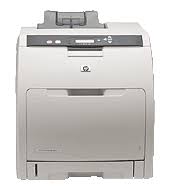
HP Color LaserJet 3600 printer
HP Color LaserJet 3600

Recommended downloads

Windows 10, 8.1, 8 (64-bit): HP LaserJet USB (DOT4) communication driver for Windows 8 and Higher (64-bit)Version 7.0.0.29 · Released Apr 21, 2015 · 1.5 MB
Download

Files download directly from HP’s official servers. hpdrivers.net does not host or modify them.

Models covered by this page

HP’s download list for this series names these models. It covers the whole Color LaserJet 3600 range, including model variants HP does not list by name:

HP Color LaserJet 3600 HP Color LaserJet 3600n HP Color LaserJet 3600dn

Which Windows package should you choose?

HP publishes 2 kinds of Windows package for the Color LaserJet 3600:

  • Firmware update (v03.003.1, Sep 27, 2006): updates the printer itself, not your PC.
  • HP LaserJet USB (DOT4) communication driver for Windows 8 and Higher (64-bit) (v7.0.0.29, Apr 21, 2015).

All downloads for the Color LaserJet 3600

Windows

Package / Windows
Version
Released
Size
HP Color LaserJet 3600 Firmware for Single/Multiple Printers – Windows Operating Systems – (Must Read README Before Installing)
Windows: 11
10, 8.1, 8, 7 (32-bit and 64-bit)
File detailsFile: clj3600fw_win_03_003_1.exe
03.003.1
Sep 27, 2006
0.6 MB
HP Color LaserJet 3600 Printer DC Controller Firmware for Single/Multiple Printer – Windows Operating Systems – (Must Read README Before Installing)
Windows: 11
10, 8.1, 8, 7 (32-bit and 64-bit)
File detailsFile: clj3600dccfw_win_1_52.exe
1.52
Oct 18, 2006
0.6 MB
HP Color LaserJet 3600 Printer DC Controller Firmware for Single/Multiple Printers – Unix Operating Systems – (Must Read README Before Installing)
Windows: 11
10, 8.1, 8, 7 (32-bit and 64-bit)
File detailsFile: clj3600dccfw_unix_1_52.tar
1.52
Oct 18, 2006
0.3 MB
HP Color LaserJet 3600 Firmware for Single/Multiple Printers – Unix Operating Systems – (Must Read README Before Installing)
Windows: 11
10, 8.1, 8, 7 (32-bit and 64-bit)
File detailsFile: clj3600fw_unix_03_003_1.tar
03.003.1
Sep 27, 2006
0.5 MB
HP Color LaserJet 3600 Series Printers World Wide Printing System
Windows: 7 (32-bit and 64-bit)
File detailsFile: HP_CLJ_3600_Installer_WW.exe
61.071.661.41
May 02, 2007
147.6 MB

macOS

Package / macOS
Version
Released
Size
HP Color LaserJet 3600 Firmware for Single/Multiple Printers – Windows Operating Systems – (Must Read README Before Installing)
macOS: 26, 15, 14, 13, 12, 11, 10.13, 10.12, 10.11, 10.10, 10.15, 10.14, 10.9, 10.8, 10.7, 10.6, 10.5
File detailsFile: clj3600fw_win_03_003_1.exe
03.003.1
Sep 27, 2006
0.6 MB
HP Color LaserJet 3600 Printer DC Controller Firmware for Single/Multiple Printers – Mac Operating Systems – (Must Read README Before Installing)
macOS: 26, 15, 14, 13, 12, 11, 10.13, 10.12, 10.11, 10.10, 10.15, 10.14, 10.9, 10.8, 10.7, 10.6, 10.5
File detailsFile: clj3600dccfw_mac_1_52.sit
1.52
Oct 18, 2006
0.3 MB
HP Color LaserJet 3600 Printer DC Controller Firmware for Single/Multiple Printer – Windows Operating Systems – (Must Read README Before Installing)
macOS: 26, 15, 14, 13, 12, 11, 10.13, 10.12, 10.11, 10.10, 10.15, 10.14, 10.9, 10.8, 10.7, 10.6, 10.5
File detailsFile: clj3600dccfw_win_1_52.exe
1.52
Oct 18, 2006
0.6 MB
HP Color LaserJet 3600 Printer DC Controller Firmware for Single/Multiple Printers – Unix Operating Systems – (Must Read README Before Installing)
macOS: 26, 15, 14, 13, 12, 11, 10.13, 10.12, 10.11, 10.10, 10.15, 10.14, 10.9, 10.8, 10.7, 10.6, 10.5
File detailsFile: clj3600dccfw_unix_1_52.tar
1.52
Oct 18, 2006
0.3 MB
HP Color LaserJet 3600 Firmware for Single/Multiple Printers – Unix Operating Systems – (Must Read README Before Installing)
macOS: 26, 15, 14, 13, 12, 11, 10.13, 10.12, 10.11, 10.10, 10.15, 10.14, 10.9, 10.8, 10.7, 10.6, 10.5
File detailsFile: clj3600fw_unix_03_003_1.tar
03.003.1
Sep 27, 2006
0.5 MB
HP Color LaserJet 3600 Firmware for Single/Multiple Printers – Mac Operating Systems – (Must Read README Before Installing)
macOS: 26, 15, 14, 13, 12, 11, 10.13, 10.12, 10.11, 10.10, 10.15, 10.14, 10.9, 10.8, 10.7, 10.6, 10.5
File detailsFile: clj3600fw_mac_03_003_1.sit
03.003.1
Sep 27, 2006
0.4 MB

Other HP software listed for this series

Software / Systems
Version
Size
HP LaserJet USB (DOT4) communication driver for Windows 8 and Higher (32-bit)
Systems: Windows 10, 8.1, 8 (32-bit)
7.0.0.29
1.1 MB
HP LaserJet USB (DOT4) communication driver for Windows 8 and Higher (64-bit)
Systems: Windows 10, 8.1, 8 (64-bit)
7.0.0.29
1.5 MB

Linux

HP lists a Linux driver for this series: HP Color LaserJet 3600 Firmware for Single/Multiple Printers – Windows Operating Systems – (Must Read README Before Installing) (Version 03.003.1 · Released Sep 27, 2006 · 0.6 MB). Download from HP.

Installing the Color LaserJet 3600 driver

For step-by-step instructions, see our guide to installing an HP printer driver.

Firmware update 03.003.1

The newest firmware HP lists for the Color LaserJet 3600 is version 03.003.1, released Sep 27, 2006. HP’s notes for it: Internal "Registration Page" will now print correctly; Updated color tables Calibration will be re-tried up to 6 times to improve color plane registration DCC/FW downgrading; this is a checking mechanism for standalone DCC FW.

  • Check your current firmware version first on the printer’s Configuration Page, and update only if it is older.

Specifications that matter for setup

Print languages
HP JetReady 4.2 (for HP PostScript emulation printing,
Print speed (black)
Normal: Up to 17 ppm
Recommended monthly volume
1000 to 3000

Paper handling and hardware details

Values below are HP’s published figures for the Color LaserJet 3600; they help you check that this page matches your printer before you download anything.

Paper input tray
100-sheet multipurpose tray, 250-sheet input tray
Output tray
250-sheet top output bin
Optional trays
500-sheet input tray
Paper sizes
Letter, legal, 8.5 x 13 in, executive, envelopes (No. 10, Monarch)
Media types
Paper (bond, color, gloss, letterhead, plain, preprinted, prepunched, recycled, rough, tough), labels, envelopes, cardstock, user-defined, transparencies
Paper weight
Multipurpose tray: 16 to 58 lb (bond); automatic two-sided printing unit, 250-sheet and 500-sheet input trays: 16 to 32 lb (bond)
Print speed (color)
Up to 17 ppm
Print quality (black)
Black: Up to 600 x 600 dpi Color: Up to 600 x 600 dpi
Control panel
2-line LCD (text and graphics)
Processor
360 MHz
Power use
Power requirements are based on the country/region where the printer is sold. Do not convert operating voltages
Warranty
One-year, onsite warranty