
hpdrivers.net is an independent website and is not affiliated with, endorsed by, or sponsored by HP Inc. Download links point to HP's official servers (ftp.hp.com). Learn more

HP Officejet Pro 8500 Wireless Driver Download

HP Officejet Pro 8500 Wireless All-in-One Printer – A909g Software
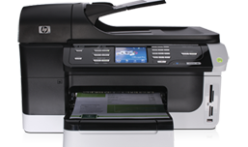
HP Officejet Pro 8500 Wireless www.hpdrivers.net
HP Officejet Pro 8500 Wireless
www.hpdrivers.net

Software Downloads HP Officejet Pro 8500 Wireless

Diagnostic Tool-Fixes Installation and Driver Issues.

HP Print and Scan Doctor for Windows

Details

The HP Print and Scan Doctor was designed by HP to provide users with troubleshooting and problem solving features needed to resolve many common problems experienced with HP print and scan products connected to Windows-based computers. Simply run the tool and follow the on-screen instructions.

Relase Details

File name: HPPSdr.exe
Released: Sep 3, 2021
Version 5.6.2.008
Compatibility: Microsoft Windows 10 (32-bit)(64-bit), Microsoft Windows 8 (32-bit)(64-bit), Microsoft Windows 8.1 (32-bit)(64-bit), Microsoft Windows 7 (32-bit)(64-bit)

Download

File Size : 11.32 Mb


HP ePrint Software for Network and Wireless Connected Printers

HP ePrint Software makes it easy to print from a desktop or laptop PC to any HP ePrinter. You can easily print your digital content wirelessly to supported HP printers on a local wireless network (Wi-Fi), HP printer enabled Wireless or WiFi Direct, or over the wired LAN. Additionally, you can print to your HP ePrint-enabled printer via the cloud at home, the office, or on-the-go, whenever the printer is connected to the Internet. You can even print to thousands of HP ePrint Public Print Locations worldwide.

File name: HPEPrintAppSetupx64.exe
Released: Sep 18, 2017
Version : 5.5.118.22560
Compatibility: Microsoft Windows 10 (64-bit), Microsoft Windows 8 (64-bit), Microsoft Windows 8.1 (64-bit), Microsoft Windows 7 (64-bit)

Download

File Size : 31.21 Mb

HP Officejet Pro 8620 Driver for Mac

HP Officejet Pro 8620 e-All-in-One Printer

HP Officejet Pro 8620 e-All-in-One Printer series Full Feature Software and Drivers

Description

This download package contains the full software solution for Mac OS X including all necessary software and drivers.

The full software solution is localized for these languages: Danish, German, English, Spanish, Finnish, French, Italian, Korean, Dutch, Norwegian, Portuguese, Russian, Swedish, Chinese-Simplified, Chinese-Traditional, Japanese. For other languages, the software will appear in English or the language order specified in System Preferences.

Release details

Released: 2014-04-01
File name: HP-Officejet-Pro-8620_v12.32.0.dmg
Version : 12.32

Compatibility:
Mac OS X 10.6
Mac OS X 10.7
Mac OS X 10.8
Mac OS X 10.9

Download

File Size:152.63Mb

HP Officejet 5610 All-in-One Printer Drivers

Find HP Officejet 5610 All-in-One driver downloads, package details and supported operating systems for

HP Officejet 5610 All-in-One Printer

HP Officejet 5610 All-in-One Printer printer

The HP Print and Scan Doctor was designed by HP to provide users with troubleshooting and problem solving features needed to resolve many common problems experienced with HP print and scan products connected to Windows-based computers. Simply run the tool and follow the on-screen instructions.

Specifications

Product number
441143
Duplex printing
None (not supported)
Paper handling input, standard
100-sheet input tray, 25-sheet automatic document feeder
Print quality black (best)
Black: Up to 1200 rendered dpi black (when printing from a computer) Color: Up to 4800 x 1200 optimized dpi color (when printing from a computer and 1200 input dpi)
Functions
Print, copy, scan, fax
Connectivity, standard
1 USB
Source verification: The model and driver information on this page was reviewed against archived HP source records on .

You can compare the MD5 value shown in each package's details with the downloaded file to confirm that it matches the original HP file record.

HP Officejet 5610 All-in-One driver download for Windows

DescriptionVersionRelease dateFile sizeDownload

Recommended software

Installing Your Printer Driver Using the Windows Built-in Solution
N/A
Dec 20, 2021
N/A
See full detailsWindows 11; Windows 10, 7 (64-bit)
Type:
Driver-Product Installation Software
Version:
N/A
Operating systems:
Windows 11; Windows 10, 7 (64-bit)
Release date:
Dec 20, 2021
File name:
HP support instructions
(N/A)

Package notes

Description:

Install the HP Printer Driver and Software provided within your operating system.

Alternative packages

Critical Update: Cannot find scanned image or document files after scanning completes.
3.0
Feb 18, 2011
28.5 MB
See full detailsWindows 7 (64-bit)
Type:
Update
Version:
3.0
Operating systems:
Windows 7 (64-bit)
Release date:
Feb 18, 2011
File name:
CPE_SCAN_DESTINATION_UPDATE_hpcom_001_003.exe
(28.5 MB)
MD5:
4b940426c620d256d95832107f0fd271

Package notes

Description:

When scanning after installing or upgrading to HP Solution Center 13, scanning appears to complete correctly, however scanned images or documents cannot be found on the computer.

Setup options

HP Print Software Patch When Upgrading Vista to Windows 7
1.0
Dec 5, 2009
1.3 MB
See full detailsWindows 7 (64-bit)
Type:
Update
Version:
1.0
Operating systems:
Windows 7 (64-bit)
Release date:
Dec 5, 2009
File name:
dot4patch_reboot.exe
(1.3 MB)
MD5:
46b8059df3e4d7c8414f5acce01954f3

Package notes

Description:

This Windows 7 patch fixes some printer functionality after upgrading Vista to Windows 7. For networked printers, please go to www.hp.com for more support information.

HP Officejet 5610 All-in-One Linux Support

DescriptionVersionRelease dateFile sizeDownload

Recommended software

HP Printers – Driver Support for Linux OS
N/A
Nov 7, 2016
N/A
See full detailsLinux
Type:
Driver-Product Installation Software
Version:
N/A
Operating systems:
Linux
Release date:
Nov 7, 2016
File name:
HP support instructions
(N/A)

Package notes

Description:

For Linux downloads, HP recommends another website. If you need to download Linux drivers, you will be directed to a website that is outside HP Customer Support.

HP Officejet 5610 All-in-One installation and support

Use these resources after choosing the package that matches your operating system.

Driver assistance

Installation instructions

Common setup problems

Official resources

Package versions are listed in the download sections above. Check the operating-system list before downloading.