
hpdrivers.net is an independent website and is not affiliated with, endorsed by, or sponsored by HP Inc. Download links point to HP's official servers (ftp.hp.com). Learn more

HP Officejet Pro 8000 Wireless Driver

Find HP A811a driver downloads, package details and supported operating systems for

HP Officejet Pro 8000 Enterprise Printer – A811a Printer
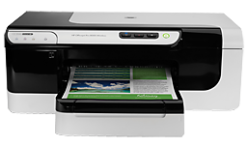
HP Officejet Pro 8000 Enterprise Printer - A811a printer

HP Officejet Pro 8000 Wireless Printer – A809n

Specifications

Product number
4152894
Duplex printing
Automatic (standard)
Print quality color (best)
Up to 600 x 600 dpi
Recommended monthly page volume
250 to 1250 HP recommends that the number of printed pages per month be within the stated range for optimum device performance, based on factors including supplies replacement intervals and device life over an extended warranty period.
Paper handling input, standard
250-sheet input tray
Print quality black (best)
Black: Up to 600 x 600 dpi Color: Up to 600 x 600 dpi
Duty cycle (monthly, letter)
Up to 15,000 pages

Source verification: The model and driver information on this page was reviewed against archived HP source records on .

HP A811a driver download for Windows

DescriptionVersionRelease dateFile sizeDownload

Recommended software

HP Officejet Full Feature Software and Driver Recommended
2.0.7.4966
May 19, 2021
81.3 MB
See full detailsWindows 7 (64-bit)
Type:
Driver-Product Installation Software
Version:
2.0.7.4966
Operating systems:
Windows 7 (64-bit)
Release date:
May 19, 2021
File name:
hp_OJPA811a_Full_Solution_usb_n_1.exe
(81.3 MB)

Package notes

Description:

The Full Feature Software and driver solution is the complete software solution intended for users who want more than just a basic drivers. If you only want the drivers (without the Full Software Suite), it is available as a separate download named "HP Officejet Basic Print Driver".

Also applies to: HP Officejet Basic Print Driver

Alternative packages

HP ePrint Software for Network and Wireless Connected Printers
5.5.118.22560
Sep 17, 2017
31.2 MB
See full detailsWindows 10, 7 (64-bit)
Type:
Software-ePrint
Version:
5.5.118.22560
Operating systems:
Windows 10, 7 (64-bit)
Release date:
Sep 17, 2017
File name:
HPEPrintAppSetupx64.exe
(31.2 MB)

Package notes

Description:

HP ePrint Software makes it easy to print from a desktop or laptop PC to any HP ePrinter. You can easily print your digital content wirelessly to supported HP printers on a local wireless network (Wi-Fi), HP printer enabled Wireless or WiFi Direct, or over the wired LAN.

Setup options

HP Officejet Pro 8000 Enterprise Printer – A811a Print Driver (no Installer)
61.145.02.15638
May 19, 2021
20.6 MB
See full detailsWindows 7 (64-bit)
Type:
Driver-Product Installation Software
Version:
61.145.02.15638
Operating systems:
Windows 7 (64-bit)
Release date:
May 19, 2021
File name:
HP_OJProA811a_N_DRV_1.exe
(20.6 MB)

Package notes

Description:

The Driver Only solution provides basic print-only use with the HP device. This download will extract the files onto your computer's drive.

Additional software

HP Officejet Basic Print Driver
2.0.7.4966
May 19, 2021
37.1 MB
See full detailsWindows 7 (64-bit)
Type:
Driver-Product Installation Software
Version:
2.0.7.4966
Operating systems:
Windows 7 (64-bit)
Release date:
May 19, 2021
File name:
hp_OJPA811a_Basic_Solution_usb_n_1.exe
(37.1 MB)

Package notes

Description: This package uses the same description as another package in this group.

HP A811a driver download for macOS

DescriptionVersionRelease dateFile sizeDownload

Recommended software

Install HP Easy Start
2.16.7.260722
Aug 13, 2026
6.3 MB
See full detailsmacOS 15, 26
Type:
Driver
Version:
2.16.7.260722
Operating systems:
macOS 15, 26
Release date:
Aug 13, 2026
File name:
HP_Easy_Start.app.zip
(6.3 MB)

Package notes

Description:

HP Easy Start is the new way to set up your HP printer and prepare your Mac for printing. HP Easy Start will locate and install the latest software for your printer and then guide you through printer setup.

HP A811a installation and support

Use these resources after choosing the package that matches your operating system.

Driver assistance

Installation instructions

Common setup problems

Official resources

Package versions are listed in the download sections above. Check the operating-system list before downloading.

HP Officejet Pro 8630 e-All-in-One Printer Driver Download

Find HP Officejet Pro 8630 e-All-in-One driver downloads, package details and supported operating systems for

HP Officejet Pro 8630 e-All-in-One Printer

HP Officejet Pro 8630 e-All-in-One Printer printer

HP ePrint; Apple AirPrint™; Mopria™-certified; Wireless Direct Printing Local printing requires mobile device and printer to be on the same network.

Specifications

Product number
5367619
Duplex printing
Automatic (standard)
Print quality color (best)
Up to 4800 x 1200 optimized dpi on HP Advanced Photo Paper from 1200 x 1200 input dpi
Recommended monthly page volume
250 to 1500 pages (print) HP recommends that the number of pages per month of imaged output be within the stated range for optimum device performance, based on factors including supplies replacement intervals and device life over an extended warranty period.
Paper handling input, standard
Standard 250 sheet input-tray, plus second 250 sheet input-tray for total of 500 sheet capacity
Print quality black (best)
Black: Up to 1200 x 1200 optimized dpi on plain paper from 600 x 600 input dpi Color: Up to 4800 x 1200 optimized dpi on HP Advanced Photo Paper from 1200 x 1200 input dpi
Duty cycle (monthly, letter)
Up to 30,000 pages Duty cycle is defined as the maximum number of pages per month of imaged output.

HP Officejet Pro 8630 e-All-in-One driver download for Windows

DescriptionVersionRelease dateFile sizeDownload

Recommended software

HP Officejet Pro 8630 e-All-in-One Printer series Full Feature Software and Drivers Recommended
32.4.116_1
May 23, 2022
124.0 MB
See full detailsWindows 11; Windows 10, 7 (64-bit)
Type:
Driver-Product Installation Software
Version:
32.4.116_1
Operating systems:
Windows 11; Windows 10, 7 (64-bit)
Release date:
May 23, 2022
File name:
Full_Webpack-116_1-Full_Webpack.exe
(124.0 MB)

Package notes

Description:

The full solution software includes everything you need to install and use your HP printer. This collection of software includes the complete set of drivers, installer and optional software.

Alternative packages

HP Officejet Pro 8630 e-All-in-One Printer series Basic Driver
32.4.116
Dec 5, 2021
38.4 MB
See full detailsWindows 11; Windows 10, 7 (64-bit)
Type:
Driver-Product Installation Software
Version:
32.4.116
Operating systems:
Windows 11; Windows 10, 7 (64-bit)
Release date:
Dec 5, 2021
File name:
Basic_Webpack_x64-116-Basic_Webpack_x64.exe
(38.4 MB)

Package notes

Description:

This basic feature software solution is a driver-only software solution intended for customers who only want a basic driver to use with their HP printer. If you want the full feature software solution, it is available as a separate download named HP Officejet Pro 8630 e-All-in-One Printer series Full Software Solution .

Setup options

HP ePrint Software for Network and Wireless Connected Printers
5.5.118.22560
Sep 17, 2017
31.2 MB
See full detailsWindows 10, 7 (64-bit)
Type:
Software-ePrint
Version:
5.5.118.22560
Operating systems:
Windows 10, 7 (64-bit)
Release date:
Sep 17, 2017
File name:
HPEPrintAppSetupx64.exe
(31.2 MB)

Package notes

Description:

HP ePrint Software makes it easy to print from a desktop or laptop PC to any HP ePrinter. You can easily print your digital content wirelessly to supported HP printers on a local wireless network (Wi-Fi), HP printer enabled Wireless or WiFi Direct, or over the wired LAN. Additionally, you can print to your HP ePrint-enabled printer via the cloud at home, the office, or on-the-go, whenever the printer is connected to the Internet. You can even print to thousands of HP ePrint Public Print Locations worldwide.

Firmware and utilities

HP Universal Fax Driver for Windows with XP and Vista Support
8.2.89
Sep 10, 2026
13.8 MB
See full detailsWindows 11; Windows 10, 7 (64-bit)
Type:
Driver-Universal Fax Driver
Version:
8.2.89
Operating systems:
Windows 11; Windows 10, 7 (64-bit)
Release date:
Sep 10, 2026
File name:
UFD_8.2-8.2.89-HPUFD_Driver_Files.exe
(13.8 MB)

Package notes

Description:

The HP Universal Fax Driver is a solution installed on a client PC with XP and Vista Support. Note : This method is not supported for Windows Server PC. Refer HP Universal Fax Driver for Windows – Driver Only package for Server PC.

More firmware and utilities

HP Officejet Pro 8610/8620/8630/8640/8660 and HP OfficeJet 8600 Series Printer Firmware Updater
2022A
Jun 28, 2020
23.7 MB
See full detailsWindows 10, 7 (64-bit)
Type:
Firmware
Version:
2022A
Operating systems:
Windows 10, 7 (64-bit)
Release date:
Jun 28, 2020
File name:
OJP8630_2022A.exe
(23.7 MB)

Package notes

Description:

This software tool will help you update your printer to the latest firmware. Please refer to Enhancements/Fixes for more detail about the firmware update.

More firmware and utilities

HP Universal Fax Driver
1.0.246
Apr 16, 2015
11.4 MB
See full detailsWindows 7 (64-bit)
Type:
Driver-Universal Fax Driver
Version:
1.0.246
Operating systems:
Windows 7 (64-bit)
Release date:
Apr 16, 2015
File name:
HPUFDDriver.zip
(11.4 MB)

Package notes

Description:

HP Universal Fax Driver for Windows

HP Officejet Pro 8630 e-All-in-One driver download for macOS

DescriptionVersionRelease dateFile sizeDownload

Recommended software

Install HP Easy Start
2.16.7.260722
Aug 13, 2026
6.3 MB
See full detailsmacOS 15, 26
Type:
Driver
Version:
2.16.7.260722
Operating systems:
macOS 15, 26
Release date:
Aug 13, 2026
File name:
HP_Easy_Start.app.zip
(6.3 MB)

Package notes

Description:

HP Easy Start is the new way to set up your HP printer and prepare your Mac for printing. HP Easy Start will locate and install the latest software for your printer and then guide you through printer setup.

HP Officejet Pro 8630 e-All-in-One Linux Support

DescriptionVersionRelease dateFile sizeDownload

Recommended software

HP Printers – Driver Support for Linux OS
N/A
Nov 7, 2016
N/A
See full detailsLinux
Type:
Driver-Product Installation Software
Version:
N/A
Operating systems:
Linux
Release date:
Nov 7, 2016
File name:
HP support instructions
(N/A)

Package notes

Description:

For Linux downloads, HP recommends another website. If you need to download Linux drivers, you will be directed to a website that is outside HP Customer Support.

HP Officejet Pro 8630 e-All-in-One installation and support

Use these resources after choosing the package that matches your operating system.

Driver assistance

Installation instructions

Common setup problems

Official resources

Package versions are listed in the download sections above. Check the operating-system list before downloading.

HP Officejet Pro X551dw Printer Driver Download

Find HP X551dw driver downloads, package details and supported operating systems for

HP Officejet Pro X551dw Printer

HP Officejet Pro X551dw Printer printer

AirPrint requires the printer be connected to the same network as your Apple device.

Specifications

Product number
5144406
Duplex printing
Automatic (standard)
Print quality color (best)
Up to 2400 x 1200 optimized dpi from 600 x 600 input dpi (on HP Advanced Photo Papers)
Recommended monthly page volume
1000 to 6000 HP recommends that the number of printed pages per month be within the stated range for optimum device performance, based on factors including supplies replacement intervals and device life over an extended warranty period.
Paper handling input, standard
500-sheet input tray, 50-sheet multi-purpose tray
Print quality black (best)
Black: Up to 1200 x 1200 optimized dpi from 600 x 600 input dpi (on unspecified plain paper, HP Premium Inkjet Presentation Paper Matte, and HP Inkjet Brochure Paper Matte) Color: Up to 2400 x 1200 optimized dpi from 600 x 600 input dpi (on HP Advanced Photo Papers)
Duty cycle (monthly, letter)
Up to 80,000 pages Duty cycle is defined as the maximum number of pages per month of imaged output. This value provides a comparison of product robustness in relation to other HP LaserJet or HP Color LaserJet devices, and enables appropriate deployment of printers and MFPs to satisfy the demands of connected individuals or groups.

HP X551dw driver download for Windows

DescriptionVersionRelease dateFile sizeDownload

Recommended software

HP Officejet Pro X551dw Printer Full Software Solution (Recommended) Recommended
32.4.119
Dec 5, 2021
104.5 MB
See full detailsWindows 11; Windows 10, 7 (64-bit)
Type:
Driver-Product Installation Software
Version:
32.4.119
Operating systems:
Windows 11; Windows 10, 7 (64-bit)
Release date:
Dec 5, 2021
File name:
Full_Webpack-119-OJX551_DW_Full_Webpack.exe
(104.5 MB)

Package notes

Description:

The full solution software includes everything you need to install and use your HP printer. This collection of software includes the complete set of drivers, installer and optional software.

Alternative packages

HP Officejet Pro X551dw Printer PCL 6 Driver with Installer
32.4.119
Dec 5, 2021
39.8 MB
See full detailsWindows 11; Windows 10, 7 (64-bit)
Type:
Driver-Product Installation Software
Version:
32.4.119
Operating systems:
Windows 11; Windows 10, 7 (64-bit)
Release date:
Dec 5, 2021
File name:
Basic_Webpack_x64-119-OJX551_DW_Basicx64_Webpack.exe
(39.8 MB)

Package notes

Description:

This basic feature software solution is a driver-only software solution intended for customers who only want a basic driver to use with their HP printer. If you want the full feature software solution, it is available as a separate download named "HP Officejet Pro X451dw Printer series Full Software Solution".

Setup options

HP Universal Print Driver for Windows PCL6 (ARM64-bit)
v8.2.0.26778
Sep 25, 2026
20.1 MB
See full detailsWindows 11
Type:
Driver-Universal Print Driver
Version:
v8.2.0.26778
Operating systems:
Windows 11
Release date:
Sep 25, 2026
File name:
upd-pcl6-win11-ARM64-8.2.0.26778.zip
(20.1 MB)

Package notes

Description:

This is the most current PCL6 driver of the HP Universal Print Driver (UPD) for Windows ARM64 bit systems.

Additional software

HP Universal Print Driver for Windows PCL6 (64-bit)
V8.2.0.26819
Sep 25, 2026
20.2 MB
See full detailsWindows 11
Type:
Driver-Universal Print Driver
Version:
V8.2.0.26819
Operating systems:
Windows 11
Release date:
Sep 25, 2026
File name:
upd-pcl6-win11-x64-8.2.0.26819.zip
(20.2 MB)

Package notes

Description:

This is the most current PCL6 driver of the HP Universal Print Driver (UPD) for Windows 64 bit systems. It is intended for Windows 11 and Windows Server 2025. If you need a driver for Windows 10 or earlier operating systems, select Choose a different OS above and choose the operating system for your deployment.

Compatibility packages

HP Universal Print Driver for Windows PS (64-bit)
V8.2.0.26819
Sep 25, 2026
21.4 MB
See full detailsWindows 11
Type:
Driver-Universal Print Driver
Version:
V8.2.0.26819
Operating systems:
Windows 11
Release date:
Sep 25, 2026
File name:
upd-ps-win11-x64-8.2.0.26819.zip
(21.4 MB)

Package notes

Description:

This is the most current PostScript® emulation driver of the HP Universal Print Driver (UPD) for Windows 64 bit systems. It is intended for Windows 11 and Windows Server 2025. If you need a driver for Windows 10 or earlier operating systems, select Choose a different OS above and choose the operating system for your deployment.

More available software

HP Universal Print Driver for Windows PostScript (64-bit)
v8.2.0.26778
Sep 25, 2026
21.5 MB
See full detailsWindows 10, 7 (64-bit)
Type:
Driver-Universal Print Driver
Version:
v8.2.0.26778
Operating systems:
Windows 10, 7 (64-bit)
Release date:
Sep 25, 2026
File name:
upd-ps-win10-x64-8.2.0.26778.zip
(21.5 MB)

Package notes

Description:

This is the most current PostScript® emulation driver of the HP Universal Print Driver (UPD) for Windows 64 bit systems; Level 2 and 3 emulation.

Download options

HP Universal Print Driver for Windows PCL6 (64-bit)
v8.2.0.26778
Sep 25, 2026
20.3 MB
See full detailsWindows 10, 7 (64-bit)
Type:
Driver-Universal Print Driver
Version:
v8.2.0.26778
Operating systems:
Windows 10, 7 (64-bit)
Release date:
Sep 25, 2026
File name:
upd-pcl6-win10-x64-8.2.0.26778.zip
(20.3 MB)

Package notes

Description:

This is the most current PCL6 driver of the HP Universal Print Driver (UPD) for Windows 64 bit systems.

Other available packages

HP ePrint Software for Network and Wireless Connected Printers
5.5.118.22560
Sep 17, 2017
31.2 MB
See full detailsWindows 10, 7 (64-bit)
Type:
Software-ePrint
Version:
5.5.118.22560
Operating systems:
Windows 10, 7 (64-bit)
Release date:
Sep 17, 2017
File name:
HPEPrintAppSetupx64.exe
(31.2 MB)

Package notes

Description:

HP ePrint Software makes it easy to print from a desktop or laptop PC to any HP ePrinter. You can easily print your digital content wirelessly to supported HP printers on a local wireless network (Wi-Fi), HP printer enabled Wireless or WiFi Direct, or over the wired LAN. Additionally, you can print to your HP ePrint-enabled printer via the cloud at home, the office, or on-the-go, whenever the printer is connected to the Internet. You can even print to thousands of HP ePrint Public Print Locations worldwide.

Firmware and utilities

HP Print Administrator Resource Kit
v1.9.2
Nov 17, 2024
18.7 MB
See full detailsWindows 11; Windows 10, 7 (64-bit)
Type:
Utility-Universal Print Driver
Version:
v1.9.2
Operating systems:
Windows 11; Windows 10, 7 (64-bit)
Release date:
Nov 17, 2024
File name:
HP-PARK-v1.9.2.zip
(18.7 MB)

Package notes

Description:

The HP Print Administrator Resource Kit (PARK) is a collection of tools, scripts and documentation to help print administrators install, deploy, configure and manage the HP Universal Print Driver. The PARK contains both supported and unsupported software tools, scripts and documentation. Supported tools include: HP Driver Configuration Utility HP Driver Deployment Utility HP Managed Printing Administrator HP UPD Active Directory Administrative template AutoUpgradeUPD PRNCon

More firmware and utilities

HP Officejet Pro X551dw Printer Firmware
2022A
Jul 19, 2020
29.3 MB
See full detailsWindows 10, 7 (64-bit)
Type:
Firmware
Version:
2022A
Operating systems:
Windows 10, 7 (64-bit)
Release date:
Jul 19, 2020
File name:
OJPX551DW_2022A.exe
(29.3 MB)

More firmware and utilities

HP Officejet Pro X Printers Firmware Update README
2022A
Jul 19, 2020
0.2 MB
See full detailsWindows 10, 7 (64-bit)
Type:
Firmware
Version:
2022A
Operating systems:
Windows 10, 7 (64-bit)
Release date:
Jul 19, 2020
File name:
HP_Officejet_Pro_X_Series_Readme_2022A.pdf
(0.2 MB)

HP X551dw driver download for macOS

DescriptionVersionRelease dateFile sizeDownload

Recommended software

Install HP Easy Start
2.16.7.260722
Aug 13, 2026
6.3 MB
See full detailsmacOS 15, 26
Type:
Driver
Version:
2.16.7.260722
Operating systems:
macOS 15, 26
Release date:
Aug 13, 2026
File name:
HP_Easy_Start.app.zip
(6.3 MB)

Package notes

Description:

HP Easy Start is the new way to set up your HP printer and prepare your Mac for printing. HP Easy Start will locate and install the latest software for your printer and then guide you through printer setup.

Firmware and utilities

HP Easy Admin
2.16.0.251010
Nov 9, 2025
4.9 MB
See full detailsmacOS 13, 15, 26
Type:
Utility-Tools
Version:
2.16.0.251010
Operating systems:
macOS 13, 15, 26
Release date:
Nov 9, 2025
File name:
HP_Easy_Admin.app.zip
(4.9 MB)

Package notes

Description:

HP Easy Admin is the tool that will help to download the available driver packages locally on system for selected device.

HP X551dw installation and support

Use these resources after choosing the package that matches your operating system.

Driver assistance

Installation instructions

Common setup problems

Official resources

Package versions are listed in the download sections above. Check the operating-system list before downloading.