
hpdrivers.net is an independent website and is not affiliated with, endorsed by, or sponsored by HP Inc. Download links point to HP's official servers (ftp.hp.com). Learn more

Driver HP OfficeJet 8013

Download HP OfficeJet 8013 All-in-One Printer Driver for Windows 11-10- 8.1 -8 -7 (32bit/64bit)

Download HP OfficeJet 8010 All-in-One Print and Scan Driver and Accessories
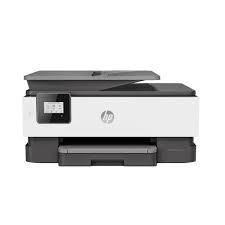
Printer HP OfficeJet 8013

It has thermal inkjet color printing technology. Its maximum resolution is up to 4800 x 1200 DPI. Normal quality print speed 10 pages per minute for A4/US Letter. Standard input capacity, 225 pages. The standard output capacity is 60 pages.

Description

The full solution software includes everything you need to install and use your HP printer. This collection of software includes the complete set of drivers, installer software, and other administrative tools.

Fix and enhancements: Updated end user license agreement and data collection statementecurity Vulnerability

HP OfficeJet 8013 Driver for Windows 64bit/32bit

Version: 49.10.4647
File Name: Full_Webpack-49.10.4647-OJ8010_Full_Webpack.exe
Post Date: Dec 14, 2021

Operating Systems:

Microsoft Windows 11, Windows 10 (64-bit)(32-bit), Windows 7 (64-bit)(32-bit), Windows 8 (64-bit)(32-bit), Windows 8.1 (64-bit)(32-bit)

Download

File Size : 123.93 MB

HP OfficeJet 3835 Driver for Windows

Version : 40.11.1120
Name: OJ3830_Full_WebPack_40.11.1120.exe
Released: Mar 15, 2021
Operating Systems: Windows 10 (32bit/64bit), Windows 8 (32bit/64bit), Vista (32bit/64bit), Windows 8.1 (32bit/64bit), Windows 7 (32bit/64bit), Win XP
Download
Size : 167.13 Mb
Driver HP OfficeJet Pro 9014e

Download HP OfficeJet Pro 9014e All-in-One Printer Driver for Windows 11/10/8/7

HP OfficeJet Pro 9010 EasyStart Printer Setup Software – Offline Use Only

OfficeJet Pro 9014e

HP OfficeJet Pro 9014e Printer Driver for Windows

HP OfficeJet Pro 9010 EasyStart Printer Setup Software – Offline Use Only

The full solution software includes everything you need to install and use your HP printer. This collection of software includes the complete set of drivers, installer software, and other administrative tools.

Fix and enhancements: Updated some basic information in installation screen.

Version: 49.11.4679
File Name: HPEasyStart-13.6.5-OJP9010_49_11_4679_1_Webpack.exe
Post date: Mar 23, 2022

Compatibility Systems:

Microsoft Windows 11, Windows 8 (32bit), Windows 8 (64bit), Windows 8.1 (32bit), Windows 8.1 (64bit), Windows 10 (32bit), Windows 10 (64bit), Windows 7 (32bit), Windows 7 (64bit)

Download

File Size : 208.42Mb

HP OfficeJet Pro 9014e Fax Driver for Windows

The HP Universal Fax Driver is a solution installed on a client or server PC.

Version: 6.5.117
Release date: Nov 17, 2023
Name: UFD_JEDI_PHASE6.5-6.5.117-HPUFDDriver.exe

Operating Systems: Windows 11 (64-bit), Windows 10 (32-bit), Windows 10 (64-bit), Windows 8.1 (32-bit) Windows 8.1 (64-bit),Windows 7 (32-bit), Windows 7 (64-bit)

Download

Size: 16.42 MB

HP OfficeJet Pro 8030 All-in-One Printer Driver Download

Find HP OfficeJet Pro 8030 All-in-One driver downloads, package details and supported operating systems for

HP OfficeJet Pro 8030 All-in-One Printer

HP OfficeJet Pro 8030 All-in-One Printer printer

HP OfficeJet Pro 8030 All-in-One Print EasyStart Printer Setup Software – Offline Use Only

Specifications

Product number
25479676
Recommended monthly page volume
Up to 800 pages
Paper handling input, standard
225-sheet input tray, 35-sheet ADF
Print quality black (best)
Black: 1200 x 1200 rendered dpi Color: Up to 4800 x 1200 optimized dpi on HP Advance Photo Paper 1200 x 1200 dpi input
Duty cycle (monthly, letter)
Up to 20,000 pages [7] Duty cycle is defined as the maximum number of pages per month of imaged output. This value provides a comparison of product robustness in relation to other HP Color InkJet devices.
Connectivity, standard
1 USB 2.0; 1 Ethernet; 1 Wireless 802.11a/b/g/n; 1 RJ-11 Fax
Duplex printing
Automatic (standard)

HP OfficeJet Pro 8030 All-in-One driver download for Windows

DescriptionVersionRelease dateFile sizeDownload

Recommended software

Install HP app to complete setup and support Recommended
N/A
Jun 17, 2026
N/A
See full detailsWindows 11; Windows 10 (64-bit)
Type:
Installation Software and Driver
Version:
N/A
Operating systems:
Windows 11; Windows 10 (64-bit)
Release date:
Jun 17, 2026
File name:
HP support instructions
(N/A)

Package notes

Description:

Install HP app to setup and use your Printer HP app will help you connect your printer, install driver, offer print, scan, fax, share files and Diagnose/Fix top issues. Click here to learn how to setup your Printer successfully (Recommended).

Alternative packages

HP Easy Start Printer Setup Software (Internet connection required for driver installation) Recommended
17.6.15
Oct 13, 2026
26.5 MB
See full detailsWindows 7 (64-bit)
Type:
Installation Software and Full/Basic Driver-Supports print and scan functionality only
Version:
17.6.15
Operating systems:
Windows 7 (64-bit)
Release date:
Oct 13, 2026
File name:
HPEasyStart_17_6_15.exe
(26.5 MB)

Package notes

Description:

HP Easy Start provides guided setup and drivers for your HP printer. Win 7 Service Pack 1 (SP1) is the minimum requirement for HP Easy Start.

Setup options

HP Easy Start Printer Setup Software (Internet connection required for driver installation)
17.6.15
Oct 13, 2026
26.5 MB
See full detailsWindows 11; Windows 10 (64-bit)
Type:
Installation Software and Driver-Includes print, scan, latest features, and solutions
Version:
17.6.15
Operating systems:
Windows 11; Windows 10 (64-bit)
Release date:
Oct 13, 2026
File name:
HPEasyStart_17_6_15.exe
(26.5 MB)

Package notes

Description:

HP Easy Start provides guided setup and drivers for your HP printer.

Additional software

HP OfficeJet Pro 8030 All-in-One Print EasyStart Printer Setup Software – Offline Use Only
49.10.4647
Dec 13, 2021
208.4 MB
See full detailsWindows 11; Windows 10, 7 (64-bit)
Type:
Installation Software and Full/Basic Driver-Supports print and scan functionality only
Version:
49.10.4647
Operating systems:
Windows 11; Windows 10, 7 (64-bit)
Release date:
Dec 13, 2021
File name:
HPEasyStart-13.4.8-OJP8030_49_10_4647_1_Webpack.exe
(208.4 MB)

Package notes

Description:

The full solution software includes everything you need to install and use your HP printer. This collection of software includes the complete set of drivers, installer software, and other administrative tools.

Firmware and utilities

HP Universal Fax Driver for Windows
8.2.89
Sep 10, 2026
25.2 MB
See full detailsWindows 11; Windows 10, 7 (64-bit)
Type:
Driver-Universal Fax Driver
Version:
8.2.89
Operating systems:
Windows 11; Windows 10, 7 (64-bit)
Release date:
Sep 10, 2026
File name:
UFD_8.2-8.2.89-HPUFDDriver.exe
(25.2 MB)

Package notes

Description:

The HP Universal Fax Driver is a solution installed on a client PC. Note : This method is not supported for Windows Server PC.

More firmware and utilities

HP OfficeJet 8020/OfficeJet Pro 8020/OfficeJet Pro 8030 All-in-One Printer series Firmware Update
001.2623A
Jun 25, 2026
66.9 MB
See full detailsWindows 11; Windows 10, 7 (64-bit)
Type:
Printer Firmware-Keeps your printer updated with latest fixes
Version:
001.2623A
Operating systems:
Windows 11; Windows 10, 7 (64-bit)
Release date:
Jun 25, 2026
File name:
OJP8020_8030_2623A.exe
(66.9 MB)

Package notes

Description:

This software tool will help you update your printer to the latest firmware. Please refer to Enhancement/Fixes for more detail about the firmware update.

Also applies to: HP OfficeJet 8020/OfficeJet Pro 8020/OfficeJet Pro 8030 All-in-One Printer series Firmware Update

HP OfficeJet Pro 8030 All-in-One driver download for macOS

DescriptionVersionRelease dateFile sizeDownload

Recommended software

Install HP app to complete setup and support Recommended
N/A
Aug 28, 2025
N/A
See full detailsmacOS 13, 15, 26
Type:
Installation Software and Driver-Includes print, scan, latest features, and solutions
Version:
N/A
Operating systems:
macOS 13, 15, 26
Release date:
Aug 28, 2025
File name:
HP support instructions
(N/A)

Package notes

Description:

HP app will help you: Install printer software and drivers Create an HP account and register your printer Connect your printer to Wi-Fi, load paper, and install cartridges After installation, you can use the HP app software to print, scan and copy files, print remotely, sign up for instant ink* and more. NOTE: Disconnect from Virtual Private Network (VPN) connection before downloading.

Firmware and utilities

HP OfficeJet 8020/OfficeJet Pro 8020/OfficeJet Pro 8030 All-in-One Printer series Firmware Update
001.2623A
Jun 25, 2026
69.4 MB
See full detailsmacOS 13, 15, 26
Type:
Printer Firmware-Keeps your printer updated with latest fixes
Version:
001.2623A
Operating systems:
macOS 13, 15, 26
Release date:
Jun 25, 2026
File name:
OJP8020_8030_2623A.dmg
(69.4 MB)

Package notes

Description: This package uses the same description as another package in this group.

HP OfficeJet Pro 8030 All-in-One Linux Support

DescriptionVersionRelease dateFile sizeDownload

Recommended software

HP Printers – Driver Support for Linux OS
N/A
Nov 7, 2016
N/A
See full detailsLinux
Type:
Driver-Product Installation Software
Version:
N/A
Operating systems:
Linux
Release date:
Nov 7, 2016
File name:
HP support instructions
(N/A)

Package notes

Description:

For Linux downloads, HP recommends another website. If you need to download Linux drivers, you will be directed to a website that is outside HP Customer Support.

HP OfficeJet Pro 8030 All-in-One installation and support

Use these resources after choosing the package that matches your operating system.

Driver assistance

Installation instructions

Common setup problems

Official resources

Package versions are listed in the download sections above. Check the operating-system list before downloading.